flutter_html_table 是一個 Flutter 擴充套件套件,可在 Flutter 應用程式中呈現 HTML 表格。它擴展了 Flutter 的 HTML 解析能力,讓開發者能夠將來自 HTML 字串的結構化資料以互動式且樣式化的表格形式顯示。該套件支援響應式版面配置,並能與伺服器驅動的 UI 工作流程無縫整合。特別適用於顯示動態內容,例如從 API 取得的報表、儀表板或資料網格。專為跨平台使用設計,可在 Android、iOS、Web、macOS、Windows 和 Linux 上運作。
適用情境
從 HTML 字符串渲染動態資料
在伺服器驅動的使用者介面中顯示表格資料
在網頁和移動應用中創建響應式數據網格
將 HTML 內容與 Flutter 小部件整合
從HTML來源產生報告或儀表板
主要特色
支援HTML表格語法
跨平台相容性
響應式佈局處理
與伺服器驅動的UI框架整合
輕鬆嵌入現有的 Flutter 專案
適合對象
使用伺服器驅動 UI 模式的開發者
使用基於HTML的內容分發的團隊
需要動態表格渲染的應用程式
需要一致資料展示的Web和移動應用
利用Flutter小部件生成的項目
使用建議
需要正確的HTML輸入格式
與原生Flutter表格相比,樣式控制有限
可能需要額外的解析來處理複雜的HTML結構
最適合靜態或半動態表格內容
依賴於底層的 flutter_html 套件以實現核心功能
原始 README
以下為關聯原始碼儲存庫的 README 原文快照,最新內容請造訪原始碼儲存庫。
flutter_html
A Flutter widget for rendering HTML and CSS as Flutter widgets.
Widgetbuild(context) {
returnHtml(
data: """
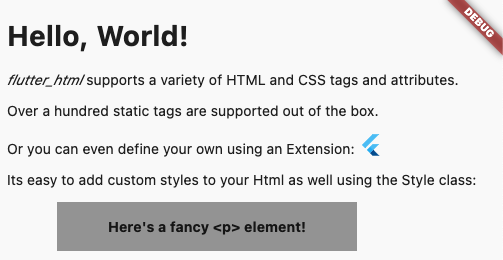
<h1>Hello, World!</h1>
<p><span style="font-style:italic;">flutter_html</span> supports a variety of HTML and CSS tags and attributes.</p>
<p>Over a hundred static tags are supported out of the box.</p>
<p>Or you can even define your own using an <code>Extension</code>: <flutter></flutter></p>
<p>Its easy to add custom styles to your Html as well using the <code>Style</code> class:</p>
<p class="fancy">Here's a fancy <p> element!</p>
""",
extensions: [
TagExtension(
tagsToExtend: {"flutter"},
child: constFlutterLogo(),
),
],
style: {
"p.fancy": Style(
textAlign: TextAlign.center,
padding: constEdgeInsets.all(16),
backgroundColor: Colors.grey,
margin: Margins(left: Margin(50, Unit.px), right: Margin.auto()),
width: Width(300, Unit.px),
fontWeight: FontWeight.bold,
),
},
);
}
This package is designed with simplicity in mind. Originally created to allow basic rendering of HTML content into the Flutter widget tree,
this project has expanded to include support for basic styling as well!
If you need something more robust and customizable, the package also provides a number of extension APIs for extremely granular control over widget rendering!
Below, you will find brief descriptions of the parameters theHtml widget accepts and some code snippets to help you use this package.
Constructors:
The package currently has two different constructors - Html() and Html.fromDom().
The Html() constructor is for those who would like to directly pass HTML from the source to the package to be rendered.
If you would like to modify or sanitize the HTML before rendering it, then Html.fromDom() is for you - you can convert the HTML string to a Document and use its methods to modify the HTML as you wish. Then, you can directly pass the modified Document to the package. This eliminates the need to parse the modified Document back to a string, pass to Html(), and convert back to a Document, thus cutting down on load times.
Parameters:
Parameters
Description
data
The HTML data passed to the Html widget. This is required and cannot be null when using Html().
document
The DOM document passed to the Html widget. This is required and cannot be null when using Html.fromDom().
onLinkTap
Optional. A function that defines what the widget should do when a link is tapped. The function exposes the src of the link as a String to use in your implementation.
extensions
Optional. A powerful API that allows you to customize everything when rendering a specific HTML tag.
shrinkWrap
Optional. A bool used while rendering different widgets to specify whether they should be shrink-wrapped or not, like ContainerSpan
onlyRenderTheseTags
Optional. An exclusive set of elements the Html widget should render. Note that your html will be wrapped in <body> and <html> if it isn't already, so you should include those in this list.
doNotRenderTheseTags
Optional. A set of tags that should not be rendered by the Html widget.
style
Optional. A powerful API that allows you to customize the style that should be used when rendering a specific HTMl tag.
This package is simply a convenience package that exports all the other external packages below. You should use this if you plan to render all the tags that require external dependencies.
This package renders iframes using the webview_flutter plugin.
When rendering iframes, the package considers the width, height, and sandbox attributes.
Sandbox controls the JavaScript mode of the webview - a value of null or allow-scripts will set javascriptMode: JavascriptMode.unrestricted, otherwise it will set javascriptMode: JavascriptMode.disabled.
You can set the navigationDelegate of the webview with the navigationDelegate property on IframeHtmlExtension. This allows you to block or allow the loading of certain URLs.
flutter_html_math
This package renders MathML elements using the flutter_math_fork plugin.
When rendering MathML, the package takes the MathML data within the <math> tag and tries to parse it to Tex. Then, it will pass the parsed string to flutter_math_fork.
Because this package is parsing MathML to Tex, it may not support some functionalities. The current list of supported tags can be found on the Wiki, but some of these only have partial support at the moment.
This package renders svg elements using the flutter_svg plugin.
When rendering SVGs, the package takes the SVG data within the <svg> tag and passes it to flutter_svg. The width and height attributes are considered while rendering, if given.
The package also exposes a few ways to render SVGs within an <img> tag, specifically base64 SVGs, asset SVGs, and network SVGs.
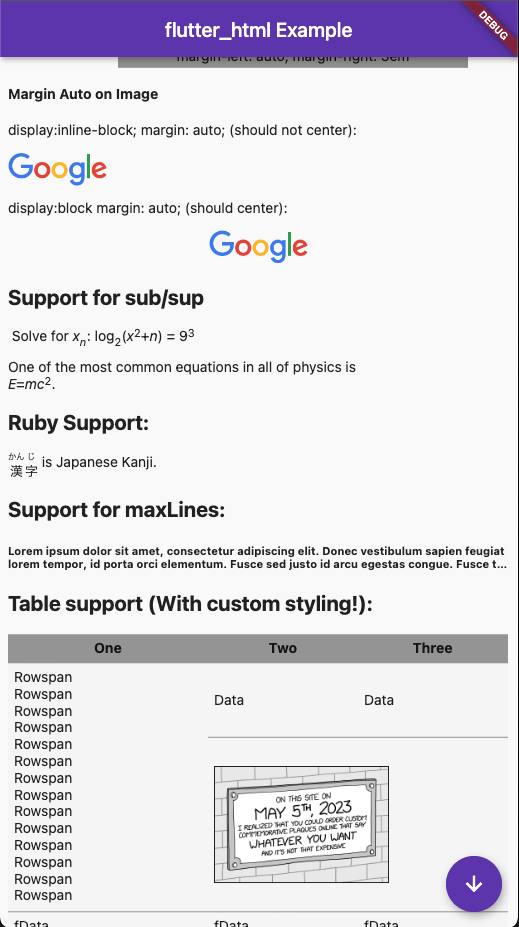
When rendering table elements, the package tries to calculate the best fit for each element and size its cell accordingly. Rowspans and colspans are considered in this process, so cells that span across multiple rows and columns are rendered as expected. Heights are determined intrinsically to maintain an optimal aspect ratio for the cell.