
搜尋套件、儲存庫與 APP 分類

fluttertagger 封面
套件詳情v2.3.2

fluttertagger

一個 Flutter 套件,可擴展 TextField 以提供標記功能(使用者提及、主題標籤等)。

AndroidiOSWebmacOSWindowsLinux
近 30 天下載
1.5萬
喜歡數
96
Pub 分數
160

安裝套件

flutter pub add fluttertagger

套件介紹

根據套件公開資料產生的選型評估,僅供參考。

FlutterTagger 是一個 Flutter 套件,可為 TextFields 增強標籤功能,讓使用者能夠輸入和管理提及或主題標籤。它提供了一種無縫方式,即時識別、強調並互動 tagged text。此套件支援 Android、iOS、Web、macOS、Windows 和 Linux 多個平台,非常適合社交媒體和訊息應用。透過可自訂的樣式與事件處理,開發者可輕鬆將標籤建議與互動整合至其應用程式中。

適用情境

  • 社交媒體評論區
  • 用戶提及系統
  • 貼文中的話題標籤追蹤
  • 即時聊天應用
  • 表單中的內容標記
  • 互動式文字編輯

主要特色

  • 即時標籤識別
  • 可自定標籤樣式
  • 建議下拉選單整合
  • 跨平台相容性
  • 標籤操作的事件回調
  • 可擴展的 TextField 包裝器

適合對象

  • 開發社交功能的開發者
  • 需要用戶標記的應用程式
  • 訊息或論壇應用
  • 用於內容創作工具的外掛程式
  • 需要互動式文字輸入的專案

使用建議

  • 需要仔細處理文字選擇
  • 可能需要自定義邏輯來處理複雜的標籤解析
  • 大型標籤列表的效能影響
  • 有限的內建驗證
  • 依賴於正確的狀態管理
  • 不支援超出標籤以外的豐富文字編輯

原始 README

以下為關聯原始碼儲存庫的 README 原文快照,最新內容請造訪原始碼儲存庫。

FlutterTagger

FlutterTagger

likes pub points code coverage

FlutterTagger is a Flutter package that allows for the extension of TextFields to provide tagging capabilities. A typical use case is in social apps where user mentions and hashtags features are desired.

Install 🚀

In the pubspec.yaml of your flutter project, add the following dependency:

dependencies:
  fluttertagger: ^2.3.2

Import the package in your project 📥

import 'package:fluttertagger/fluttertagger.dart';

Usage 🏗️

FlutterTagger(
          controller: flutterTaggerController,
          onSearch: (query, triggerCharacter) {
              //perform search
          },
          //characters that can trigger a search and the styles
          //to be applied to their tagged results in the TextField
          triggerCharacterAndStyles: const {
            '@': TextStyle(color: Colors.pinkAccent),
            '#': TextStyle(color: Colors.blueAccent),
          },
          //this will cause the onSearch callback to be invoked
          //immediately a trigger character is detected.
          //The default behaviour defers the onSearch invocation
          //until a searchable character has been entered after
          //the trigger character.
          triggerStrategy: TriggerStrategy.eager,
          overlay: SearchResultView(),
          builder: (context, textFieldKey) {
              //return a TextField and pass it `textFieldKey`
              return TextField(
                    key: textFieldKey,
                    controller: flutterTaggerController,
                    suffix: IconButton(
                      onPressed: () {
                        //get formatted text from controller
                        final text = flutterTaggerController.formattedText;

                        //perform send action...

                        FocusScope.of(context).unfocus();
                        flutterTaggerController.clear();
                      },
                    icon: const Icon(
                      Icons.send,
                      color: Colors.redAccent,
                    ),
                  ),
                );
          },
        )

Here's how trigger a search by updating the controller directly instead of typing into a keyboard:

FlutterTagger(
          controller: flutterTaggerController,
          onSearch: (query, triggerCharacter) {
              //perform search
          },
          //characters that can trigger a search and the styles
          //to be applied to their tagged results in the TextField
          triggerCharacterAndStyles: const {
            '@': TextStyle(color: Colors.pinkAccent),
            '#': TextStyle(color: Colors.blueAccent),
          },
          overlay: SearchResultView(),
          builder: (context, textFieldKey) {
              // return a TextField and pass it `textFieldKey`
              return TextField(
                    key: textFieldKey,
                    controller: flutterTaggerController,
                    suffix: IconButton(
                      onPressed: () {
                        // get formatted text from controller
                        String text = flutterTaggerController.formattedText;

                        // append a trigger character to activate the search context
                        flutterTaggerController.text = text += '#';

                        // update text selection
                        flutterTaggerController.selection = TextSelection.fromPosition(
                          TextPosition(offset: flutterTaggerController.text.length),
                        );

                        // append other characters to trigger search
                        flutterTaggerController.text = text += 'f';

                        // update text selection
                        flutterTaggerController.selection = TextSelection.fromPosition(
                          TextPosition(offset: flutterTaggerController.text.length),
                        );

                        // then call formatTags on the controller to preserve formatting
                        flutterTaggerController.formatTags();
                      },
                    icon: const Icon(
                      Icons.send,
                      color: Colors.redAccent,
                    ),
                  ),
                );
          },
        )

Explore detailed example demo here.

Demo 📷
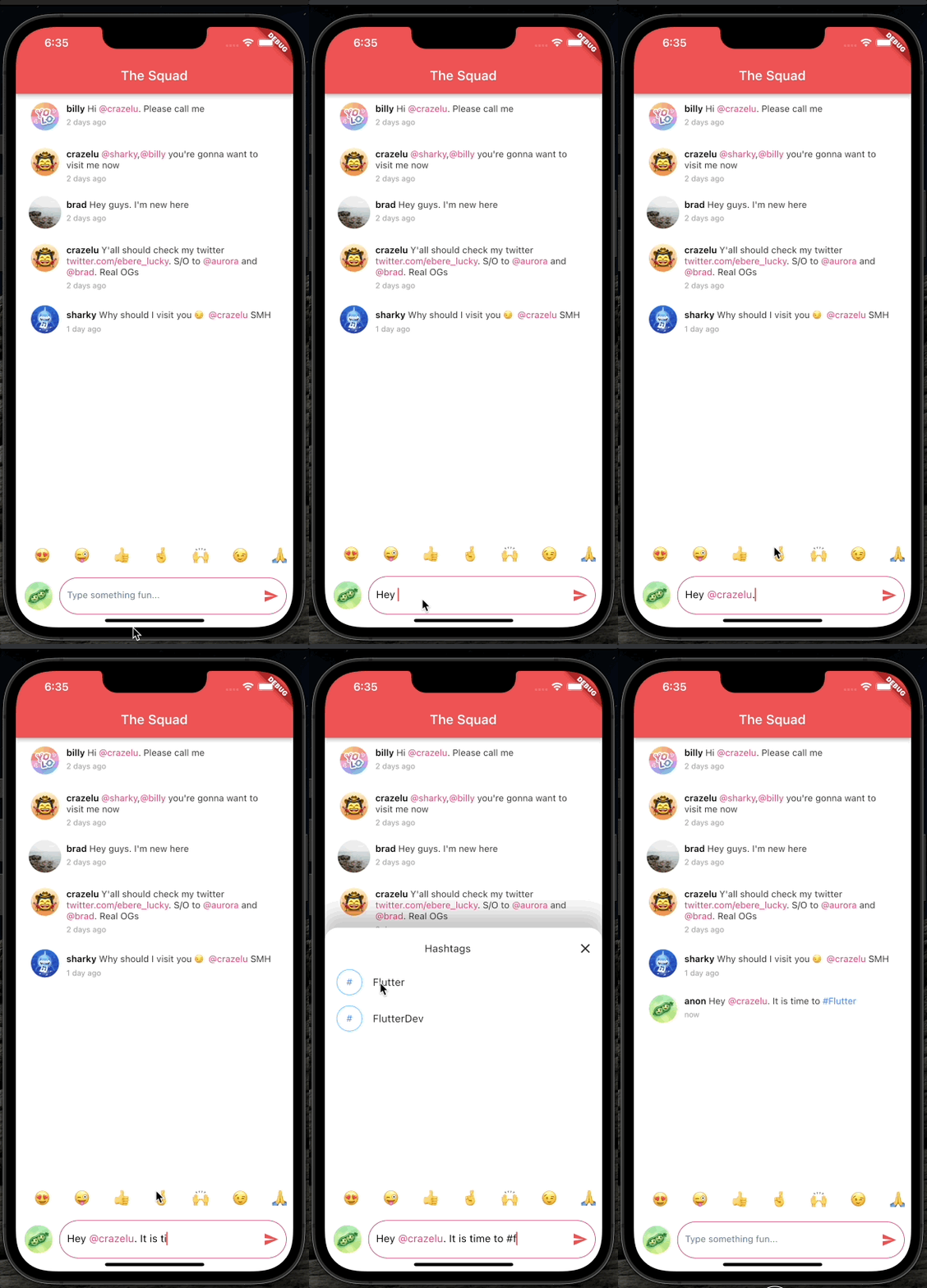
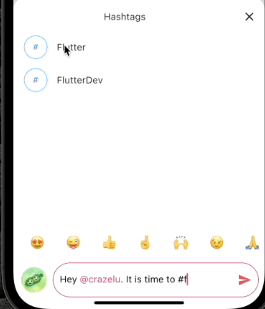
Example demo

Contributions 🫱🏾‍🫲🏼

Feel free to contribute to this project.

If you find a bug or want a feature, but don't know how to fix/implement it, please fill an issue.
If you fixed a bug or implemented a feature, please send a pull request.

所屬分類

原始碼儲存庫

使用此套件的專案

暫無相關資料。