A powerful and flexible form validation package for Flutter applications.
Features
🚀 Easy-to-use form validation
🎯 Single-responsibility validators for clear, maintainable code
🌐 Built-in internationalization support with fallback locales
🧩 Extensible with custom validators and translations
🔄 Immutable state management
🔗 Integrates seamlessly with Flutter widgets
🎛️ Advanced form controls (date pickers, multi-select, etc.)
🧬 Works great with state management solutions like BLoC
🧪 Comprehensive test coverage
Screenshots
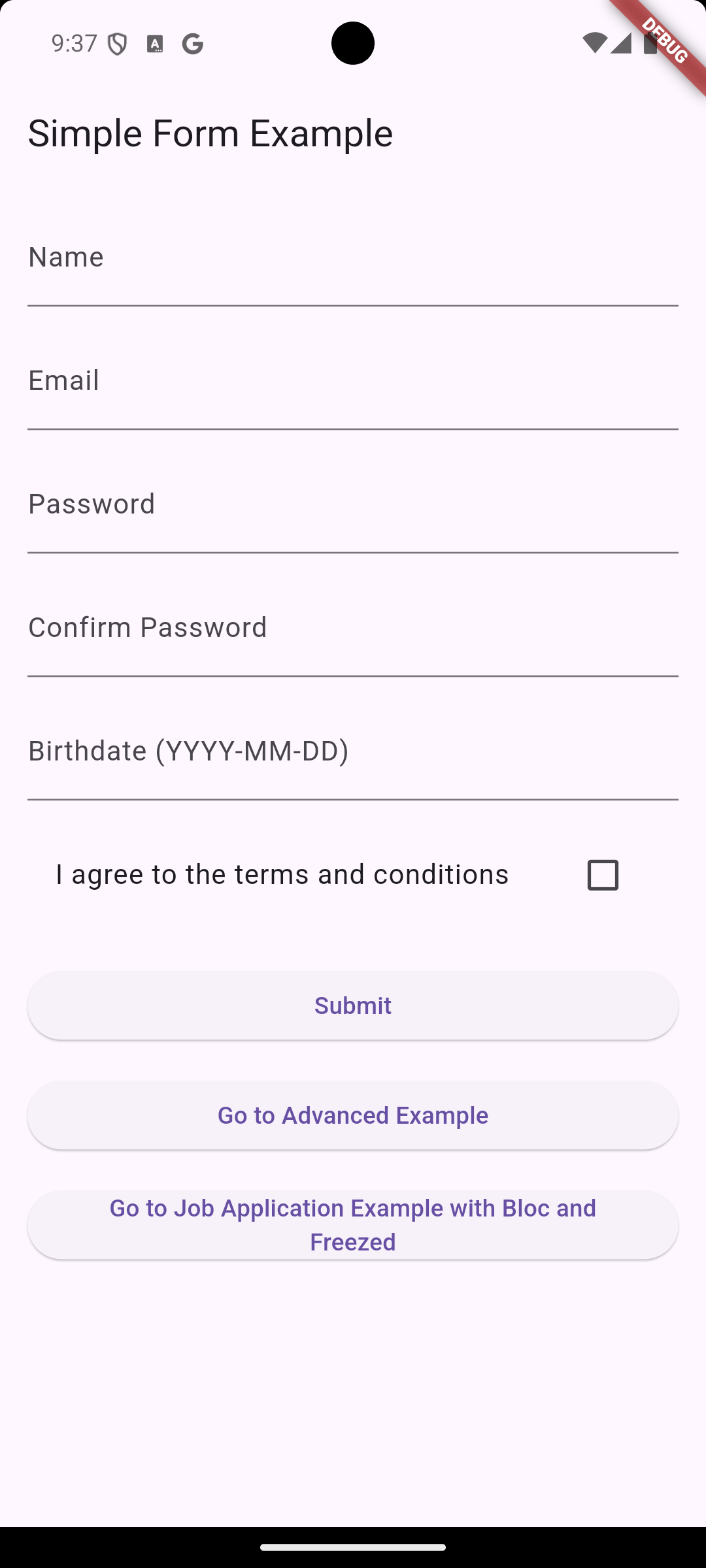
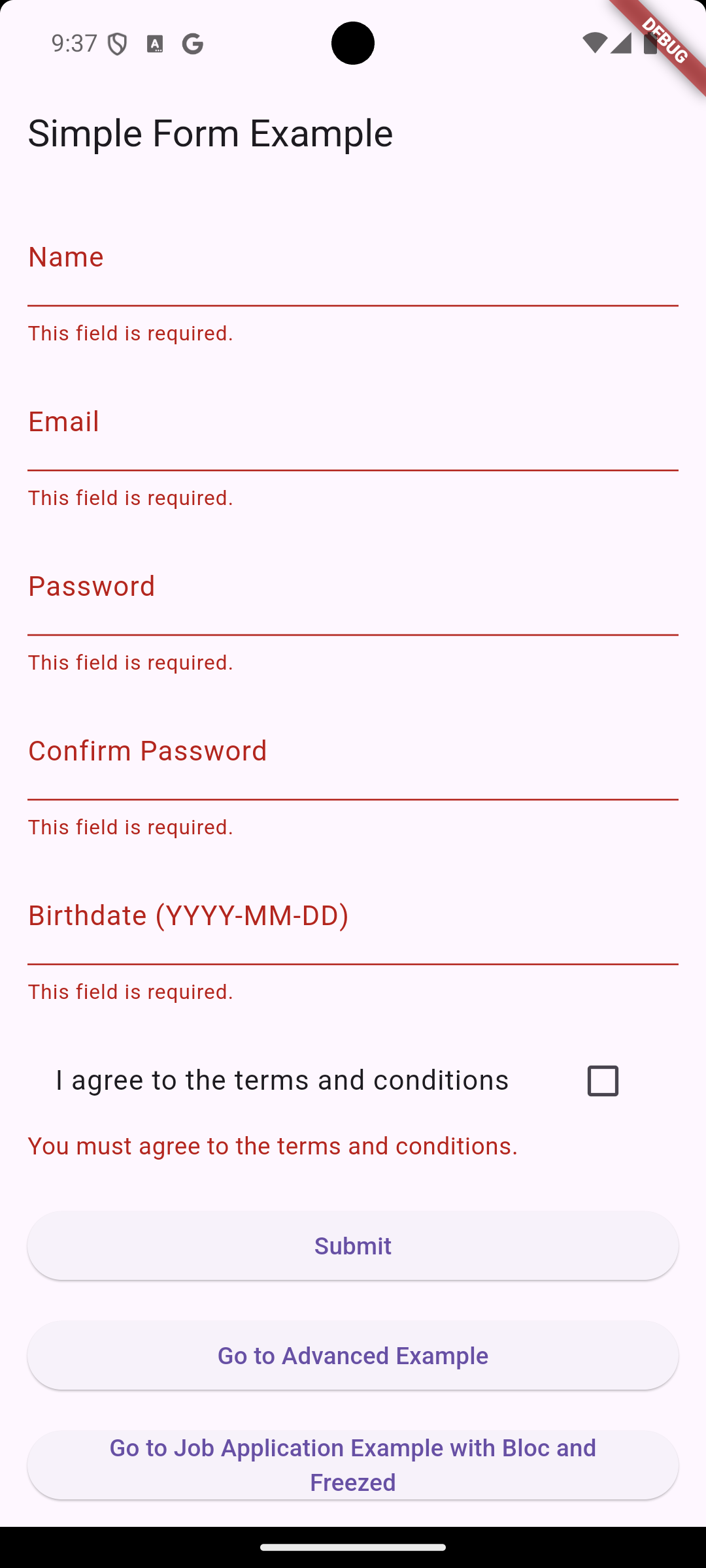
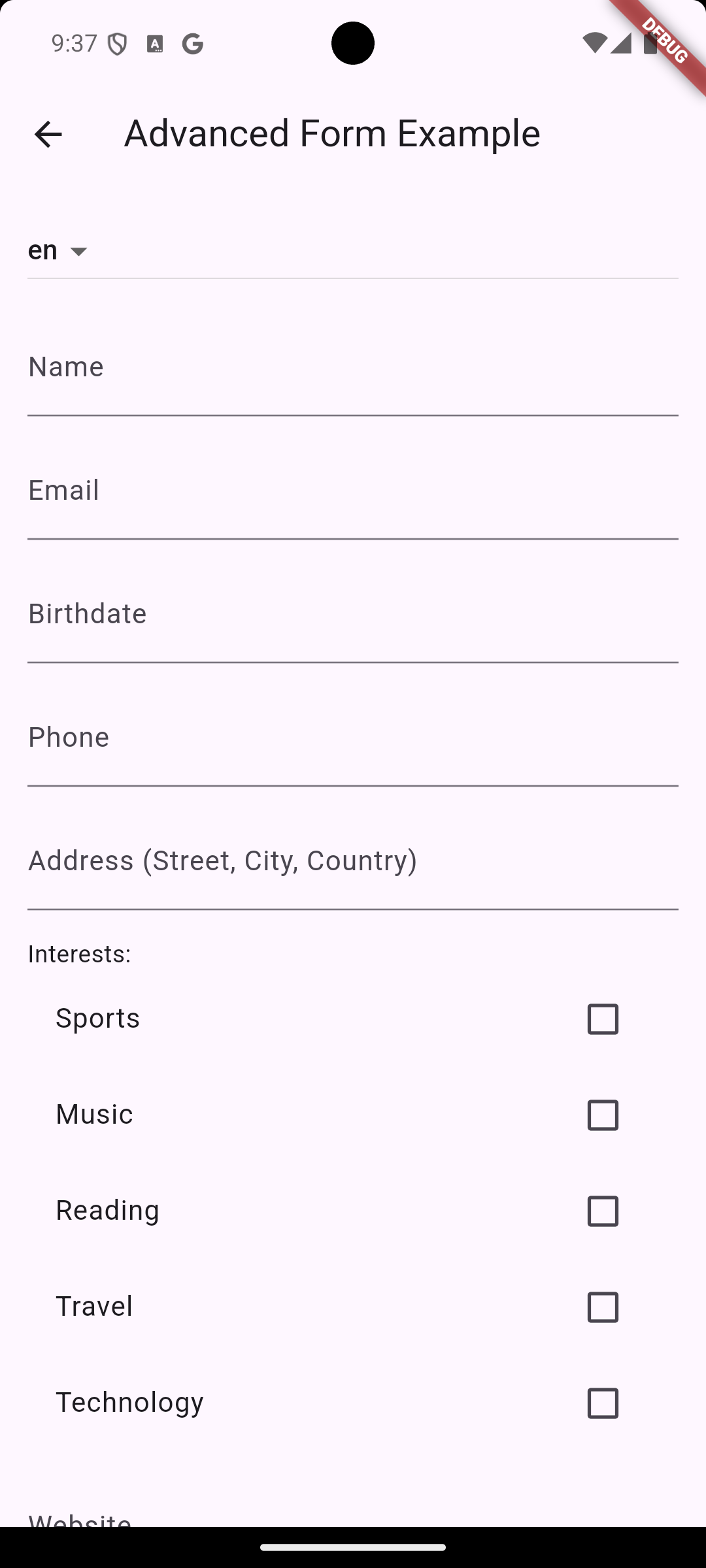
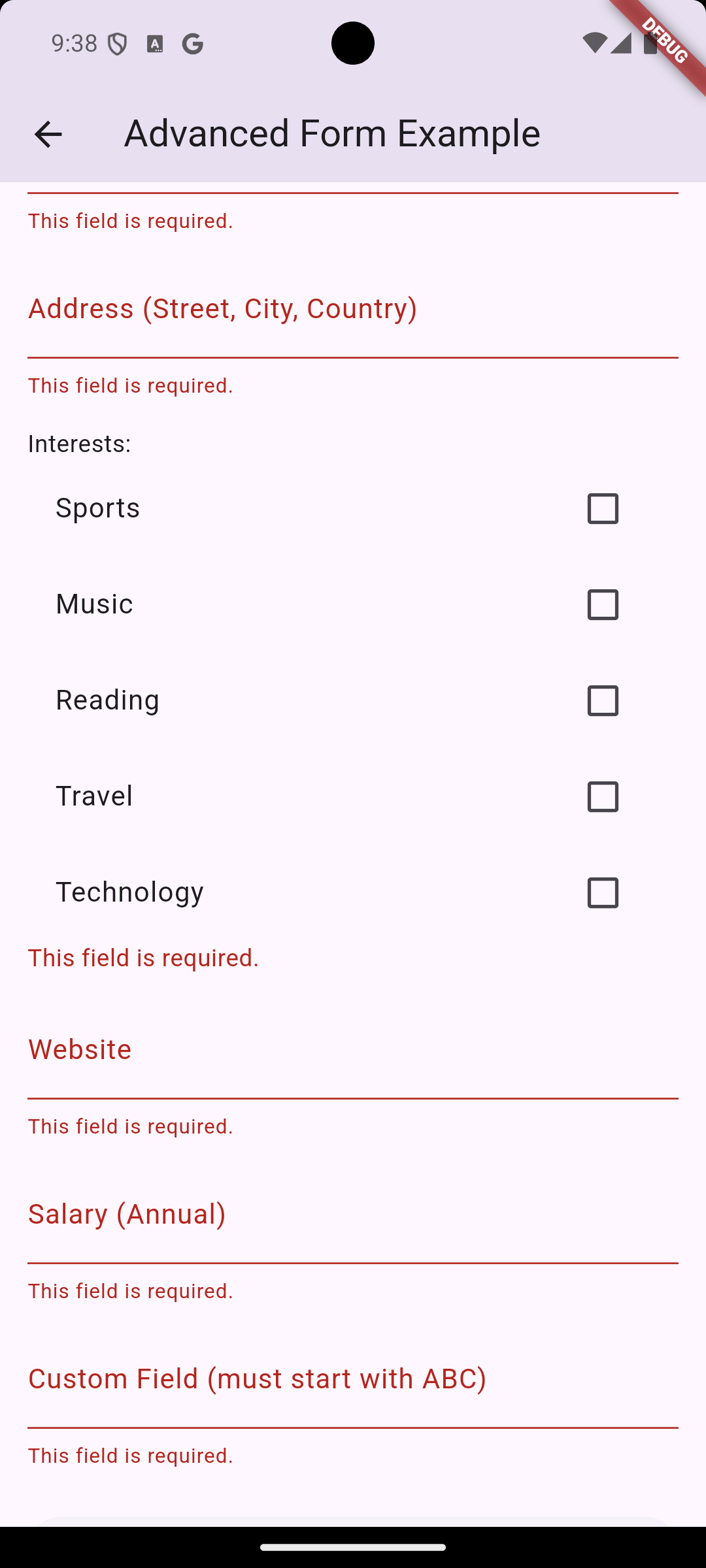
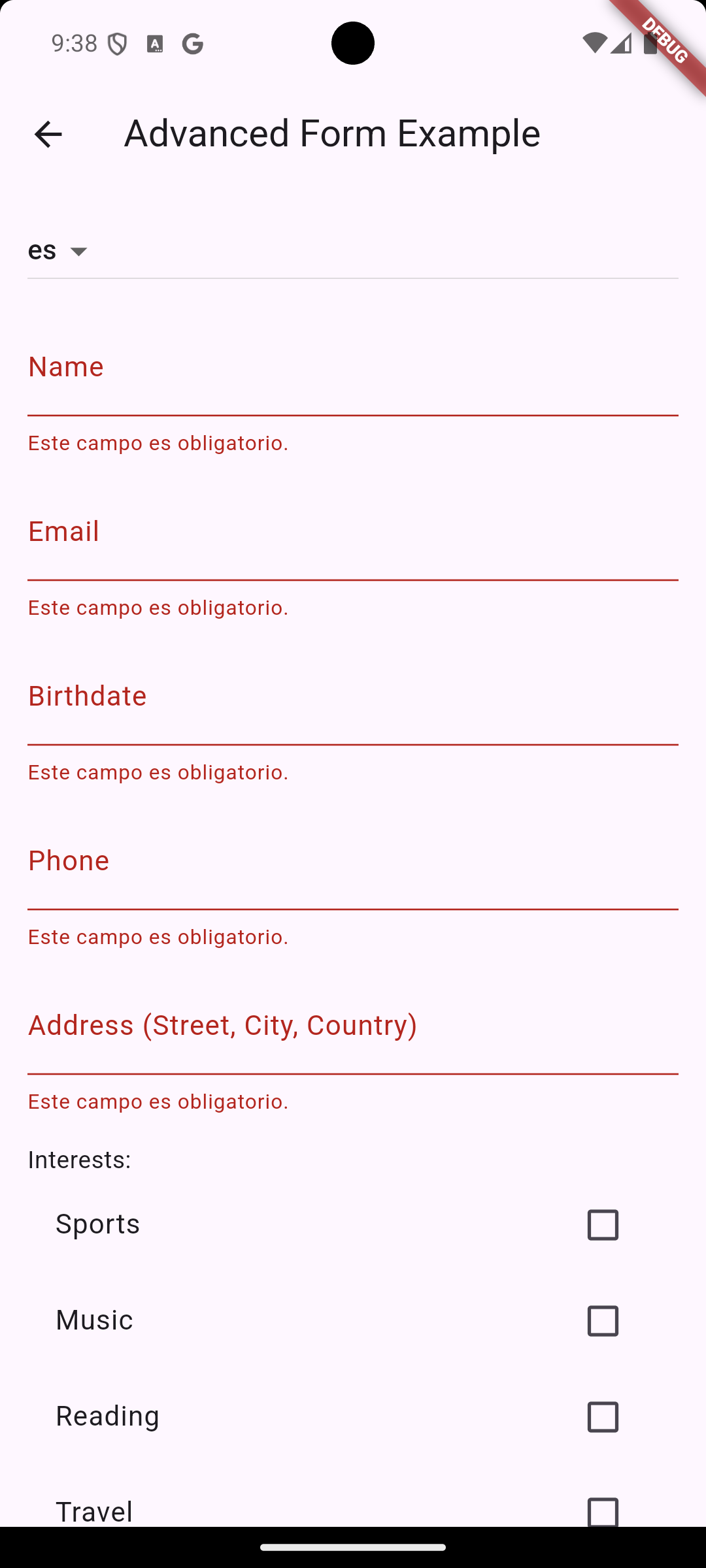
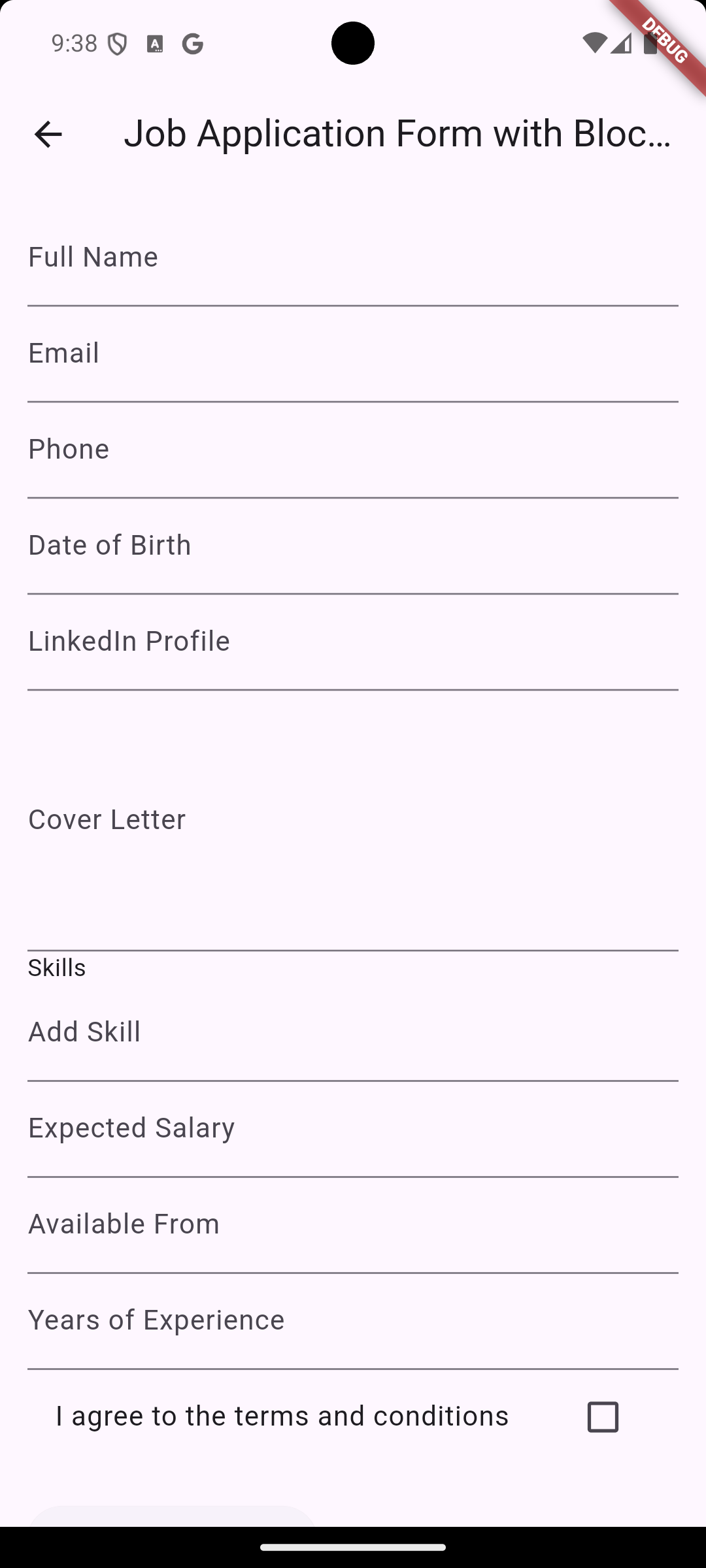
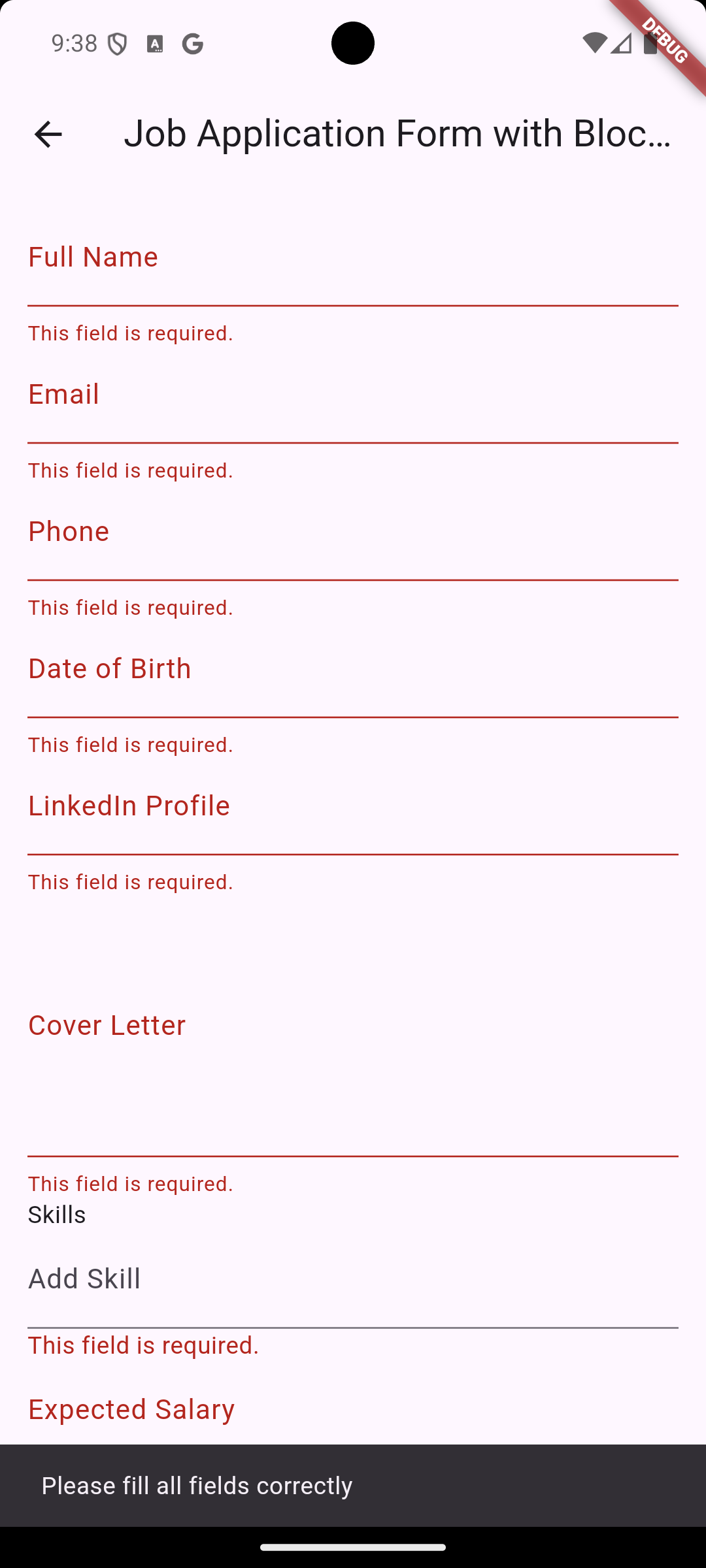
Here are some screenshots of form_model in action:
Installation
Add form_model to your pubspec.yaml file:
dependencies:form_model:^1.0.2+2
Then run:
flutter pub get
Basic Usage
Here's a simple example of how to use form_model:
import'package:form_model/form_model.dart';
// Create a FormModel for an email fieldfinal emailModel = FormModel<String>(
validators: [RequiredValidator(), EmailValidator()],
);
// Set a value and validatefinal validatedModel = emailModel.setValue('user@example.com').validate();
if (validatedModel.isValid) {
print('Email is valid: ${validatedModel.value}');
} else {
print('Validation error: ${validatedModel.error?.translatedMessage}');
}
Note: Each validator is responsible for checking one specific aspect of the input and returns only one type of error. This principle should be followed when creating custom validators for your application.
Advanced Usage
For more complex forms, you can combine multiple FormModel instances. Here's an example with a password confirmation field:
This example demonstrates how to properly set up and update a password match validator.
Validators
form_model includes a wide range of built-in validators, each responsible for a single aspect of validation:
RequiredValidator
EmailValidator
StringMinLengthValidator
StringMaxLengthValidator
PasswordLengthValidator
PasswordUppercaseValidator
PasswordLowercaseValidator
PasswordNumberValidator
PasswordSpecialCharValidator
DateTimeValidator
StringDateTimeAgeMinValidator
StringDateTimeAgeMaxValidator
StringPhoneNumberValidator
StringNumbersOnlyValidator
StringTextOnlyValidator
StringUrlValidator
StringWordsCountMinValidator
StringWordsCountMaxValidator
StringCreditCardValidator
CustomEqualValidator
StringCustomPatternValidator
IpAddressValidator
Ipv6AddressValidator
StringNumMinValidator
StringNumMaxValidator
StringContainsValidator
StringNotContainsValidator
FileTypeValidator
FileSizeValidator
BoolTrueValidator
BoolFalseValidator
BoolAgreeToTermsAndConditionsValidator
Each validator focuses on a single validation rule, adhering to the single-responsibility principle.
Internationalization
form_model supports multiple languages out of the box:
// Set the current localeFormModelLocalizations().setCurrentLocale(constLocale('es'));
// Get a translated error messagefinal errorMessage = emailModel.error?.translatedMessage;
Supported Languages
form_model supports the following languages:
English (en)
Spanish (es)
French (fr)
German (de)
Arabic (ar)
Chinese (Simplified) (zh_CN)
Hindi (hi)
Italian (it)
Japanese (ja)
Korean (ko)
Dutch (nl)
Portuguese (pt)
Russian (ru)
Turkish (tr)
Ukrainian (uk)
Vietnamese (vi)
Polish (pl)
Swedish (sv)
Integration with BLoC and Freezed
form_model integrates seamlessly with the BLoC pattern. Here's an example of a Flutter BLoC state using Freezed:
Custom validators allow you to create specific validation rules not covered by built-in validators. Here's a simple example of a custom validator that checks if a string starts with a specific prefix:
String? validatePrefix(String? value) {
const requiredPrefix = 'USER_';
if (value == null || !value.startsWith(requiredPrefix)) {
return'Value must start with $requiredPrefix';
}
returnnull;
}
final userIdModel = FormModel<String>(
validators: [
RequiredValidator(),
CustomValidator(validator: validatePrefix),
],
);
// UsagevoidvalidateUserId(String userId) {
final validatedModel = userIdModel.setValue(userId).validate();
if (validatedModel.isValid) {
print('Valid User ID: ${validatedModel.value}');
} else {
print('Invalid User ID: ${validatedModel.error?.translatedMessage}');
}
}
// ExamplevalidateUserId('USER_123'); // ValidvalidateUserId('ADMIN_456'); // Invalid
This custom validator checks if the input string starts with the prefix 'USER_'. It demonstrates how you can easily create application-specific validation logic using custom validators.
Custom validation functions should return a string with an error message if validation fails, or null if it passes. This approach allows you to extend form_model's capabilities to suit your specific needs while maintaining clean and modular code.
Working with Custom Objects
form_model can handle complex custom objects as well. Here's an example using an Address class:
This approach allows you to validate complex objects while keeping individual validation rules separate and focused.
Custom Translations
You can set custom translations for both custom and predefined error messages:
voidsetCustomTranslations() {
// Set custom translation for a custom errorFormModelLocalizations().setCustomErrorTranslations(
'en',
constCustomFormErrorKey('password_no_exclamation'),
'Password must contain an exclamation mark',
);
// Override translation for a predefined errorFormModelLocalizations().setCustomErrorTranslations(
'en',
constPredefinedFormErrorKey(PredefinedFormErrorType.required),
'This field cannot be left empty',
);
// Set translations for other languagesFormModelLocalizations().setCustomErrorTranslations(
'es',
constCustomFormErrorKey('password_no_exclamation'),
'La contraseña debe contener un signo de exclamación',
);
FormModelLocalizations().setCustomErrorTranslations(
'es',
constPredefinedFormErrorKey(PredefinedFormErrorType.required),
'Este campo no puede estar vacío',
);
}
Call this function early in your app's lifecycle to set up custom translations.
Contributing
Contributions are welcome! Please read our contributing guidelines to get started. The package already has comprehensive test coverage, but additional tests for new features are always appreciated.
License
This project is licensed under the 3-Clause BSD License - see the LICENSE file for details.