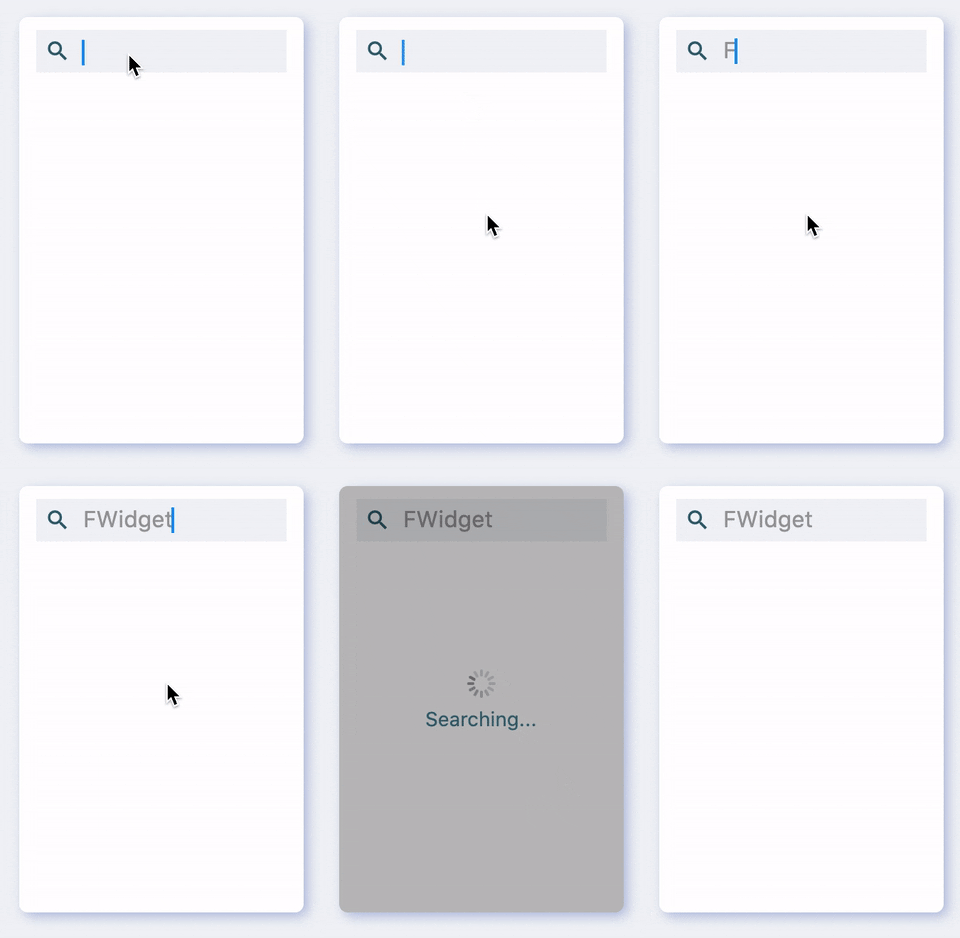
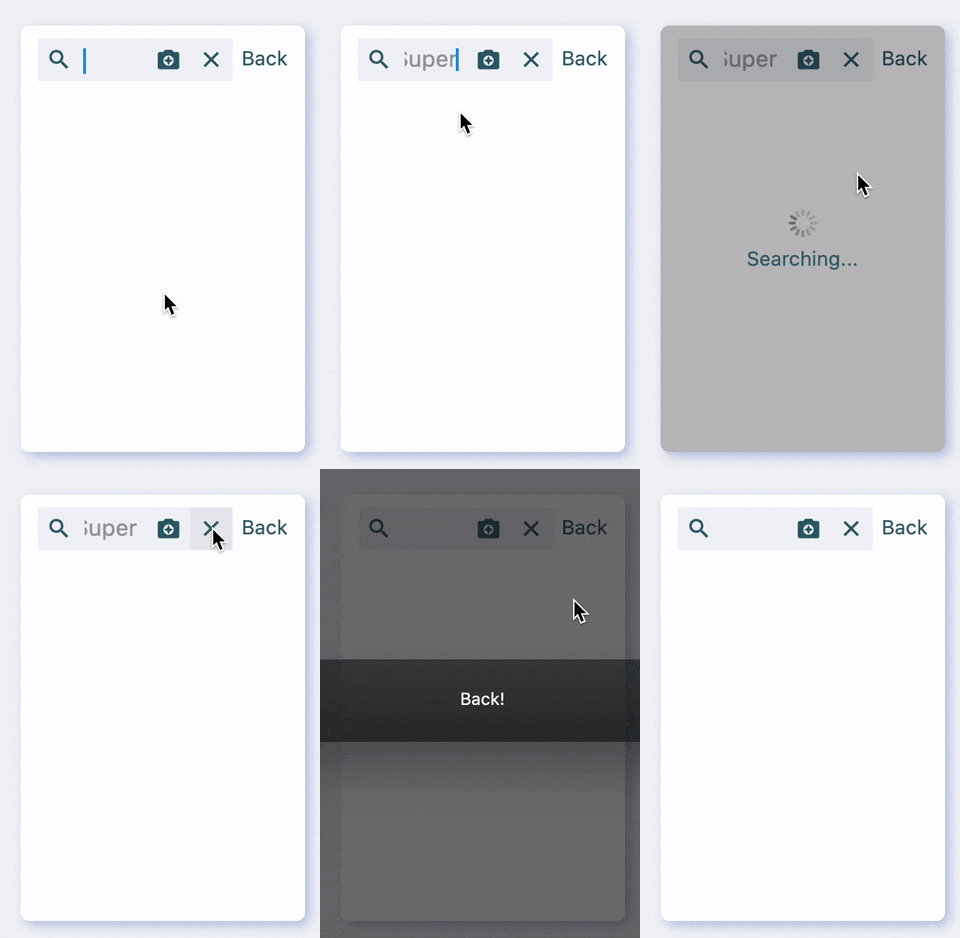
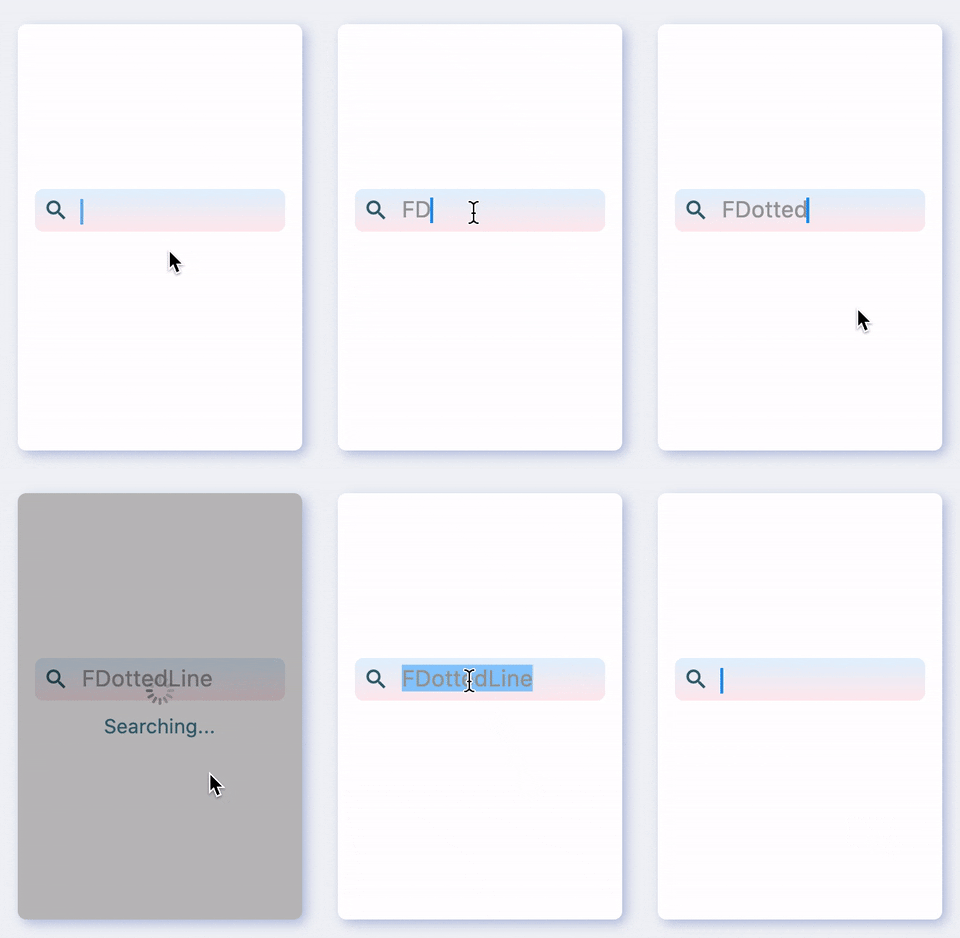
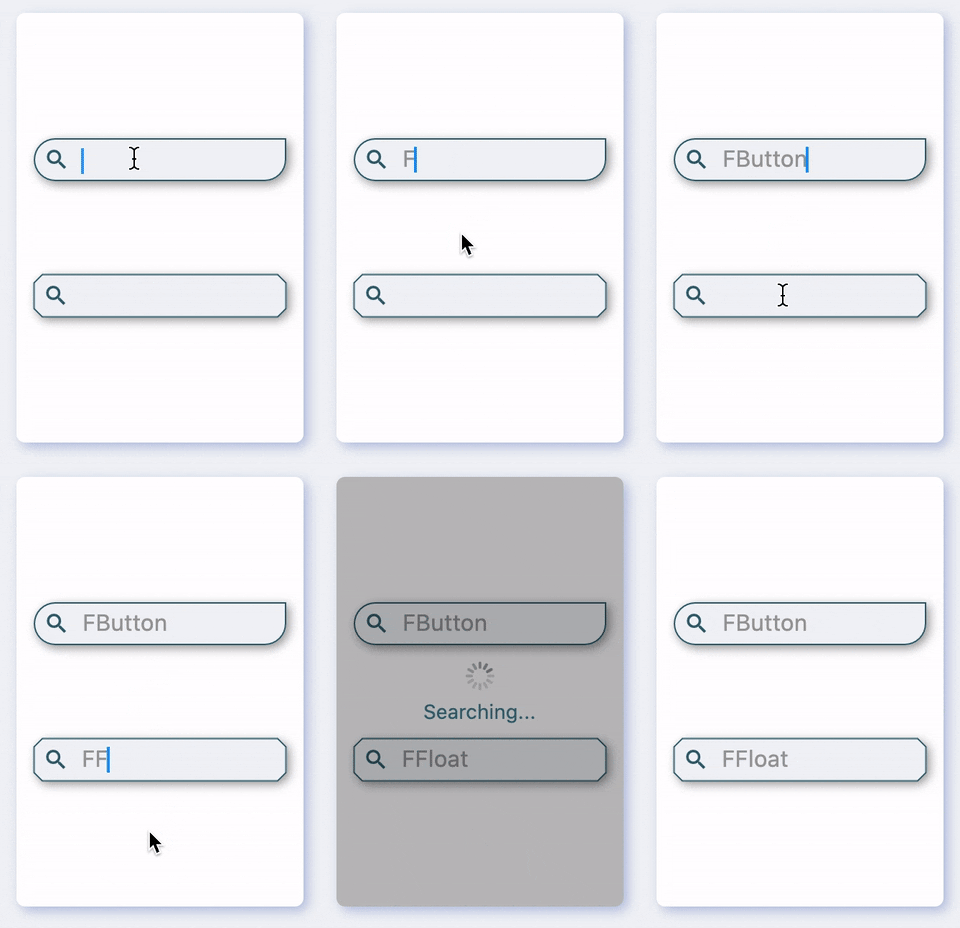
Help developers build the most beautiful search bar🍹.
[FSearch] provides developers with a one-stop search bar construction service. Supports borders, corners, gradient background colors and shadows, as well as any number of prefix and suffix action buttons. Provides beautiful Hint animation.
Support any number of prefix and suffix action buttons
Provide colorful, flexible and powerful Hint effects
Controllers that are easier to use for developers
🛠 Guide
⚙️ Parameter & Interface
🔩 FSearch Param
Param
Type
Necessary
Default
desc
controller
FSearchController
false
null
Controller. See [FSearchController] for details
width
double
false
null
width
height
double
false
null
height
enable
bool
false
true
enable
onTap
VoidCallback
false
null
Callback when the input box is clicked
text
String
false
null
Input content
onSearch
ValueChanged
false
null
Callback when the keyboard search button is clicked
corner
FSearchCorner
false
null
Corner effect. See [FSearchCorner] for details
cornerStyle
FSearchCornerStyle
false
null
Corner style. The default [FSearchCornerStyle.round]. See [FSearchCornerStyle] for details
strokeColor
Color
false
null
Border color
strokeWidth
double
false
null
border width
backgroundColor
Color
false
null
background color
gradient
Gradient
false
null
Background gradient. Will overwrite [backgroundColor]
shadowColor
Color
false
null
Set widget shadow color
shadowOffset
Offset
false
null
Set widget shadow color
shadowBlur
double
false
null
Set the standard deviation of the widget Gaussian and shadow shape convolution
cursorColor
Color
false
null
Cursor color
cursorWidth
double
false
null
Cursor width
cursorRadius
double
false
null
Cursor corner size
prefixes
List
false
null
Prefix action widget
suffixes
List
false
null
Suffix action widget
padding
EdgeInsets
false
null
The distance between the actual input area and the edge of [FSearch]
margin
EdgeInsets
false
null
[FSearch] outer spacing
style
TextStyle
false
null
Input text style
hintStyle
TextStyle
false
null
Hint text style
hints
List
false
null
Hint. If there is only one Hint, Hint swap animation cannot be enabled.
hintSwitchDuration
Duration
false
null
Hint exchange interval
hintSwitchAnimDuration
Duration
false
null
Hint swap animation time
hintSwitchEnable
bool
false
null
Whether to enable Hint swap animation
hintSwitchType
FSearchAnimationType
false
null
Hint exchanges animation types. The default [FSearchAnimationType.Scroll]. See [FSearchAnimationType] for details.
stopHintSwitchOnFocus
bool
true
null
When the focus is obtained, whether to automatically stop the Hint exchange animation.
hintPrefix
Widget
false
null
Hint prefix widget
center
bool
false
null
Centered。
💻 FSearchController
FSearchController is the controller of FSearch, which can return to the input text, Hint, focus status and other information. At the same time provide a variety of monitoring and text update capabilities.
FSearchAnimationType Used to specify the FSearch Hint exchange animation type.
enumFSearchAnimationType {
/// 渐变动画////// Alpha animationFade,
/// 缩放动画////// Scale animationScale,
/// 上下滚动动画////// Scroll up and down animationScroll,
}
📺 Demo
🔩 Base Demo
FSearch(
/// 设置高////// Set height
height: 30.0,
/// 设置背景颜色////// Set background color
backgroundColor: color,
/// 设置输入内容样式////// Set input text style
style: style,
/// 点击键盘搜索时触发////// Fired when you click on the keyboard to search
onSearch: (value) {
/// do something
},
prefixes: [buildAction()],
)
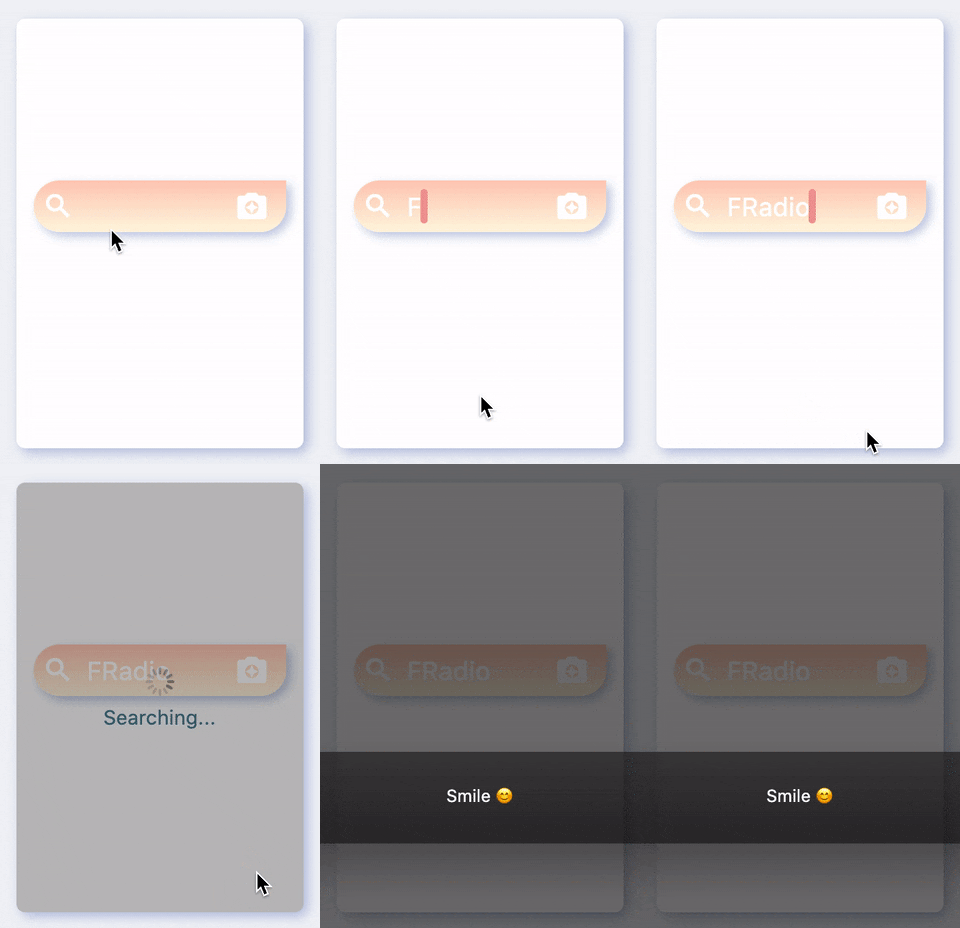
Using FSearch to build a search bar is very relaxing.
Through some simple parameters, developers can easily change the size, color, and font of the search bar.
When the user clicks on the keyboard to search for Action, onSearch will be triggered, allowing the developer to perform some search operations here.
FSearch supports modifying the cursor in the input box of the search bar. You can change it to whatever you want.
🗂 Hint
/// #1FSearch(
height: 36.0,
style: style,
color: _color,
corner: _corner,
prefixes: [ buildAction() ],
suffixes: [ buildAction() ],
/// Hints
hints: [
"FSuper is awesome 👍",
"Come to use FButton",
"You will love FSearch",
],
/// 开启 hint 交换动画////// Turn on hint exchange animation
hintSwitchEnable: true,
/// 配置 hint 交换动画类型////// Configure hint exchange animation type
hintSwitchType: FSearchAnimationType.Fade,
)
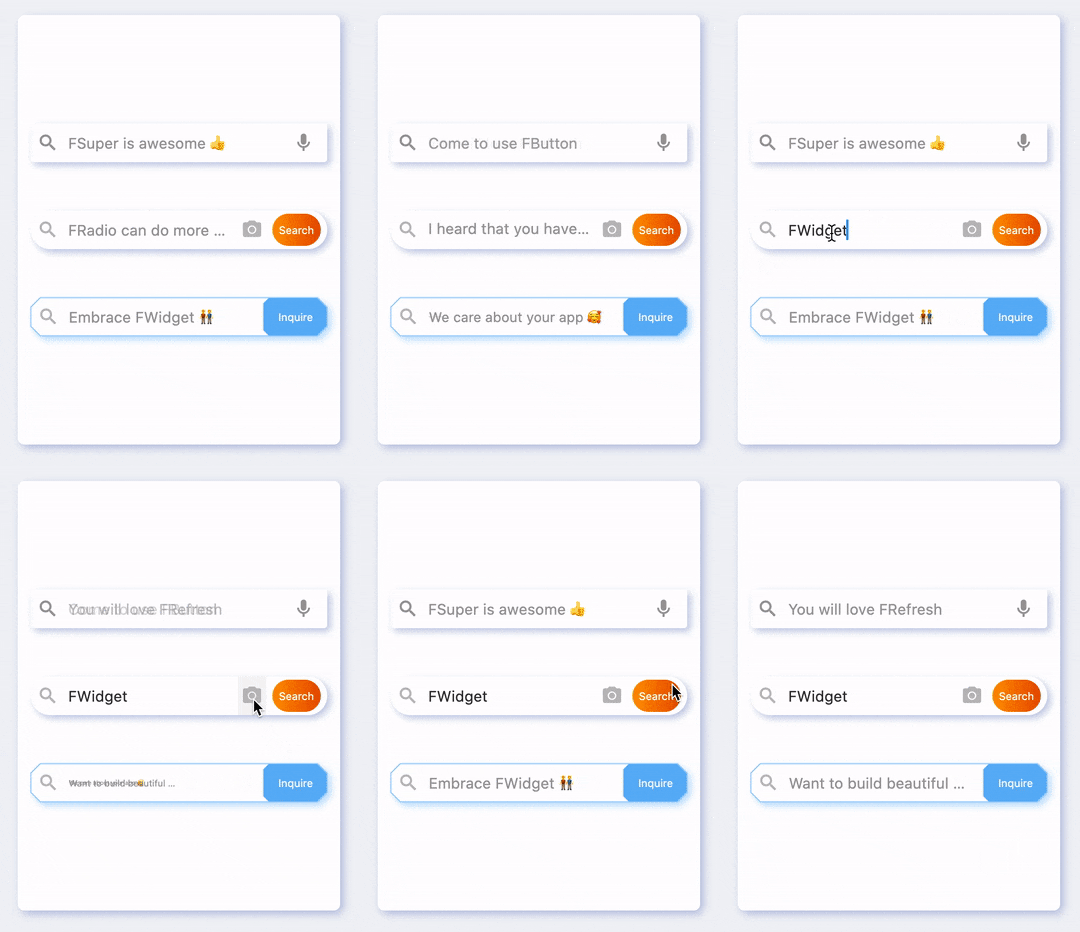
FSearch provides developers with a very powerful Hint effect.
Developers can easily set multiple Hint for FSearch, and can configure multiple Hint swap animations by configuring hintSwitchEnable: true.
When the user starts typing, Hint will be automatically hidden, and the swap animation will also be stopped.
When the content of the search input box becomes empty again, Hint will appear again, and the exchange animation will start playing.
/// #2FSearch(
height: 36.0,
style: style,
color: _color,
corner: _corner,
prefixes: [ buildAction() ],
suffixes: [ buildAction1(), buildAction2()],
hints: [
"Do you want to try FFloat?😃",
"FRadio can do more 😱 !",
"I heard that you have been waiting for FDottedLine for a long time...",
],
hintSwitchEnable: true,
)
FSearch has prepared rich exchange animations for developers. By default, FSearch will use the most common scroll swap animation, which is FSearchAnimationType.Scroll.
Of course, developers can configure their favorite animation types through the hintSwitchType parameter.
💡 Note that when hints.length == 1, the Hint swap animation will not be played. Only an ordinary Hint will be displayed at this time.
/// #3FSearch(
height: 36.0,
style: style,
color: _color,
corner: _corner,
prefixes: [ buildAction() ],
suffixes: [ buildAction() ],
/// Hints
hints: [
"Embrace FWidget 👬",
"We care about your app 🥰",
"Want to build beautiful apps 🤨 ?",
],
hintSwitchEnable: true,
/// 配置 hint 交换动画类型////// Configure hint exchange animation type
hintSwitchType: FSearchAnimationType.Scale,
/// 获得焦点时是否停止交换动画////// Whether to stop exchanging animation when focus is obtained
stopHintSwitchOnFocus: false,
)
By default, when FSearch gains input focus, FSearch will automatically pause Hint to swap animations; when it gets focus again, it will resume automatically.
By configuring stopHintSwitchOnFocus: false, you can continue to play Hint swap animation until the user starts typing when FSearch has the focus.
💻 Controller
FSearch(
controller: _controller,
height: 36.0,
style: style,
gradient: _gradient,
corner: _corner,
prefixes: [ buildAction() ],
suffixes: [ buildAction() ],
hints: [
"Want more beautiful widgets 🤨 ?",
"We will launch the official website of FWidget",
"Will you expect it?",
],
hintStyle: hintStyle,
hintSwitchEnable: true,
)
/// 获取输入框内容////// Get the input box contentString input = controller.text;
/// 清空输入框内容////// Clear the contents of the input box
controller.text = null;
/// 获取当前 hint,如果有的话////// Get the current hint, if anyString hint = controller.hint;
/// 移除焦点/// /// Remove focus
controller.clearFocus();
/// 获取焦点////// Request focus
controller.requestFocus();
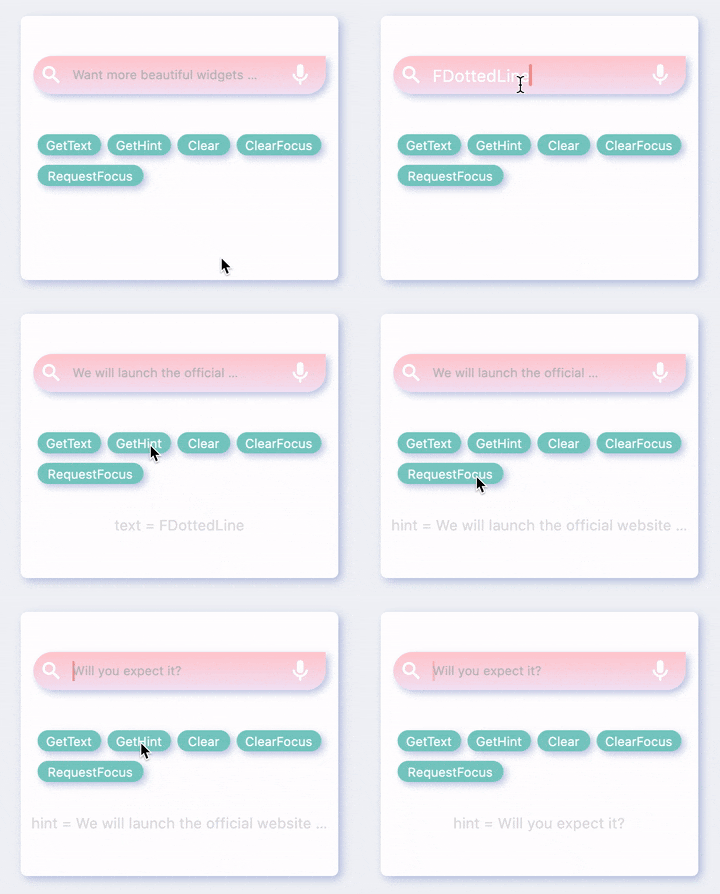
FSearch provides developers with simple, easy-to-use, certain controllers, through which developers can modify or obtain the contents of the search bar at any location.
😃 How to use?
Add dependencies in the project pubspec.yaml file:
🌐 pub dependency
dependencies:fsearch:^<versionnumber>
⚠️ Attention,please go to [pub] (https://pub.dev/packages/fsearch) to get the latest version number of FSearch
🖥 Git dependency
dependencies:fsearch:git:url:'git@github.com:Fliggy-Mobile/fsearch.git'ref:'<Branch number or tag number>'
⚠️ Attention,please refer to [FSearch] (https://github.com/Fliggy-Mobile/fsearch) official project for branch number or tag.
💡 License
Copyright2020-present FliggyAndroidTeam <alitrip_android@list.alibaba-inc.com>.
Licensed under the ApacheLicense, Version2.0 (the "License");
you may not use this file except in compliance with the License.
You may obtain a copy of the License at following link.
http://www.apache.org/licenses/LICENSE-2.0Unlessrequired by applicable law or agreed to in writing, software
distributed under the Licenseis distributed on an "AS IS" BASIS,
WITHOUT WARRANTIES OR CONDITIONS OF ANY KIND, either express or implied.
See the Licensefor the specific language governing permissions and
limitations under the License.