搜尋套件、儲存庫與 APP 分類

ftoast 封面
套件詳情v2.1.0

ftoast

幫助開發者建立靈活、簡潔且美觀的 Toast。

AndroidiOSWebmacOSWindowsLinux
近 30 天下載
582
喜歡數
20
Pub 分數
130

安裝套件

flutter pub add ftoast

套件介紹

根據套件公開資料產生的選型評估,僅供參考。

ftoast 是一個專為開發者設計的 Flutter 套件,旨在協助建立靈活、簡潔且視覺上吸引人的訊息提示。它提供簡單的 API,可在 Android、iOS、Web、macOS、Windows 和 Linux 等多種平台顯示暫時性訊息。透過可自訂的動畫、定位與樣式選項,ftoast 能在不干擾介面的情況下即時傳遞回饋,進而提升使用者體驗。此套件輕量級,並能順暢整合至現有的 Flutter 專案中。

適用情境

  • 顯示簡短使用者反饋
  • 顯示成功或錯誤訊息
  • 透過細微的通知提升使用者體驗
  • 提供快速狀態更新
  • 自訂吐司外觀
  • 支援多平台應用

主要特色

  • 跨平台相容性
  • 可自定義的動畫
  • 靈活定位
  • 樣式選項
  • 簡單 API
  • 輕量級設計

適合對象

  • 尋求乾淨的 Toast UI 的 Flutter 開發人員
  • 需要一致通知樣式的專案
  • 針對多平台的應用程式
  • 希望最小化設定的開發者
  • 重視使用者體驗一致性的團隊
  • 快速原型反饋機制

使用建議

  • 需要手動設定以進行進階樣式設定
  • 有限的內建主題
  • 無原生暗色模式整合
  • 可能需要額外的依賴項來支援複雜佈局
  • 不適合持續通知
  • 僅適用於暫時訊息

原始 README

以下為關聯原始碼儲存庫的 README 原文快照,最新內容請造訪原始碼儲存庫。

ftoast

Simple, beautiful Toast

Help developers create flexible, concise and beautiful Toast

Author:Newton(coorchice.cb@alibaba-inc.com)

English | 简体中文

Like it? Please cast your Star 🥰 !

✨ Features

  • Provide a convenient way to create Toast

  • Support primary information, secondary information, and customize their style

  • Support flexible icon view

  • Support to configure corner size and background color

  • Support queue display

  • Support custom Toast style

🛠 Guide

In FToast, developers can easily create a Toast with simple code.

FToast.toast(context, msg: "FToast");

⚙️ Parameters

Param Type Necessary Default desc
context BuildContext true null page environment
toast Widget false null custom toast view, will override the default view
msg String false null main title
msgStyle TextStyle false null main title text style
subMsg String false null Subtitle
subMsgStyle TextStyle false null Subtitle text style
subMsgSpace double false 12.0 Subtitle and main title spacing
corner double false 6.0 Corner
color Color false Colors.black54 Color
duration double false 1800 Impression duration
padding EdgeInsets false EdgeInsets.only(left: 16.0, right: 16.0, top: 16.0, bottom: 16.0) inner spacing
image Widget false null icon
imageDirection AxisDirection false AxisDirection.up position of icon relative to text
imageSpace double false 9.0 distance between icon and text

🔩 Basic

FToast.toast(
  context,

  /// 配置显示时长
  ///
  /// Configure display duration
  duration: 800,

  /// 配置 Msg
  ///
  /// set Msg
  msg: "I'm FToast: ${count++}",

  /// 配置 Msg 样式
  ///
  /// set Msg style
  msgStyle: TextStyle(color: Colors.white),
)

🔆 SubMsg

FToast.toast(
  context,
  msg: "This is Msg",

  /// 配置 subMsg
  ///
  /// set subMsg
  subMsg: "Welcome to use FToast. This is subMsg!",

  /// 配置 SubMsg 样式
  ///
  /// set SubMsg style
  subMsgStyle: TextStyle(color: Colors.white, fontSize: 13),
)

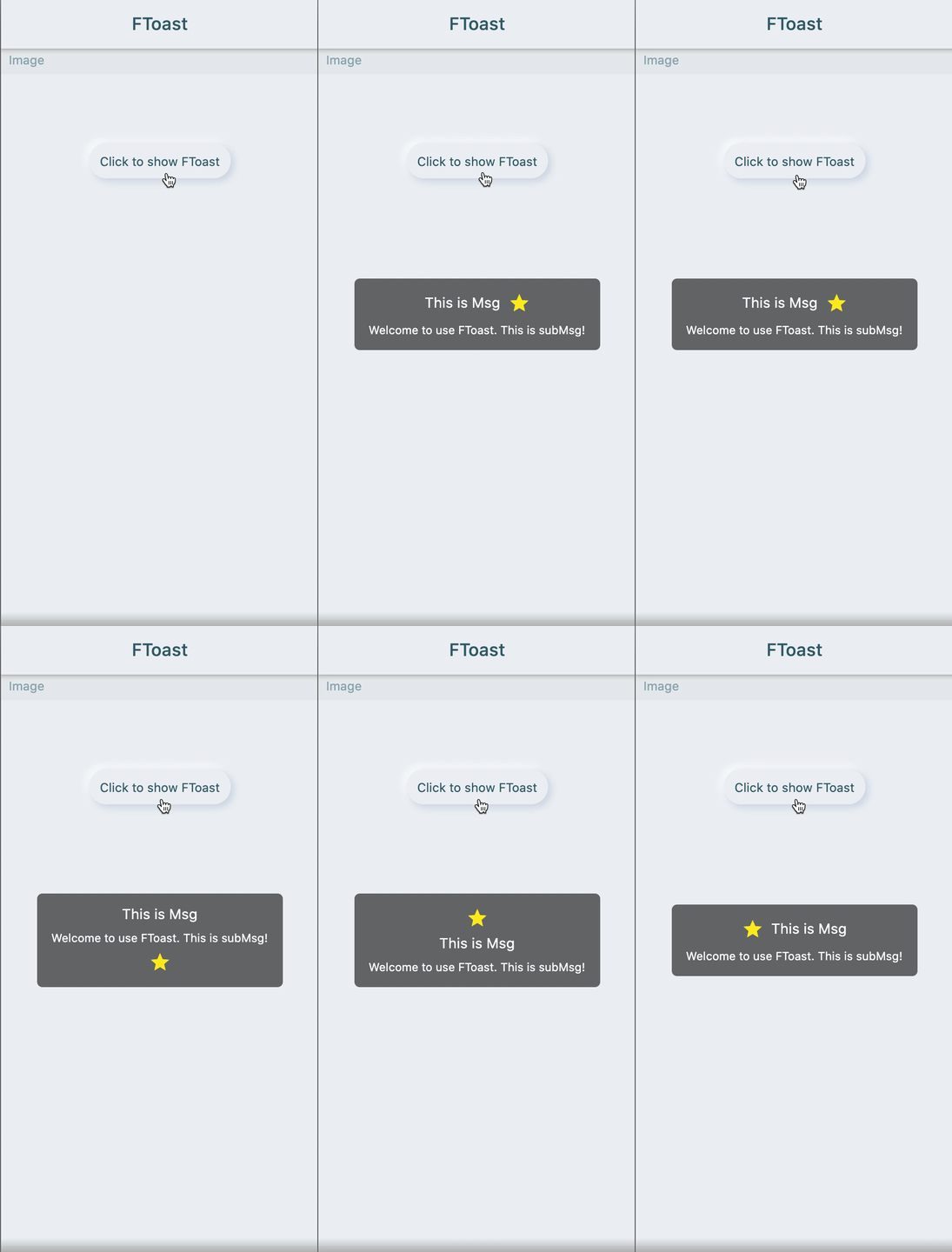
🔳 Image

FToast.toast(
  context,
  msg: "This is Msg",
  subMsg: "Welcome to use FToast. This is subMsg!",

  /// 配置图标
  ///
  /// set image
  image: Icon(
    Icons.star,
    color: Colors.yellow,
  ),

  /// 配置图标相对文本的位置
  ///
  /// set position of icon relative to text
  imageDirection: up,
)

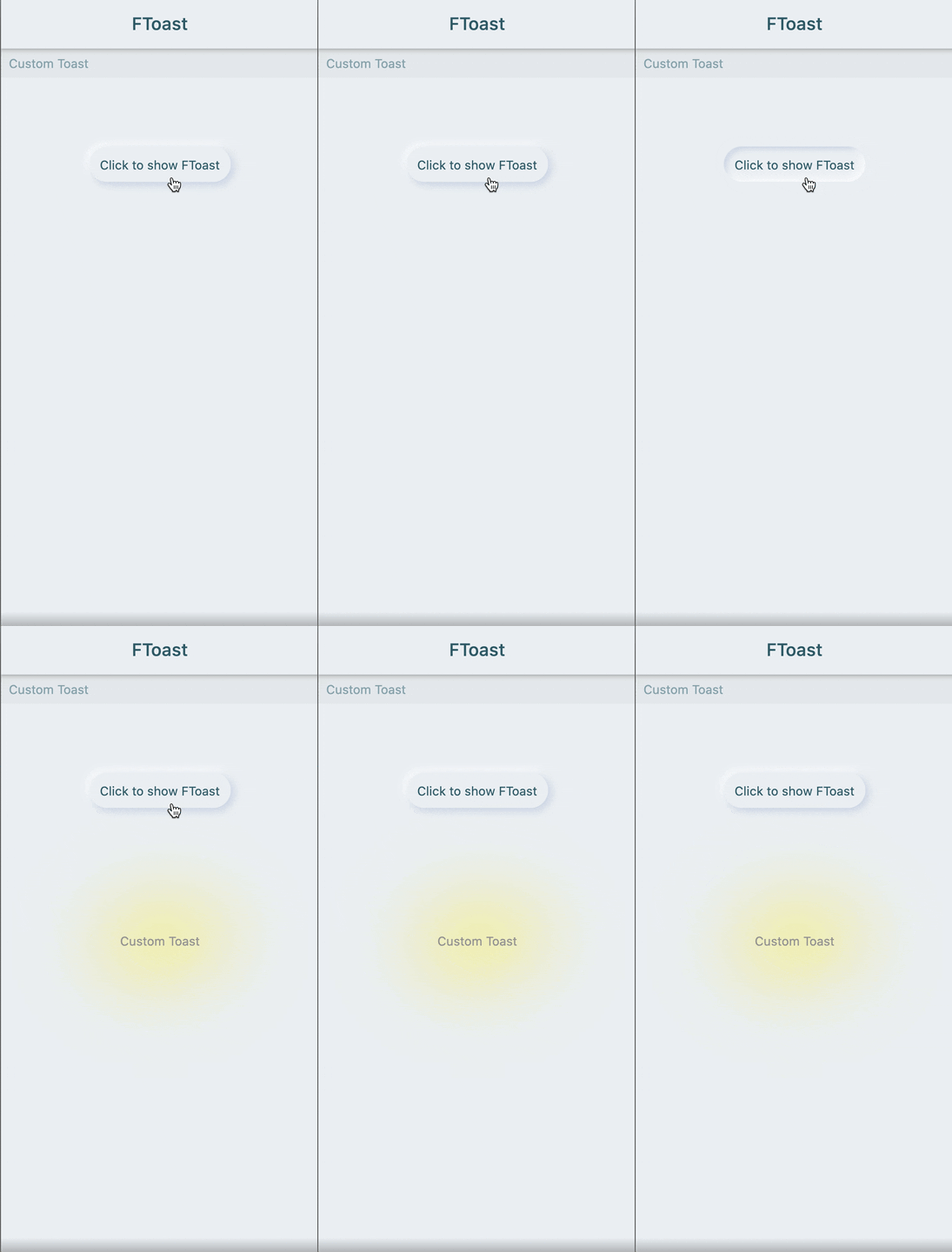
🔩 Custom style

FToast.toast(
  context,
  /// 自定义 Toast 样式
  /// 
  /// Custom Toast style
  toast: FSuper(
    text: "Custom Toast",
    style: TextStyle(color: Colors.grey),
    padding: EdgeInsets.all(12),
    shadowColor: Colors.yellow,
    shadowBlur: 80,
  ),
)

😃 How to use?

Add dependencies in the project pubspec.yaml file:

🌐 pub dependency

dependencies:
  ftoast: ^<version number>

⚠️ Attention,please go to [pub] (https://pub.dev/packages/ftoast) to get the latest version number of FToast

🖥 Git dependency

dependencies:
  ftoast:
    git:
      url: 'git@github.com:Fliggy-Mobile/ftoast.git'
      ref: '<Branch number or tag number>'

⚠️ Attention,please refer to [FToast] (https://github.com/Fliggy-Mobile/ftoast) official project for branch number or tag.

💡 License

Copyright 2020-present Fliggy Android Team <alitrip_android@list.alibaba-inc.com>.

Licensed under the Apache License, Version 2.0 (the "License");
you may not use this file except in compliance with the License.
You may obtain a copy of the License at following link.

    http://www.apache.org/licenses/LICENSE-2.0

Unless required by applicable law or agreed to in writing, software
distributed under the License is distributed on an "AS IS" BASIS,
WITHOUT WARRANTIES OR CONDITIONS OF ANY KIND, either express or implied.
See the License for the specific language governing permissions and
limitations under the License.

Like it? Please cast your Star 🥰 !

How to run Demo project?

  1. clone project to local

  2. Enter the project example directory and run the following command

flutter create .
  1. Run the demo in example

所屬分類

原始碼儲存庫

使用此套件的專案

暫無相關資料。