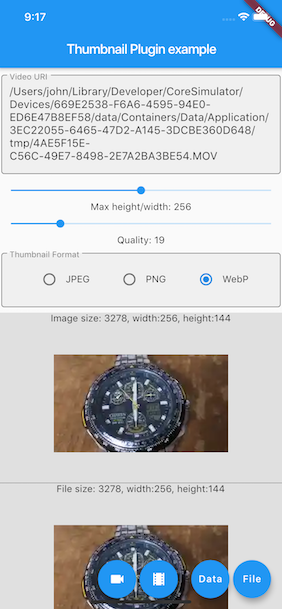
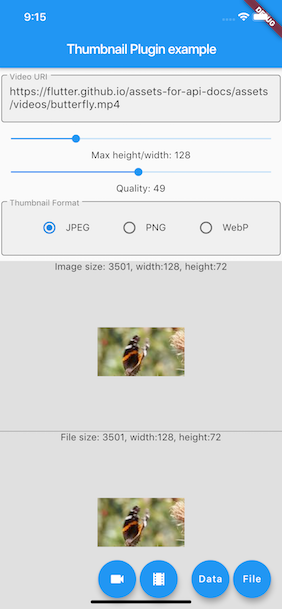
一個 Flutter 插件,可從本機影片檔案或影片 URL 產生縮圖影像。它支援 Android、iOS 與 Web 平台,讓開發者能從影片中擷取代表性的畫面,用於預覽、相簿或媒體顯示。此插件透過平台特定的實作來利用原生功能,確保跨裝置的高效效能與相容性。在不需要播放完整影片的情況下,特別適用於需要視覺化影片內容的應用程式。
適用情境
影片預覽產生
媒體畫廊縮圖
內容推薦使用者介面
影片上傳預覽
社交媒體貼文預覽
主要特色
支援本機影片檔案
支援影片網址
跨平台(Android、iOS、Web)
高效幀提取
簡單 API 結合
適合對象
媒體密集型應用
影片分享平台
內容管理系統
帶有影片資料庫的行動應用程式
基於網路的影片檢視器
使用建議
需要在 Android 和 iOS 上具備適當的權限
Web 支援可能因瀏覽器功能而有所限制
大視頻檔案可能會影響效能
縮圖品質取決於來源影片解析度
針對遠端URL的網路請求需要錯誤處理
原始 README
以下為關聯原始碼儲存庫的 README 原文快照,最新內容請造訪原始碼儲存庫。
get_video_thumbnail
This project is a modified fork of video_thumbnail,
originally created by
John Zhong. Modifications and improvements have been made to adapt the project to new needs.
This plugin generates thumbnail from video file or URL. It returns image in memory or writes into a
file. It offers rich
options to control the image format, resolution and quality. Supports iOS / Android / web.
Methods
function
parameter
description
return
thumbnailData
String [video], optional Map<String, dynamic> [headers], ImageFormat [imageFormat](JPEG/PNG/WEBP), int [maxHeight](0: for the original resolution of the video, or scaled by the source aspect ratio), [maxWidth](0: for the original resolution of the video, or scaled by the source aspect ratio), int [timeMs]generates the thumbnail from the frame around the specified millisecond, int[quality]`(0-100)
generates thumbnail from [video]
[Future<Uint8List>]
thumbnailFile
String [video], optional Map<String, dynamic> [headers], String [thumbnailPath](folder or full path where to store the thumbnail file, null to save to same folder as the video file) this ignored on the web, ImageFormat [imageFormat](JPEG/PNG/WEBP), int [maxHeight](0: for the original resolution of the video, or scaled by the source aspect ratio), int [maxWidth](0: for the original resolution of the video, or scaled by the source aspect ratio), int [timeMs] generates the thumbnail from the frame around the specified millisecond, int [quality](0-100)
creates a file of the thumbnail from the [video]
[Future<String>]
Warning:
Giving both the maxHeight and maxWidth has different result on Android platform, it actually
scales the thumbnail
to the specified maxHeight and maxWidth.
To generate the thumbnail from a network resource, the video must be properly URL encoded.
Usage
Installing
add get_thumbnail_video as a dependency in your pubspec.yaml file.
final uint8list = awaitVideoThumbnail.thumbnailData(
video: videofile.path,
imageFormat: ImageFormat.JPEG,
maxWidth: 128, // specify the width of the thumbnail, let the height auto-scaled to keep the source aspect ratio
quality: 25,
);
Generate a thumbnail file from video URL
XFile thumbnailFile = awaitVideoThumbnail.thumbnailFile(
video: "https://flutter.github.io/assets-for-api-docs/assets/videos/butterfly.mp4",
thumbnailPath: (awaitgetTemporaryDirectory()).path,
imageFormat: ImageFormat.WEBP,
maxHeight: 64, // specify the height of the thumbnail, let the width auto-scaled to keep the source aspect ratio
quality: 75,
);
final image = kIsWeb ? Image.network(thumbnailFile.path) : Image.file(File(thumbnailFile.path));
Generate a thumbnail file from video Assets declared in pubspec.yaml
Flutter Thumbnail on the Web platform has some limitations that might surprise developers more
familiar with
mobile/desktop targets.
In no particular order:
CORS headers
This plugin requires the server hosting the video to include appropriate CORS headers in the
response. Specifically, the
server must include the Access-Control-Allow-Origin and Access-Control-Allow-Methods headers in
the response to the
request.
For more information, please refer to
the Mozilla Developer Network documentation.
HTTP range headers
This plugin requires the server hosting the video to support HTTP range headers. If the server does
not support range
requests, the plugin may generate a thumbnail from the first frame of the video instead of the
desired frame.
For more information, please refer to
the Mozilla Developer Network documentation.
Notes
Fork or pull requests are always welcome. Currently it seems have a little performance issue while
generating WebP
thumbnail by using libwebp under iOS.