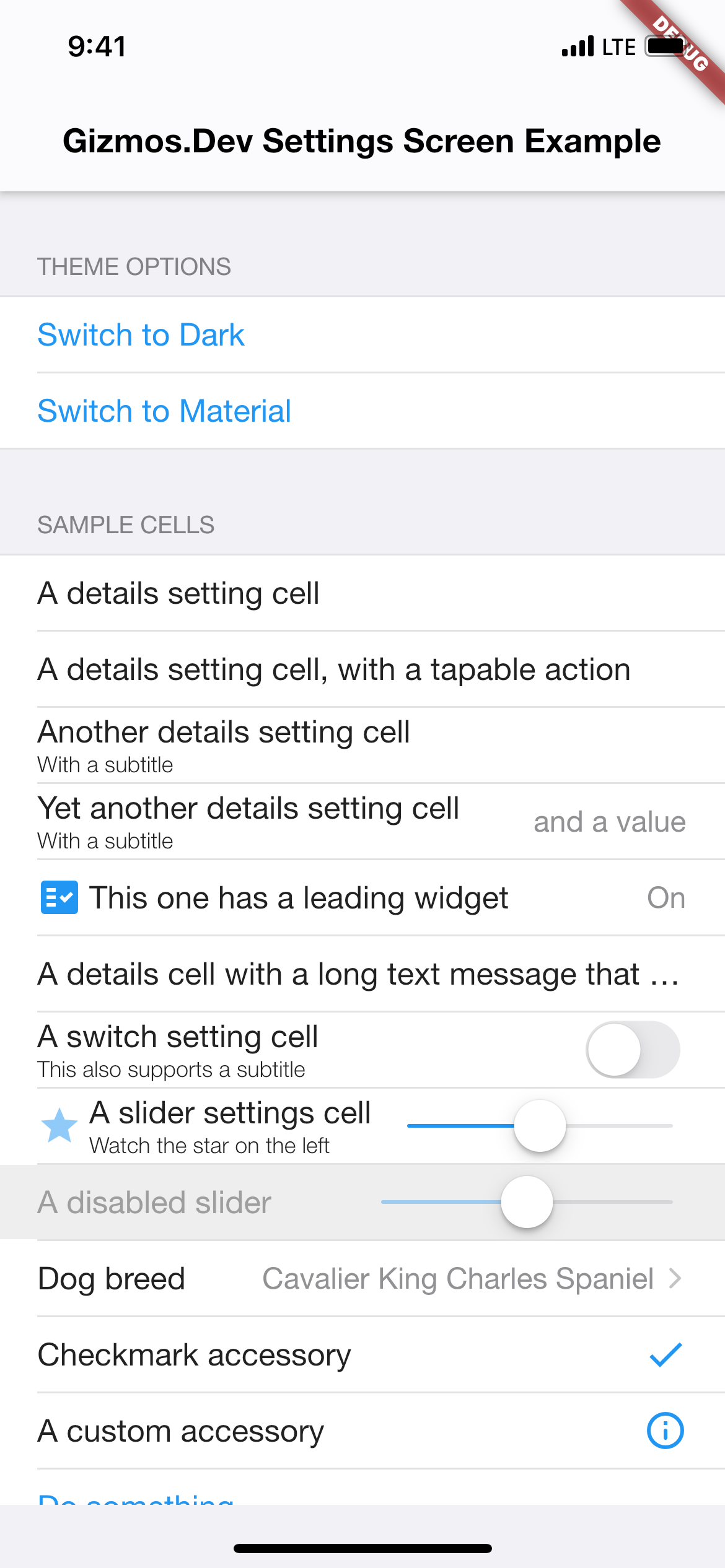
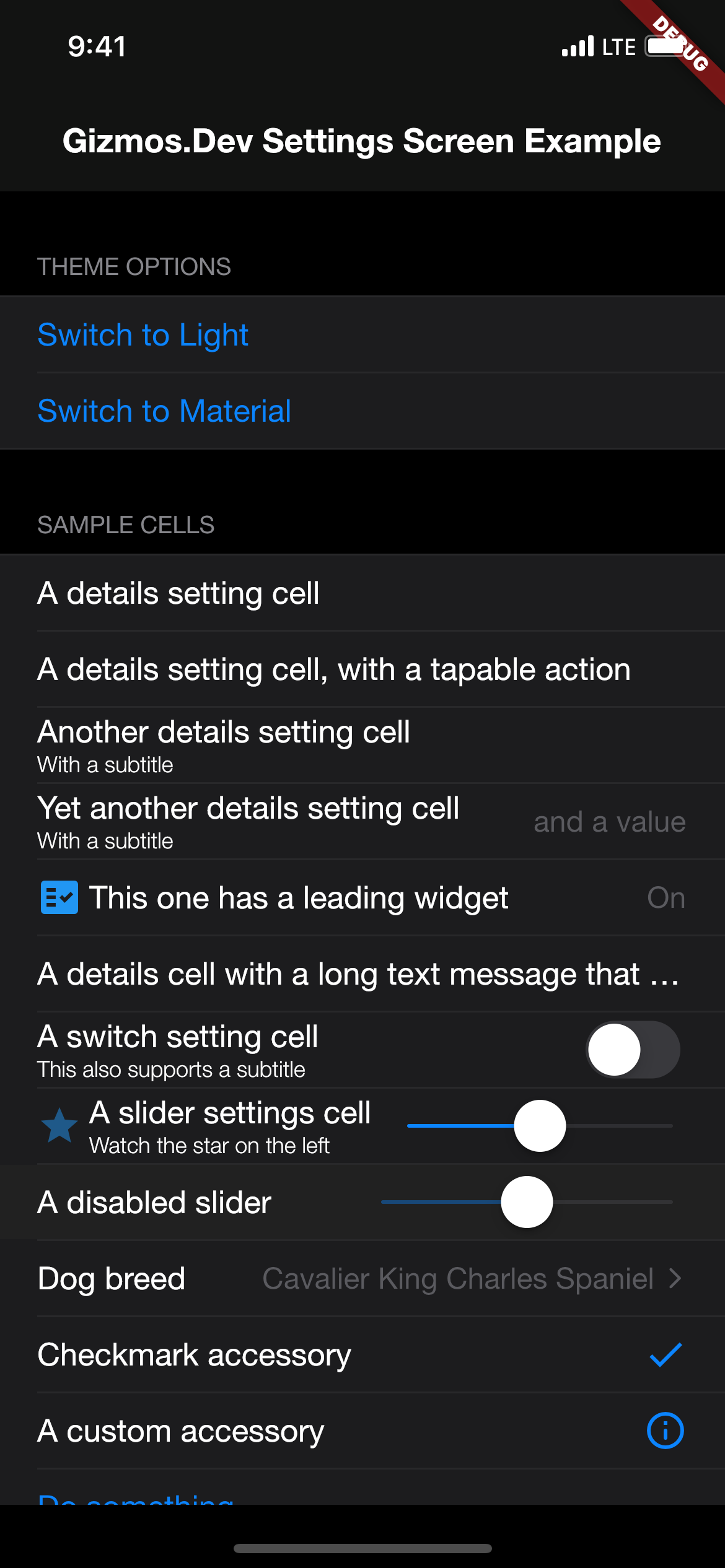
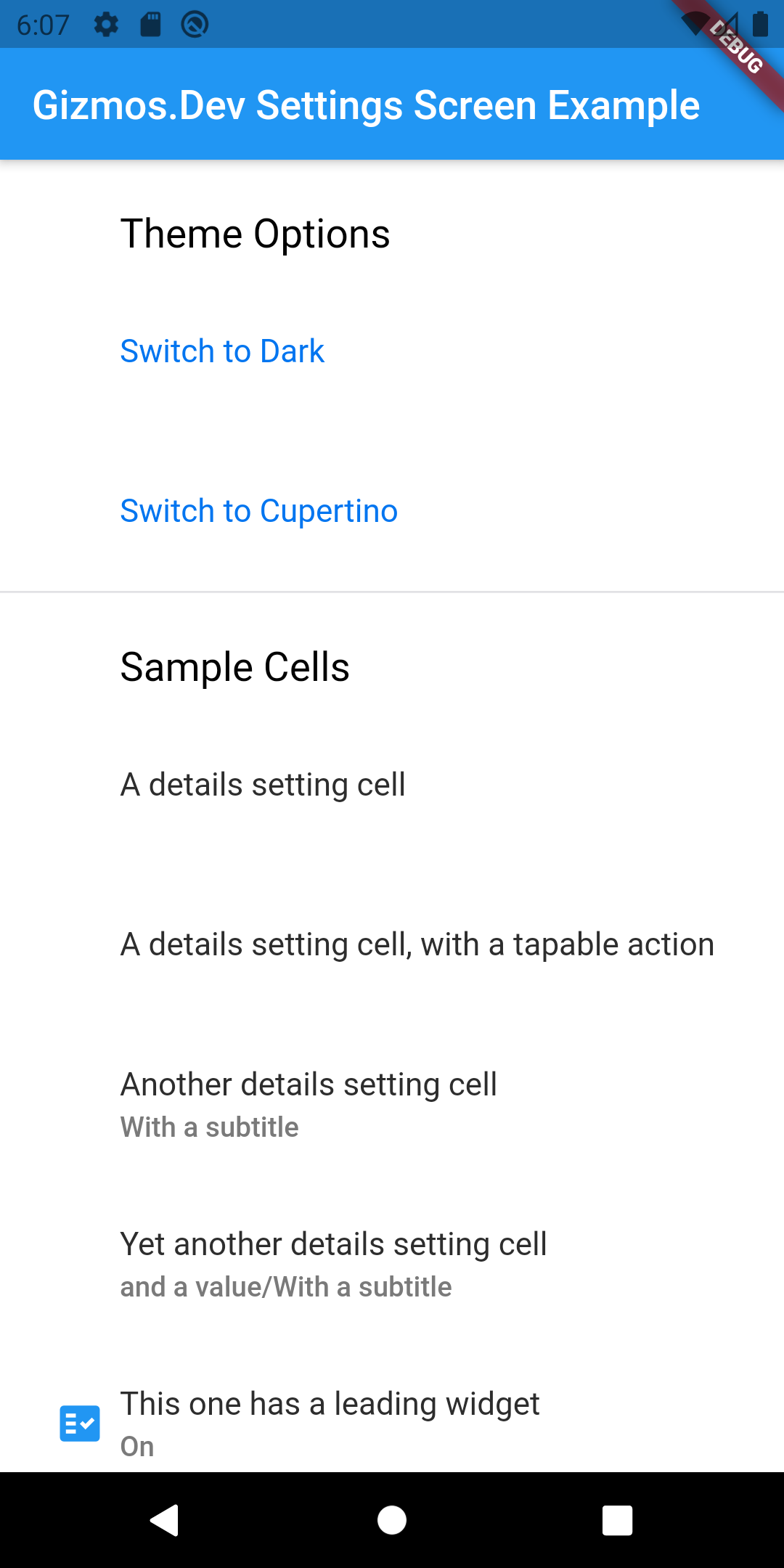
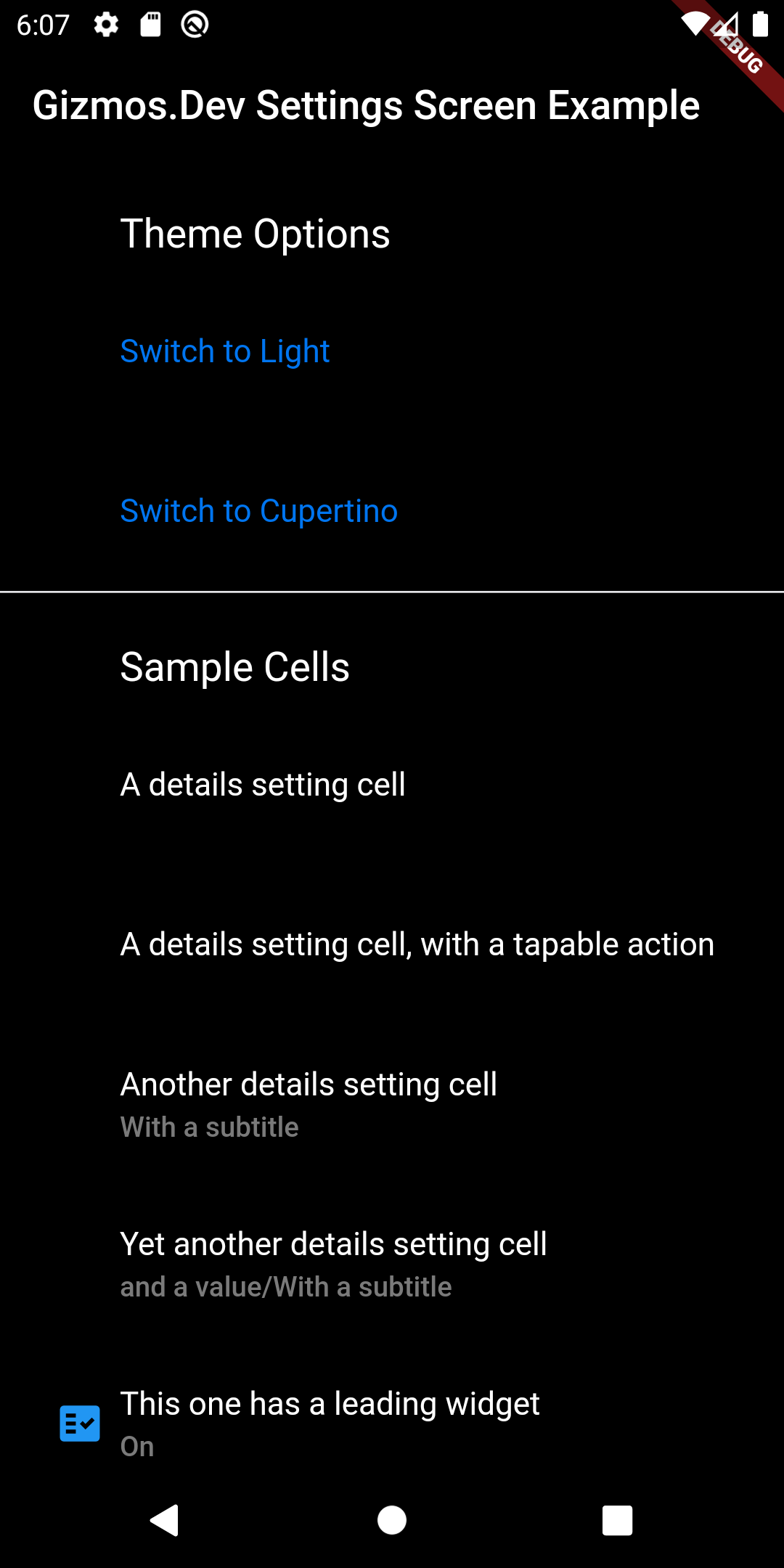
一個專為創造跨平台原生外觀的內嵌設定畫面而設計的 Flutter 套件。它提供預先建構且可自訂的元件,模擬 Android、iOS、Web、macOS、Windows 與 Linux 系統設定的外觀與感覺。此套件簡化了開發一致且精緻設定介面的過程,無需為每個平台手動定製樣式。非常適合需要直覺式設定面板且設定簡單的應用程式。
適用情境
建構跨平台設定 UI
建立應用偏好設定面板
實施主題和通知設定
設計可存取的設定螢幕
新增使用者設定檔管理
啟用應用自定義選項
主要特色
所有平台上的原生外觀
預設計的、可重用的設定小部件
跨平台一致性
輕鬆整合至現有的 Flutter 應用程式
對深色模式和輔助功能的支援
最少的樣板程式碼
適合對象
開發功能豐富的行動與桌面應用程式的開發者
重視使用者體驗一致性的團隊
需要大量使用者設定的應用程式
Flutter 初學者尋找現成的 UI 元件
針對多個作業系統的專案
使用建議
需要 Flutter SDK 3.0 或更高版本
超出內建主題的自訂功能有限
可能需要額外的樣式來實現高度獨特的設計
依賴於平台特定的渲染行為
最適合標準設定版面,而非複雜表單
原始 README
以下為關聯原始碼儲存庫的 README 原文快照,最新內容請造訪原始碼儲存庫。
gizmos_settings_screen
A Flutter package for displaying settings screens (or similar screens). I built this after finding it near impossible to customize the look and feel of the other popular settings screen packages. This package takes a different approach and separates the functionality from the UI customization. This lets you create custom skins to better fit into your existing app. There are several skin prototypes included for Cupertino (light and dark modes), and Material (light and dark modes). In most cases, you can just subclass those, alter your colours and move on to the rest of your app.
This package doesn't depend on any specific package for settings storage. In fact, gizmos_settings_screen can be used for any type of general purpose cell based list, it's just that settings is the most obvious use case. The example application included uses shared_preferences, but I've also used flutter_secure_storage in production apps.
Check the included example app for full details. For basic usage, you need to instantiate a SkinDelegate using one of the supplied skins, or by create your own subclass of one of the supplied skins. Then customize a SettingsScreen by attaching one of more SettingsSections configured with one or more SettingsCell subclasses. Included subclasses include DetailsSettingCell, SwitchSettingsCell, 'SliderSettingsCellandButtonSettingsCell`. These will cover most of your basic needs, but it's trivial to create additional subclasses to handle specific options for your app.
Screenshots
Example
// Select the default skin to useSettingsSkinDelegate skinDelegate = !Platform.isIOS ? MaterialSettingsSkin() : CupertinoSettingsSkin();
// Return the configured SettingsScreen wrapped in a SettingsSkin with an assigned delegatereturnSettingsSkin(
delegate: skinDelegate,
child: SettingsScreen(
sections: [
SettingsSection(
header: 'App Settings',
footer: 'Your app preferences are set here',
cells: [
DetailsSettingsCell(
title: 'Informational',
subtitle: 'Can include simple cells',
leadingWidget: Icon(
Icons.star,
color: Colors.blue,
),
),
SwitchSettingsCell(
title: 'Toggleable option',
subtitle: 'Uses a switch to set something on or off',
value: sampleBooleanSetting,
onPressed: () {
setState(() {
sampleBooleanSetting = !sampleBooleanSetting;
});
},
onChanged: (bool value) {
setState(() {
sampleBooleanSetting = value;
});
},
),
SliderSettingsCell(
title: 'Fractional option (i.e. Volume)',
subtitle: 'Uses a slider to adjust a double',
value: sampleDoubleSetting,
onChanged: (value) {
setState(() {
sampleDoubleSetting = value;
});
},
),
DetailsSettingsCell(
title: 'Multiple choice option',
value: preferences.currentOption.description,
accessoryType: AccessoryType.Disclosure,
onPressed: () async {
// Your code goes here
},
),
ButtonSettingsCell(
type: ButtonType.Normal,
title: 'Check for updates',
onPressed: () async {
// Your code goes here
},
),
],
),
],
),
);
Please see the example app in this package for a full example.
Notes
This is my second Flutter package, and I'm still learning the Flutter way of doing things so a lot of this package may change. Specifically, I'll be looking to make use of ThemeData etc in the skins to reduce duplication of having to set specific colours for your app.