


golden_layout
A Flutter inspired package from http://golden-layout.com/
Demo: https://rodydavis.github.io/golden_layout/
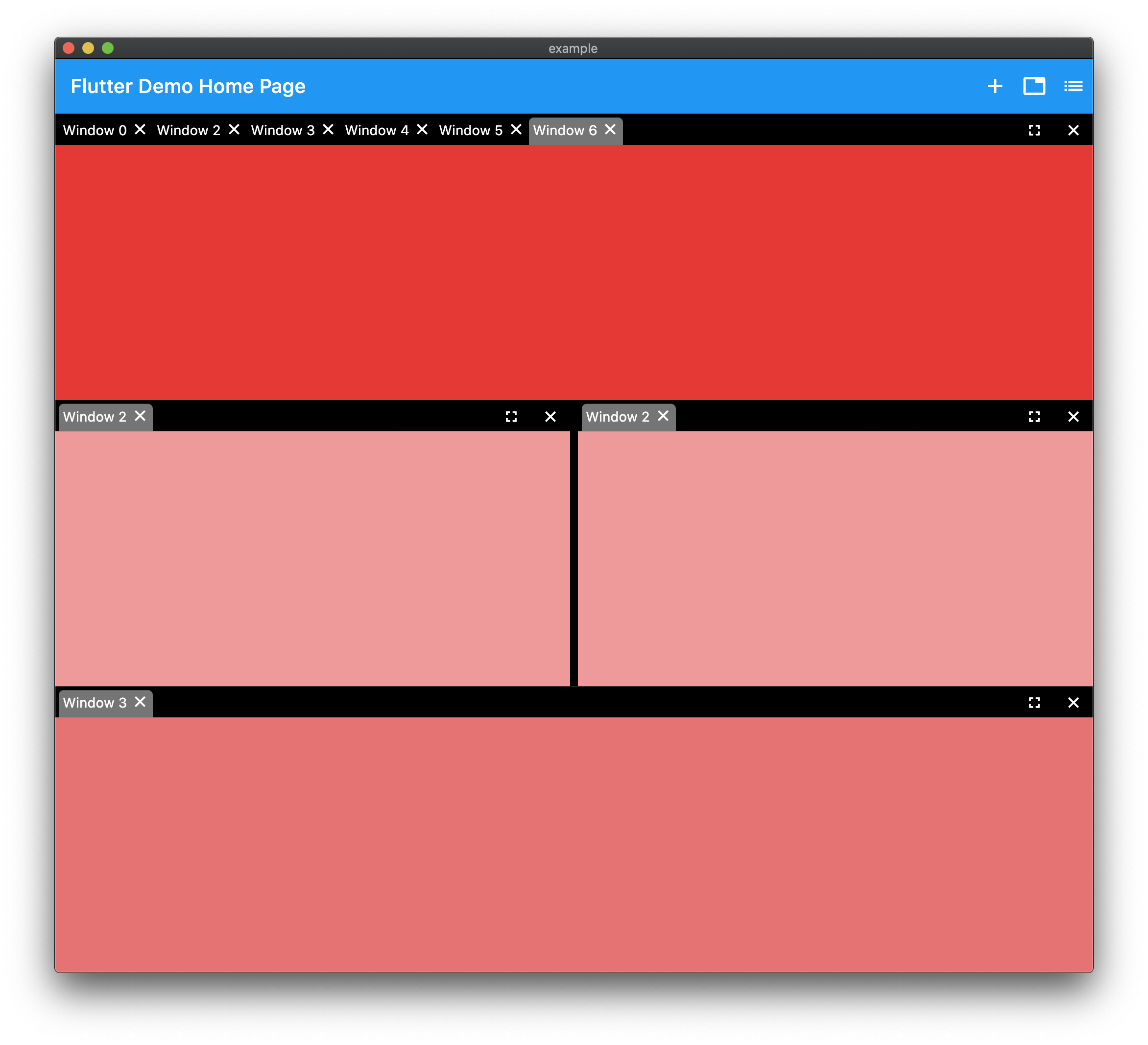
Example
import 'package:flutter/material.dart';
import 'package:golden_layout/golden_layout.dart';

void main() {
  runApp(MyApp());
}

class MyApp extends StatelessWidget {
  @override
  Widget build(BuildContext context) {
    return MaterialApp(
      debugShowCheckedModeBanner: false,
      title: 'Flutter Demo',
      theme: ThemeData(
        primarySwatch: Colors.blue,
        visualDensity: VisualDensity.adaptivePlatformDensity,
      ),
      home: MyHomePage(title: 'Flutter Golden Layout'),
    );
  }
}

class MyHomePage extends StatefulWidget {
  MyHomePage({Key key, this.title}) : super(key: key);

  final String title;

  @override
  _MyHomePageState createState() => _MyHomePageState();
}

class _MyHomePageState extends State<MyHomePage> {
  final _controller = WindowController();
  int _count = 0;

  @override
  void initState() {
    final _group = WindowGroup();
    _group.addTab(_getTab(_count++));
    (_controller.base as WindowColumn).children.add(_group);
    super.initState();
  }

  @override
  Widget build(BuildContext context) {
    return Scaffold(
      appBar: AppBar(
        title: Text(widget.title),
        actions: [
          IconButton(
            tooltip: 'Add Window',
            icon: Icon(Icons.restore),
            onPressed: () {
              if (mounted)
                setState(() {
                  _controller.base =
                      WindowColumn([WindowGroup()..addTab(_getTab(_count++))]);
                });
            },
          ),
          IconButton(
            tooltip: 'Add Group',
            icon: Icon(Icons.list),
            onPressed: () {
              if (mounted)
                setState(() {
                  final _group = WindowGroup();
                  _group.addTab(_getTab(_count++));
                  (_controller.base as WindowColumn).children.add(_group);
                });
            },
          ),
          IconButton(
            tooltip: 'Add Row',
            icon: Icon(Icons.category),
            onPressed: () {
              if (mounted)
                setState(() {
                  final _group1 = WindowGroup()..addTab(_getTab(_count++));
                  final _group2 = WindowGroup()..addTab(_getTab(_count++));
                  (_controller.base as WindowColumn)
                      .children
                      .add(WindowRow([_group1, _group2]));
                });
            },
          ),
        ],
      ),
      body: GoldenLayout(
        controller: _controller,
      ),
    );
  }

  WindowTab _getTab(int count) {
    return WindowTab(
        title: 'Window $count',
        child: Container(color: Colors.red[100 * count]));
  }
}
