搜尋套件、儲存庫與 APP 分類

google_one_tap_sign_in 封面
套件詳情v1.0.8

google_one_tap_sign_in

Google 一鍵登入 (Android)

Android
近 30 天下載
104
喜歡數
33
Pub 分數
130

安裝套件

flutter pub add google_one_tap_sign_in

套件介紹

根據套件公開資料產生的選型評估,僅供參考。

一個 Flutter 套件,可在 Android 上啟用 Google One Tap 登入,透過讓使用者使用其 Google 帳戶輕點一次來簡化使用者驗證。此套件與 Android 原生 One Tap UI 無縫整合,降低登入過程中的摩擦。該套件處理驗證流程,並提供對使用者資訊(如電子郵件和個人資料)的存取權限。專為 Android 設計,透過減少輸入步驟來提升使用者體驗,同時利用 Google 的驗證基礎架構維持安全性。

適用情境

  • 簡化 Android 應用登入
  • 啟用快速使用者註冊
  • 減少表單填寫工作量
  • 與 Google 帳戶服務整合
  • 支援安全的身分驗證工作流程

主要特色

  • 僅限 Android 的一鍵整合
  • 無縫的 Google 帳戶登入
  • 所需使用者輸入最少
  • 透過 Google 進行安全驗證
  • 使用 Flutter 輕鬆設定

適合對象

  • Android 應用優先快速登入
  • 針對高用戶留存率的應用
  • 使用 Google 身分驗證的開發人員
  • 需要低摩擦入門的項目
  • 以行動裝置為先的應用程式

使用建議

  • 僅限 Android 平台
  • 需要 Google Play 服務
  • 依賴於谷歌後端的可用性
  • 可能需要額外的設定來處理特殊情況
  • 不相容 iOS 或網頁

原始 README

以下為關聯原始碼儲存庫的 README 原文快照,最新內容請造訪原始碼儲存庫。

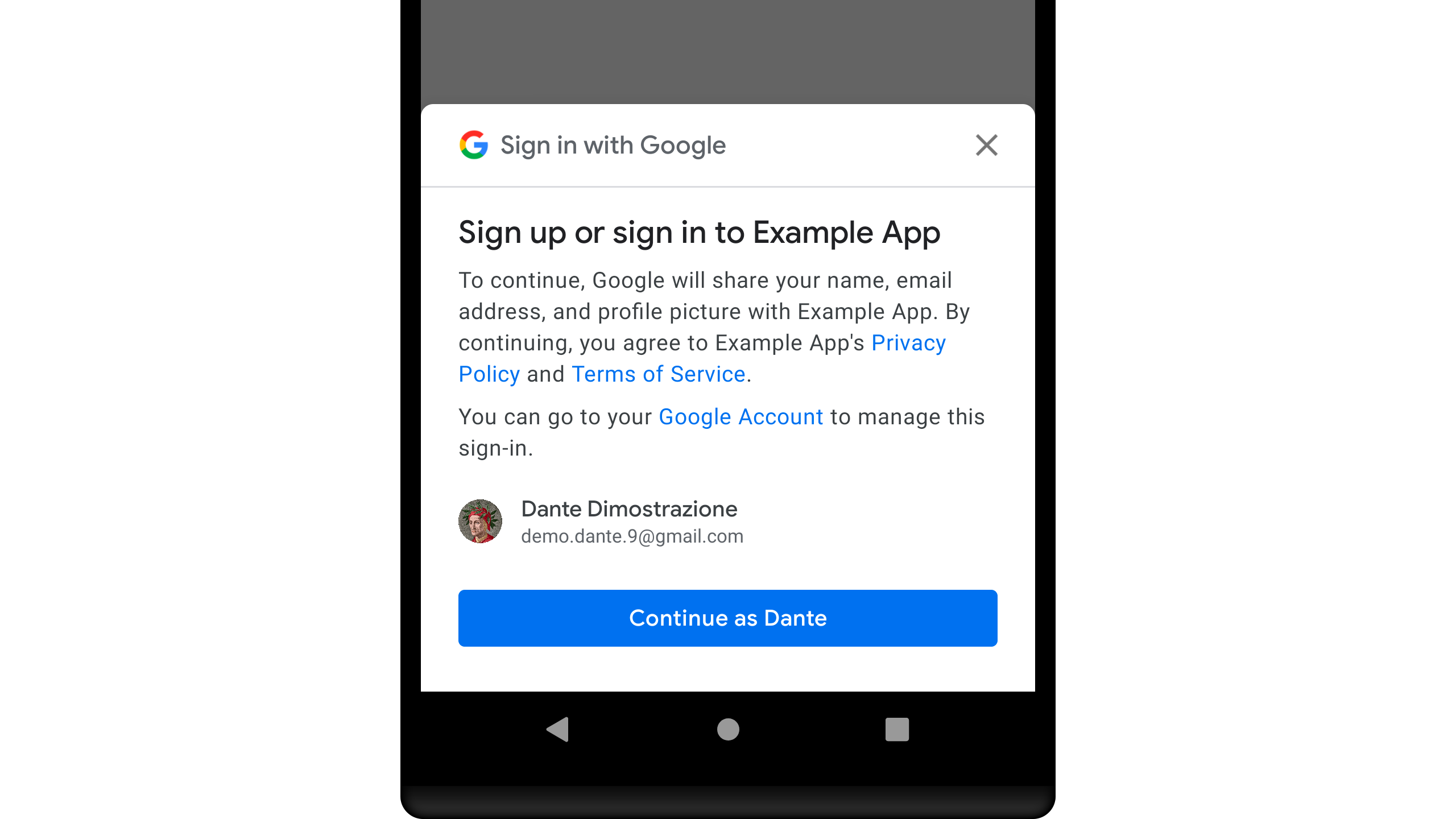
Screenshoot

Google One Tap Sign In

Google One Tap Sign In (Android)

A Flutter Plugin for Google One Tap Sign In

Getting Started

To access Google Sign-In, you'll need to make sure to register your application.

  • Add to your pubspec.yaml

    dependencies:  
      google_one_tap_sign_in: [any]
    
  • Add Google Service

    classpath 'com.google.gms:google-services:[x.x.x]'
    
  • Import plugin

    import 'package:google_one_tap_sign_in/google_one_tap_sign_in.dart';
    
  • Handle Simple Method

    // Your Web Client Id  
    final String _webClientId = "[XXXXXXXXXXX]";
    void _onSignIn() async {
        var data = await GoogleOneTapSignIn.startSignIn(webClientId: _webClientId);
        if (data != null) {
          // Whatever you do with [SignInResult] data
          print("Id Token : ${data.idToken ?? "-"}");
          print("ID : ${data.id ?? "-"}");
        }
    }
    
  • Handle with Condition Method

    // Your Web Client Id  
    final String _webClientId = "[XXXXXXXXXXX]";
    void _onSignInWithHandle() async {
    var result = await GoogleOneTapSignIn.handleSignIn(webClientId: _webClientId);
    
        if (result.isTemporaryBlock) {
          // TODO: Tell your users about this status
          print("Temporary BLOCK");
        }
    
        if (result.isCanceled) {
          // TODO: Tell your users about this status
          print("Canceled");
        }
    
        if (result.isFail) {
          // TODO: Tell your users about this status
        }
    
        if (result.isOk) {
          // TODO: Whatever you do with [SignInResult] data
          print("OK");
          print("Id Token : ${result.data?.idToken ?? "-"}");
          print("Email : ${result.data?.username ?? "-"}");
        }
    }
    

Example

Find the example wiring in the Google One Tap Sign In

所屬分類

原始碼儲存庫

使用此套件的專案

暫無相關資料。