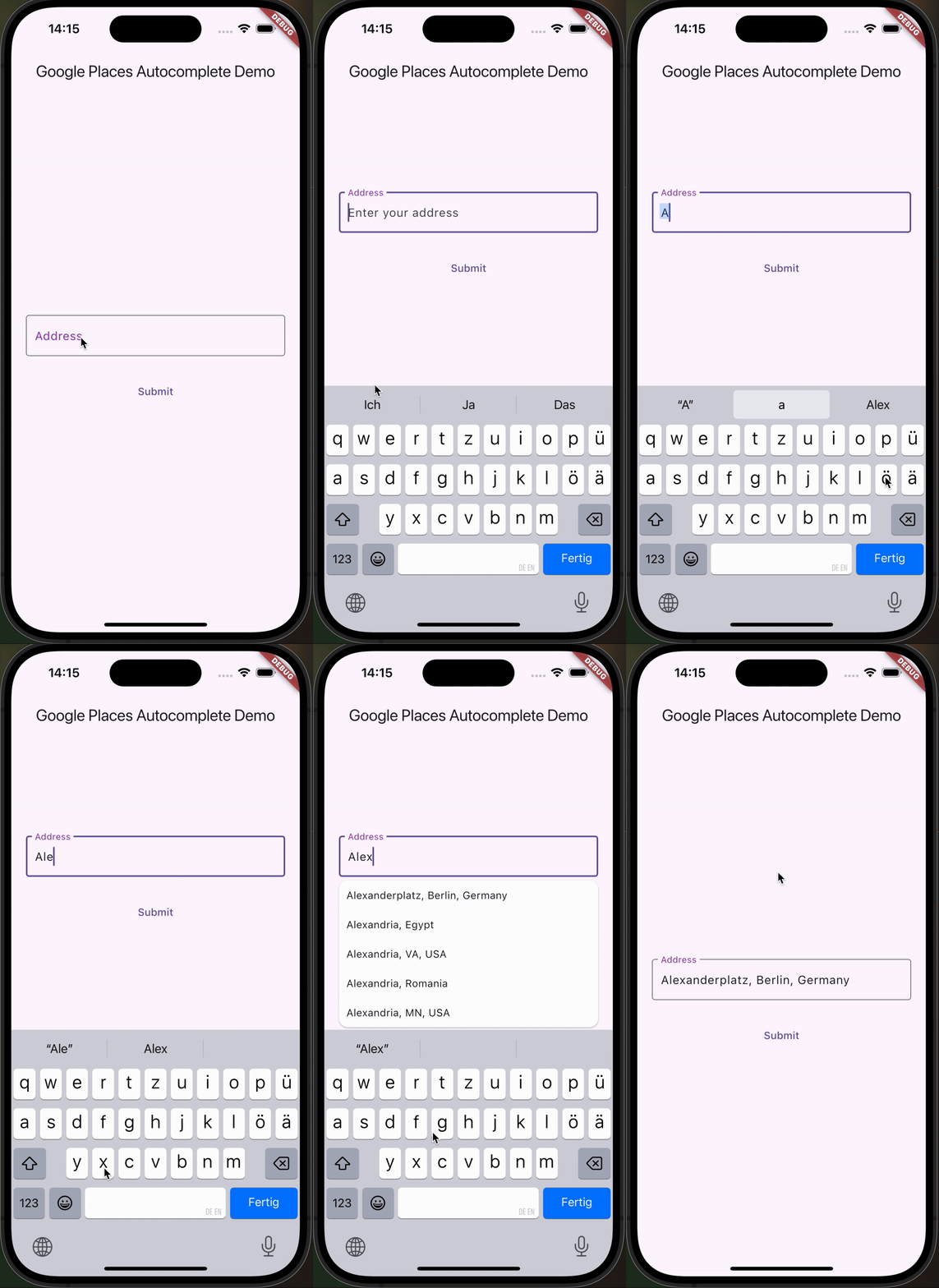
一個可自訂的 Flutter 文字欄位,用於 Google 地點自動補全,支援 iOS、Android 和 Web 平台。它讓使用者能透過 Google 地點 API 提供的即時建議搜尋並選擇地點。此元件設計為可輕鬆整合至需要地址或位置輸入的表單中,提供彈性的樣式與行為。非常適合需要從使用者輸入的地址取得精確地理定位資料的應用程式。
適用情境
表單中的地址輸入
旅行應用中的位置選擇
收貨地址輸入
基於地理位置的服務
使用者資料設定
主要特色
即時地點建議
可自訂的 UI 與樣式
跨平台支援(iOS、Android、Web)
與 Google Places API 集成
內建錯誤處理與驗證
適合對象
需要位置輸入的移動和網路應用程式
具有配送或地圖功能的應用程式
需要精確地址輸入的表單
使用 Google Places API 的開發人員
優先考慮使用者體驗的自動補全專案
使用建議
需要 Google Places API 金鑰
根據查詢量可能會產生使用費用
依賴網路連接
建議清單外觀的自訂有限
高負載期間響應時間可能出現延遲
原始 README
以下為關聯原始碼儲存庫的 README 原文快照,最新內容請造訪原始碼儲存庫。
google_places_autocomplete_text_field
This Flutter package helps you build a TextField that provides autocompletion suggestions from the new Google Places API.
Integrate the Google AutoComplete TextField Widget in your code 🧩
GooglePlacesAutoCompleteTextFormField(
textEditingController: controller,
config: constGoogleApiConfig(
apiKey: 'YOUR_GOOGLE_API_KEY',
// only needed if you build for the web
proxyURL: 'https://your-proxy.com/',
countries: ['de'], // optional, by default the list is empty (no restrictions)
fetchPlaceDetailsWithCoordinates: true, // if you require the coordinates from the place details
debounceTime: 400, // defaults to 600 ms
locationRestriction: LocationConfig.circle(
circleCenter: constCoordinates(latitude: 52.5200, longitude: 13.4050),
circleRadiusInKilometers: 1000,
), // either this or locationBias (or nothing)
placeTypeRestriction: PlaceType.city, // if you want specific place types
),
onPredictionWithCoordinatesReceived: (prediction) {
// this method will return latlng with place detailprint("Coordinates: (${prediction.lat},${prediction.lng})");
// the place details are returned on the prediction as wellprint("Address: ${prediction.formattedAddress}");
print("Components: ${prediction.addressComponents}");
}, // this callback is called when fetchPlaceDetailsWithCoordinates is true
onSuggestionClicked: (prediction) {
controller.text = prediction.description;
controller.selection = TextSelection.fromPosition(TextPosition(offset: prediction.description.length));
}
)
Integrate the Google AutoComplete TextField Widget in your Web code 🌐
In case you're building for the web, you need to pass the widget a proxy URL, otherwise you will receive a CORS-Error, as there are calls to the Google Maps API being made from the frontend. If you are not Google, your domain will probably be different, thus leading to the CORS-Error. If you are Google: how ya doin 😏? I'd love to do an internship.
Customization Option
You can customize the GooglePlacesAutoCompleteTextFormField as you would with any other TextFormField.