搜尋套件、儲存庫與 APP 分類

套件詳情v2.3.0

implicitly_animated_list

一個 Flutter 小部件,每次以新項目重新建構時會隱式動畫化清單。

AndroidiOSmacOSWindowsLinux
近 30 天下載
2.3萬
喜歡數
33
Pub 分數
150

安裝套件

flutter pub add implicitly_animated_list

套件介紹

根據套件公開資料產生的選型評估,僅供參考。

一個 Flutter 小部件,當列表使用新資料重建時,會自動為清單項目添加動畫效果,無需手動管理動畫。它透過隱式動畫順暢處理插入、刪除和更新操作,非常適合聊天介面或任務看板等動態清單。該小部件可與標準 Flutter 清單無縫整合,設定簡單。支援所有主要平台,設計簡潔且效能出色。

適用情境

  • 動態列表更新
  • 帶有訊息到達的聊天 UI
  • 任務列表管理
  • 即時資料流
  • 動畫項目過渡

主要特色

  • 自動插入動畫
  • 平滑刪除過渡
  • 內建更新處理
  • 最小化樣板程式碼
  • 跨平台支援

適合對象

  • 尋求簡單列表動畫的開發者
  • 經常更新列表的應用程式
  • 需要視覺反饋以顯示變更的UI
  • 初學者學習Flutter動畫
  • 優先考慮開發人員效率的專案

使用建議

  • 對動畫曲線的自訂有限
  • 不適合複雜的自訂動畫
  • 在非常大的清單上可能會影響效能
  • 需要仔細管理狀態以避免閃爍
  • 最適合中等大小的資料集

原始 README

以下為關聯原始碼儲存庫的 README 原文快照,最新內容請造訪原始碼儲存庫。

Often, your lists represent some kind of data.

You can just pass the original list data to the ImplicitlyAnimatedList as well as an itemBuilder for building a widget from one data point, and it'll animate whenever the data changes:

ImplicitlyAnimatedList(
  // When you change items of this list and hot reload, the list animates.
  itemData: [1, 2, 3, 4],
  itemBuilder: (_, number) => ListTile(title: Text('$number')),
),

It works with all classes and works well with StreamBuilder:

class User {
  const User({required this.firstName, required this.lastName});

  final String firstName;
  final String lastName;

  // The ImplicitlyAnimatedList uses the == operator to compare items.
  bool operator ==(Object other) => other is User
    && firstName == other.firstName
    && lastName == other.lastName;
}

...

StreamBuilder<List<User>>(
  stream: someSource.usersStream,
  builder: (context, snapshot) {
    if (!snapshot.hasData) {
      return ...;
    }
    return ImplicitlyAnimatedList(
      itemData: snapshot.data,
      itemBuilder: (context, user) {
        return ListTile(title: Text('${user.firstName} ${user.lastName}'));
      }
    );
  }
)

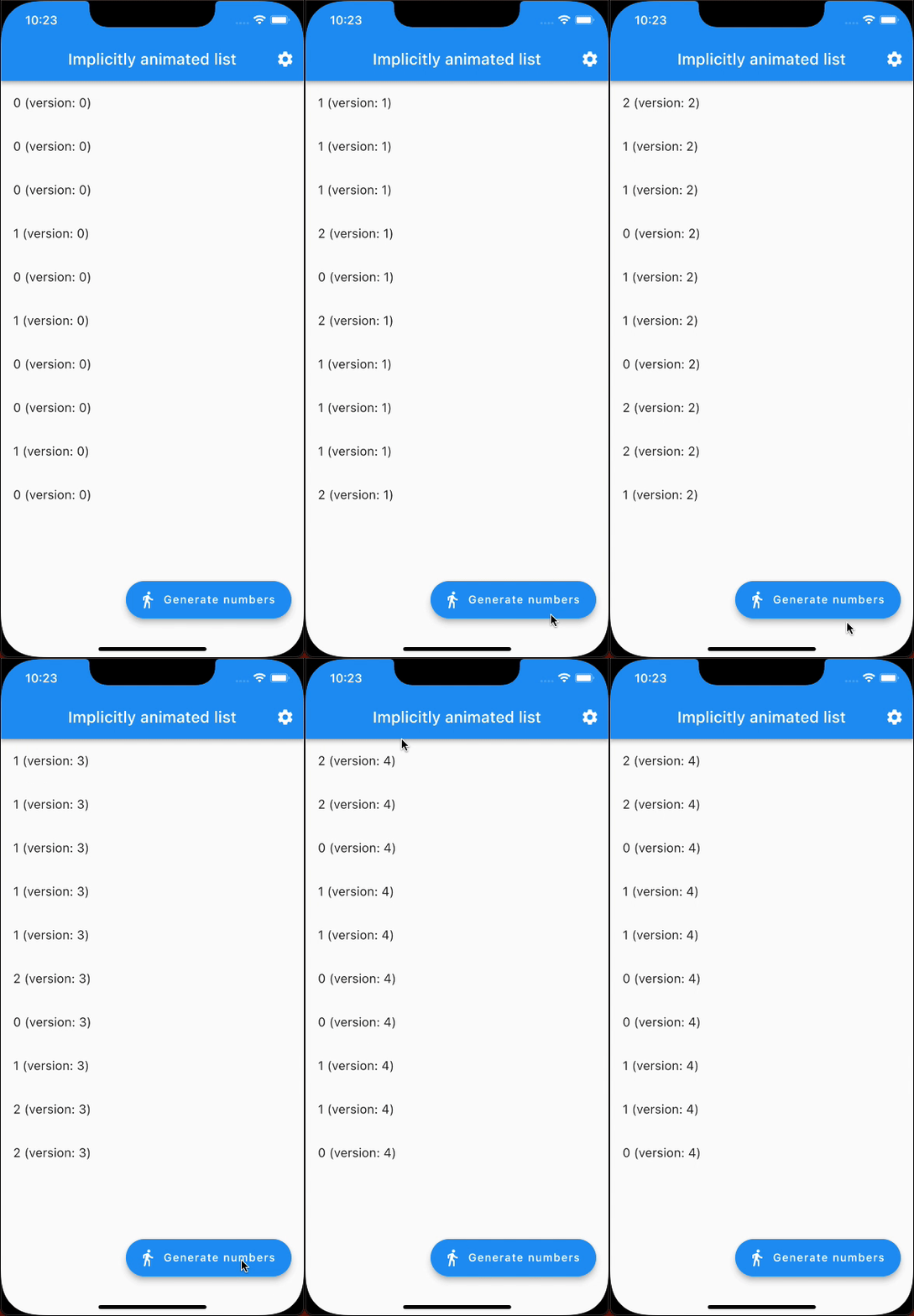
Here's an example that generates random numbers and animates from one state to the next (notice it's only 10 fps because of being a GIF):

example showcase

In addition to ImplicitlyAnimatedList, there's also SliverImplicitlyAnimatedList for use in a CustomScrollView:

CustomScrollView(
  slivers: [
    SliverImplicitlyAnimatedList(
      itemData: myListOfItems,
      itemBuilder: (context, item) => ListTile(title: Text('$item')),
    ),
    // ...
  ],
),

所屬分類

依賴

依賴清單 1 項

  • list_diff^2.0.0

原始碼儲存庫

使用此套件的專案