Infinite Carousel





Infinite Carousel helps you to create interactive carousel experience within your Flutter applications.
Features
Infinite Carousel does not use PageView underneath, therefore it has some unique features not present in PageView based Carousels like:
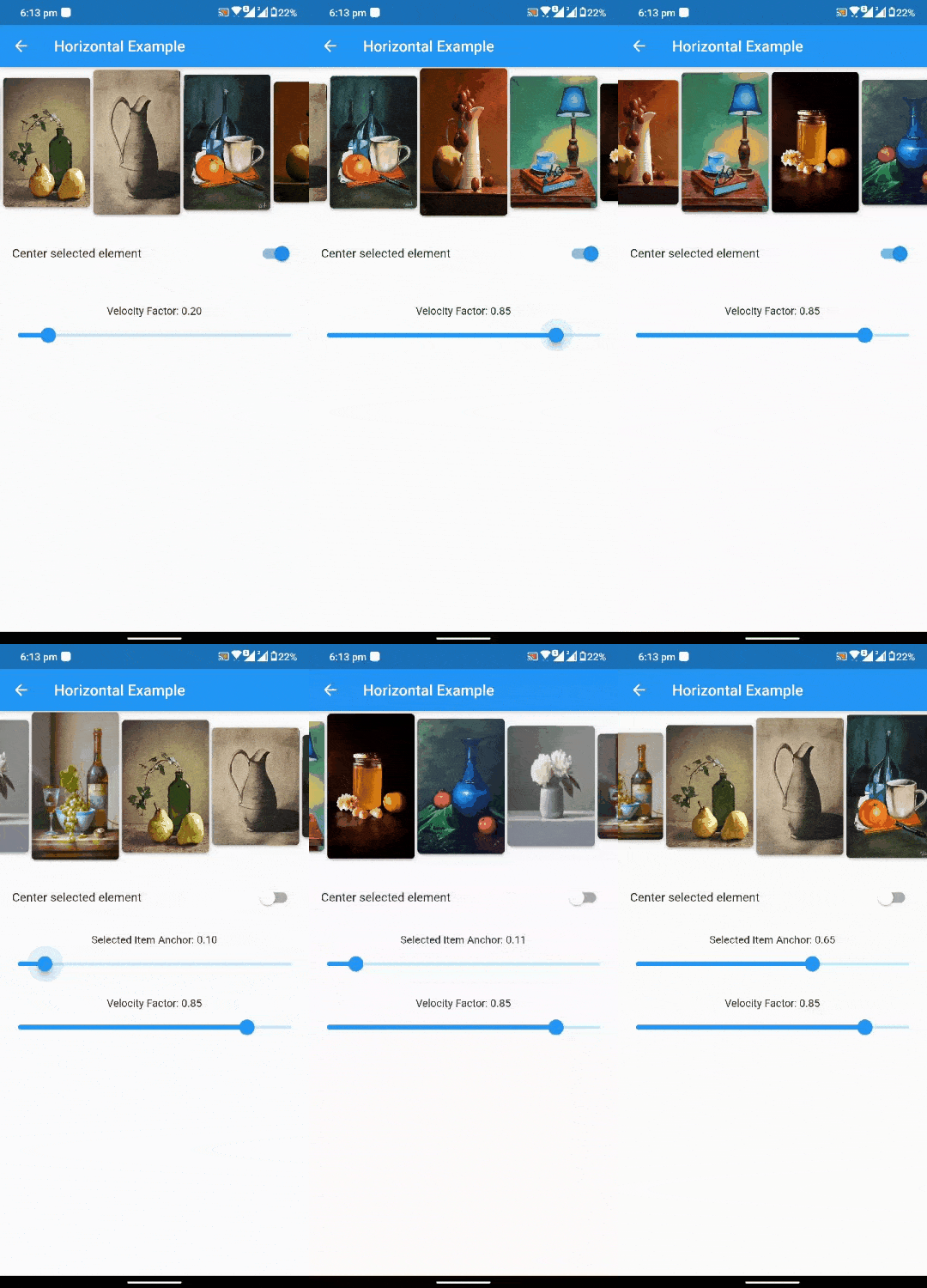
Granular control over selected item placement
It allows you to control placement (or anchor) of selected item on viewport (unlike PageView which always has its selected page in the center of viewport).
Fine tuning Scroll Velocity
It gives control over of scrolling speed, therefore allowing user to increase / slow the carousel movements when scrolled free hand.
Friction effect
It simulates a realistic slowing down effect after scrolling, adding a touch of natural behavior and refinement.
Supports Multiple Scroll Physics
Default behaviour is InfiniteScrollPhysics, which makes sure we always land on an item after free hand scrolling, with added friction effect. But you can also set it to PageViewTypeScrollPhysics to get the PageView like scroll effect.
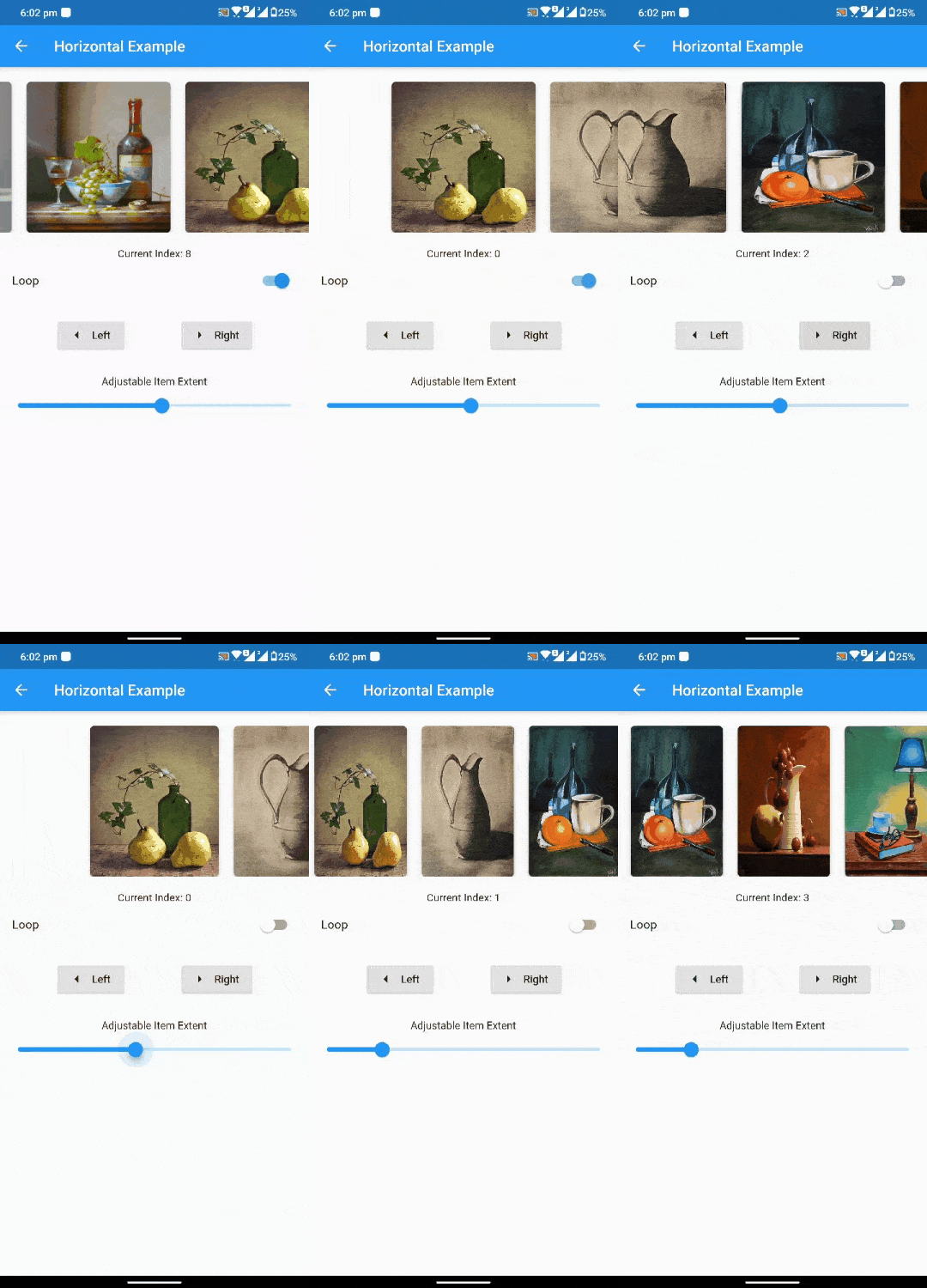
Infinite looping
It supports infinite looping on items, and exposes both actual indices and relative indices of items.
Horizontal and Vertical Axis
It supports both horizontal and vertical axis directions with respect to LTR and RTL text directions.

Usage
Add the package to pubspec.yaml
$ flutter pub add infinite_carousel
or
dependencies:
  infinite_carousel: ^1.1.1
After that import the package.
import 'package:infinite_carousel/infinite_carousel.dart';
InfiniteCarousel.builder(
  itemCount: 10,
  itemExtent: 120,
  center: true,
  anchor: 0.0,
  velocityFactor: 0.2,
  onIndexChanged: (index) {},
  controller: controller,
  axisDirection: Axis.horizontal,
  loop: true,
  itemBuilder: (context, itemIndex, realIndex) {
  },
)
Controller
You can programatically control the Carousel movement by providing InfiniteScrollController, which provides number of useful methods.
- pass
initialItem in the constructor.
- animateToItem(index)
- jumpToItem(index)
- nextItem()
- previousItem()
Attributes
| Attribute |
Data Type |
Description |
Default Value |
| itemCount |
int |
Total number of items. |
Required |
| itemExtent |
double |
Size of single item in viewport. If axis is horizontal, then this corresponds to width of item, else height of the item. |
Required |
| itemBuilder |
Widget Function(BuildContext, int itemIndex, int realIndex) |
To lazily build items on the viewport. When Loop is false, ItemIndex is equal to RealIndex (i.e, index of element). When loop is true, two indexes are exposed by item builder. One is itemIndex, that is the modded item index i.e., for list of 10, position(11) = 1, and position(-1) = 9. Other is realIndex, that is the actual index, i.e. (..., -2, -1, 0, 1, 2, ...) in loop. Real Index is needed if you want to support JumpToItem by tapping on it. |
Required |
| physics |
ScrollPhysics |
Defaults to InfiniteScrollPhysics, which makes sure we always land on a particular item after free-hand scrolling. You can also provide PageViewTypeScrollPhysics to get PageView scroll effect. |
InfiniteScrollPhysics |
| controller |
ScrollController |
Scroll Controller for the carousel. |
InfiniteScrollController |
| onIndexChanged |
void Function(int) |
Callback that includes new selected index. |
|
| anchor |
double |
Where to place selected item on the viewport. Ranges from 0 to 1. 0.0 means selected item is aligned to start of the viewport, and 1.0 meaning selected item is aligned to end of the viewport. This property is ignored when center is set to true. |
0.0 |
| loop |
bool |
Whether to create a infinite looping list |
true |
| velocityFactor |
double |
Increase/Decrease velocity of carousel scrolling to this factor. |
0.2 |
| axisDirection |
Axis |
Axis direction of carousel. |
Axis.horizontal |
| center |
bool |
Align selected item to center of the viewport. When this is true, anchor property is ignored. |
true |
Flutter web
Earlier, flutter allowed scrolling the widgets by dragging using the mouse. Now, by default, it allows scrolling widgets to be dragged by all PointerDeviceKinds except for PointerDeviceKind.mouse.
If you want to support scrolling by drag, please pass the explicit ScrollBehavior to InfiniteCarousel.
scrollBehavior: ScrollConfiguration.of(context).copyWith(
dragDevices: {
PointerDeviceKind.touch,
PointerDeviceKind.mouse
},
),
Reference: https://docs.flutter.dev/release/breaking-changes/default-scroll-behavior-drag
Contributing
Contributions of all kinds are welcome. Please read CONTRIBUTING.md and CODE_OF_CONDUCT.md before raising issues and creating new pull requests.
Images used in the gifs belong to their original authors and the links can be found in example project.
Contributors

Manuinder Sekhon @ GeekyAnts (Github)

