搜尋套件、儲存庫與 APP 分類

keyboard_dismisser 封面
套件詳情v3.0.0

keyboard_dismisser

一個簡單的 Flutter 套件,可在執行手勢時隱藏鍵盤。

AndroidiOSWebmacOSWindowsLinux
近 30 天下載
3.2萬
喜歡數
247
Pub 分數
160

安裝套件

flutter pub add keyboard_dismisser

套件介紹

根據套件公開資料產生的選型評估,僅供參考。

一個輕量級的 Flutter 套件,當使用者點擊任何文字輸入欄位以外的區域時,會自動關閉鍵盤。它透過提供一種無縫關閉鍵盤的方式,提升使用者體驗,無需專用按鈕或手動操作。此套件可在所有主要平台運作,包括行動裝置、網頁與桌面端,非常適合表單與輸入密集型介面。它可輕鬆整合至現有元件中,設定簡單。

適用情境

  • 頻繁切換鍵盤的表單輸入
  • 需要直覺鍵盤關閉的行動和網頁應用
  • 具有文字欄位的桌面應用程式
  • 改進聊天或訊息介面的使用者體驗
  • 透過消除多餘的關閉按鈕來減少雜亂

主要特色

  • 點擊外部區域自動關閉鍵盤
  • 跨平台相容性
  • 最小代碼整合
  • 支援所有輸入類型
  • 無額外依賴

適合對象

  • 尋求簡單鍵盤管理的開發者
  • 包含多個文字欄位的應用程式
  • 以使用者體驗為導向的應用程式設計
  • 針對多個平台的專案

使用建議

  • 可能會與其他手勢檢測器產生衝突
  • 不適合複雜的手勢互動
  • 需要在 widget 樹中謹慎放置
  • 有限的自訂選項
  • 不以程式化方式處理鍵盤可見性

原始 README

以下為關聯原始碼儲存庫的 README 原文快照,最新內容請造訪原始碼儲存庫。

keyboard_dismisser

A simple Flutter package to hide the keyboard when performing a gesture outside of it.

Pub

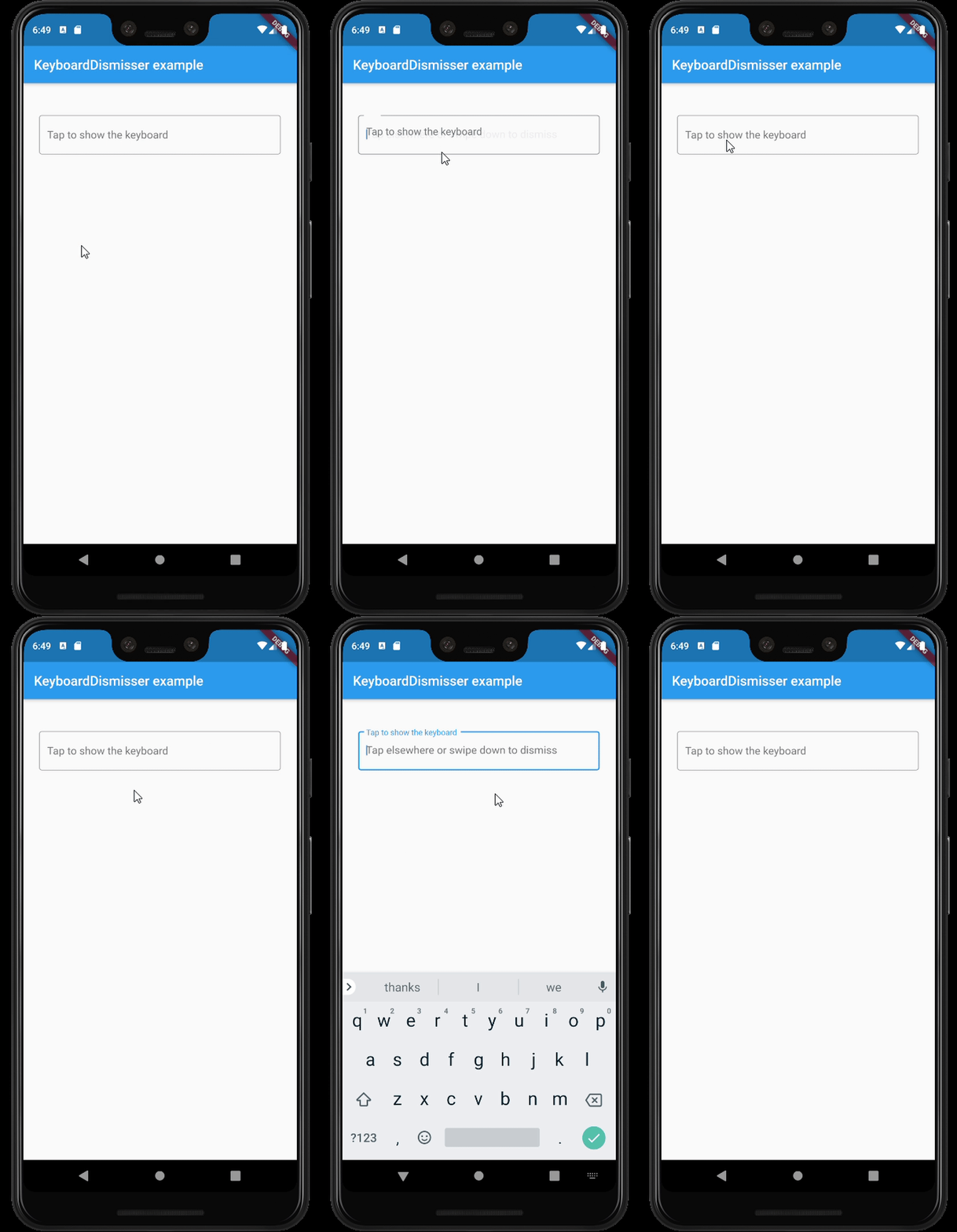
Example

Features

  • By default, dismisses the keyboard when tapping outside of it on an inactive widget.
  • Supports several gestures at the same time.
  • Supports all the gestures available in Flutter's GestureDetector.
  • Supports directional swipes to dismiss the keyboard.
  • Can be applied to a whole page by wrapping its Scaffold.
  • Can be applied to a whole app, by wrapping its MaterialApp, WidgetsApp, or CupertinoApp.
  • Customizable drag start behavior and gesture hit testing behavior.
  • Can be excluded from the semantics tree.

Usage

This package exposes a KeyboardDismisser stateless widget. You can wrap your widget with it, and your widget will be able to dismiss the keyboard when performing a gesture.

    Widget build(BuildContext context) => KeyboardDismisser(
        child: Scaffold(
            body: ...,
        ),
      );

KeyboardDismisser takes a gestures parameter, which is a list of GestureType enum cases. This way, you can pass any gesture you like for the keyboard dismissal. By default, KeyboardDismisser will dismiss the keyboard when tapping outside of it, but it handles several gestures at the same time.

    Widget build(BuildContext context) => KeyboardDismisser(
        gestures: [GestureType.onTap, GestureType.onPanUpdateDownDirection],
        child: Scaffold(
            body: ...,
        ),
      );

Getting started

In the pubspec.yaml of your flutter project, add the following dependency:

dependencies:
  keyboard_dismisser: "^[LATEST_VERSION]"

Then run $ flutter pub get. In your library, add the following import:

import 'package:keyboard_dismisser/keyboard_dismisser.dart';

Author

Diego Rogel - GitHub

Changelog

Check the Changelog page to see what's recently changed.

License

This project is licensed under the MIT License - see the LICENSE file for details.

所屬分類

原始碼儲存庫

使用此套件的專案