搜尋套件、儲存庫與 APP 分類

kpostal 封面
套件詳情v2.0.0

kpostal

Kpostal 套件可使用 Kakao 郵遞編碼服務搜尋韓國郵政地址。

AndroidiOS
近 30 天下載
2340
喜歡數
74
Pub 分數
160

安裝套件

flutter pub add kpostal

套件介紹

根據套件公開資料產生的選型評估,僅供參考。

kpostal 套件透過整合 Kakao Postcode 服務,讓 Flutter 應用程式能夠搜尋韓國郵政地址。它提供一個簡單、類似原生的介面,讓使用者能從可搜尋清單中選擇地址,提升針對南韓應用程式的地址輸入準確性與效率。此套件支援 Android 與 iOS 平台,確保跨裝置行為一致。非常適合需要精確位置資料的表單,例如配送或註冊系統。

適用情境

  • 行動應用程式中的韓文地址選擇
  • 配送和運輸表單輸入
  • 使用者資料註冊帶位置
  • 韓國的基於位置的服務
  • 電子商務應用中的地址自動補全

主要特色

  • 與 Kakao Postcode API 的整合
  • 支援 Android 與 iOS
  • 簡潔直覺的地址搜尋使用者介面
  • 即時地址過濾
  • 輕量且易於實作

適合對象

  • 為韓國開發應用程式的開發者
  • 需要準確韓國郵政編碼的應用程式
  • 電子商務和物流平台
  • 需要可靠地址輸入的表單

使用建議

  • 需要網路連接以進行郵遞區號查詢
  • 僅限韓國地址
  • 可能需要為非韓語用戶進行額外的本地化
  • 取決於Kakao的服務可用性

原始 README

以下為關聯原始碼儲存庫的 README 原文快照,最新內容請造訪原始碼儲存庫。

kpostal — Korean postal address search for Flutter

pub version pub points pub likes downloads test license

English Korean


kpostal is a Korean postal address search widget for Flutter, powered by the Kakao (Daum) postcode service. Push a single widget, get a structured address (postcode, road/jibun address, building info, …) back — with optional latitude/longitude geocoding.

Inspired by the discontinued Kopo package.

Features

  • 🔎 Kakao postcode search as a ready-made KpostalView widget — zero configuration to get started.
  • 🌐 Multi-platform: Android, iOS, macOS, and Web, built on the official webview_flutter (iframe on Web).
  • 📍 Geocoding built in: latitude/longitude via free platform geocoding (Android/iOS/macOS), plus optional Kakao Maps API geocoding.
  • 🏠 Resilient hosting: uses a GitHub-hosted search page by default, with a local-server fallback (useLocalServer) in case of hosting issues.
  • 🎨 Customizable: custom AppBar, loading indicator, and result callback.

Platform Support

Android iOS macOS Web Windows Linux
✅ ✅ ✅ ✅ ❌ ❌
  • Requires Flutter 3.38+ / Dart 3.10+.
  • On Web, useLocalServer is ignored and platform geocoding is unavailable (latitude/longitude are null) — use kakaoKey geocoding instead.
  • Platform geocoding uses the free OS services with their own usage limits — see the Apple, Android, and geocoding docs.
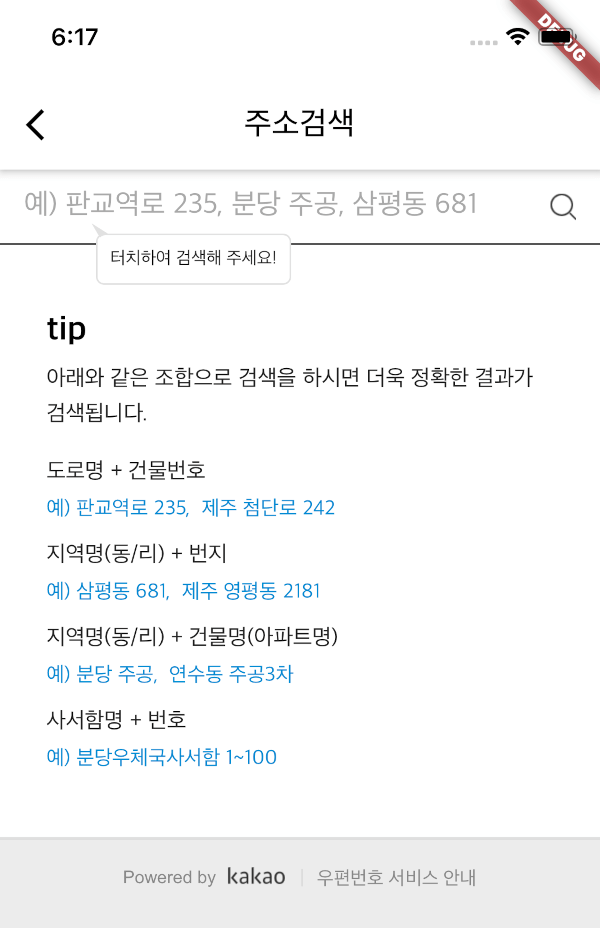
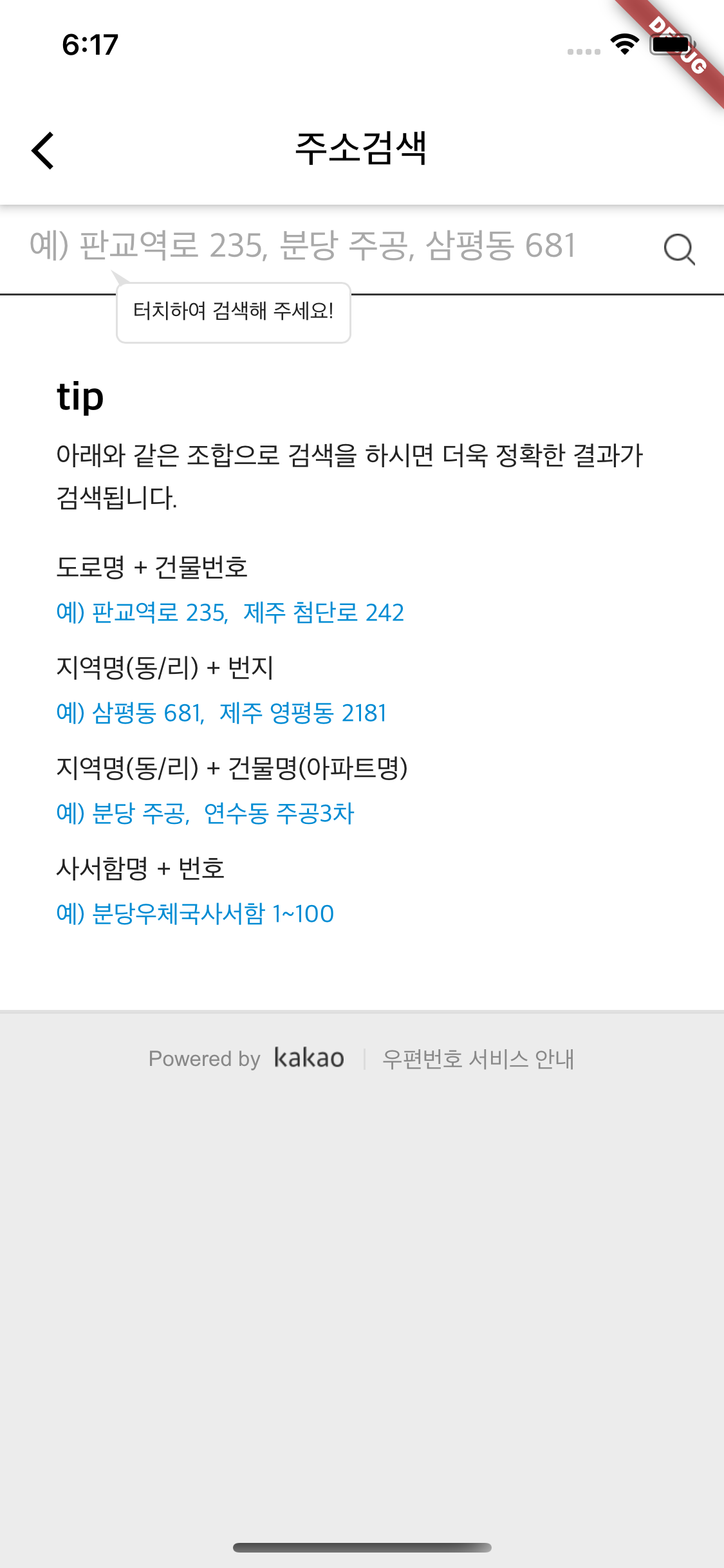
kpostal screenshot

Quick Start

dependencies:
  kpostal:
import 'package:kpostal/kpostal.dart';

// Use callback.
await Navigator.push(context, MaterialPageRoute(
  builder: (_) => KpostalView(
    callback: (Kpostal result) {
      print(result.address);
      print(result.latitude);
    },
  ),
));

// Or receive the result as a return value.
Kpostal result = await Navigator.push(
  context, MaterialPageRoute(builder: (_) => KpostalView()));

Key fields on the Kpostal result: postCode, address, roadAddress, jibunAddress, buildingName, sido, sigungu, latitude/longitude, kakaoLatitude/kakaoLongitude, userSelectedAddress — see the API reference for the full list.

Setup

🧑🏻‍💻 With the default hosted page, Android and iOS need no extra setup.

Android — internet permission (release mode)
<!-- AndroidManifest.xml -->
<uses-permission android:name="android.permission.INTERNET"/>
macOS — network entitlements
<!-- macos/Runner/DebugProfile.entitlements & Release.entitlements -->
<key>com.apple.security.network.client</key>
<true/>
<!-- only if you use [useLocalServer] -->
<key>com.apple.security.network.server</key>
<true/>
Local server (optional, useLocalServer: true) — allow http traffic

The local server serves the search page over http://localhost, so cleartext traffic must be allowed.

Android — add android:usesCleartextTraffic="true" to <application> in AndroidManifest.xml:

<application
    android:label="[your_app]"
    android:usesCleartextTraffic="true"
    ...>

iOS — add NSAppTransportSecurity to Info.plist:

<key>NSAppTransportSecurity</key>
<dict>
    <key>NSAllowsArbitraryLoads</key>
    <true/>
</dict>
Kakao geocoding (optional, kakaoKey) — get kakaoLatitude/kakaoLongitude
  1. Go to the Kakao Developers site, register, and create an app.
  2. Add a Web platform: App – [Platform] – [Web Platform Registration].
  3. Register the site domain:
    • default hosting: https://tykann.github.io
    • local server: http://localhost:{your port, default 8080}
  4. Use the JavaScript key shown at the top of the page as kakaoKey.
KpostalView(
  kakaoKey: '{your kakao app JS key}',
  callback: (Kpostal result) {
    print(result.kakaoLatitude);
  },
)

Usage

KpostalView(
  useLocalServer: true,        // host the page on localhost (default: false)
  localPort: 8080,             // local server port (default: 8080)
  kakaoKey: '{JS key}',        // enable Kakao geocoding (optional)
  appBar: ...,                 // custom AppBar (optional)
  onLoading: ...,              // custom loading widget (optional)
  callback: (Kpostal result) { ... },
)

Migration from 1.x

Most apps need no code changes — v2 swaps the webview engine from flutter_inappwebview to the official webview_flutter and adds Web/macOS support.

  • Requires Flutter 3.38+ / Dart 3.10+.
  • On Web, latitude/longitude are null — use kakaoKey geocoding if you need coordinates.
  • macOS apps need the network entitlements above.

See the CHANGELOG for details.

Roadmap

  • [x] v2: migrate to official webview_flutter, Web & macOS support
  • [x] v2.0.0 stable release
  • [ ] Custom search page URL — self-host the postcode page on your own domain (also enables full control on Web, where a local server isn't possible)
  • [ ] Embeddable search widget (usable inside bottom sheets/dialogs without a Scaffold)
  • [ ] Windows/Linux support — blocked on webview_flutter desktop support

Have an idea or issue? Open an issue — contributions are welcome!

License

MIT

所屬分類

依賴

依賴清單 4 項

原始碼儲存庫

使用此套件的專案

暫無相關資料。