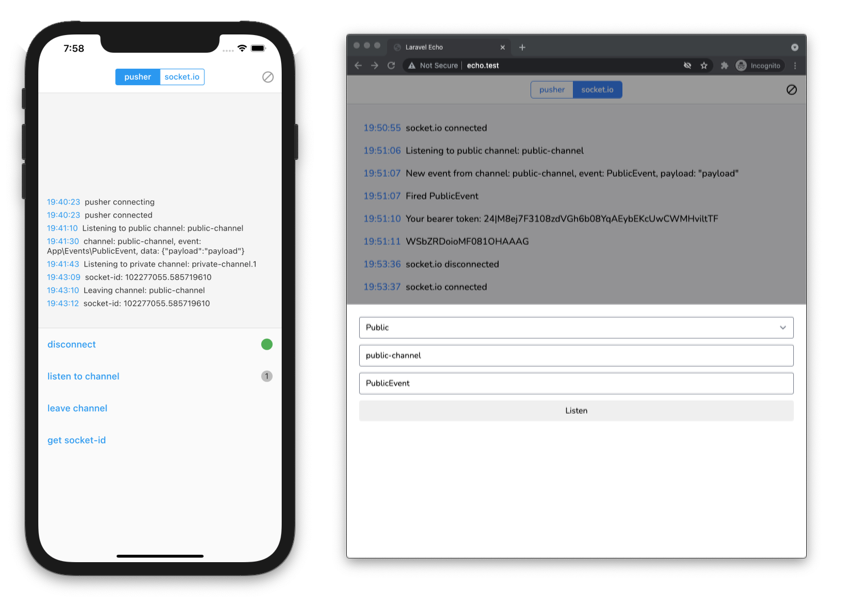
Laravel Echo for Flutter
Basically, this package is port of official Laravel Echo javascript library . It helps subscribe to channels and listen for events broadcasted from your Laravel app.
API is mostly same as official Echo package, so everything in Official documentation should work.
Available connectors:
Getting started
Pusher
To use with Pusher , you need to install pusher_client for you Flutter app.
In your pubspec.yaml file:
dependencies:
  ...
  pusher_client: ^2.0.0
  laravel_echo: ^1.0.0
import laravel_echo and pusher_client
import 'package:laravel_echo/laravel_echo.dart' ;
import 'package:pusher_client/pusher_client.dart' ;
const String PUSHER_KEY = 'YOUR_PUSHER_KEY_HERE' ;
const String PUSHER_CLUSTER = 'YOUR_PUSHER_CLUSTER_HERE' ;
const String BEARER_TOKEN = 'YOUR_BEARER_TOKEN_HERE' ;
const String AUTH_URL = 'http://echo.test/api/broadcasting/auth' ;
PusherOptions options = PusherOptions (
cluster: PUSHER_CLUSTER,
auth: PusherAuth (
AUTH_URL,
headers: {
'Authorization' : 'Bearer $BEARER_TOKEN ' ,
},
),
);
PusherClient pusherClient = PusherClient (
PUSHER_KEY,
options,
autoConnect: false ,
enableLogging: true ,
);
Echo echo = new Echo (
broadcaster: EchoBroadcasterType .Pusher ,
client: pusherClient,
);
echo.channel ('public-channel' ).listen ('PublicEvent' , (e) {
print (e);
});
echo.connector.pusher.onConnectionStateChange ((state) {
print (state!.currentState.toString ());
});
socket.io
To use with socket.io, you need to install socket_io_client for your Flutter app.
In your pubspec.yaml file:
dependencies:
  ...
  socket_io_client: ^1.0.1
  laravel_echo: ^1.0.0
import socket_io_client
import 'package:laravel_echo/laravel_echo.dart' ;
import 'package:socket_io_client/socket_io_client.dart' as IO;
usage
const String BEARER_TOKEN = 'YOUR_BEARER_TOKEN_HERE' ;
IO.Socket socket = IO.io (
'http://localhost:6001' ,
IO.OptionBuilder ()
.disableAutoConnect ()
.setTransports (['websocket' ]).build (),
);
Echo echo = new Echo (
broadcaster: EchoBroadcasterType .SocketIO ,
client: socket,
options: {
'auth' : {
'headers' : {
'Authorization' : 'Bearer $BEARER_TOKEN ' ,
}
},
},
);
echo.channel ('public-channel' ).listen ('PublicEvent' , (e) {
print (e);
});
echo.private ('private-channel' ).listen ('PrivateEvent' , (e) {
print (e);
});
echo.join ('presence-channel' )
.here ((users) {
print (users);
}).joining ((user) {
print (user);
}).leaving ((user) {
print (user);
}).listen ('PresenceEvent' , (e) {
print (e);
});
echo.connector.socket.onConnect ((_) => print ('connected' ));
echo.connector.socket.onDisconnect ((_) => print ('disconnected' ));
Guide
Options
Option
Description
Default
auth
authEndpoint
/api/broadcasting/auth
broadcaster
EchoBroadcasterType.Pusher
host
Socket host
http://localhost:6001
namespace
Event namespace
App.Events
...
Any other options, passed as socket params
Sample backend
Backend used for example app could be found at echo-server
Credits
This package would not be existed without hard work of these awesome devs.
@chinloyal - maintainer of pusher_client@rikolu - maintainer of socket_io_client@heywhy - for initial Pusher intagration