搜尋套件、儲存庫與 APP 分類

magnifying_glass 封面
套件詳情v2.1.1

magnifying_glass

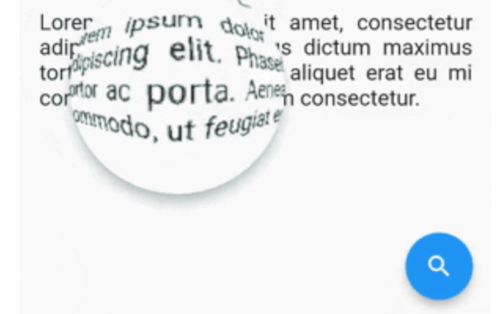
具有桶形/枕形失真的 Flutter 即時放大鏡鏡頭組件。

AndroidiOSWebmacOSWindowsLinux
近 30 天下載
79
喜歡數
52
Pub 分數
150

安裝套件

flutter pub add magnifying_glass

套件介紹

根據套件公開資料產生的選型評估,僅供參考。

magnifying_glass 套件為 Flutter 提供了一個即時放大鏡鏡頭元件,具備動態桶形與枕形變形效果。它能對任何內容進行互動式縮放,非常適合用於圖像檢視器、教育工具或輔助功能等應用中的細節檢視。該元件利用著色器實現跨平台的流暢效能,包含行動裝置、網頁與桌面端。它可輕鬆整合至現有介面,並支援自訂鏡頭大小、縮放級別與位置控制。

適用情境

  • 互動式影像檢視
  • 可存取性增強
  • 教育類應用程式詳情
  • 數位藝術工具
  • 產品詳情放大
  • 文字可讀性改善

主要特色

  • 即時縮放與觸控追蹤
  • 桶形與枕形失真效果
  • 基於著色器的渲染以提升效能
  • 跨平台支援(Android、iOS、Web、macOS、Windows、Linux)
  • 可自訂的鏡頭尺寸和縮放級別
  • 流暢、響應迅速的互動

適合對象

  • 尋求互動式縮放功能的應用程式開發者
  • 面向可存取性的應用程式
  • 設計和原型工具
  • 教育軟體
  • 影像編輯工具

使用建議

  • 複雜背景下的更高GPU使用率
  • 可能需要在低階設備上進行優化
  • 僅限視覺放大,不支援文字提取
  • 不適用於高精度測量任務
  • 性能取決於著色器的效率

原始 README

以下為關聯原始碼儲存庫的 README 原文快照,最新內容請造訪原始碼儲存庫。

MagnifyingGlass Flutter plugin

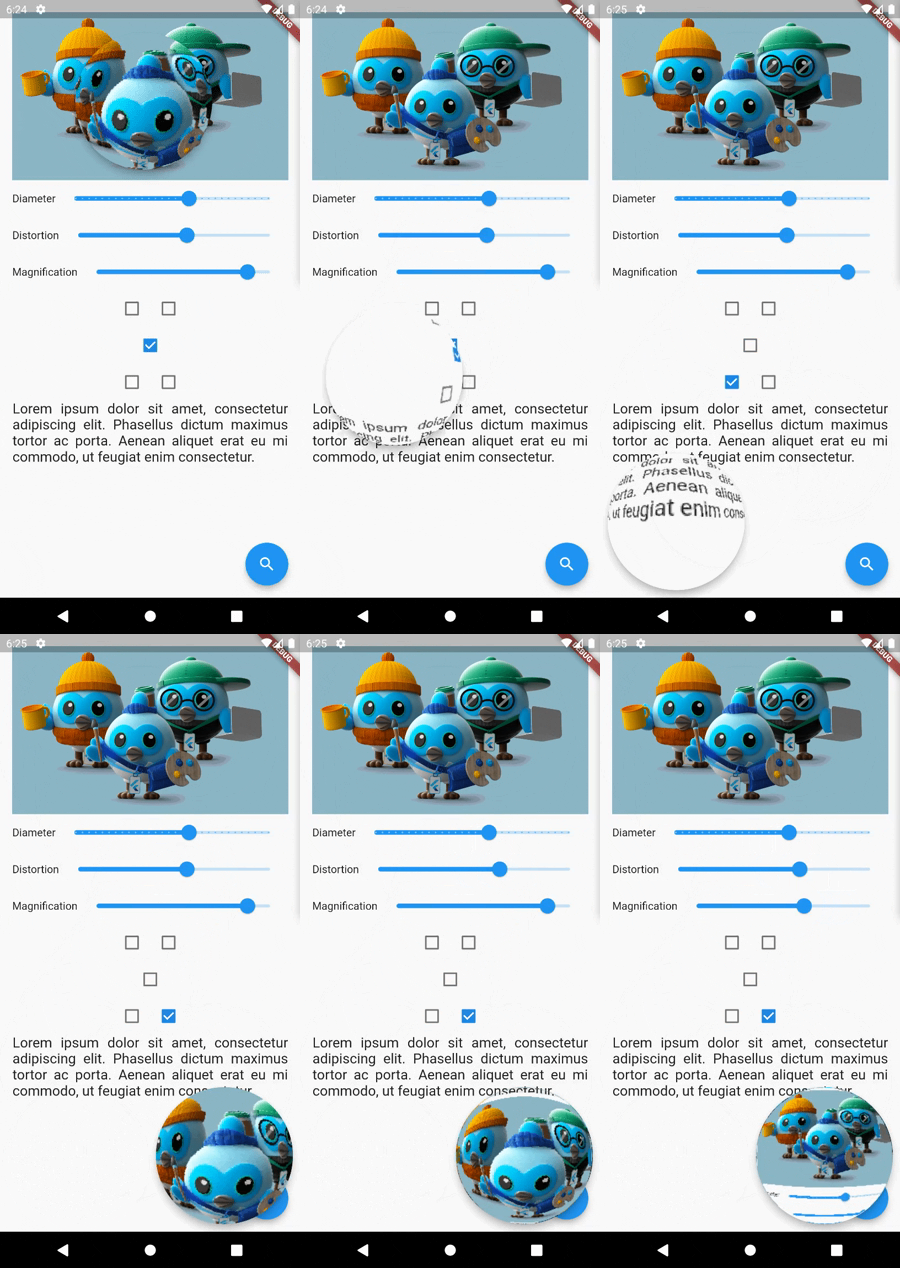
Flutter real-time magnifying glass lens widget with Barrel/Pincushion distortion.

Screenshot

Buy Me A Coffee

Getting Started

Make [MagnifyingGlass] widget as the parent of the widget you wish to be used (usually MyHomePage).

    @override
    Widget build(BuildContext context) {
    MagnifyingGlassController magnifyingGlassController = MagnifyingGlassController();
    return MagnifyingGlass(
      controller: magnifyingGlassController,
      glassPosition: GlassPosition.touchPosition,
      borderThickness: 8.0,
      borderColor: Colors.grey,
      glassParams: GlassParams(
        startingPosition: Offset(150, 150),
        diameter: 150,
        distortion: 1.0,
        magnification: 1.2,
        padding: EdgeInsets.all(10),
      ),
      child: Scaffold( 
        body: ...,

        floatingActionButton: FloatingActionButton(
          onPressed: () => magnifyingGlassController.openGlass(),
          child: const Icon(Icons.search),
        ),
      )
    );

MagnifyingGlass properties

Name Type Description
controller MagnifyingGlassController Let you control the glass state and parameters:
openGlass()
closeGlass()
setDistortion( double distortion, double magnification )
setDiameter( int diameter )
refresh()
glassPosition enum enum to set the touch behavior or sticky position
glassParams GlassParams class to set lens parameters
borderColor Color border color
borderThickness double border thickness
elevation double shadow elevation
shadowOffset Offset shadow offset

GlassPosition class

Name Description
touchPosition move the glass with finger touch
topLeft sticky position to top left corner of the screen
topRight sticky position to top rigth corner of the screen
bottomLeft sticky position to bottom left corner of the screen
bottomRight sticky position to bottom right corner of the screen

GlassParams class

Name Description
startingPosition the startin glass position. If not given the lens will be placed at the center of the screen.
diameter the diameter of the glass
magnification the magnification of the lens
1 means no magnification
>1 means magnification
<1 means shrinking
distortion Barrel/Pincushion distortion power
0 means no distortion
padding the padding surrounding the glass to enlarge touching area
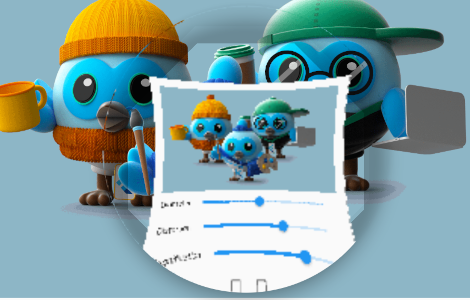
distorsion0.5-mag1.0.png distorsion0.5-mag1.4.png distorsion2.0-mag1.7.png
distorsion 0.5
mag 1.0
distorsion 0.5
mag 1.4
distorsion 2.0
mag 1.7

所屬分類

原始碼儲存庫

使用此套件的專案

暫無相關資料。