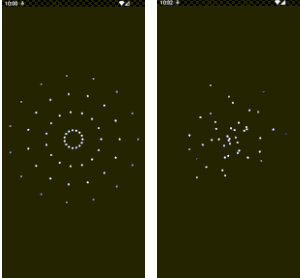
Newton_Particles 是一個 Flutter 套件,讓開發者能使用可設定的粒子發射器創造視覺上吸引人的動畫。它支援多種效果,例如雨、煙霧和動態視覺軌跡,透過沉浸式背景效果提升應用程式介面。此套件為跨平台效能設計,可無縫整合至 Android、iOS、Web、macOS、Windows 和 Linux 上的 Flutter 應用。透過可自訂的粒子行為與即時控制,非常適合為使用者介面增添氛圍深度與互動性。
適用情境
添加動畫背景
創建雨或雪效果
增強遊戲視覺效果
模擬煙霧或火焰
改進應用入門動畫
主要特色
可設定的粒子發射器
即時動畫控制
跨平台支援
支援多種粒子類型
輕量且高效
與 Flutter 小部件的輕鬆整合
適合對象
尋求視覺魅力的UI設計師
需要粒子效果的游戏開發者
希望擁有動態背景的應用程式創作者
開發沉浸式體驗的開發者
專注於動畫細節的前端團隊
使用建議
可能影響低階裝置的效能
需要了解粒子系統的基本知識
除了基本範例之外,文件內容有限
未針對高頻率粒子產生進行優化
最佳搭配最少重疊圖層以確保清晰度
原始 README
以下為關聯原始碼儲存庫的 README 原文快照,最新內容請造訪原始碼儲存庫。
Particle Emitter for Flutter
Newton is a highly configurable particle emitter package for Flutter, now with
advanced support for both deterministic and physics-based animations. With
Newton, you can create captivating animations such as rain, smoke, explosions,
and more, along with realistic physics-driven effects like gravity and
collisions. This allows you to easily add both visually stunning and physically
accurate effects to your Flutter applications, enhancing the user experience
with dynamic and interactive animations.
Features
Highly Configurable: Newton offers an extensive range of options to
fine-tune your particle animations. You can adjust particle appearance,
behavior, movement, and physics properties, providing complete control over
your animations.
Interactive Animation Configurator:
Create your particle animations visually using the included app configurator.
Experiment with different settings, preview animations in real-time, and copy
the generated code directly into your project.
Custom Particle Design: Design your particle effects to seamlessly
integrate with your app’s aesthetic. Use custom shapes, colors, and sizes to
craft truly unique animations that suit your needs.
Comprehensive Documentation: Detailed guides and examples are available to
help you easily create popular particle effects like rain, smoke, and
explosions.
Widget Collisions: Particles can interact with Flutter widgets using
NewtonCollider, creating engaging interactive effects with accurate physics
including support for rounded corners.
Efficient Performance: Newton is optimized for performance, ensuring
smooth animations even on lower-end devices without compromising on visual
quality.
Installation
To use Newton, simply add it as a dependency in your pubspec.yaml file:
dependencies:newton_particles:^0.4.1
Then, run flutter pub get to fetch the package.
Web Setup (Required for WASM with Physics Effects)
If you're building for web with WASM and using physics effects, you need to add a helper script to your web/index.html file. Add this script before the flutter_bootstrap.js script:
This helper is required for Chipmunk2D's WASM module to load properly on web.
What's New in 0.4.1
Fixes
chipmunk2d_physics_ffi 1.0.4: Bumps the Chipmunk2D FFI dependency to fix Android builds for Google Play’s 16 KB page size requirement and Windows build_runner when prebuilt native libraries were missing. See issue #51 and issue #52.
What's New in 0.4.0
Breaking Changes
Physics Engine Migration: Migrated from Forge2D (Box2D) to Chipmunk2D for improved performance and stability. The public API remains compatible, but the underlying physics engine has changed. If you have direct dependencies on forge2d, you'll need to update your code.
Major Updates
Chipmunk2D Integration: Full integration with Chipmunk2D physics engine, providing better performance for physics-based particle effects.
Enhanced Performance: Improved physics simulation performance, especially for large numbers of active particles (now supports up to 3000 particles with warnings).
What's New in 0.3.0
Breaking Changes
Renamed Physics Effects: RelativisticEffect is now PhysicsEffect and RelativisticEffectConfiguration is now PhysicsEffectConfiguration for better clarity. The old names are deprecated.
Revamped Configuration API: Configuration properties are now organized into logical groups (PhysicsProperties, VisualProperties, EmissionProperties, etc.) for better type safety and code organization. See the Migration Guide for upgrade instructions.
Major Features
Widget Collisions: New NewtonCollider widget allows particles to collide with Flutter widgets! Create interactive effects where particles bounce off UI elements with accurate physics, including support for rounded corners, friction, and restitution.
Effect Presets: Quick-start presets for common effects including confetti, rain, snow, explosions, and fountains. Perfect for rapid prototyping or production use.
Code Generator: Enhanced configurator now allows you to copy generated code directly! Configure your effects visually and get ready-to-use Dart code with a single click.
Particle Pool: Memory-efficient particle reuse system that reduces allocations and improves performance.
Debug Data Stream: Real-time monitoring of particle effects with debugDataStream for tracking active particles and performance metrics.
Performance Improvements
Viewport Culling: Particles outside the visible area are now automatically culled, dramatically improving performance for large particle counts.
Optimized Rendering: Improved particle sorting and fixture caching for smoother animations.
Optimized Collider Reporting: Reduced unnecessary work in collider position reporting.
Bug Fixes
Fixed clearEffects() not triggering widget rebuilds
Fixed colliders stopping to work when configuration properties change
Improved collider stability and preservation during widget rebuilds
We welcome contributions from the community! If you find any issues or have
ideas for improvements, feel free to open an issue or submit a pull request on
GitHub.
Note: This package is under active development, and breaking changes might
be introduced in future versions until a stable 1.0.0 release. Please review the
changelog when updating versions.