搜尋套件、儲存庫與 APP 分類

number_selection 封面
套件詳情v1.0.0

number_selection

酷炫的數字選擇器概念

AndroidiOSWebmacOSWindowsLinux
近 30 天下載
43
喜歡數
22
Pub 分數
130

安裝套件

flutter pub add number_selection

套件介紹

根據套件公開資料產生的選型評估,僅供參考。

一個 Flutter 套件,提供視覺上吸引人且互動性強的數字選擇器元件,靈感來自一種酷炫的概念設計。它允許使用者透過直觀的捲動或點擊來選擇數字,適用於表單、設定或其他需要數值選擇的輸入情境。該元件可自訂,並支援 Android、iOS、Web、macOS、Windows 與 Linux 多個平台。透過流暢的動畫與回應式反饋,提升使用者體驗。

適用情境

  • 需要數值選擇的表單輸入
  • 可調整值的設定
  • 互動式 UI 組件
  • 行動與桌面應用程式
  • 自訂數字輸入介面

主要特色

  • 平滑滾動介面
  • 跨平台相容性
  • 可自訂外觀
  • 響應式觸控互動
  • 動畫過渡
  • 支援鍵盤導航

適合對象

  • 開發基於表單應用程式的開發者
  • 注重設計的UI實作
  • 跨平台 Flutter 專案
  • 需要直覺數字輸入的應用程式

使用建議

  • 可能需要額外的樣式以實現整合
  • 僅限數字輸入
  • 對大型資料集的效能影響
  • 未針對極高頻率的更新進行優化

原始 README

以下為關聯原始碼儲存庫的 README 原文快照,最新內容請造訪原始碼儲存庫。

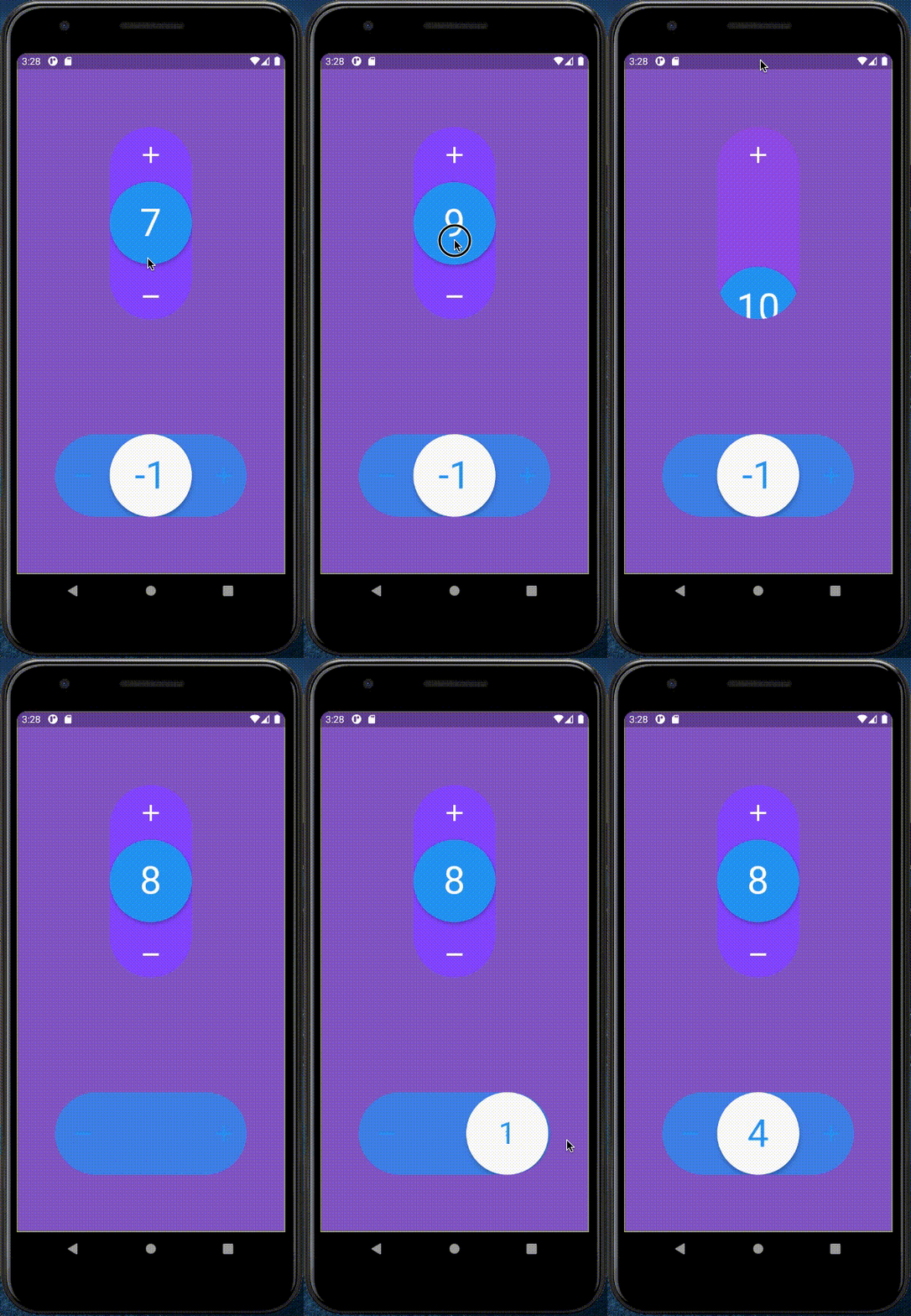
Example

Demo

How to use

  • Import number_selection.dart
import 'package:number_selection/number_selection.dart';
  • And here an use example
NumberSelection(
    theme: NumberSelectionTheme(
        draggableCircleColor: Colors.blue,
        iconsColor: Colors.white,
        numberColor: Colors.white,
        backgroundColor: Colors.deepPurpleAccent,
        outOfConstraintsColor: Colors.deepOrange),
    initialValue: 1,
    minValue: -10,
    maxValue: 10,
    direction: Axis.vertical,
    withSpring: true,
    onChanged: (int value) => print("value: $value"),
    enableOnOutOfConstraintsAnimation: true,
    onOutOfConstraints: () => print("This value is too high or too low"),
);

所屬分類

原始碼儲存庫

使用此套件的專案

暫無相關資料。