搜尋套件、儲存庫與 APP 分類

omni_datetime_picker 封面
套件詳情v2.3.3

omni_datetime_picker

一個日期時間選擇器套件,可選擇使用單一日期時間選擇器或日期時間範圍選擇器。

AndroidiOSWebmacOSWindowsLinux
近 30 天下載
4萬
喜歡數
265
Pub 分數
160

安裝套件

flutter pub add omni_datetime_picker

套件介紹

根據套件公開資料產生的選型評估,僅供參考。

OmniDateTimePicker 是一個 Flutter 套件,提供靈活的日期與時間選擇功能,支援單一時間選擇器與範圍選擇器。它在 Android、iOS、Web、macOS、Windows 與 Linux 上提供一致且可自訂的介面。此套件透過直覺的 UI 元件簡化表單、日曆與排程應用中的日期與時間輸入,允許使用者選擇一個或多個日期/時間。基於 Dart 構建,可無縫整合至 Flutter 專案中,並支援多語言與主題自訂。

適用情境

  • 安排預約
  • 預訂系統
  • 活動規劃工具
  • 需要日期/時間的表單輸入
  • 日曆應用程式
  • 任務管理介面

主要特色

  • 單一日期時間選擇器
  • 範圍日期時間選擇器
  • 跨平台相容性
  • 可自訂主題
  • 在地化支援
  • 流暢的動畫

適合對象

  • 開發包含日期/時間輸入的表單的開發者
  • 需要靈活日期選擇的應用程式
  • 針對多個平台的專案
  • 面向使用者介面的排程功能
  • 重視開發者體驗的團隊

使用建議

  • 需要 Flutter SDK 2.5 或更高版本
  • 僅限基本的日期/時間選擇(無進階日曆邏輯)
  • 複雜的 UI 可能需要額外的樣式
  • 除了選擇之外,沒有內建驗證
  • 某些功能依賴於平台特定的原生組件

原始 README

以下為關聯原始碼儲存庫的 README 原文快照,最新內容請造訪原始碼儲存庫。

Omni DateTime Picker

pub package

A DateTime picker that lets user select a date and the time, with start & end as a range.

ko-fi

Screenshots

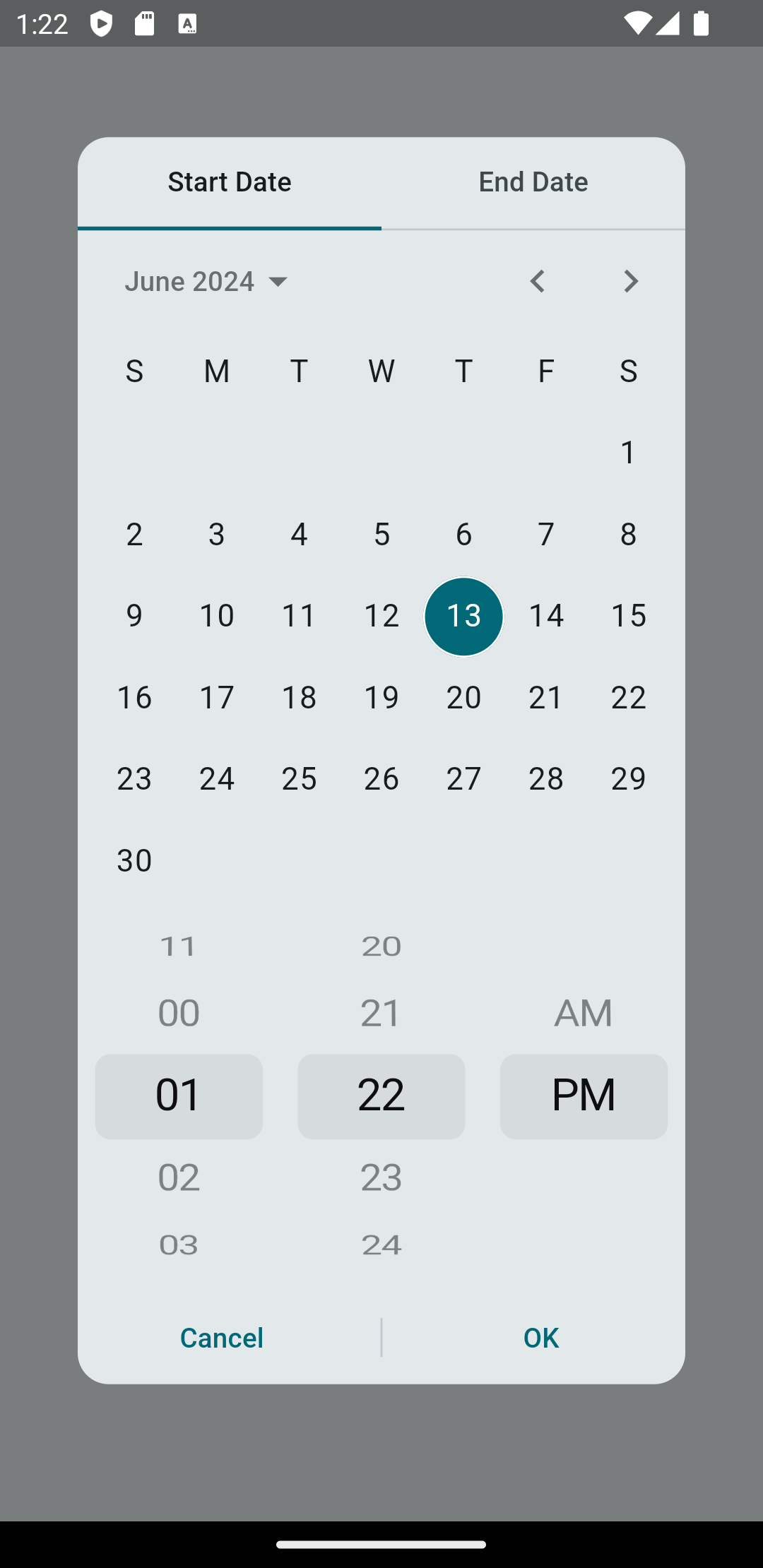
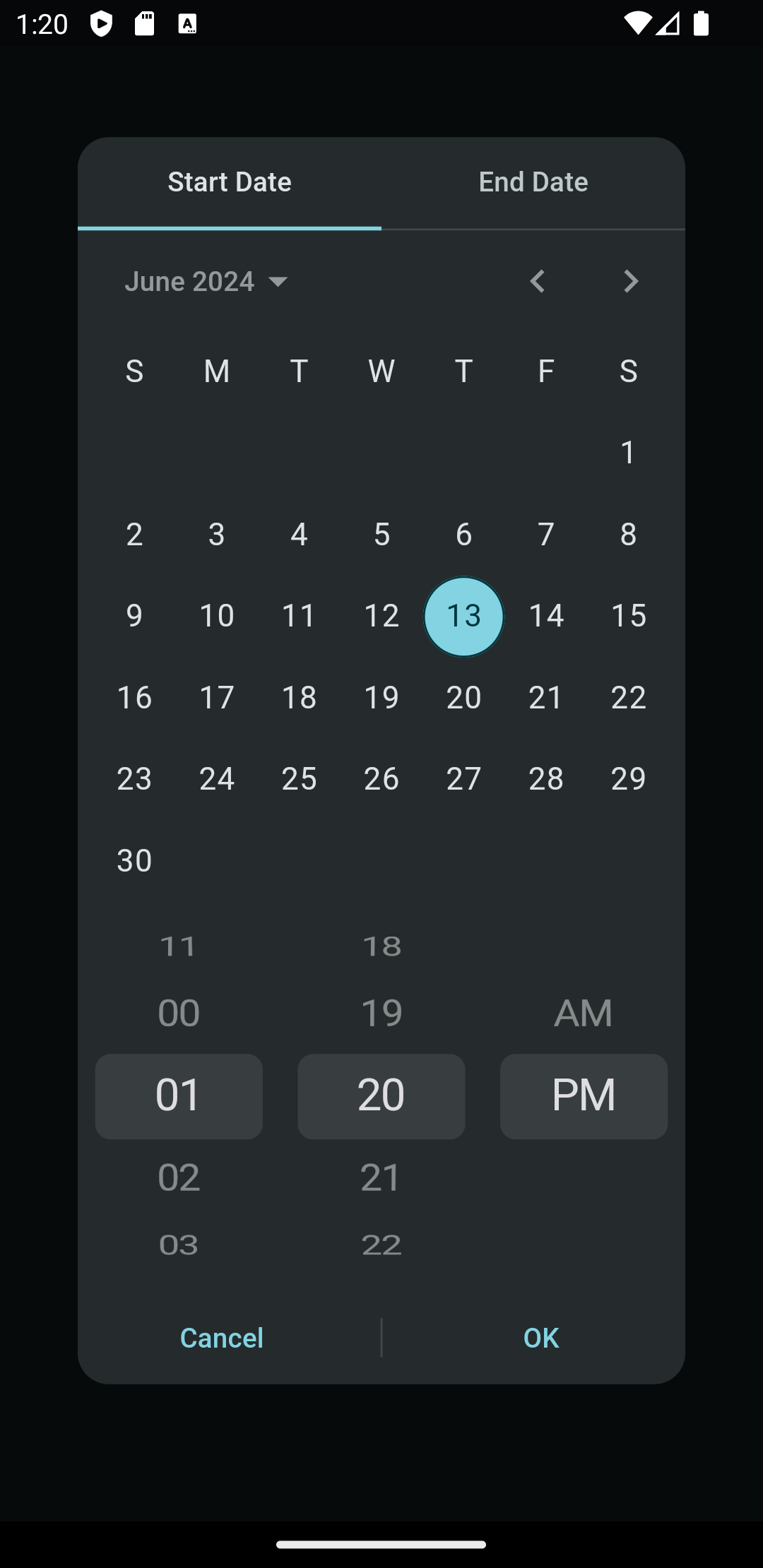
Light Dark
Omni DateTime Range Picker - Light Omni DateTime Range Picker - Dark

Getting started

Add this to your package's pubspec.yaml file and run flutter pub get:

dependencies:
  omni_datetime_picker: ^2.3.2

Now in your Dart code, you can use:

import 'package:omni_datetime_picker/omni_datetime_picker.dart';

Usage

Simple usage:

OmniDateTimePicker

DateTime? dateTime = await showOmniDateTimePicker(context: context);

OmniDateTimeRangePicker

List<DateTime>? dateTimeList = await showOmniDateTimeRangePicker(context: context);

Custom properties:

OmniDateTimePicker

DateTime? dateTime = await showOmniDateTimePicker(
                    context: context,
                    initialDate: DateTime.now(),
                    firstDate:
                        DateTime(1600).subtract(const Duration(days: 3652)),
                    lastDate: DateTime.now().add(
                      const Duration(days: 3652),
                    ),
                    is24HourMode: false,
                    isShowSeconds: false,
                    minutesInterval: 1,
                    secondsInterval: 1,
                    isForce2Digits: false,
                    borderRadius: const BorderRadius.all(Radius.circular(16)),
                    constraints: const BoxConstraints(
                      maxWidth: 350,
                      maxHeight: 650,
                    ),
                    transitionBuilder: (context, anim1, anim2, child) {
                      return FadeTransition(
                        opacity: anim1.drive(
                          Tween(
                            begin: 0,
                            end: 1,
                          ),
                        ),
                        child: child,
                      );
                    },
                    transitionDuration: const Duration(milliseconds: 200),
                    barrierDismissible: true,
                    barrierColor: const Color(0x80000000),
                    selectableDayPredicate: (dateTime) {
                      // Disable 25th Feb 2023
                      if (dateTime == DateTime(2023, 2, 25)) {
                        return false;
                      } else {
                        return true;
                      }
                    },
                    type: OmniDateTimePickerType.dateAndTime,
                    title: Text('Select Date & Time'),
                    titleSeparator: Divider(),
                    separator: SizedBox(height: 16),
                    padding: EdgeInsets.all(16),
                    insetPadding: EdgeInsets.symmetric(horizontal: 40, vertical: 24),
                    theme: ThemeData.light(),
                    actionsBuilder: (context, confirmCallback, cancelCallback) {
                      return Row(
                        mainAxisAlignment: MainAxisAlignment.spaceEvenly,
                        children: [
                          TextButton(
                            onPressed: cancelCallback,
                            child: Text('Cancel'),
                          ),
                          ElevatedButton(
                            onPressed: confirmCallback,
                            child: Text('Confirm'),
                          ),
                        ],
                      );
                    },
                  );

OmniDateTimeRangePicker

List<DateTime>? dateTimeList =
                      await showOmniDateTimeRangePicker(
                    context: context,
                    startInitialDate: DateTime.now(),
                    startFirstDate:
                        DateTime(1600).subtract(const Duration(days: 3652)),
                    startLastDate: DateTime.now().add(
                      const Duration(days: 3652),
                    ),
                    endInitialDate: DateTime.now(),
                    endFirstDate:
                        DateTime(1600).subtract(const Duration(days: 3652)),
                    endLastDate: DateTime.now().add(
                      const Duration(days: 3652),
                    ),
                    is24HourMode: false,
                    isShowSeconds: false,
                    minutesInterval: 1,
                    secondsInterval: 1,
                    isForce2Digits: false,
                    isForceEndDateAfterStartDate: true,
                    onStartDateAfterEndDateError: () {
                      // Handle error when start date is after end date
                      print('Start date cannot be after end date!');
                    },
                    borderRadius: const BorderRadius.all(Radius.circular(16)),
                    constraints: const BoxConstraints(
                      maxWidth: 350,
                      maxHeight: 650,
                    ),
                    transitionBuilder: (context, anim1, anim2, child) {
                      return FadeTransition(
                        opacity: anim1.drive(
                          Tween(
                            begin: 0,
                            end: 1,
                          ),
                        ),
                        child: child,
                      );
                    },
                    transitionDuration: const Duration(milliseconds: 200),
                    barrierDismissible: true,
                    barrierColor: Colors.black54,
                    startSelectableDayPredicate: (dateTime) {
                      // Disable 25th Feb 2023 for start date
                      if (dateTime == DateTime(2023, 2, 25)) {
                        return false;
                      } else {
                        return true;
                      }
                    },
                    endSelectableDayPredicate: (dateTime) {
                      // Disable 26th Feb 2023 for end date
                      if (dateTime == DateTime(2023, 2, 26)) {
                        return false;
                      } else {
                        return true;
                      }
                    },
                    type: OmniDateTimePickerType.dateAndTime,
                    title: Text('Select Date & Time Range'),
                    titleSeparator: Divider(),
                    startWidget: Text('Start'),
                    endWidget: Text('End'),
                    separator: SizedBox(height: 16),
                    defaultTab: DefaultTab.start,
                    padding: EdgeInsets.all(16),
                    insetPadding: EdgeInsets.symmetric(horizontal: 40, vertical: 24),
                    theme: ThemeData.light(),
                    actionsBuilder: (context, confirmCallback, cancelCallback) {
                      return Row(
                        mainAxisAlignment: MainAxisAlignment.spaceEvenly,
                        children: [
                          TextButton(
                            onPressed: cancelCallback,
                            child: Text('Cancel'),
                          ),
                          ElevatedButton(
                            onPressed: confirmCallback,
                            child: Text('Confirm'),
                          ),
                        ],
                      );
                    },
                  );

The returned value of showOmniDateTimeRangePicker() will be a List with two DateTime:

[startDateTime, endDateTime].

Usage with more flexibility

OmniDateTimePicker is now available for use directly as a widget instead of the prebuilt dialogs.

所屬分類

依賴

依賴清單 5 項

原始碼儲存庫

使用此套件的專案