搜尋套件、儲存庫與 APP 分類

persian_datetime_picker 封面
套件詳情v3.2.0

persian_datetime_picker

一個用於 Flutter 的波斯(波斯語、沙姆西、賈拉利)日期時間選擇器,靈感來自 Material 日期時間選擇器。

AndroidiOSWebmacOSWindowsLinux
近 30 天下載
5720
喜歡數
299
Pub 分數
150

安裝套件

flutter pub add persian_datetime_picker

套件介紹

根據套件公開資料產生的選型評估,僅供參考。

一個 Flutter 套件,提供受 Material Design 啟發的波斯語(法爾西語、沙姆西、賈拉利)日期與時間選擇器。它讓使用者能夠選擇賈拉利曆系統中的日期與時間,非常適合針對波斯語使用者的應用程式。此選擇器支援所有主要平台,包括 Android、iOS、Web、macOS、Windows 與 Linux,確保跨裝置的一致使用者體驗。它能順暢整合至 Flutter 的 UI 架構中,並提供可自訂的樣式與行為。

適用情境

  • 選擇伊朗曆日期
  • 為伊朗或波斯語使用者建構應用程式
  • 將公曆日曆整合到表單中
  • 支援多語言日期輸入
  • 建立符合文化背景的使用者介面

主要特色

  • Jalali(波斯)日曆支援
  • Material 風格設計
  • 跨平台相容性
  • 可自訂外觀
  • 與 Flutter 表單輕鬆整合
  • 時間與日期選擇

適合對象

  • 針對伊朗或波斯語地區應用
  • 需要波斯曆功能的開發者
  • 需要文化相關日期選擇器的項目
  • 具有國際化需求的Flutter應用
  • 需要本地化日期輸入的UI組件

使用建議

  • 需要了解伊朗曆系統
  • 可能需要額外的本地化支援非波斯文字
  • 可能存在平台特定的渲染差異
  • 與主流套件相比,文件較少
  • 依賴外部 GitHub 倉庫以取得更新

原始 README

以下為關聯原始碼儲存庫的 README 原文快照,最新內容請造訪原始碼儲存庫。

Persian (Farsi, Shamsi, Jalali) Date & Time Picker for Flutter

pub package APK

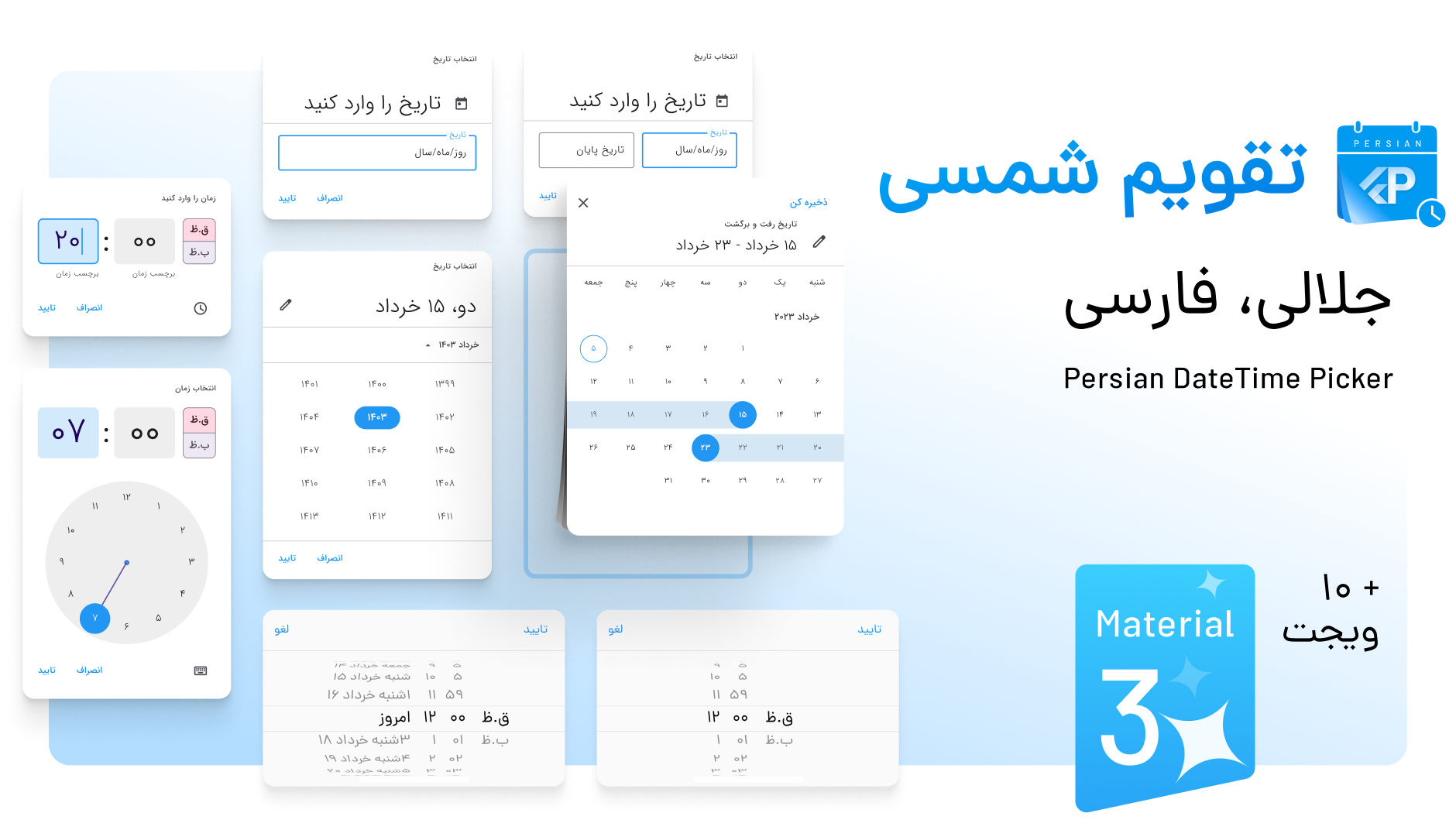
Persian DateTime Picker Banner

Overview

A Persian Date & Time picker inspired by Material Design's DateTime picker, built on the shamsi_date library. It offers full support for the Persian (Jalali) calendar and is highly customizable, including compatibility with Material 3.

Additionally, it supports multiple languages, including Persian, Dari, Kurdish, Pashto, and custom locales, all while ensuring seamless integration with Flutter and maintaining Material Design standards.

️ Features

  • 🌟 Fully supports Persian (Jalali) calendar
  • 🛠 Highly customizable
  • 💻 Supports Material 3
  • 🌎 Multi-language support: Persian, Dari, Kurdish, Pashto, and custom locales
  • 📱 Compatible with Material Design standards

️ Getting Started

To use the Persian DateTime Picker, add the package to your pubspec.yaml:

dependencies:
  persian_datetime_picker: <latest_version>

Then, import it in your Dart code:

import 'package:persian_datetime_picker/persian_datetime_picker.dart';

Add localization to MaterialApp:

    return MaterialApp(
      title: 'Date and Time Pickers',
      locale: const Locale("fa", "IR"),
      supportedLocales: const [
        Locale("fa", "IR"),
        Locale("en", "US"),
      ],
      localizationsDelegates: const [
        // Add Localization
        PersianMaterialLocalizations.delegate,
        PersianCupertinoLocalizations.delegate,
        // DariMaterialLocalizations.delegate, Dari
        // DariCupertinoLocalizations.delegate,
        // PashtoMaterialLocalizations.delegate, Pashto
        // PashtoCupertinoLocalizations.delegate,
        // SoraniMaterialLocalizations.delegate, Kurdish
        // SoraniCupertinoLocalizations.delegate,
        GlobalMaterialLocalizations.delegate,
        GlobalWidgetsLocalizations.delegate,
        GlobalCupertinoLocalizations.delegate,
      ],
      ...
    );

️ Usage Examples

1. Persian Date Picker

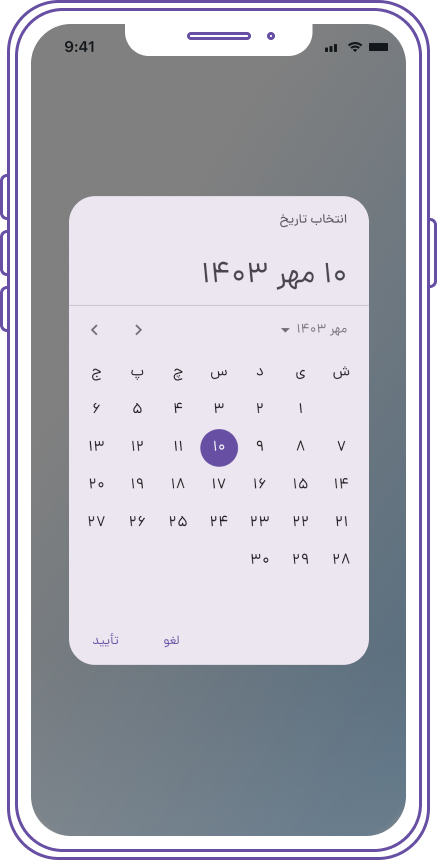
Screenshot 1

Jalali? picked = await showPersianDatePicker(
  context: context,
  initialDate: Jalali.now(),
  firstDate: Jalali(1385, 8),
  lastDate: Jalali(1450, 9),
  holidayConfig: PersianHolidayConfig(
    weekendDays: {7}
  ),
  initialEntryMode:
      PersianDatePickerEntryMode.calendarOnly,
  initialDatePickerMode: PersianDatePickerMode.year,
);
var label = picked.formatFullDate();
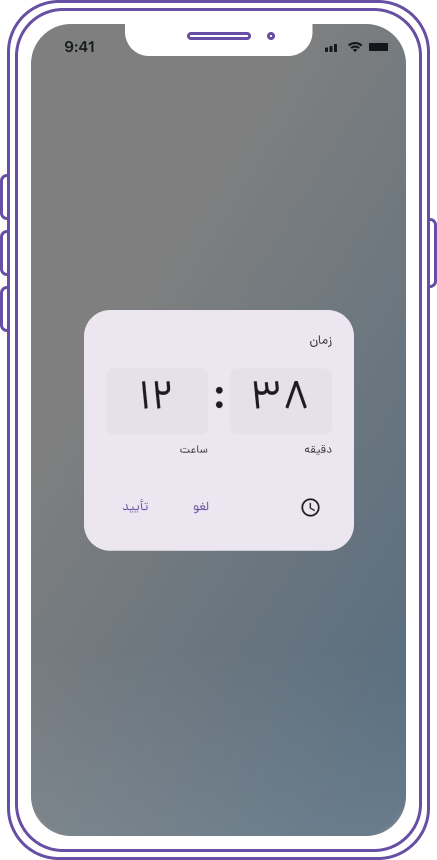
2. Persian Time Picker

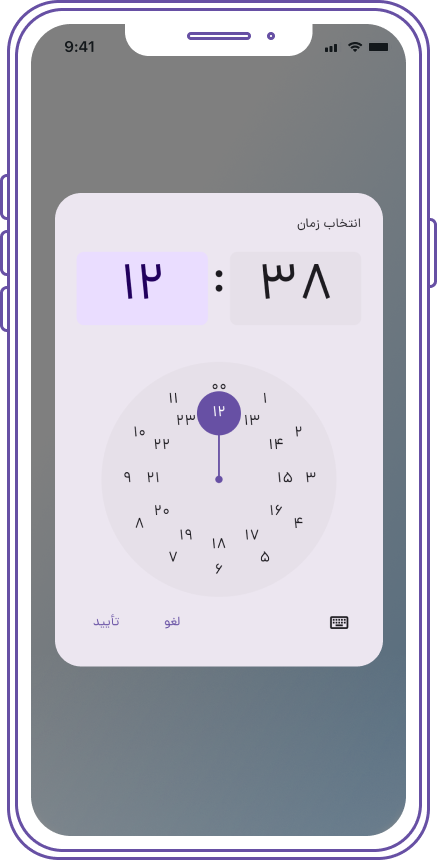
Screenshot 1 Screenshot 2

var picked = await showTimePicker(
  context: context,
  initialTime: TimeOfDay.now(),
  initialEntryMode: TimePickerEntryMode.input,
  builder: (BuildContext context, Widget? child) {
    return Directionality(
      textDirection: TextDirection.rtl,
      child: MediaQuery(
        data: MediaQuery.of(context)
            .copyWith(alwaysUse24HourFormat: true),
        child: child!,
      ),
    );
  },
);
if (picked != null) String label = picked.toString();
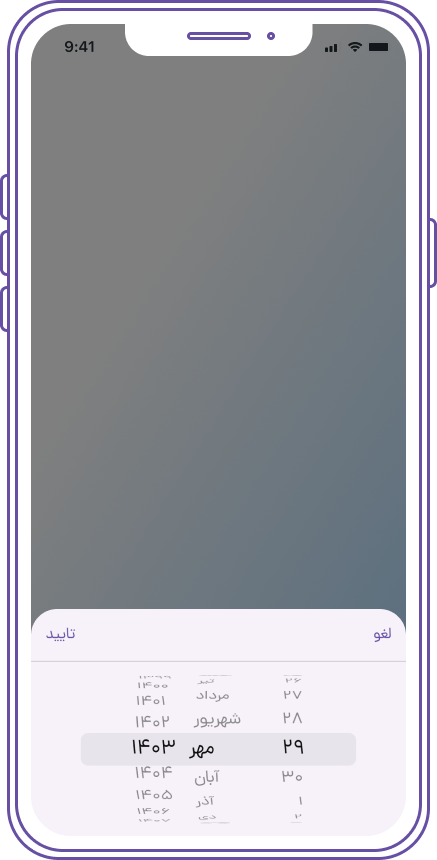
3. Modal Bottom Sheet with Persian Cupertino Date Picker

Screenshot 1

Jalali? pickedDate = await showModalBottomSheet<Jalali>(
  context: context,
  builder: (context) {
    Jalali? tempPickedDate;
    return Container(
      height: 250,
      child: Column(
        children: <Widget>[
          Container(
            child: Row(
              mainAxisAlignment:
                  MainAxisAlignment.spaceBetween,
              children: <Widget>[
                CupertinoButton(
                  child: Text(
                    'لغو',
                    style: TextStyle(
                      fontFamily: 'Dana',
                    ),
                  ),
                  onPressed: () {
                    Navigator.of(context).pop();
                  },
                ),
                CupertinoButton(
                  child: Text(
                    'تایید',
                    style: TextStyle(
                      fontFamily: 'Dana',
                    ),
                  ),
                  onPressed: () {
                    print(
                        tempPickedDate ?? Jalali.now());
                    Navigator.of(context).pop(
                        tempPickedDate ?? Jalali.now());
                  },
                ),
              ],
            ),
          ),
          Divider(
            height: 0,
            thickness: 1,
          ),
          Expanded(
            child: Container(
              child: PersianCupertinoDatePicker(
                initialDateTime: Jalali.now(),
                mode:
                    PersianCupertinoDatePickerMode.time,
                onDateTimeChanged: (Jalali dateTime) {
                  tempPickedDate = dateTime;
                },
              ),
            ),
          ),
        ],
      ),
    );
  },

if (pickedDate != null) {
   String label = '${pickedDate.toJalaliDateTime()}';
}
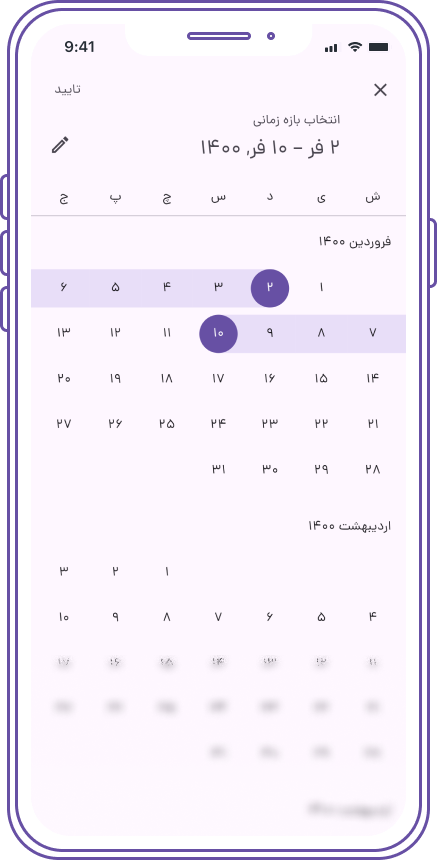
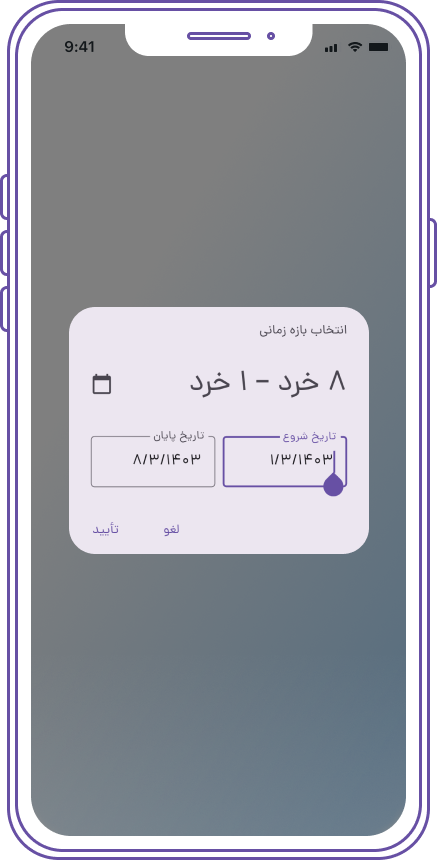
4. Persian Date Range Picker

Screenshot 1 Screenshot 2

var picked = await showPersianDateRangePicker(
  context: context,
  initialDateRange: JalaliRange(
    start: Jalali(1400, 1, 2),
    end: Jalali(1400, 1, 10),
  ),
  firstDate: Jalali(1385, 8),
  lastDate: Jalali(1450, 9),
  initialDate: Jalali.now(),
);
String  label =
      "${picked?.start?.toJalaliDateTime() ?? ""} ${picked?.end?.toJalaliDateTime() ?? ""}";
5. Customizing Date Picker Styles

You can customize the styles of the PersianDateTimePicker and PersianCupertinoDatePicker using the DatePickerTheme within your app's ThemeData. Additionally, you can apply specific styles by wrapping the date picker with Theme in the builder.

Example for Persian Date Picker

Add the DatePickerTheme to your ThemeData:

return MaterialApp(
  theme: ThemeData(
    // Other theme properties...
    datePickerTheme: DatePickerTheme(
      backgroundColor: Colors.white, // Background color of the date picker
      primaryColor: Colors.teal, // Primary color for the date picker
      textColor: Colors.black, // Text color
      // Customize more properties as needed
    ),
  ),
  // ...
);
Customizing Persian Date Picker with Theme in Builder

You can also customize the Persian date picker on a per-instance basis by wrapping it with a Theme in the builder:

Jalali? picked = await showPersianDatePicker(
  context: context,
  initialDate: Jalali.now(),
  firstDate: Jalali(1385, 8),
  lastDate: Jalali(1450, 9),
  builder: (context, child) {
    return Theme(
      data: Theme.of(context).copyWith(
        primaryColor: Colors.teal, // Override primary color
        accentColor: Colors.amber, // Override accent color
        // Add more customization here
      ),
      child: child!,
    );
  },
);
Example for Persian Cupertino Date Picker

To customize the PersianCupertinoDatePicker, you can similarly apply a CupertinoTheme:

showCupertinoModalPopup(
  context: context,
  builder: (context) {
    return CupertinoTheme(
      data: CupertinoThemeData(
        textTheme: CupertinoTextThemeData(
          dateTimePickerTextStyle: TextStyle(color: Colors.white),
        ),
        // Add more customization here
      ),
      child: Container(
        height: 300,
        child: PersianCupertinoDatePicker(
          mode: PersianCupertinoDatePickerMode.dateAndTime,
          onDateTimeChanged: (Jalali dateTime) {
            // Handle date change
          },
        ),
      ),
    );
  },
);
Customization Note

All customization options for the PersianDateTimePicker and PersianCupertinoDatePicker are similar to those of the native Flutter date pickers. You can easily apply styles using ThemeData, DatePickerTheme, or by wrapping the pickers with Theme in the builder, just like you would with native Flutter widgets.

6. Using Material 2 Instead of Material 3

If you prefer to use Material 2 instead of Material 3 for your application, you can do so by setting the useMaterial3 parameter to false in the MaterialApp widget. This ensures that the application uses the Material 2 design principles.

Example

Here’s how to set up your MaterialApp to use Material 2:

return MaterialApp(
  title: 'Persian DateTime Picker',
  theme: ThemeData(
    useMaterial3: false, // Set to false to use Material 2
    datePickerTheme: DatePickerTheme(
      backgroundColor: Colors.white,
      primaryColor: Colors.teal,
      textColor: Colors.black,
      // Additional customizations
    ),
  ),
  home: MyHomePage(),
);

️ Support Us

Feel free to check it out and give it a ️ if you love it. Follow me for more updates and projects!

️ Contributions and Feedback

Pull requests and feedback are always welcome!
Feel free to reach out at [mem.amir.m@gmail.com](mailto:mem.amir.m@gmail.com) or connect with me on LinkedIn.

Banner designed by Nader Mozaffari

️ Project License:

This project is licensed under the MIT License.

所屬分類

依賴

依賴清單 1 項

原始碼儲存庫

使用此套件的專案

暫無相關資料。