搜尋套件、儲存庫與 APP 分類

pinterest_nav_bar 封面
套件詳情v0.0.1+5

pinterest_nav_bar

一個新的 Flutter 包專案。

AndroidiOSWebmacOSWindowsLinux
近 30 天下載
4
喜歡數
26
Pub 分數
120

安裝套件

flutter pub add pinterest_nav_bar

套件介紹

根據套件公開資料產生的選型評估,僅供參考。

一個 Flutter 套件,實現類似 Pinterest 的底部導航列,提供獨特且視覺上引人注目的介面,帶有中央浮動操作按鈕與均勻分佈的圖示。專為現代應用美學設計,透過結合簡潔與創意佈局來增強使用者互動體驗。此套件支援多個平台,包括 Android、iOS、Web、macOS、Windows 與 Linux,確保跨平台的一致性。非常適合尋求超越標準底部導航列、追求獨特導航體驗的應用。

適用情境

  • 創意應用介面
  • 社群媒體應用
  • 照片或內容分享平台
  • 以行動裝置為先的設計應用
  • 跨平台移動應用

主要特色

  • Pinterest 風格的設計
  • 中心浮動操作按鈕
  • 均勻分佈的圖示佈局
  • 跨平台相容性
  • 可客製化的顏色和尺寸選項

適合對象

  • 注重設計的Flutter開發者
  • 需要唯一導航的應用
  • 面向多個平台的開發者
  • 強調視覺吸引力的專案
  • 現代UI/UX實驗

使用建議

  • 可能需要額外的樣式以實現品牌一致
  • 僅限底部導航使用場景
  • 不適合複雜的導航結構
  • 自定義的潛在學習曲線
  • 依賴外部相依性以實現完整功能

原始 README

以下為關聯原始碼儲存庫的 README 原文快照,最新內容請造訪原始碼儲存庫。

pinterest_nav_bar

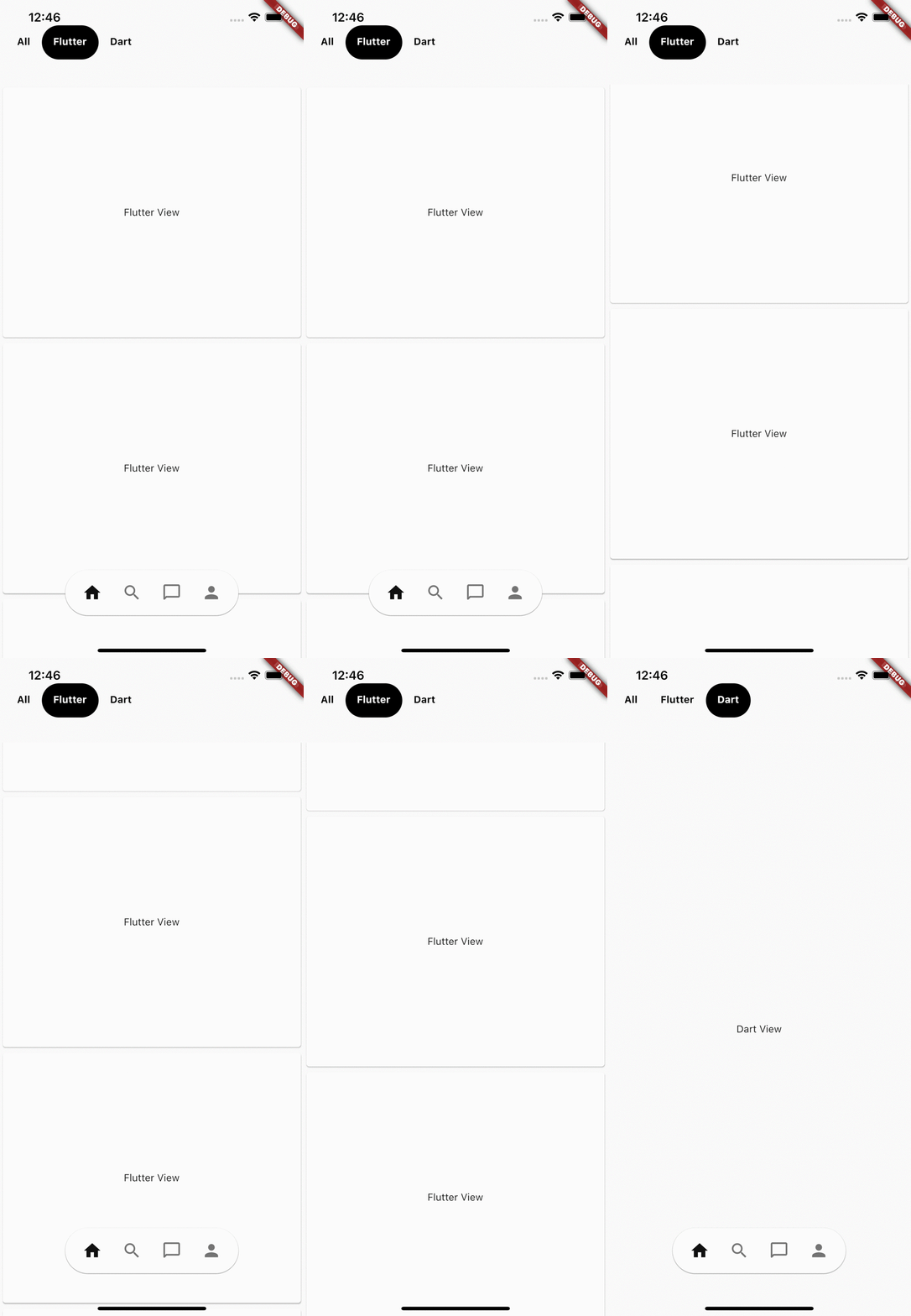
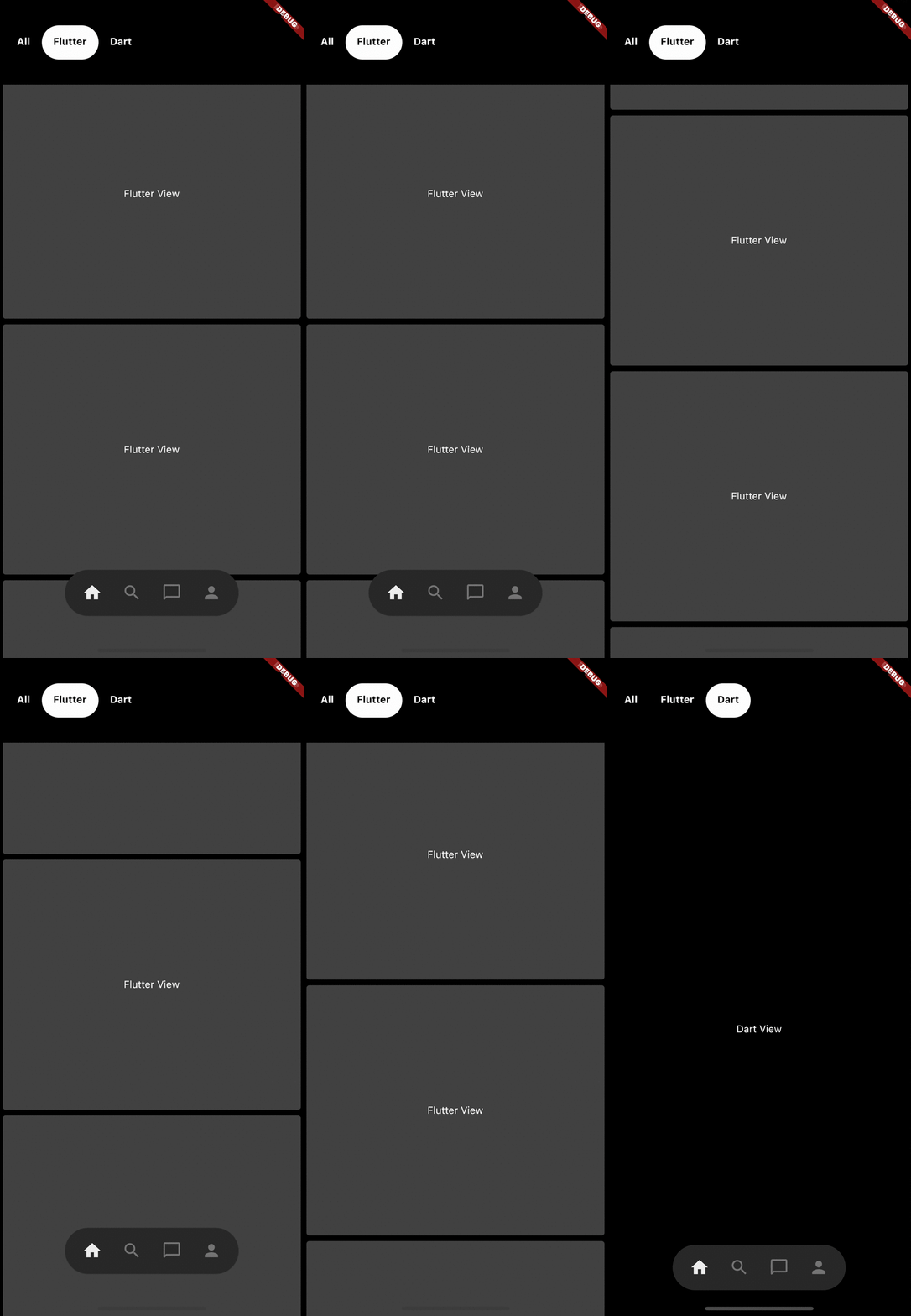
Pinterest app's Like bottom navigation bar.

Light theme Dark theme
Light theme mode video GIF Dark theme mode video GIF

Getting Started

Wrap you [MaterialApp] widget with [PinterestNavBarController] widget

    return PinterestNavBarController(
      child: MaterialApp(
        title: 'Pinterest Nav Bar Example',
        home: Pages(),
      ),
    );

Adding the widget

  • Note: it is recommended that you use this widget as the Floadting Action Button
      floatingActionButtonLocation: FloatingActionButtonLocation.centerDocked,
      floatingActionButton: PinterestNavBar(
        currentIndex: selectedPageIndex,
        onTap: (i) {
          print('PinterestNavBar.onTap($i)');
          setState(() {
            selectedPageIndex = i;
          });
        },
        items: [
          Icons.home,
          Icons.search,
          Icons.chat_bubble_outline_rounded,
          Icons.person
        ],
      ),
  • check out the example app code for complete understanding

所屬分類

依賴

依賴清單 1 項

原始碼儲存庫

使用此套件的專案

暫無相關資料。