搜尋套件、儲存庫與 APP 分類

套件詳情v1.0.0+2

platform_alert_dialog

適用於目前平台的 Flutter 外掛程式,用於建立提示對話方塊。

近 30 天下載
4
喜歡數
17
Pub 分數
40

安裝套件

flutter pub add platform_alert_dialog

套件介紹

根據套件公開資料產生的選型評估,僅供參考。

一個 Flutter 插件,可建立針對目前平台原生外觀與感覺的警示對話方塊。它會自動為 iOS、Android 與其他平台調整對話方塊樣式,確保跨裝置提供一致的使用者體驗。此套件簡化了顯示平台特定警示的流程,無需手動設定。支援標準警示功能,如標題、內容與動作,同時遵守平台慣例,例如按鈕位置與視覺設計。適合目標為多個平台且程式碼變更極少的應用。

適用情境

  • 顯示平台適配的警告
  • 建立跨平台對話一致性
  • 簡化原生UI整合
  • 增強iOS和Android上的使用者體驗
  • 減少警報對話框的樣板程式碼

主要特色

  • 自動平台檢測
  • 原生樣式對話框渲染
  • 支援標題、內容和動作
  • 所需的設定最少
  • 跨平台相容性

適合對象

  • 面向 iOS 和 Android 的開發者
  • 需要原生UI一致性應用
  • 團隊盡量減少平台特定程式碼
  • 專注於使用者體驗品質的專案
  • Flutter 初學者學習對話框

使用建議

  • 不支援網頁或桌面平台
  • 除了基本屬性外,自定義功能有限
  • 依賴於平台特定的行為
  • 可能需要在每個目標作業系統上進行測試
  • 不包含進階對話類型

原始 README

以下為關聯原始碼儲存庫的 README 原文快照,最新內容請造訪原始碼儲存庫。

Platform Alert Dialog

Flutter plugin for build alert dialogs adapted to the current platform.

showDialog<void>(
  context: context,
  builder: (BuildContext context) {
    return PlatformAlertDialog(
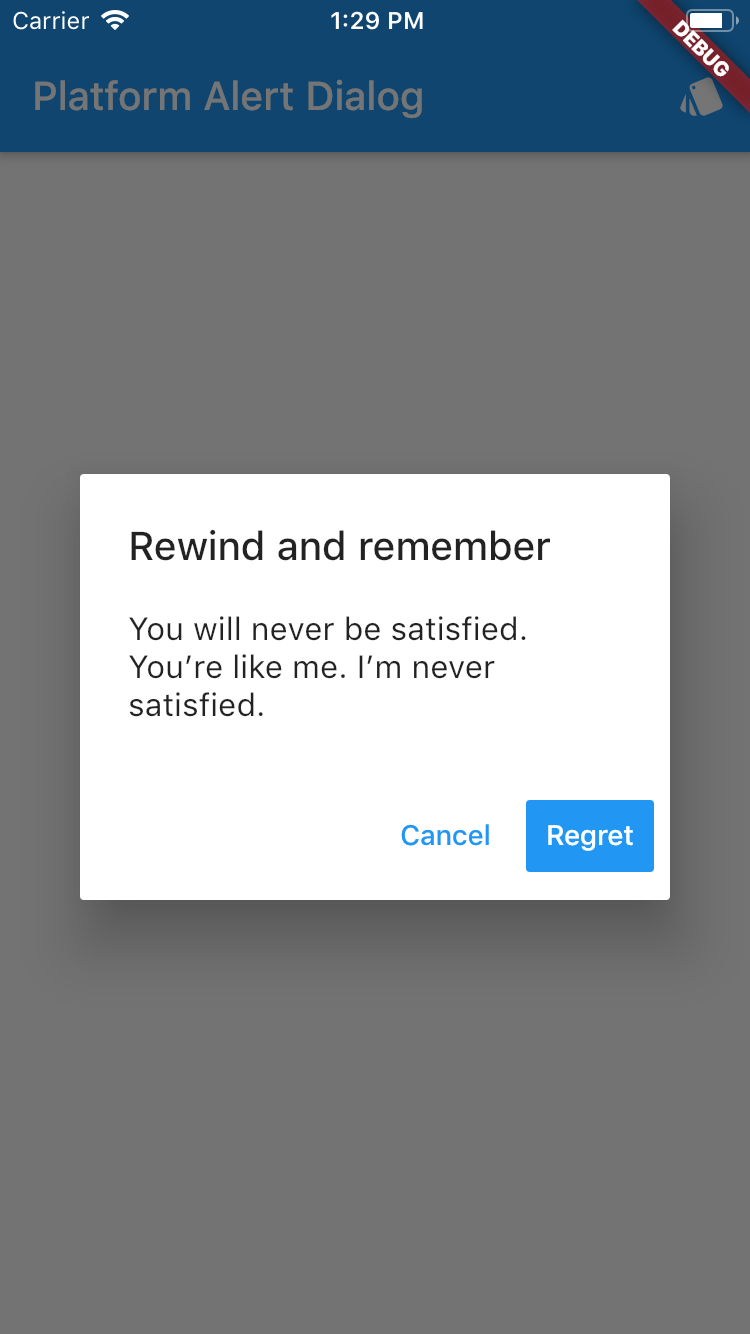
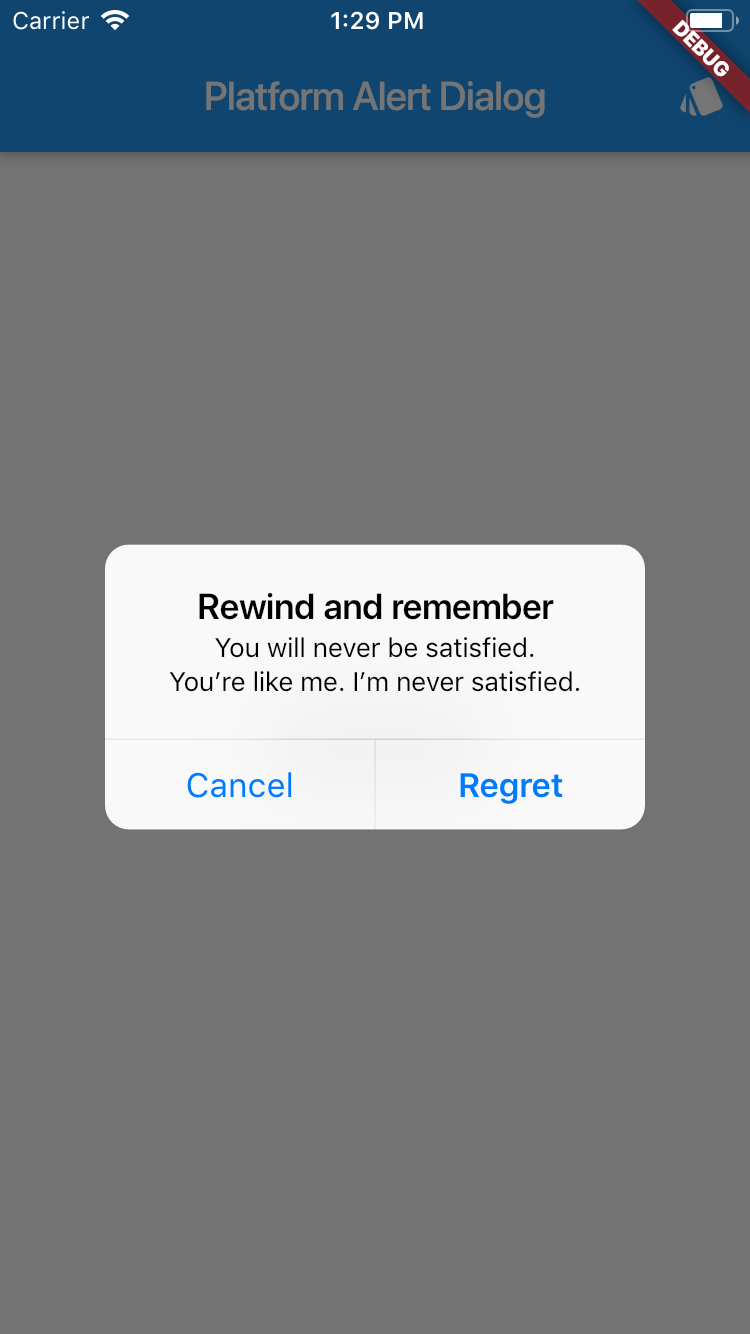
      title: Text('Rewind and remember'),
      content: SingleChildScrollView(
        child: ListBody(
          children: <Widget>[
            Text('You will never be satisfied.'),
            Text('You\’re like me. I’m never satisfied.'),
          ],
        ),
      ),
      actions: <Widget>[
        PlatformDialogAction(
          child: Text('Cancel'),
          onPressed: () {
            Navigator.of(context).pop();
          },
        ),
        PlatformDialogAction(
          child: Text('Regret'),
          actionType: ActionType.Preferred,
          onPressed: () {
            Navigator.of(context).pop();
          },
        ),
      ],
    );
  },
);
Example
Screenshot with theme Android Screenshot with theme iOs

所屬分類

原始碼儲存庫

使用此套件的專案

暫無相關資料。