-
Spring Text
  SpringText(
    text: 'Lorem ipsum dolor sit amet ...',
    style: const TextStyle(fontSize: 18),
    config: AnimationConfig(
      duration: const Duration(seconds: 4),
      type: AnimationType.word,
      onPlay: (controller) => print('Animation started'),
      onComplete: (controller) => print('Animation completed'),
    ),
  )
-
Chime Bell Text
  ChimeBellText(
    text: 'Lorem ipsum dolor sit amet ...',
    style: const TextStyle(fontSize: 18),
    config: const AnimationConfig(
      duration: Duration(seconds: 4),
      type: AnimationType.word,
    ),
  )
-
Scale Text
  ScaleText(
    text: 'Lorem ipsum dolor sit amet ...',
    style: const TextStyle(fontSize: 18),
    config: const AnimationConfig(
      duration: Duration(seconds: 4),
      type: AnimationType.word,
    ),
  )
-
Blur Text
  BlurText(
    text: 'Lorem ipsum dolor sit amet ...',
    style: const TextStyle(fontSize: 18),
    config: const AnimationConfig(
      duration: Duration(seconds: 4),
      type: AnimationType.word,
    ),
  )
-
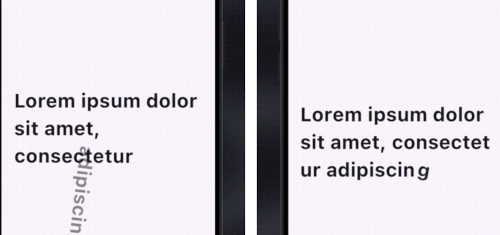
Rotate Text
For RotateText, you can tweak two rotation directions.
- clockwise →
RotateAnimationType.clockwise (default)
- anti-clockwise →
RotateAnimationType.anticlockwise
  RotateText(
    text: 'Lorem ipsum dolor sit amet ...',
    direction: RotateAnimationType.clockwise,
    style: const TextStyle(fontSize: 18),
    config: const AnimationConfig(
      duration: Duration(seconds: 4),
      type: AnimationType.word,
    ),
  )
-
Offset Text
OffsetText has multiple slide effects that you can tweak according to your needs.
- Top to bottom →
SlideAnimationType.topBottom (default)
- Bottom to top →
SlideAnimationType.bottomTop
- Alternate top-bottom →
SlideAnimationType.alternateTB
- Left to right →
SlideAnimationType.leftRight
- Right to left →
SlideAnimationType.rightLeft
- Alternate left-right →
SlideAnimationType.alternateLR
  OffsetText(
    text: 'Lorem ipsum dolor sit amet ...',
    slideType: SlideAnimationType.topBottom,
    style: const TextStyle(fontSize: 18),
    config: const AnimationConfig(
      duration: Duration(seconds: 4),
      type: AnimationType.word,
    ),
  )
-
Scramble Text (new in v3)
ScrambleText(
text: 'Lorem ipsum dolor sit amet ...',
style: const TextStyle(fontSize: 18),
config: AnimationConfig(
duration: const Duration(milliseconds: 300),
type: AnimationType.letter,
),
)
Phase 1 (first half of the animation): every character cycles through random
glyphs. Phase 2 (second half): characters resolve left-to-right into the
final text. Spaces are never scrambled.
-
Glitch Text (new in v3.2)
GlitchText(
text: 'Lorem ipsum dolor sit amet ...',
style: const TextStyle(fontSize: 18),
config: AnimationConfig(
duration: const Duration(milliseconds: 300),
type: AnimationType.word,
repeat: true,
),
glitchStyle: const GlitchStyle(
shadows: true,
color1: Color(0xFFFF2E88),
color2: Color(0xFF23D7F5),
shadowColor: Color(0xFF0D0A1A),
),
)
All characters are visible and readable from the start; a random, rotating
subset briefly glitches by tearing into horizontal slices that shear sideways
(with an RGB-split shadow fringe on the sheared parts when shadows is on).
In word mode at most one word glitches at a time; in letter mode a random
group of 2-3 letters glitches together. The order covers every segment exactly
once per forward pass and is reshuffled on each repeat. Because the slices are
disjoint bands, each glyph is still drawn exactly once (no ghosting), so the
text stays readable while it tears — the caller's TextStyle (font, weight) is
preserved. Use GlitchStyle(shadows: true) for a chromatic tinted tear or
shadows: false for a clean monochrome one. Enable config.repeat for a
continuous loop.
-
Squash Bounce Text (new in v3.2)
A SplitText-inspired squash bounce. Each glyph drops, squashes, and rotates,
then elastically settles back to rest — animating as a continuous traveling
wave across the text.
SquashBounceText(
text: 'Lorem ipsum dolor sit amet ...',
style: const TextStyle(fontSize: 18),
config: AnimationConfig(
duration: const Duration(milliseconds: 150),
type: AnimationType.letter,
repeat: true,
),
squashStyle: const SquashBounceStyle(
dropFraction: 0.5,
squashScaleY: 0.3,
rotateDegrees: 17,
squashPhase: 0.2,
waveSpread: 0.6,
),
)
Each glyph runs its full drop→squash→elastic-return over a wide window while
the start times are packed tightly, so many glyphs are mid-flight at slightly
offset phases — reading as one wave traveling across the text. The caller's
TextStyle (font, weight) is preserved. Enable config.repeat for a
continuous loop.
-
Reveal Text (new in v3)
RevealText(
text: 'Lorem ipsum dolor sit amet ...',
style: const TextStyle(fontSize: 18),
config: AnimationConfig(
duration: const Duration(milliseconds: 300),
type: AnimationType.word,
),
cursorColor: Colors.indigo,
dimOpacity: 0.3,
)
All text starts at dimOpacity (default 0.3). A cursor sweeps left-to-right
and each character/word transitions to full opacity as the cursor passes it.
-
Gravity Text (new in v3)
A real 2D rigid-body simulation powered by forge2d
(a Box2D port). The whole text is visible at rest first; on play each segment
(letter or word) becomes a physics body and falls under gravity — letters collide,
pile up on the floor between the walls, carry real linear + angular momentum, push
their neighbours, and rest (sleep) until disturbed. Tap a letter to kick it, or
press-drag-and-release to throw it.
GravityText(
text: 'Lorem ipsum dolor sit amet ...',
style: const TextStyle(fontSize: 18),
config: const AnimationConfig(
type: AnimationType.letter,
),
gravity: 30.0,
pixelsPerMeter: 50.0,
density: 1.0,
friction: 0.4,
restitution: 0.1,
height: 400,
enableInteraction: true,
kickStrength: 9.0,
maxSpin: 2.5,
)
Playback via the controller: play / restart / repeat re-drop the text from its
reading layout; pause / resume freeze and run the simulation.



 ️ if you love it.
Follow me for more updates and more projects