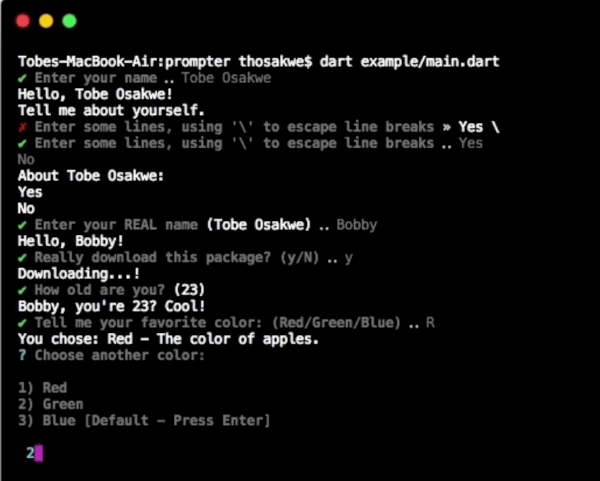
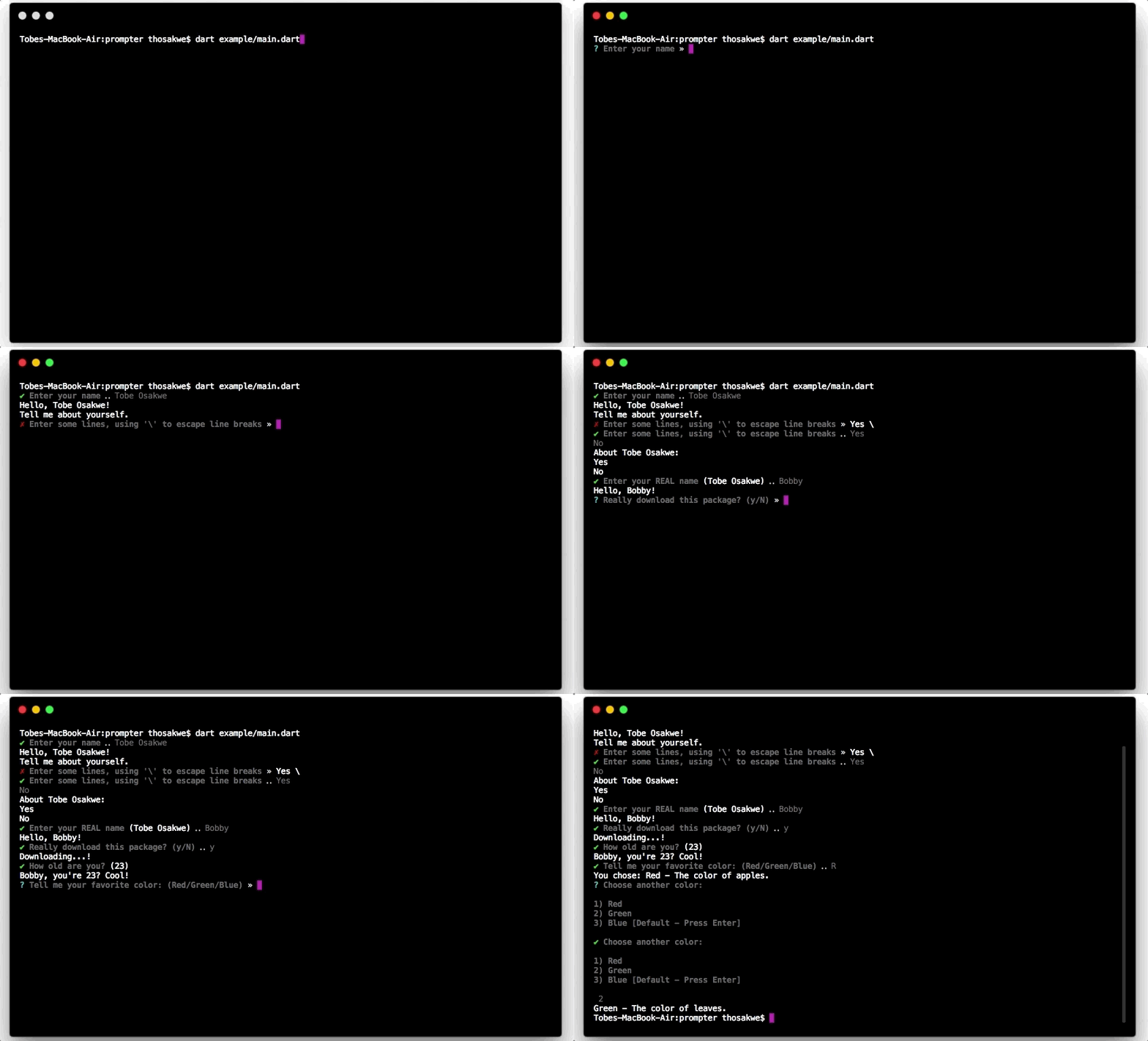
Rich, simple, synchronous command-line prompt library for Dart.
Now with pretty colors!
Example
import'package:io/ansi.dart';
import'package:prompts/prompts.dart'as prompts;
voidmain() {
// Easily get a single line.var name = prompts.get('Enter your name');
print('Hello, $name!');
// ... Or many lines.print('Tell me about yourself.');
var bio = prompts.get(
"Enter some lines, using '\\' to escape line breaks",
allowMultiline: true,
inputColor: resetAll,
);
print('About $name:\n$bio');
// Supports default values.
name = prompts.get('Enter your REAL name', defaultsTo: name);
print('Hello, $name!');
// "High-level" prompts are built upon [get].// For example, we can prompt for confirmation trivially.bool shouldDownload = prompts.getBool('Really download this package?');
if (!shouldDownload)
print('Not downloading.');
elseprint('Downloading...!');
// Or, get an integer, WITH validation.int age = prompts.getInt('How old are you?', defaultsTo: 23, chevron: false);
print('$name, you\'re $age? Cool!');
// We can choose from various values.// There are two methods - shorthand and regular.var rgb = [Color.red, Color.green, Color.blue];
Color color = prompts.chooseShorthand('Tell me your favorite color', rgb);
print('You chose: ${color.about}');
// The standard chooser prints to multiple lines, but is often// clearer to read, and has more obvious semantics.
color = prompts.choose('Choose another color', rgb, defaultsTo: Color.blue);
print(color.about);
}
classColor{
finalString name, description;
constColor(this.name, this.description);
staticconstColor red = constColor('Red', 'The color of apples.'),
blue = constColor('Blue', 'The color of the sky.'),
green = constColor('Green', 'The color of leaves.');
Stringget about => '$name - $description';
@overrideStringtoString() => name;
}