搜尋套件、儲存庫與 APP 分類

radio_group_v2 封面
套件詳情v3.3.2

radio_group_v2

一個將單選按鈕分組的元件,使其能夠協同工作,為使用者在應用程式中進行選擇時提供愉快的體驗。

近 30 天下載
883
喜歡數
32
Pub 分數
160

安裝套件

flutter pub add radio_group_v2

套件介紹

根據套件公開資料產生的選型評估,僅供參考。

radio_group_v2 是一個 Flutter 小部件,可簡化分組單選按鈕的建立,確保互斥性並提供一致的使用者體驗。它允許使用者從一組選項中選擇一個,內建支援自訂、狀態管理與順暢互動。適用於需要單一選擇的表單與設定情境,透過直覺設計與跨平台的一致行為提升易用性。

適用情境

  • 單選表單輸入
  • 使用者偏好設定
  • 調查或測驗介面
  • 引導流程
  • 動態選項群組

主要特色

  • 互斥選擇
  • 可自訂外觀
  • 內建狀態管理
  • 與現有組件的輕鬆整合
  • 響應式設計支援

適合對象

  • 開發表單的開發者
  • 尋求一致性的UI設計師
  • 需要單選輸入的應用程式
  • Flutter 初學者學習狀態處理
  • 需要輕量級單選按鈕組解決方案的專案

使用建議

  • 僅限單選
  • 無內建驗證
  • 需要手動處理選擇回調
  • 不適用於多選情境
  • 依賴於父組件的佈局約束

原始 README

以下為關聯原始碼儲存庫的 README 原文快照,最新內容請造訪原始碼儲存庫。

Radio Group

A widget that groups radio buttons so they can work together to give the user a pleasant experience when making selections within the app.

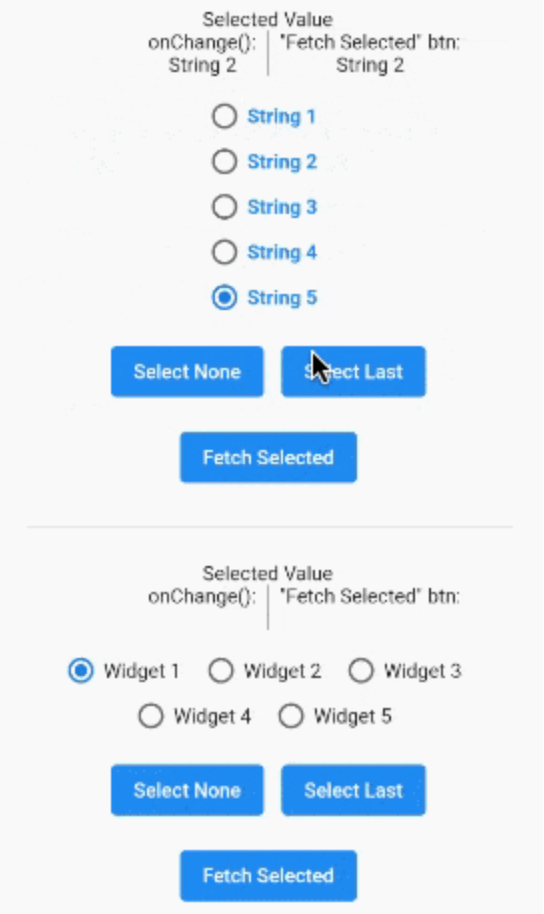
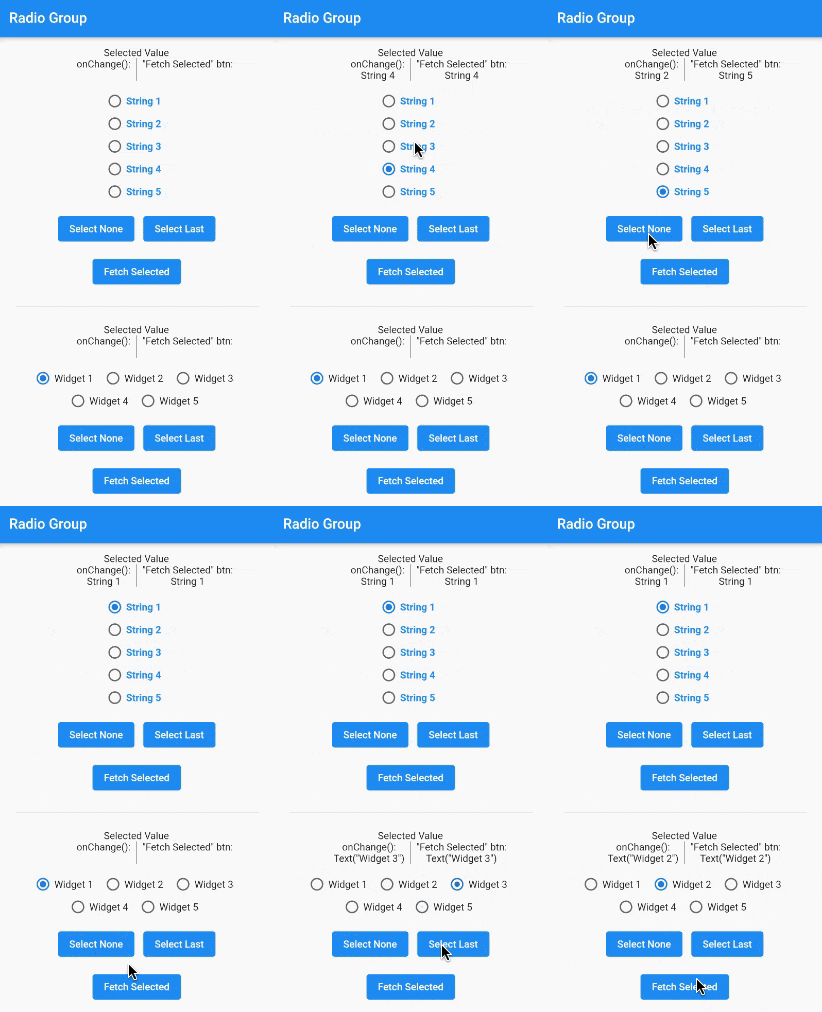
A gif demonstrating the radio group in action.

Installation

In the pubspec.yaml of your flutter project, add the following dependency:

dependencies:
  radio_group_v2: ^3.3.1

Import it to each file you use it in:

import 'package:radio_group_v2/radio_group_v2.dart';

Usage

Example 1

This example is a very basic, vertical radio group.

RadioGroupController myController = RadioGroupController();

RadioGroup(
  controller: myController,
  values: ["Choice1", "Choice2", "Choice3"],
)
Example 2

This example is a horizontal radio group with some decoration, and it starts with the first button selected.

RadioGroupController myController = RadioGroupController();

RadioGroup(
  controller: myController,
  values: ["Choice1", "Choice2", "Choice3"],
  indexOfDefault: 0,
  orientation: RadioGroupOrientation.Horizontal,
  decoration: RadioGroupDecoration(
    spacing: 10.0,
    labelStyle: TextStyle(
      color: Colors.blue,
    ),
    activeColor: Colors.amber,
  ),
)
Example 3

This example shows how to programmatically select an item using two different methods.

RadioGroupController myController = RadioGroupController();

List<String> items = ["Choice1", "Choice2", "Choice3"];

RadioGroup(
  controller: myController,
  values: items,
)

// Method 1 - Selects a specific item from the list.
myController.value = items[1]; // Selects Choice2

// Method 2 - Selects whatever item is at the given
//            index in the list.
myController.selectAt(2); // Selects Choice3
Example 4

This example shows how to programmatically select an item using two different silent methods. This means, when the new value in is selected in the list, the onChanged method will not be called.

RadioGroupController myController = RadioGroupController();

List<String> items = ["Choice1", "Choice2", "Choice3"];

RadioGroup(
  controller: myController,
  values: items,
)

// Method 1 - Selects a specific item from the list.
myController.setValueSilently(items[1]); // Selects Choice2

// Method 2 - Selects whatever item is at the given
//            index in the list.
myController.selectSilentlyAt(2); // Selects Choice3
Example 5

This example shows how to retrieve the selected value.

RadioGroupController myController = RadioGroupController();

RadioGroup(
  controller: myController,
  values: ["Choice1", "Choice2", "Choice3"],
)

String selected = myController.value.toString();

If you found this helpful, please consider donating. Thanks!

buy me a coffee      paypal      venmo


所屬分類

原始碼儲存庫

使用此套件的專案

暫無相關資料。