class FancyScreen extends StatelessWidget {
  const FancyScreen({Key? key}) : super(key: key);

  @override
  Widget build(BuildContext context) {
    return Scaffold(
      body: Column(
        children: [
          const SizedBox(height: 8),
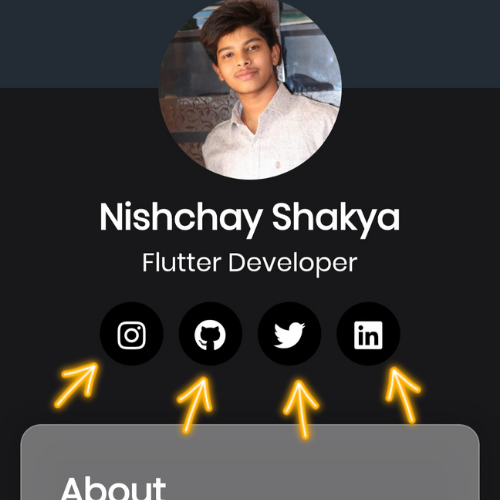
          const Text(
            'Nishchay Shakya',
            style: TextStyle(fontSize: 28, fontWeight: FontWeight.bold),
          ),
          const Text(
            'Flutter Developer',
            style: TextStyle(fontSize: 20, fontWeight: FontWeight.normal),
          ),
          const SizedBox(height: 16),
          Row(
            mainAxisAlignment: MainAxisAlignment.center,
            children: const [
              RedirectSocialIcon(
                url: "https://www.instagram.com/nishchayshakyaa/",
                icon: FontAwesomeIcons.instagram,
                radius: 25,
                size: 30,
                iconColor: Colors.white,
                circleAvatarColor: Colors.black,
              ),
              SizedBox(width: 12),
             RedirectSocialIcon(
                url: "https://www.instagram.com/nishchayshakyaa/",
                icon: FontAwesomeIcons.instagram,
                radius: 25,
                size: 30,
                iconColor: Colors.white,
                circleAvatarColor: Colors.black,
              ),
              SizedBox(width: 12),
              RedirectSocialIcon(
                url: "https://www.instagram.com/nishchayshakyaa/",
                icon: FontAwesomeIcons.instagram,
                radius: 25,
                size: 30,
                iconColor: Colors.white,
                circleAvatarColor: Colors.black,
              ),
              SizedBox(width: 12),
              RedirectSocialIcon(
                url: "https://www.instagram.com/nishchayshakyaa/",
                icon: FontAwesomeIcons.instagram,
                radius: 25,
                size: 30,
                iconColor: Colors.white,
                circleAvatarColor: Colors.black,
              ),
            ],
          ),
        ],
      );
    );
  }
}
|
|

