搜尋套件、儲存庫與 APP 分類

round_spot 封面
套件詳情v0.5.0

round_spot

可自訂、易用的熱圖介面分析程式庫

AndroidiOSWebmacOSWindowsLinux
近 30 天下載
33
喜歡數
90
Pub 分數
130

安裝套件

flutter pub add round_spot

套件介紹

根據套件公開資料產生的選型評估,僅供參考。

Round Spot 是一個可自訂且使用者友善的熱圖介面分析程式庫,專為跨各種平台的資料模式視覺化而設計。它讓開發者能輕鬆將互動式熱圖整合至其應用程式中,支援 Android、iOS、Web、macOS、Windows 與 Linux。適合用於分析與消費者洞察,透過直觀的視覺化協助識別使用者行為熱點。此程式庫輕量且實現簡單,對初學者與資深開發者皆易於使用。

適用情境

  • 使用者行為追蹤
  • 互動式數據可視化
  • A/B測試分析
  • 客戶旅程地圖
  • 基於熱圖的使用者體驗研究
  • 即時分析儀表板

主要特色

  • 跨平台相容性
  • 高度可自訂的熱圖樣式
  • 與 Flutter 的簡單整合
  • 即時資料更新
  • 響應式設計支援
  • 內建互動事件

適合對象

  • UX研究人員
  • 產品分析師
  • Flutter 開發者
  • 數據可視化項目
  • 測試和反饋工具
  • 分析儀表板建構器

使用建議

  • 需要理解熱圖原理
  • 可能需要額外的樣式來處理複雜的使用者介面
  • 大資料集的效能影響
  • 有限的內建資料處理
  • 依賴外部資料來源
  • 未針對非互動式使用情境進行優化

原始 README

以下為關聯原始碼儲存庫的 README 原文快照,最新內容請造訪原始碼儲存庫。

icon
Round Spot

Customizable heat map interface analysis library

Pub likes build style: effective dart License: MIT

Banner

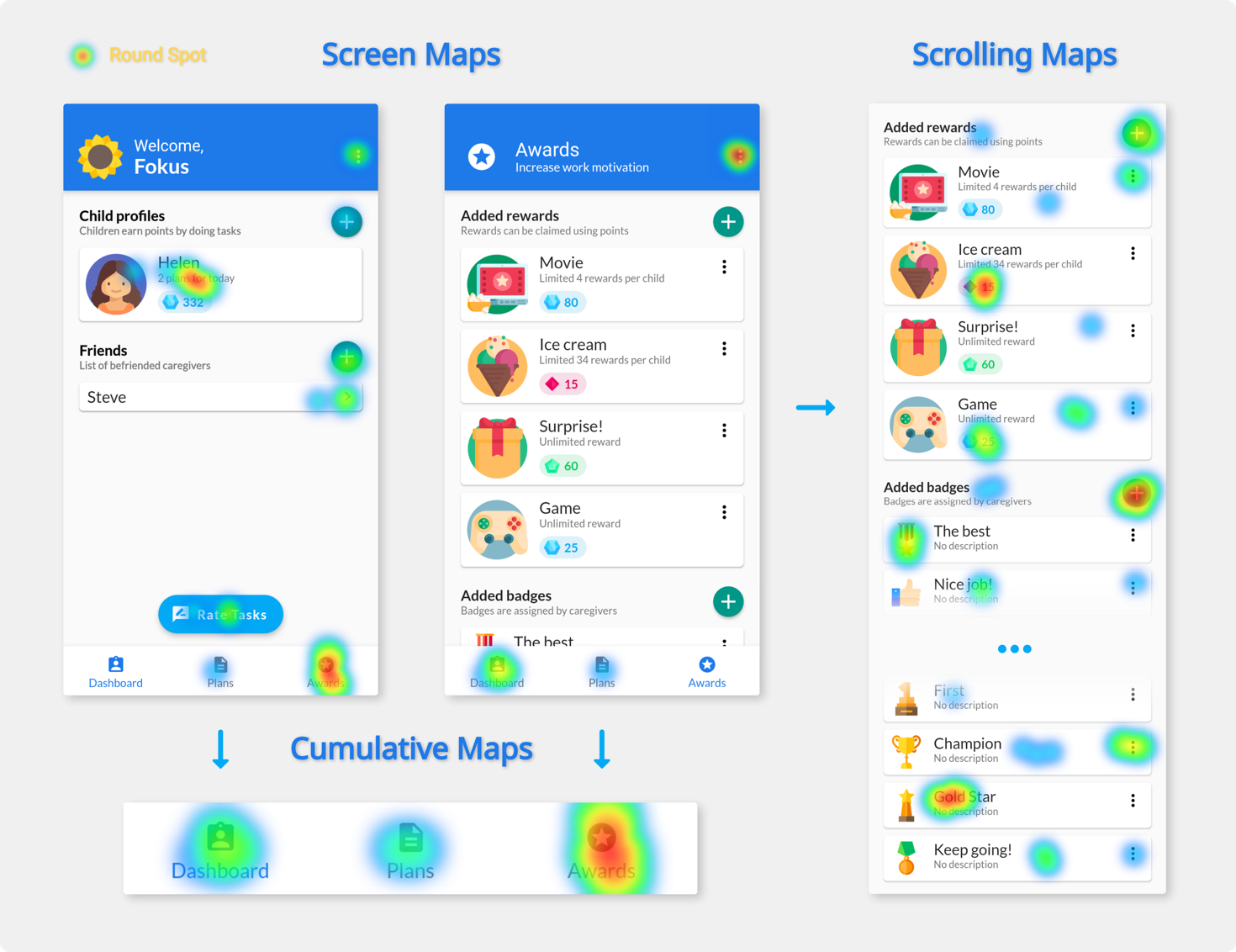
Round Spot simplifies the UI accessibility and behaviour analysis for Flutter applications by handling the data gathering and processing. It produces beautiful heat map visualizations that aim to make the UI improvement and troubleshooting easy and intuitive.

⚠️ Note: This tool still in its development and currently only offers local on device heat map generation. This limits the number of interactions that can be included in a single image and therefore can be considered as a preview.

Usage

Import the package in your main file:

import 'package:round_spot/round_spot.dart';
Setup

Wrap your MaterialApp widget to initialize the library:

void main() {
  runApp(initialize(
    child: Application()
  ));
}

Add an observer for monitoring the navigator:

MaterialApp(
  navigatorObservers: [ Observer() ]
)
Configuration

Provide the callbacks for saving the processed output:

initialize(
  localRenderCallback: (data, info) => sendHeatMapImage(data)
)

Configure the tool to better fit your needs:

initialize(
  config: Config(
    minSessionEventCount: 5,
    uiElementSize: 15,
    heatMapPixelRatio: 2.0,
  )
)
UI Instrumentation
Route naming

Route names are used to differentiate between pages. Make sure you are consistently specifying them both when using named routes and pushing PageRoutes (inside RouteSetting)

Scrollable widgets

To correctly monitor interactions with any scrollable space a Detector has to be placed as a direct parent of that widget:

Detector(
  areaID: id,
  child: ListView(
    children: /* children */,
  ),
)

Contributors

Created by Stanisław Góra

License

This tool is licenced under MIT License

所屬分類

依賴

依賴清單 8 項

原始碼儲存庫

使用此套件的專案

暫無相關資料。