搜尋套件、儲存庫與 APP 分類

side_header_list_view 封面
套件詳情v0.0.4

side_header_list_view

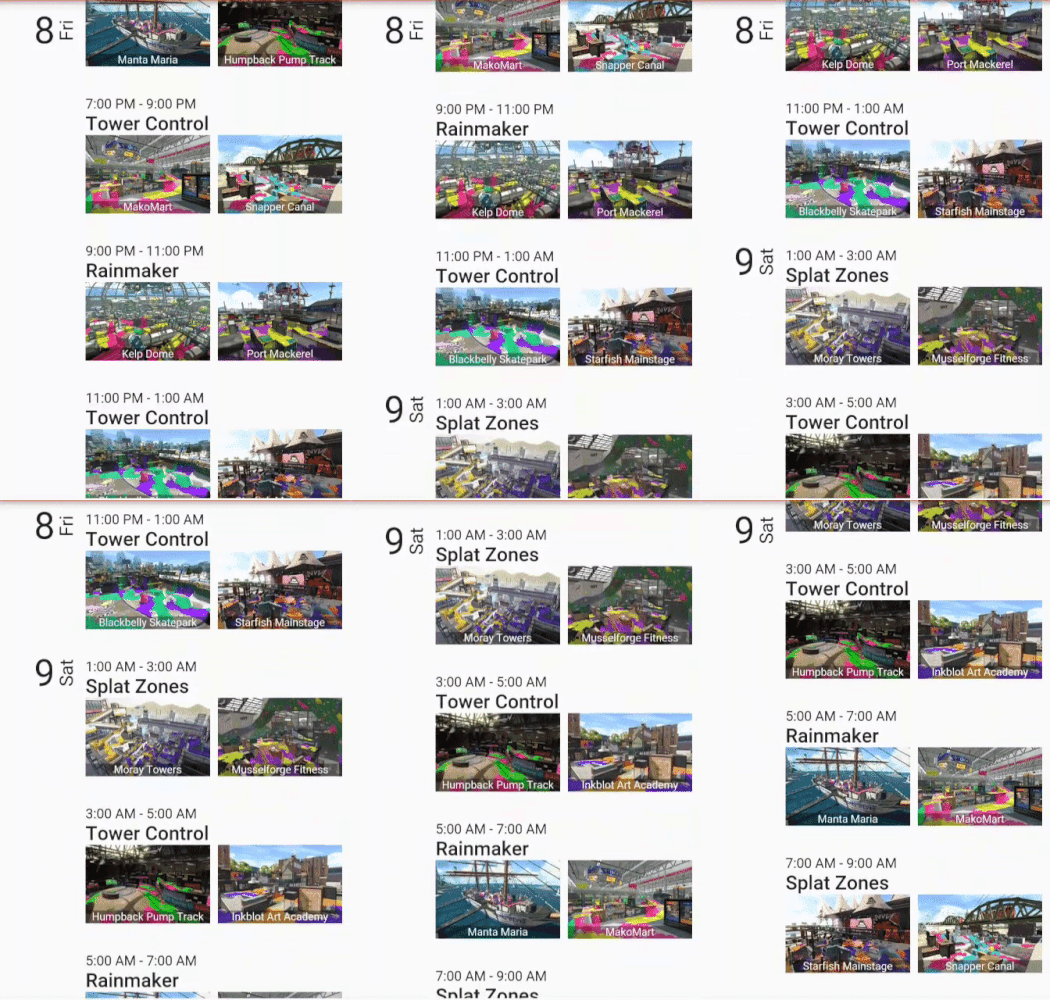
具有側邊黏性標題的 ListView。靈感來自 Android 通訊錄應用程式和日曆應用程式。

近 30 天下載
26
喜歡數
42
Pub 分數
30

安裝套件

flutter pub add side_header_list_view

套件介紹

根據套件公開資料產生的選型評估,僅供參考。

一個 Flutter 套件,實作具有黏性側邊標題的 ListView,類似於 Android 通訊錄與日曆應用程式。它允許使用者在滾動清單時,讓區段標題持續保留在側邊可見,提升導航與視覺組織。當使用者滾動時,標題會保持固定,強化以分類或時間區間分組的長清單使用體驗。專為需要分類資料顯示之應用程式設計,介面乾淨直覺。

適用情境

  • 按字母分組的聯絡人清單
  • 帶有日期標題的日曆視圖
  • 分類產品列表
  • 使用者資料區段帶標籤
  • 長篇內容,包含主題標題

主要特色

  • 黏性側邊標題
  • 按字母順序或自定標題分組
  • 具有標題對齊的平滑捲動
  • 可自訂的標題樣式
  • 大型資料集的高效渲染

適合對象

  • 包含分類資料的應用程式
  • 聯絡人或通訊錄應用
  • 基於時間的資料顯示
  • 需要明確區分區域的 UI
  • 尋求 Android 風格清單設計的開發者

使用建議

  • 僅限垂直列表
  • 標題定位可能需要佈局調整
  • 最適合窄至中等螢幕寬度
  • 可能需要額外的樣式以支援深色模式
  • 不適合水平捲動情境

原始 README

以下為關聯原始碼儲存庫的 README 原文快照,最新內容請造訪原始碼儲存庫。

side_header_list_view

pub package Donate

Listview with sticky headers like the Android contact page

alt text

Usage

  new SideHeaderListView(
    // Set how many items the list has
    itemCount: items.length,
    
    // Set the height of the item widgets. For now this has to be a fixed height
    itemExtend: 150.0,
    
    // Set the header builder, this needs to return the widget for the side header
    headerBuilder: (BuildContext context, int index){
      return new HeaderWidget(items[index].startDate);
    },
    
    // Set the item builder, this is everything in the row without the header
    itemBuilder: (BuildContext context, int index){
      return new ListItem(items[index]);
    },
    
    // HasSameHeader will be used to know whether the header has to be shown for a position 
    hasSameHeader: (int a, int b){
      return items[a].day == items[b].day;
    },
  );

所屬分類

依賴

依賴清單 1 項

原始碼儲存庫

使用此套件的專案

暫無相關資料。