搜尋套件、儲存庫與 APP 分類

simple_pip_mode 封面
套件詳情v1.1.0

simple_pip_mode

一個完整的畫中畫模式外掛(僅支援 Android)

Android
近 30 天下載
6880
喜歡數
58
Pub 分數
160

安裝套件

flutter pub add simple_pip_mode

套件介紹

根據套件公開資料產生的選型評估,僅供參考。

一個專為 Android 設計的 Flutter 插件,可啟用畫中畫(PiP)模式。它提供了一個簡單的 API,用於進入和管理 PiP 模式,非常適合在瀏覽其他應用內容時進行影片播放或持續任務。該插件處理了 Android 特有的生命週期和設定需求,簡化了現有應用的整合。設計上僅需最少設定,即可順暢支援全螢幕與 PiP 之間的切換。

適用情境

  • 背景影片播放
  • 進行中的音訊或影片通話
  • 直播流應用程式
  • 導航過程中的任務延續
  • 媒體播放器增強功能

主要特色

  • 僅限 Android 的畫中畫支援
  • 用於進入畫中畫的簡單API
  • 自動生命週期管理
  • 所需最小設定
  • 模式之間的無縫切換

適合對象

  • Android 影音應用
  • 媒體播放器
  • 通訊應用
  • 需要背景活動的應用
  • 尋求簡單畫中畫整合的開發者

使用建議

  • iOS 上不可用
  • 需要 Android SDK 26+
  • 僅限Android平台
  • 畫中畫視窗大小無自訂選項
  • 依賴於 Android 系統層級權限

原始 README

以下為關聯原始碼儲存庫的 README 原文快照,最新內容請造訪原始碼儲存庫。

Pub page License

A complete Picture-In-Picture mode plugin for android API level 26+ (Android Oreo).

Provides methods to check feature availability, enter PIP mode, callbacks for mode change and PIP Actions support.

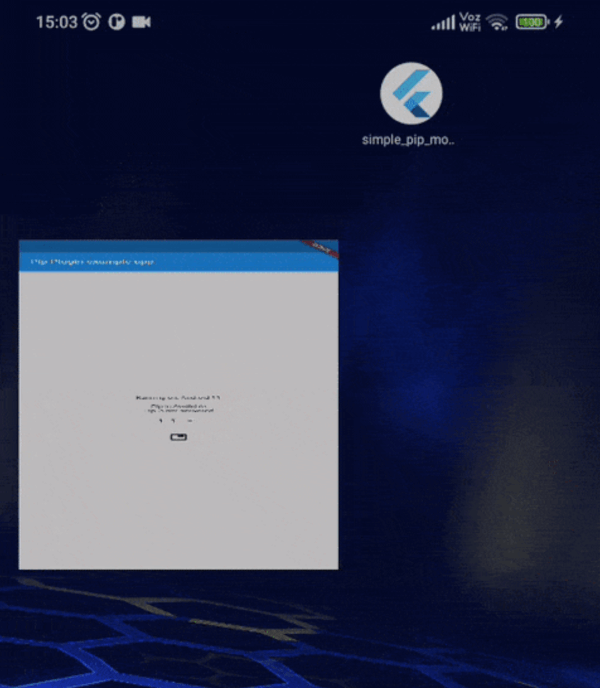
main.webm

auto_enter.webm

actions.webm

Features

  • Verify PIP system availability and current state.
  • Method to enter PIP mode, with aspect ratio, auto enter and seamless resize parameters.
  • On PIP mode change Callbacks.
  • Widget to build PIP-dependent layouts.
  • PIP Actions (media action presets).

Installation

In the dependencies: section of your pubspec.yaml, add the following line:

  simple_pip_mode: <latest_version>

Table of contents

Usage

Update manifest

Add android:supportsPictureInPicture="true" to the activity on your AndroidManifest.xml.

Verify pip support

Use SimplePip.isPipAvailable and SimplePip.isPipActivated static getters to verify whether the device supports Picture In Picture feature and the feature is currently activated respectively.

Entering pip mode

Import simple_pip.dart file and call enterPipMode method.

import 'package:simple_pip_mode/simple_pip.dart';

class MyWidget extends StatelessWidget {
  Widget build(BuildContext context) {
    return IconButton(
      icon: Icon(Icons.picture_in_picture),
      onPressed: () => SimplePip().enterPipMode(),
    );
  }
}

Setting automatic pip mode

Import simple_pip.dart file and call setAutoPipMode method. This needs at least API level 31.

import 'package:simple_pip_mode/simple_pip.dart';

class MyWidget extends StatelessWidget {
  Widget build(BuildContext context) {
    return IconButton(
      icon: Icon(Icons.picture_in_picture),
      onPressed: () => SimplePip().setAutoPipMode(),
    );
  }
}

This way, when user presses home (or uses home gesture), the app enters PIP mode automatically.

Enabling callbacks

There's two ways of enabling callbacks:

Activity wrapper

This is the easiest way to enable the callbacks.

Just import the wrapper class in your main activity file, and inherit from it.

Kotlin
import cl.puntito.simple_pip_mode.PipCallbackHelperActivityWrapper

class MainActivity: PipCallbackHelperActivityWrapper() {
}
Java
import cl.puntito.simple_pip_mode.PipCallbackHelperActivityWrapper;

class MainActivity extends PipCallbackHelperActivityWrapper {
}

Done! now you can use PIP callbacks and the PIP widget.

Callback helper

If something went wrong with Activity wrapper or you don't want to wrap your activity, you can enable callbacks using the callback helper.

To do so, in your main activity file import the callback helper.

import cl.puntito.simple_pip_mode.PipCallbackHelper

Instance a callback helper, provide the flutter engine to it, and finally, call helper on callback.

Kotlin
class MainActivity: FlutterActivity() {
  //...
  private var callbackHelper = PipCallbackHelper()
  //...
  override fun configureFlutterEngine(@NonNull flutterEngine: FlutterEngine) {
    super.configureFlutterEngine(flutterEngine)
    callbackHelper.configureFlutterEngine(flutterEngine)
  }
  
  override fun onPictureInPictureModeChanged(active: Boolean, newConfig: Configuration?) {
    callbackHelper.onPictureInPictureModeChanged(active)
  }
  //...
}
Java
public class MainActivity extends FlutterActivity {
    //...
    private final PipCallbackHelper callbackHelper = new PipCallbackHelper();
    //...
    @Override
    public void configureFlutterEngine(@NonNull FlutterEngine flutterEngine) {
        super.configureFlutterEngine(flutterEngine);
        callbackHelper.configureFlutterEngine(flutterEngine);
    }
    
    @Override
    public void onPictureInPictureModeChanged(boolean active, Configuration newConfig) {
        callbackHelper.onPictureInPictureModeChanged(active);
    }
    //...
}

Done! now you can use PIP callbacks and the PIP widget.

Using callbacks

To use callbacks, just pass them as parameters to SimplePip constructor.

SimplePip _pip = SimplePip(
  onPipEntered: () => doSomething(),
  onPipExited: () => doSomeOtherThing(),
);

Using the PIP widget

To use the widget, you need to enable callbacks first. Import pip_widget.dart file.

Add a PipWidget widget to your tree and give it a child and a pipChild.

[!Note] builder and pipBuilder are deprecated. Use a Builder as the child or pipChild instead.

import 'package:simple_pip_mode/pip_widget.dart';
class MyWidget extends StatelessWidget {
  Widget build(BuildContext context) {
    return PipWidget(
      child: Text('This is built when PIP mode is not active'),
      pipChild: Text('This is built when PIP mode is active'),
    );
  }
}

You can also pass callbacks directly to PipWidget.

Using PIP Actions

To use PIP actions, you need to specify a pipLayout preset on your PipWidget. The current available action layout presets are focused on giving support to media reproduction controls. They are media, media_only_pause, media_live and mediaWithSeek10. Those are defined on the [PipActionsLayout] enum.

You can also add a onPipAction listener to handle actions callbacks from PipWidget. This can be defined on SimplePip(onPipAction: ...) too.

import 'package:simple_pip_mode/pip_widget.dart';
import 'package:simple_pip_mode/actions/pip_action.dart';
import 'package:simple_pip_mode/actions/pip_actions_layout.dart';
class MyWidget extends StatelessWidget {
  ExampleVideoPlayer videoPlayer = ExampleVideoPlayer();
  Widget build(BuildContext context) {
    return PipWidget(
      pipLayout: PipActionsLayout.media,
      onPipAction: (action) {
        switch (action) {
          case PipAction.play:
            // example: videoPlayerController.play();
          case PipAction.pause:
            // example: videoPlayerController.pause();
          case PipAction.next:
            // example: videoPlayerController.next();
          case PipAction.previous:
            // example: videoPlayerController.previous();
          case PipAction.rewind:
            // example: videoPlayerController.seek(-10);
          case PipAction.forward:
            // example: videoPlayerController.seek(10);
          default:
            break;
        }
      },
      pipChild: videoPlayer,
      child: videoPlayer,
    );
  }
}

PIP Actions demo:

pip_actions_example

Notes

Multi-platform apps

Every SimplePip method calls android native code, so make sure you only make a call to a SimplePip method when running in an Android device. This includes SimplePip.isPipAvailable.

Calling SimplePip methods on a non-Android device will raise a MissingPluginException error.

Contribute

Huge thanks to:

  • Erick Daros for PIP Actions feature.
  • song011794 for updating the plugin to Android 14.
  • af-ffr for updating the plugin to add auto enter parameter.
  • kmartins for updating the plugin to add more actions.

Issues and pull requests are appreciated!

所屬分類

原始碼儲存庫

使用此套件的專案