搜尋套件、儲存庫與 APP 分類

套件詳情v1.1.1

sticky_footer_scrollview

一個可滾動的 Flutter 小部件,其黏性頁腳會固定在螢幕底部或滾動內容的結尾。

AndroidiOSWebmacOSWindowsLinux
近 30 天下載
1180
喜歡數
24
Pub 分數
160

安裝套件

flutter pub add sticky_footer_scrollview

套件介紹

根據套件公開資料產生的選型評估,僅供參考。

一個 Flutter 小部件,可實現滾動內容,並保持頁腳固定在螢幕底部或可滾動內容的結尾。非常適合表單、聊天介面或任何需要持續操作列的佈局。頁腳會根據滾動位置動態吸附,確保在行動裝置、網頁和桌面平台上的可用性。可無縫整合到現有的可滾動結構中,無需複雜設定。

適用情境

  • 聊天介面
  • 帶有持久操作的表單輸入
  • 可滾動列表中的底部導航
  • 動態內容與固定控制項
  • 移動和網頁應用頁腳

主要特色

  • 螢幕底部的黏性頁尾
  • 頁尾固定於內容結尾
  • 跨平台支援
  • 與 ScrollView 的輕鬆整合
  • 可自訂的黏性行為
  • 適用於 Android、iOS、Web、macOS、Windows 與 Linux

適合對象

  • 開發具有持續頁腳的可滾動 UI 的開發者
  • 需要響應式底欄的應用
  • 實作黏性元素的設計人員
  • 跨平台 Flutter 項目
  • 需要動態定位的UI組件

使用建議

  • 可能需要仔細管理內邊距
  • 行為取決於滾動範圍
  • 不適合嵌套滾動情境
  • 大資料集的效能影響
  • 除了基本的黏性之外,自訂功能有限

原始 README

以下為關聯原始碼儲存庫的 README 原文快照,最新內容請造訪原始碼儲存庫。

sticky_footer_scrollview

pub package

A Flutter Widget that is scrollable with a sticky footer either stick to the bottom of screen of the end of the scroll body.

Background

This package using SingleScrollView and CustomMultiChildLayout to acheive a scrollable widget with a sticky footer. This allow a dynamic height of child widgets in scroll body.

At the same time, because of the SingleScrollView with Column approach, this is not recommended to use with lots of child widgets for performance reason. You may simiply test with the example to see whether it is fit for your case.

Usage

This shows Widget's full customizations:

StickyFooterScrollView({    
    this.footer,
    @required this.itemBuilder,
    @required this.itemCount,
    this.scrollController,
})
  1. footer is the footer widget that is placed either at the bottom of screen or the end of the scroll body.
  2. itemBuilder to build child widgets of scroll body
  3. itemCount is the nunber of child widgets in scroll body. Only allows >= 0.
  4. scrollController allows maunally jump to certain offset position.

Example

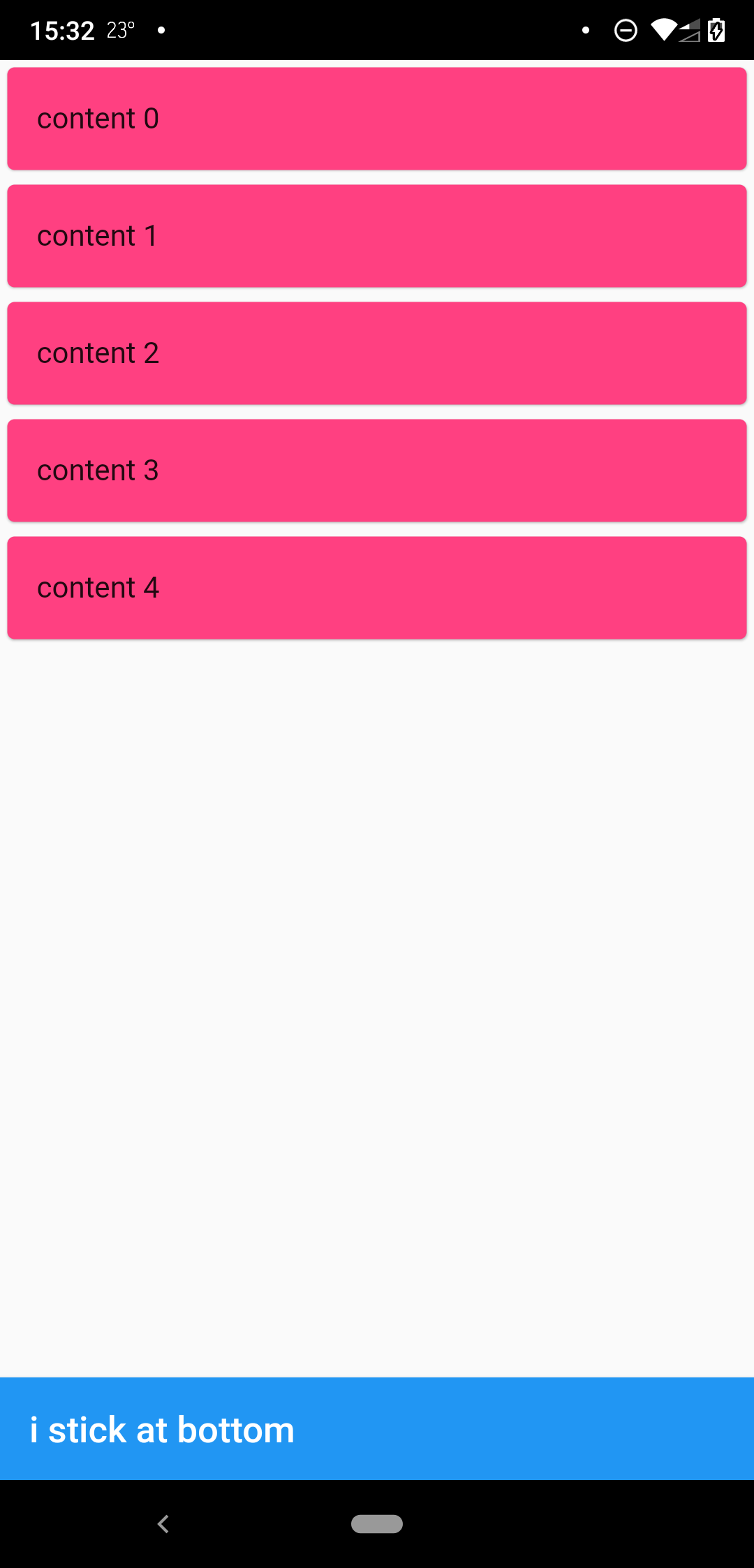
when scrollbody is shorter than the avialble widget height

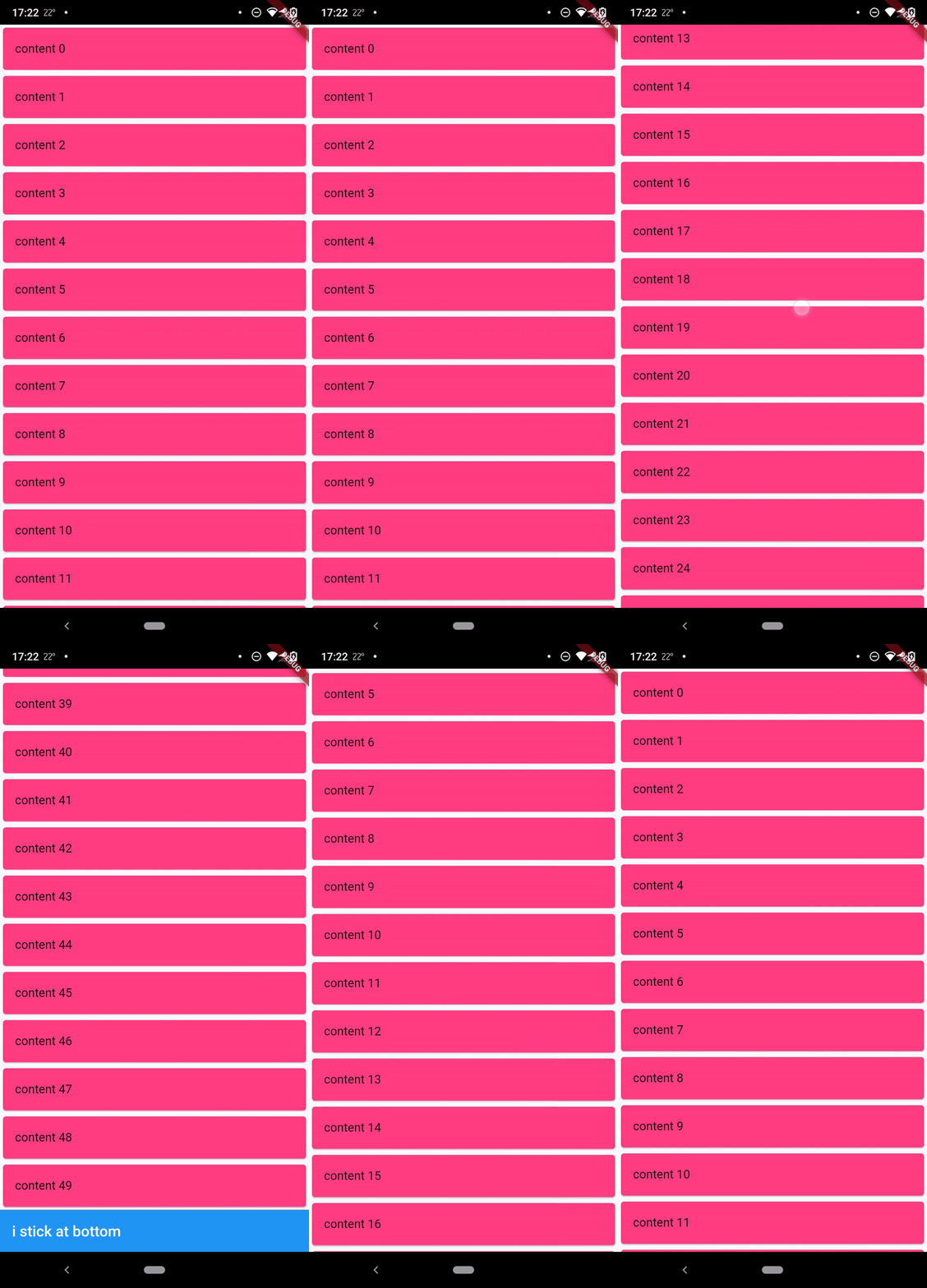
when scrollbody is longer than the avialble widget height

@override
  Widget build(BuildContext context) {
    return SafeArea(
      child: Scaffold(
        body: StickyFooterScrollView(
          itemCount: 50,
          itemBuilder: (context, index) {
            return Card(
              child: ListTile(
                title: Text('content $index'),
              ),
              color: Colors.pinkAccent,
            );
          },
          footer: AppBar(
            title: Text('i stick at bottom'),
          ),
        ),
      ),
    );
  }

Lisence

MIT

所屬分類

原始碼儲存庫

使用此套件的專案

暫無相關資料。