搜尋套件、儲存庫與 APP 分類

stylish_pull_to_refresh 封面
套件詳情v1.2.0

stylish_pull_to_refresh

這是一個具有多種 RefreshIndicator 動畫樣式的 Flutter 套件。

AndroidiOSWebmacOSWindowsLinux
近 30 天下載
38
喜歡數
12
Pub 分數
150

安裝套件

flutter pub add stylish_pull_to_refresh

套件介紹

根據套件公開資料產生的選型評估,僅供參考。

一個 Flutter 套件,提供多種 RefreshIndicator 的動畫樣式,透過視覺上吸引人的動畫增強下拉刷新體驗。它提供可自訂且現代化的刷新指示器,可在 Android、iOS、Web、macOS、Windows 和 Linux 等所有主要平台運作。適合尋求以簡單方式提升應用程式 UI 並實現流暢、引人入勝的刷新互動的開發者,無需複雜的實作過程。該套件輕量且易於整合,僅需簡單的 pub 命令即可完成。

適用情境

  • 增強列表刷新動畫
  • 透過視覺反饋提升使用者參與度
  • 自定義移動和網頁應用中的下拉刷新
  • 向可滾動控件添加動態效果
  • 為數據密集型應用程式創建精美的使用者介面

主要特色

  • 多種動畫刷新樣式
  • 跨平台相容性
  • 透過 pub 實現輕鬆整合
  • 輕量且高效能
  • 可自定的動畫行為
  • 支援所有 Flutter 平台

適合對象

  • 尋求視覺精緻的UI設計師
  • 開發互動式清單的開發者
  • 需要引人入勝的刷新體驗的應用程式
  • 針對多個平台的專案
  • 專注於使用者體驗提升的團隊

使用建議

  • 可能需要額外的樣式以保持一致性
  • 動畫效能取決於裝置功能
  • 僅限刷新指示器功能
  • 不適用於不可捲動的內容
  • 最佳搭配可滾動組件,例如 ListView 或 CustomScrollView 使用
原始 README

以下為關聯原始碼儲存庫的 README 原文快照,最新內容請造訪原始碼儲存庫。

stylish_pull_to_refresh

This is a flutter package with multiple animated style of RefreshIndicator. Use this to achive "pull to refresh" function in your project.

Code Example

Simple code example to use this project feature

  StylishPullToRefresh(
        style: Style.sandTimer, //multiple style available, pick your favourite one
        onRefresh: () async {
          //add code to execute on refresh
        },
        child: SingleChildScrollView(...) //pass child widget tree here
    )

Demo

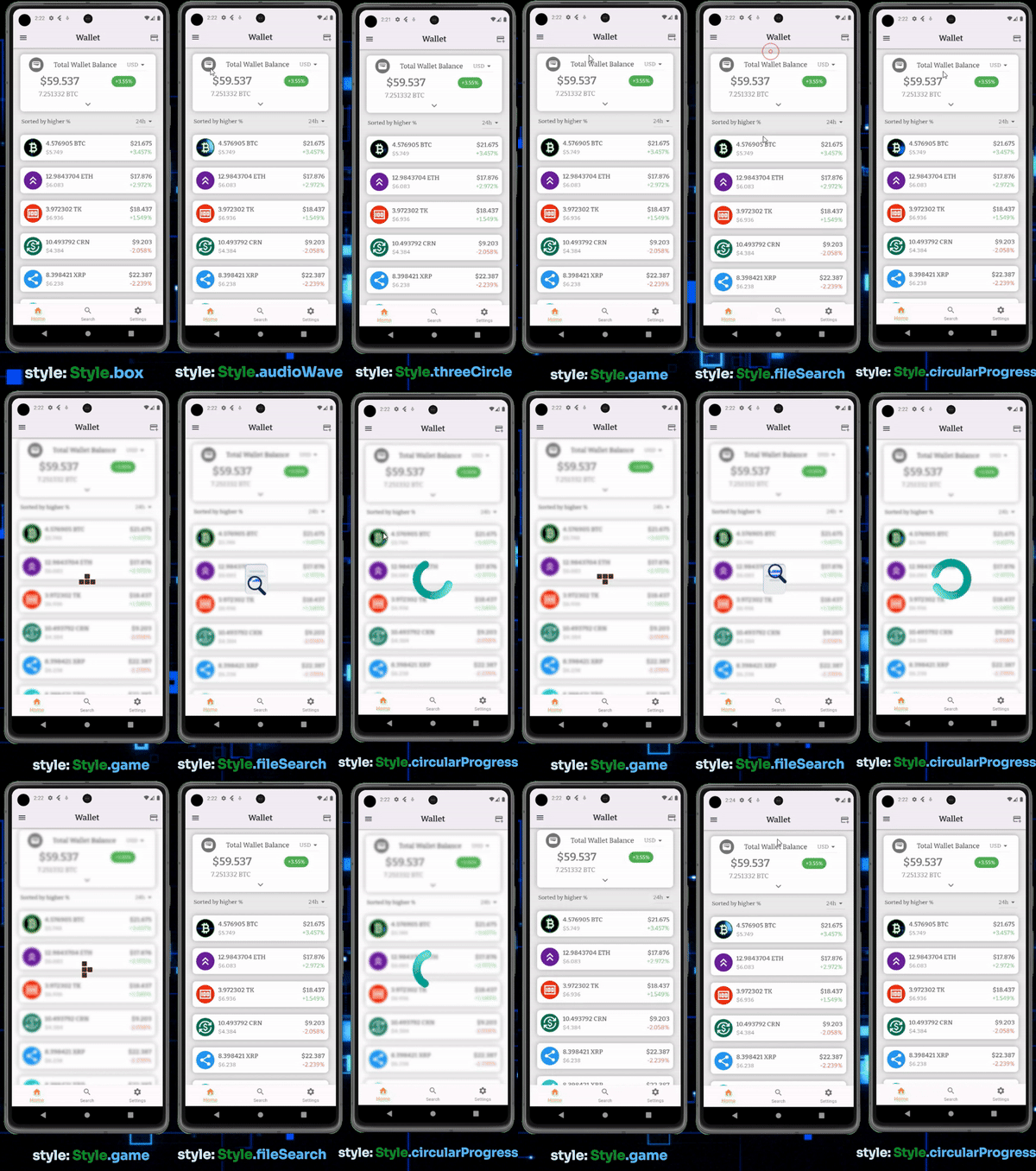
demo1

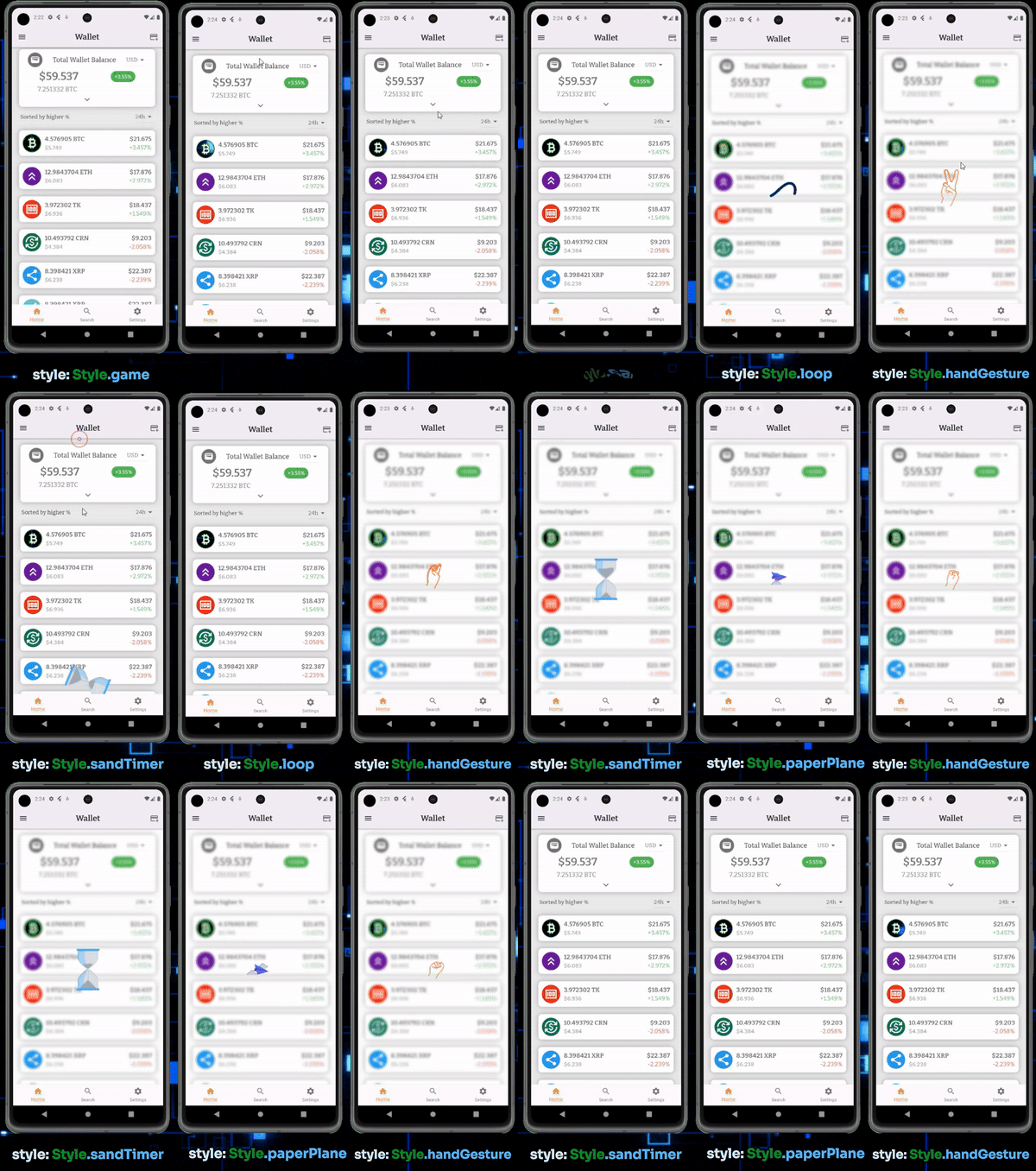
demo2

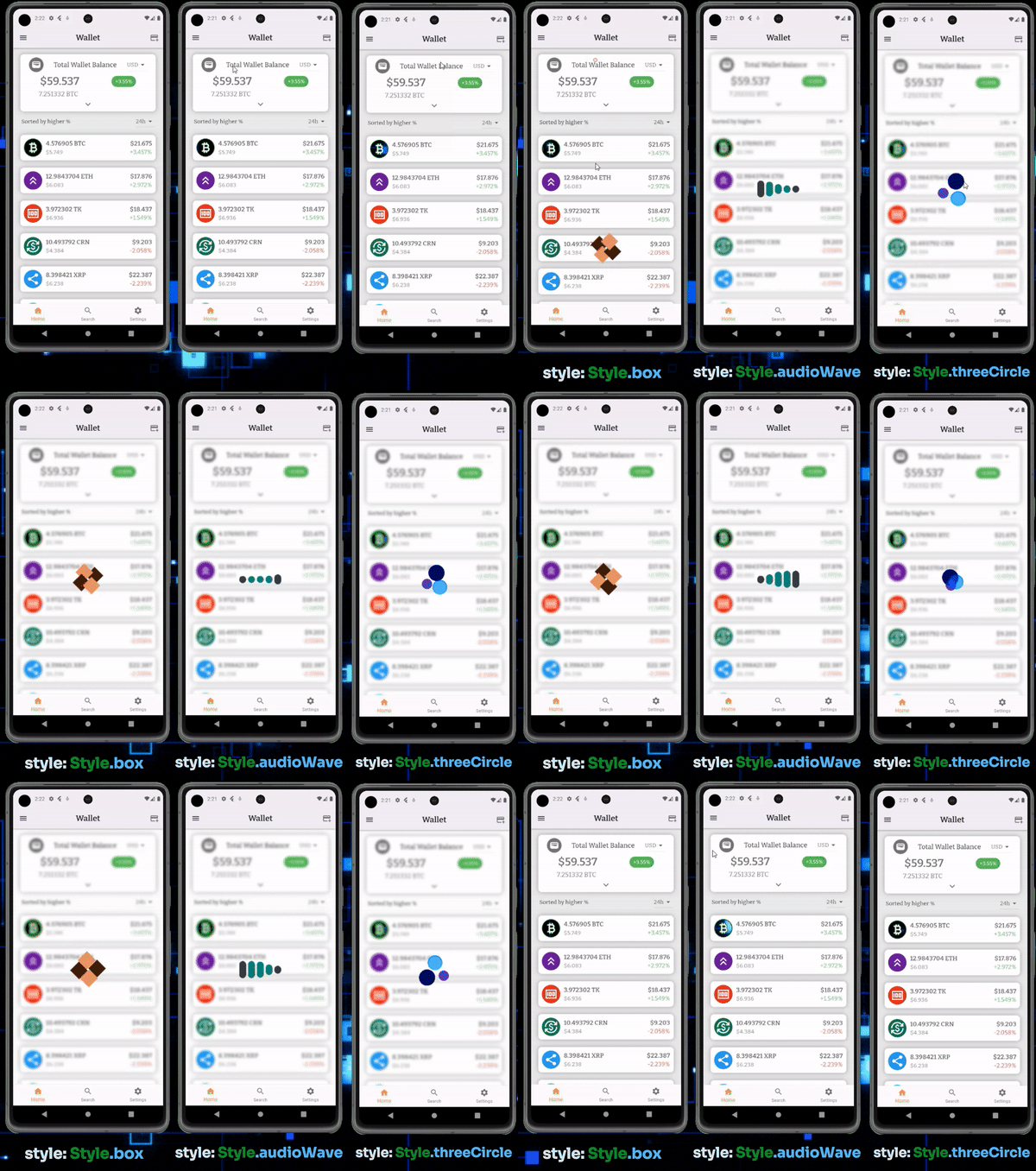
demo3

Avaiable styles

Here are avaiable style list you could apply

style: Style.audioWave,
style: Style.box,
style: Style.circularProgress,
style: Style.fileSearch,
style: Style.game,
style: Style.handGesture,
style: Style.loop,
style: Style.paperPlane,
style: Style.sandTimer,
style: Style.threeCircle,

所屬分類

原始碼儲存庫

使用此套件的專案

暫無相關資料。