搜尋套件、儲存庫與 APP 分類

suggest_a_feature 封面
套件詳情v0.6.0

suggest_a_feature

現成的 Flutter 套件,用於收集使用者的建議。

AndroidiOSmacOSWindowsLinux
近 30 天下載
96
喜歡數
24
Pub 分數
150

安裝套件

flutter pub add suggest_a_feature

套件介紹

根據套件公開資料產生的選型評估,僅供參考。

一個現成的 Flutter 套件,旨在幫助開發者在應用程式內直接收集使用者建議。它提供了一個簡單且可自訂的介面,讓使用者提交回饋與功能構想,簡化了蒐集洞見的流程。此套件支援跨平台,可在 Android、iOS、macOS、Windows 及 Linux 上順暢運作。對於希望透過使用者驅動輸入來改善應用程式的應用來說,這是一個理想的選擇,提供了一種易於使用的管道,讓使用者參與產品開發過程。可透過 pub add 容易地整合,並提供 GitHub 上的原始碼,確保透明度與可客製化。

適用情境

  • 收集用戶反饋
  • 收集功能請求
  • 提高應用程式的可用性
  • 提升使用者參與度
  • 支援產品路線圖規劃

主要特色

  • 預建構建議表單
  • 跨平台相容性
  • 透過 pub 輕鬆整合
  • 可自定義的使用者介面
  • 開源程式碼庫

適合對象

  • 尋求使用者反饋的開發者
  • 專注於持續改善的應用程式
  • 使用敏捷開發的團隊
  • 產品管理人員追蹤功能想法
  • 開源專案

使用建議

  • 需要自定義後端來儲存建議
  • 僅限前端反饋收集
  • 可能需要額外的驗證邏輯
  • 不適合即時協作
  • 設計可能需要品牌調整

原始 README

以下為關聯原始碼儲存庫的 README 原文快照,最新內容請造訪原始碼儲存庫。

Suggest a Feature

What the Flutter

Crafted with passion by What the Flutter 🦜

Pub Build Status CodeFactor


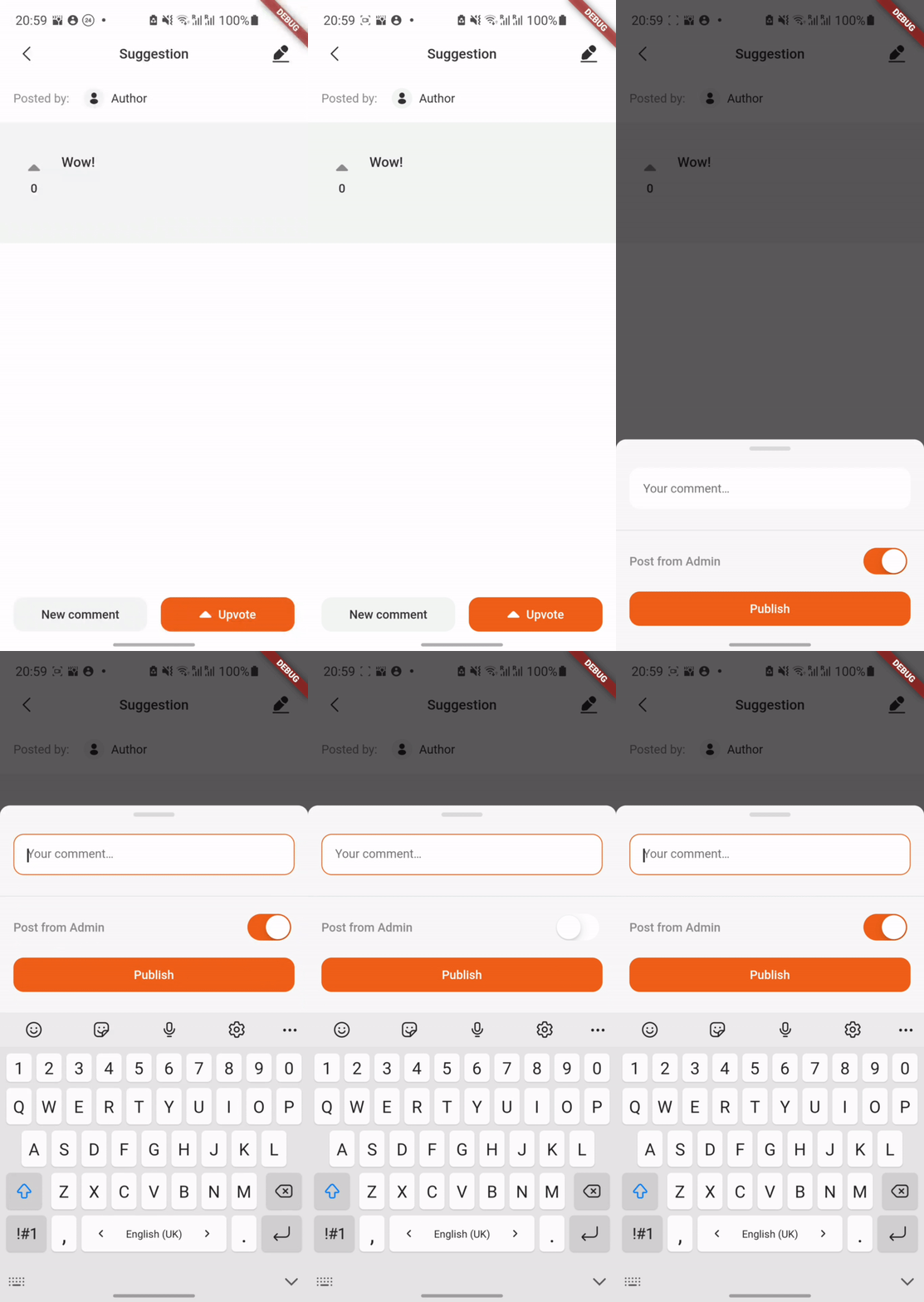
This Flutter package is a ready-made module which allows other developers to implement additional menu in their own mobile app where users can share their suggestions about the application in real time, discuss them with others, and vote for each other's suggestions.

You can check interactive example here.

A small demo:

Usage

At first, you need to implement SuggestionsDataSource. This is an interface which we use to handle all the data-layer logic. There you can add the connection to your DB.

If you use firestore as a data source, you can use our ready-made implementation Suggest a feature Firestore.

Then you need to move the SuggestionsPage. For example:

Navigator.of(context).push(
  MaterialPageRoute(
    builder: (context) => SuggestionsPage(
      userId: '1',
      suggestionsDataSource: MyDataSource(
        userId: '1',
      ),
      theme: SuggestionsTheme.initial(),
      onUploadMultiplePhotos: null,
      onSaveToGallery: null,
      onGetUserById: () {},
    ),
  ),
);

If you want to give a user the ability to attach photos to suggestions and save them to the gallery, you just need to implement the onUploadMultiplePhotos and onSaveToGallery methods.

You can also either use our standard theme or create your own:

theme: SuggestionsTheme().copyWith(...),

Admin functionality

Admin functionality allows you to edit any suggestion (e.g change its' status) and to leave comments from the 'Admin'.

A small demo:

In order to enable admin functionality, you should specify the adminSettings and set isAdmin to true:

SuggestionsPage(
  isAdmin: true,
  adminSettings: const AdminSettings(
    id: '3',
    username: 'Admin',
  ),
);

Localization

At the moment the package supports 3 languages: English, Russian and Ukrainian. English is the default language, it will be set in case the current locale is not supported by the SuggestionsLocalizations.delegate.

MaterialApp(
  home: SuggestionsPage(),
  localizationsDelegates: [
    SuggestionsLocalizations.delegate,
    GlobalMaterialLocalizations.delegate,
  ],
);
  • SuggestionsLocalizations - strings localization
  • GlobalMaterialLocalizations- date format localization

You also have to invoke initializeDateFormatting() before MaterialApp() widget creation in order to support date formatting.

initializeDateFormatting();
return MaterialApp(
  home: SuggestionsPage(),
);

Essential checks

For each suggestion and comment manipulation (updating or deleting) we recommend to check whether user has author rights to commit those actions. Author rights concept is as follows: the user who has created a suggestion/comment is the only one who can delete or update it. If it somehow happens that a user without author rights tries to delete/update a suggestion, an Exception will be thrown. onGetUserById() function in SuggestionsPage constructor will help you with this.

Theme

The package uses the material theme of your application.

Text styles used in package:

  • TextTheme.titleLarge
  • TextTheme.titleMedium
  • TextTheme.labelLarge
  • TextTheme.bodyMedium

所屬分類

依賴

依賴清單 4 項

原始碼儲存庫

使用此套件的專案

暫無相關資料。