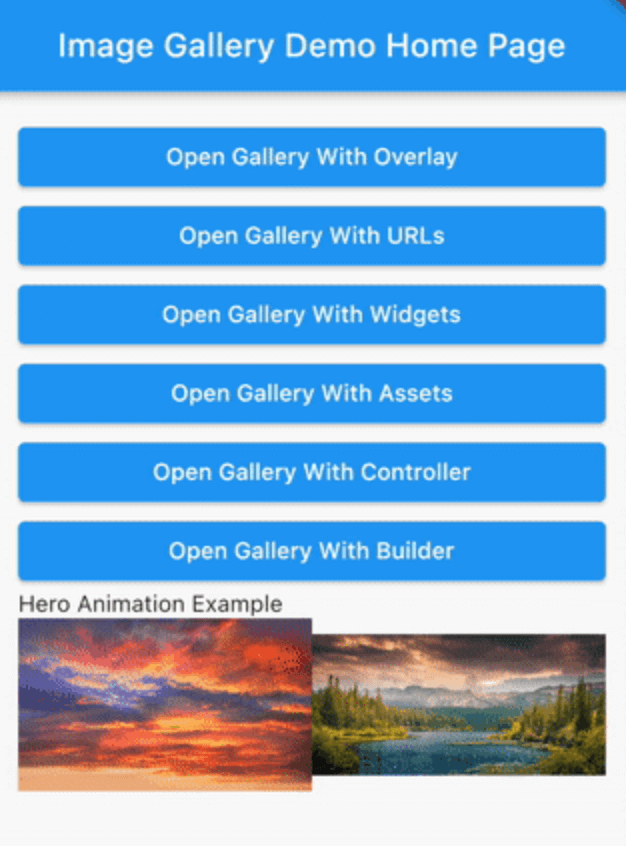
Swipe Image Gallery
A scrollable, dismissable by swiping, zoomable gallery on which you can add a dynamic overlay.
While it is intended for an image gallery different types of widgets can also be used.
Installation
Add swipe_image_gallery as a dependency in your pubspec.yaml file .
Usage
With a List of Image Widgets
final assets = const [
Image (image: AssetImage ('assets/1.jpeg' )),
Image (image: AssetImage ('assets/2.jpeg' )),
Image (image: AssetImage ('assets/3.jpeg' )),
Image (image: AssetImage ('assets/4.jpeg' )),
];
...
SwipeImageGallery (
context: context,
children: assets,
).show ();
With a List of Widgets
final widgets = [
Container (
color: Colors .white,
child: Center (
child: Text ('First Page' , style: TextStyle (fontSize: 24.0 )),
),
),
Container (
color: Colors .grey,
child: Center (
child: Text ('Second Page' , style: TextStyle (fontSize: 24.0 )),
),
),
];
...
SwipeImageGallery (
context: context,
children: widgets,
).show ();
Using Builder
final urls = [
'https://via.placeholder.com/400' ,
'https://via.placeholder.com/800' ,
'https://via.placeholder.com/900x350' ,
'https://via.placeholder.com/1000' ,
'https://via.placeholder.com/100' ,
];
...
SwipeImageGallery (
context: context,
itemBuilder: (context, index) {
return Image .network (urls[index]);
},
itemCount: urls.length,
).show ();
Add an Overlay
You can find the OverlayExample widget here .
StreamController <Widget > overlayController =
StreamController <Widget >.broadcast ();
@override
void dispose () {
overlayController.close ();
super .dispose ();
}
...
SwipeImageGallery (
context: context,
children: remoteImages,
onSwipe: (index) {
overlayController.add (OverlayExample (
title: '${index + 1 } /${remoteImages.length} ' ,
));
},
overlayController: overlayController,
initialOverlay: OverlayExample (
title: '1/${remoteImages.length} ' ,
),
).show ();
Hero Animation
final heroProperties = [
ImageGalleryHeroProperties (tag: 'imageId1' ),
ImageGalleryHeroProperties (tag: 'imageId2' ),
];
final assets = const [
Image (image: AssetImage ('assets/1.jpeg' )),
Image (image: AssetImage ('assets/2.jpeg' )),
];
...
Row (
children: [
Expanded (
child: InkWell (
onTap: () => SwipeImageGallery (
context: context,
children: assets,
heroProperties: heroProperties,
).show (),
child: Hero (
tag: 'imageId1' ,
child: Image (
image: AssetImage ('assets/1.jpeg' ),
),
),
),
),
Expanded (
child: InkWell (
onTap: () => SwipeImageGallery (
context: context,
children: assets,
initialIndex: 1 ,
heroProperties: heroProperties,
).show (),
child: Hero (
tag: 'imageId2' ,
child: Image (
image: AssetImage ('assets/2.jpeg' ),
),
),
),
),
],
),
For more detailed examples you can check out the example project .