搜尋套件、儲存庫與 APP 分類

tap_debouncer 封面
套件詳情v2.2.0

tap_debouncer

點擊去抖動簡化組件。將您的按鈕組件包裝在 TapDebounce 組件中,當點擊回調正在進行時,任何點擊都會被禁用。

AndroidiOSWebmacOSWindowsLinux
近 30 天下載
1.9萬
喜歡數
120
Pub 分數
160

安裝套件

flutter pub add tap_debouncer

套件介紹

根據套件公開資料產生的選型評估,僅供參考。

TapDebounce 是一個 Flutter 套件,可簡化防止在小部件(特別是按鈕)上重複點擊的問題。透過將小部件包裝在 TapDebounce 小部件中,可在點擊回呼執行期間禁用進一步的點擊,從而降低意外多次提交的風險。適用於表單、操作或任何可能因快速點擊而產生問題的互動元素。支援所有主要平台,並可無縫整合至現有的 Flutter 專案中。

適用情境

  • 防止重複表單提交
  • 避免在支付流程中快速點擊按鈕
  • 在動作密集型介面中提升使用者體驗
  • 減少意外的狀態變更
  • 安全處理緩慢的網路回應
  • 防止意外的雙擊

主要特色

  • 回調期間自動禁用點擊
  • 簡單的環繞整合
  • 跨平台支援
  • 最小化樣板程式碼
  • 可設定的去抖持續時間
  • 適用於任何小部件

適合對象

  • 尋求快速點擊保護的開發者
  • 高點擊風險的表單與操作 UI
  • 需要可靠使用者互動控制的應用程式
  • 注重使用者體驗一致性的團隊
  • 頻繁按鈕互動的專案

使用建議

  • 如果回調立即完成,則不會阻止點擊
  • 長時間運行的任務可能需要手動重設
  • 僅限點擊事件
  • 禁用狀態無內建回饋
  • 不適合複雜手勢識別
  • 在非同步工作流程中需要謹慎處理

原始 README

以下為關聯原始碼儲存庫的 README 原文快照,最新內容請造訪原始碼儲存庫。

Analyze and tests status

Coverage Status

MIT License

Description

Tap debounce simplifying widget. Wrap your button widget in TapDebounce widget and any taps will be disabled while tap callback is in progress.

Manual

Initial code

Assume your code with some button look like this:

//...
child: RaisedButton(
  color: Colors.blue,
  disabledColor: Colors.grey,
  onPressed: () async => await someLongOperation(), // your tap handler
  child: const Text('Short'),
  );
//...

and you do not want user to be able to press the button again several times and start other someLongOperation functions. Example is a Navigator pop function - it can take a few hundred of millis to navigate and user can press the button several times, and that will lead to undesired pop several screens back instead of one.

Wrap code to TapDebouncer

Wrap this code to Debouncer and move RaisedButton onPressed contents to Debouncer onTap:

//...
child: TapDebouncer(
  onTap: () async => await someLongOperation(), // your tap handler moved here
  builder: (BuildContext context, TapDebouncerFunc? onTap) {
    return RaisedButton(
      color: Colors.blue,
      disabledColor: Colors.grey,
      onPressed: onTap,  // It is just onTap from builder callback
      child: const Text('Short'),
    );
  },
),
//...

Debouncer will disable the RaisedButton by setting onPressed to null while onTap is being executed.

Add delay after tap process

You can add optional delay to be sure that the button is disabled some time after someOperation is called.

//...
onTap: () async {
    await someOperation();
    
    await Future<void>.delayed(const Duration(milliseconds: 1000));
},
//...
Use cooldown instead of delay

You can fill optional cooldown field with some Duration and avoid adding of Future.delayed at the end of onTap callback, this will be done automatically:

//...
child: TapDebouncer(
  cooldown: const Duration(milliseconds: 1000),
  onTap: () async => await someLongOperation(), // your tap handler moved here
  builder: (BuildContext context, TapDebouncerFunc? onTap) {
    return RaisedButton(
      color: Colors.blue,
      disabledColor: Colors.grey,
      onPressed: onTap,  // It is just onTap from builder callback
      child: const Text('Short'),
    );
  },
),
//...

Then your onTap could be changed to this:

//...
onTap: () async => await someOperation(),
//...
Cooldown behavior with exception

If someOperation will raise exception cooldown delay will also work, after exception.

Change look of busy widget (waiting for tap complete)

You can inspect value of onTap and change look of your widget:

//...
builder: (BuildContext context, TapDebouncerFunc? onTap) {
  return RaisedButton(
    color: Colors.blue,
    onPressed: onTap,
    // variant with manual test onTap for null in builder
    child: onTap == null
        ? const Text('Wait...')
        : const Text('Short'),
  );
},
//...

Also you can use waitBuilder method to build new busy widget:

//...
builder: (BuildContext context, TapDebouncerFunc? onTap) {
//...
},
// variant with using waitBuilder instead of test onTap for null
waitBuilder: (BuildContext context, Widget child) {
  return Stack(
    children: <Widget>[
      child,
      const Center(child: CircularProgressIndicator()),
    ],
  );
},
//...

waitBuilder will return original widget (built with onTap == null) as child

Example

See example application for details:

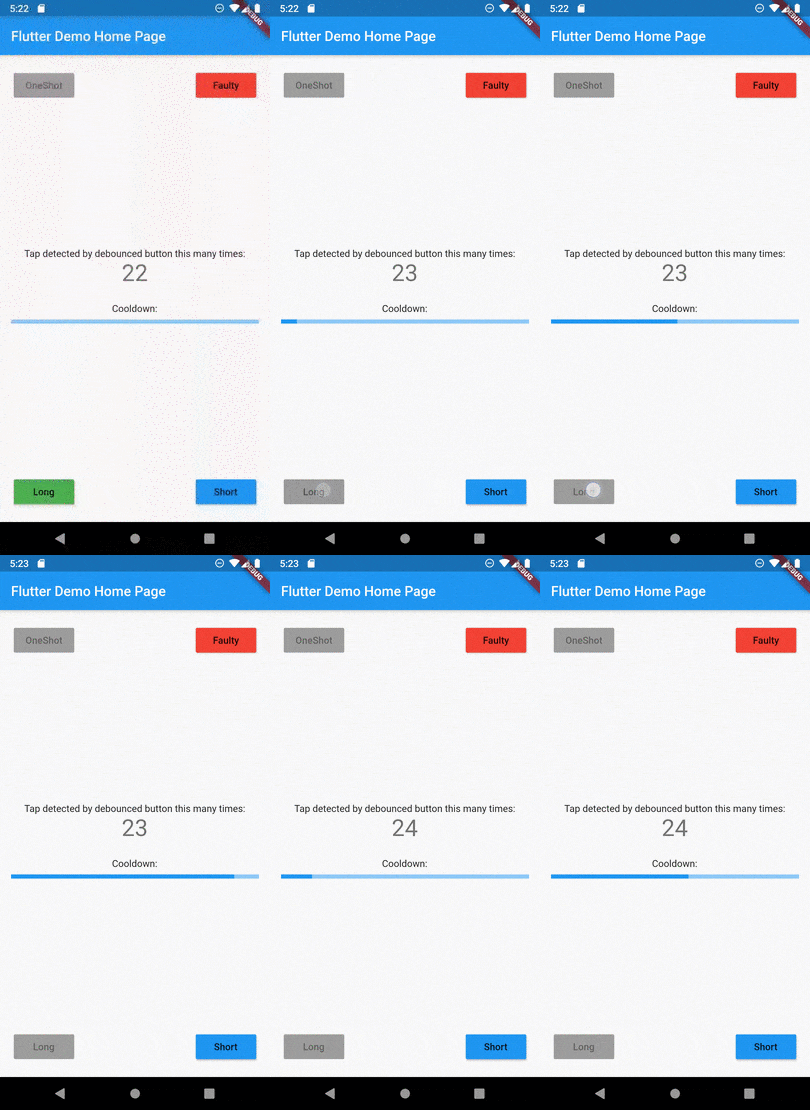
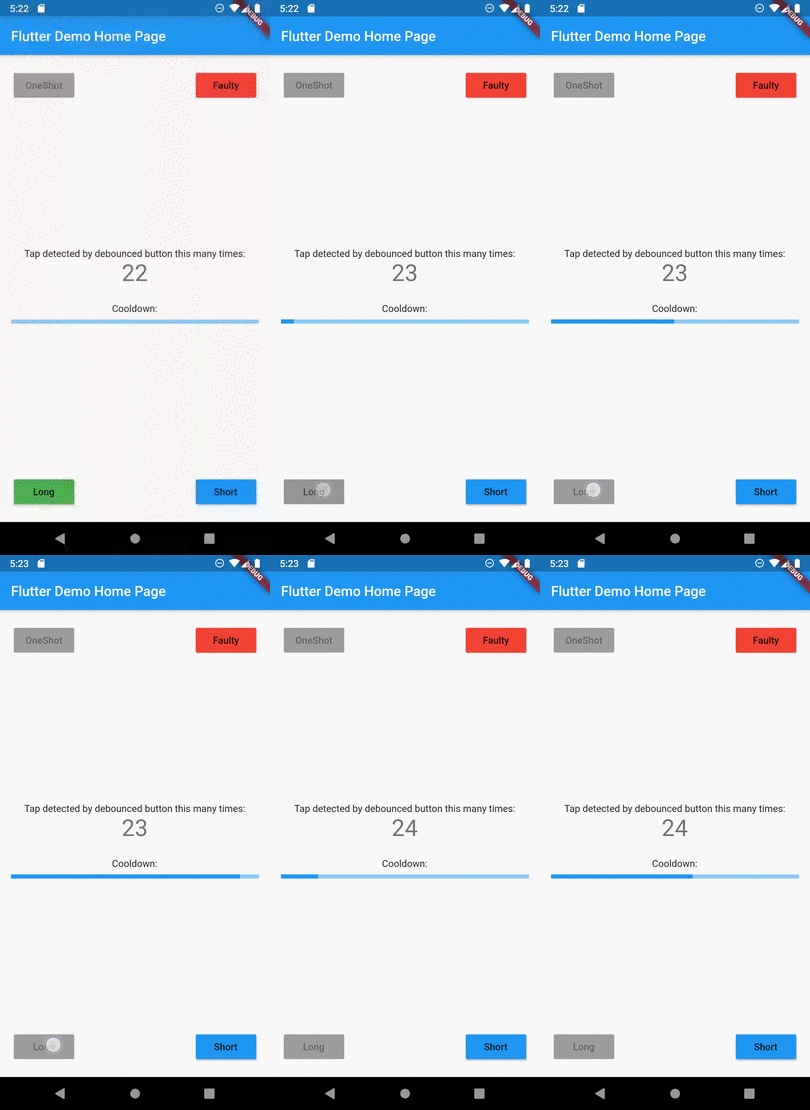
Example of button disabled after tap

所屬分類

原始碼儲存庫

使用此套件的專案

暫無相關資料。