搜尋套件、儲存庫與 APP 分類

tap_to_expand 封面
套件詳情v0.7.2

tap_to_expand

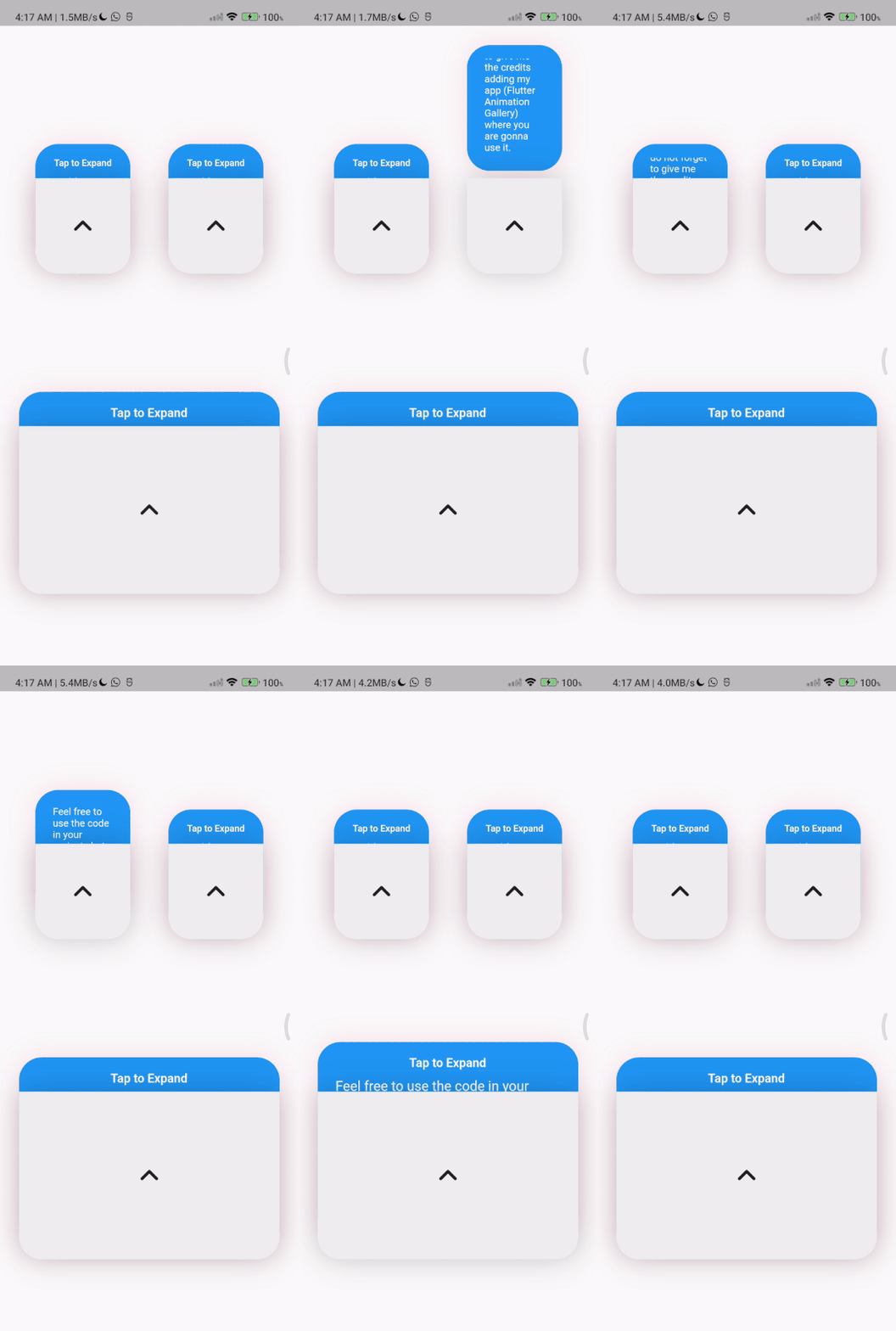
此套件是為了用少量程式碼快速且輕鬆地建立可展開小工具,並可依您的需求進行自訂!

AndroidiOSWebmacOSWindowsLinux
近 30 天下載
100
喜歡數
98
Pub 分數
150

安裝套件

flutter pub add tap_to_expand

套件介紹

根據套件公開資料產生的選型評估,僅供參考。

tap_to_expand 套件讓開發者能以最少的程式碼快速輕鬆地建立可展開的元件。它提供一種簡單且可自訂的解決方案,用於切換內容的顯示狀態,非常適合使用者介面中的可摺疊區塊。此套件支援所有主要平台——Android、iOS、Web、macOS、Windows 和 Linux,確保在各處行為一致。該套件設計靈活,允許自訂動畫、持續時間和視覺外觀。非常適合表單、常見問題或任何需要按需展開的內容。

適用情境

  • 建立可收合的常見問題區塊
  • 建構互動式表單摺疊面板
  • 按需顯示詳細資訊
  • 增強移動應用導航
  • 簡化複雜的使用者介面版面

主要特色

  • 使用少量程式碼進行最小化設定
  • 可自定義的動畫和持續時間
  • 支援所有主要的 Flutter 平台
  • 可擴展的樣式選項
  • 與現有組件的輕鬆整合

適合對象

  • 初學者 Flutter 開發者
  • 需要互動式可展開內容的應用
  • 以UI為主的應用程式
  • 快速原型設計
  • 需要跨平台一致性的專案

使用建議

  • 可能需要額外的樣式設定以適應複雜版面
  • 動畫效能應在低階裝置上進行測試
  • 有限的內建可存取性功能
  • 不適用於非常大的資料集
  • 可能需要自訂邏輯來處理巢狀的可展開項目

原始 README

以下為關聯原始碼儲存庫的 README 原文快照,最新內容請造訪原始碼儲存庫。

anouncement pub package

This package provides an easy and fast way to build expandable widgets with minimal code. You can customize these widgets according to your needs.

Features

  • Easily include your content
  • Enable scrolling with the isScrollable parameter
  • Beautiful animations

Getting started

To use this plugin, add tap_to_expand as a dependency in your pubspec.yaml file.

dependencies:
  tap_to_expand: ^1.0.0

Usage

Here is How to use TapToExpand class, You can find Package Api HERE

Center(
        child: TapToExpand(
          content: Column(
            children: <Widget>[
              for (var i = 0; i < 20; i++)
                Text(
                  "data $i",
                  style: const TextStyle(color: Colors.white, fontSize: 20),
                ),
            ],
          ),
          title: const Text(
            'TapToExpand',
            style: TextStyle(
              color: Colors.white,
              fontSize: 20,
            ),
          ),
          onTapPadding: 10,
          closedHeight: 70,
          scrollable: true,
          borderRadius: 10,
          openedHeight: 200,
        ),
      ),

For more information and customization options, visit the TapToExpand GitHub repository.

TapToExpandLetter(
                // autoClose: false, default is true
                title: const Text(
                  'Tap to Expand',
                  style: TextStyle(
                      color: Colors.white,
                      fontSize: 16,
                      fontWeight: FontWeight.w600),
                ),
                content: Column(
                  children: const [
                    Text(
                      'Feel free to use the code in your projects but do not forget to give me the credits adding  (Flutter Animation Gallery) where you are gonna use it.',
                      style: TextStyle(
                        color: Colors.white,
                        fontSize: 18,
                        fontWeight: FontWeight.w400,
                      ),
                    ),
                    // Image.asset(
                    //   'assets/image_ex.png',
                    //   width: 150,
                    //   height: 150,
                    // ),
                  ],
                ),
                centerWidget: const Icon(
                  Icons.expand_less_rounded,
                  size: 50,
                ))
          ],
        ),

所屬分類

原始碼儲存庫

使用此套件的專案

暫無相關資料。