搜尋套件、儲存庫與 APP 分類

text_scroll 封面
套件詳情v0.2.1

text_scroll

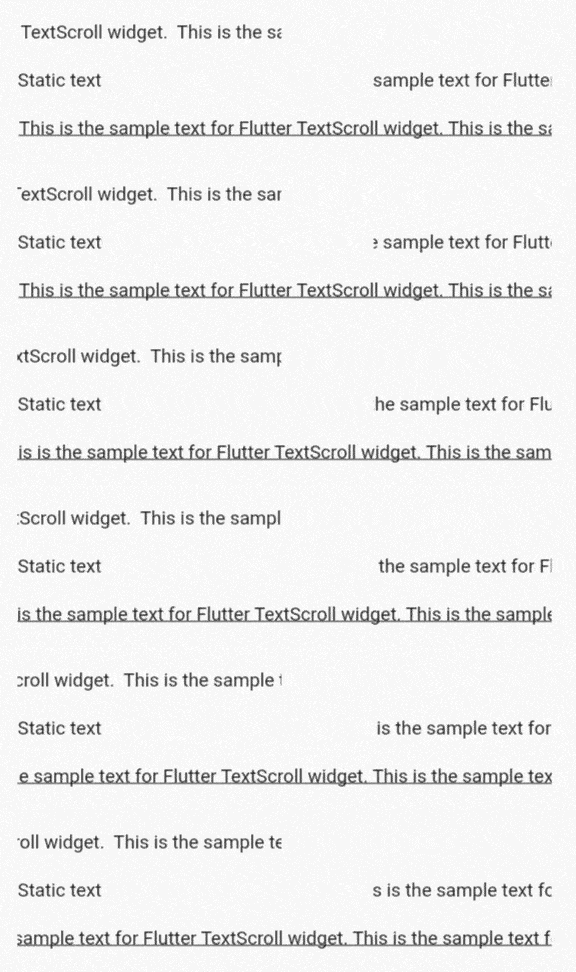
TextScroll Flutter 小部件增加了文字自動滾動功能(跑馬燈文字)。

AndroidiOSWebmacOSWindowsLinux
近 30 天下載
2.2萬
喜歡數
194
Pub 分數
150

安裝套件

flutter pub add text_scroll

套件介紹

根據套件公開資料產生的選型評估,僅供參考。

TextScroll 是一個 Flutter 小部件,可實現文字的自動滾動,非常適合建立跑馬燈效果。它能平滑地在螢幕上動畫顯示文字,非常適合在有限空間內展示長內容。此小部件支援多種自訂選項,例如滾動速度、方向和暫停行為。相容所有主要平台,包括 Android、iOS、Web、macOS、Windows 和 Linux,可無縫整合至現有的 Flutter 應用程式中。設計簡潔且效能出色,TextScroll 可透過最少的設定提升使用者體驗。

適用情境

  • 在有限空間內顯示長標題
  • 建立動畫橫幅或通知
  • 顯示股票代碼風格的新聞來源
  • 透過動態文字元素增強UI
  • 實現滾動字幕或字幕

主要特色

  • 平滑的自動滾動動畫
  • 可自訂的捲動速度與方向
  • 懸停暫停支援
  • 跨平台相容性
  • 簡單整合,設定最少
  • 支援多行與單行文字

適合對象

  • 開發儀表板或新聞應用的開發者
  • 希望實現動態文字效果的設計師
  • 需要持續文字顯示的應用程式
  • 針對多個平台的專案
  • 尋求輕量級動畫解決方案的使用者

使用建議

  • 可能需要額外的樣式設定以獲得最佳外觀
  • 長文字帶來的效能影響
  • 對單個字元動畫的控制有限
  • 不適用於靜態文字顯示
  • 最適合與短至中等長度的文本內容一起使用

原始 README

以下為關聯原始碼儲存庫的 README 原文快照,最新內容請造訪原始碼儲存庫。

text_scroll

TextScroll Flutter widget adds text auto-scrolling functionality (marquee text).

demo

Features

  • endless and bouncing modes
  • delay and pause between rounds
  • max number of rounds
  • custom velocity
  • style and textAlign support

Getting started

To use this package, add text_scroll as a dependency in your pubspec.yaml file.

Usage

Minimal example:

    TextScroll('This is the sample text for Flutter TextScroll widget. ')

Custom settings:

    TextScroll(
        'This is the sample text for Flutter TextScroll widget. ',
        mode: TextScrollMode.bouncing,
        velocity: Velocity(pixelsPerSecond: Offset(150, 0)),
        delayBefore: Duration(milliseconds: 500),
        numberOfReps: 5,
        pauseBetween: Duration(milliseconds: 50),
        style: TextStyle(color: Colors.green),
        textAlign: TextAlign.right,
        selectable: true,
    )

See also

所屬分類

原始碼儲存庫

使用此套件的專案