搜尋套件、儲存庫與 APP 分類

touch_indicator 封面
套件詳情v2.0.0

touch_indicator

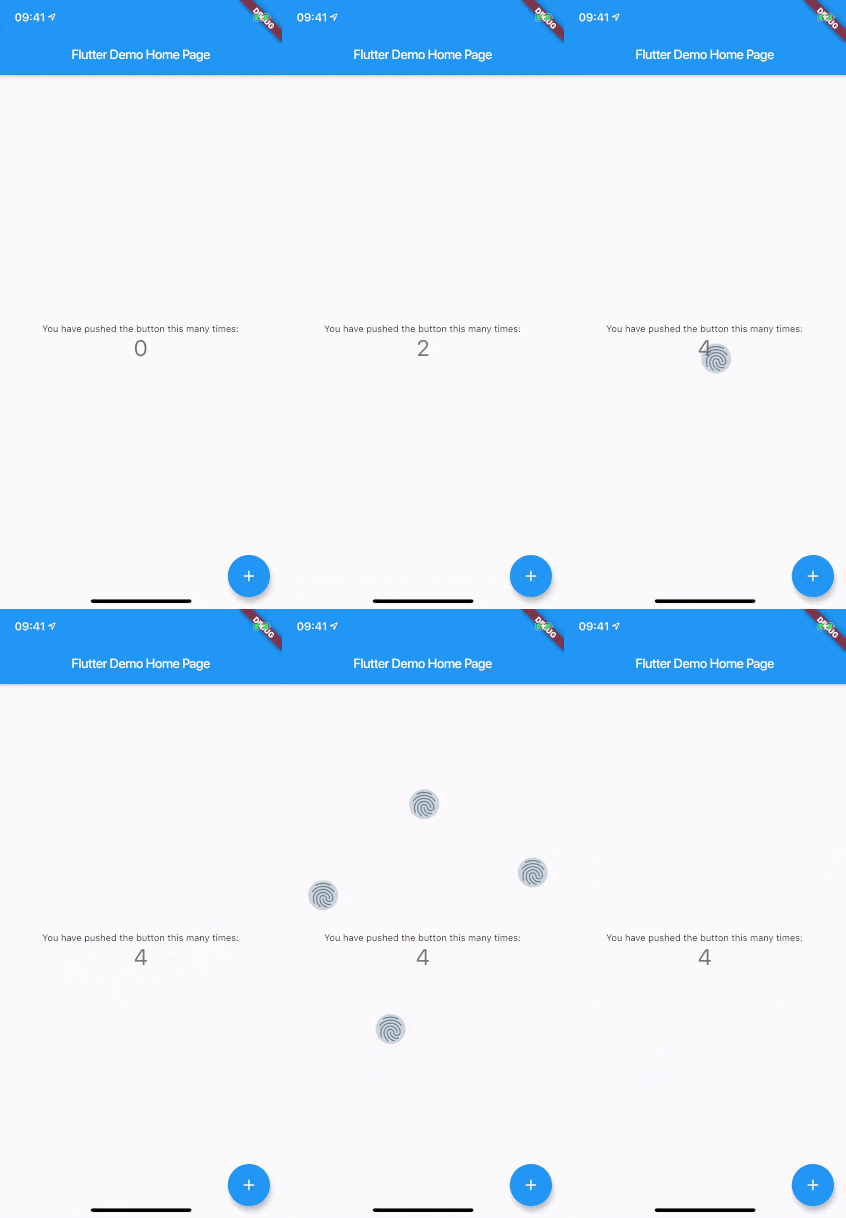
在螢幕上觸碰的位置顯示最多5個觸控指示器。在向觀眾示範或錄製您的應用程式時非常有用。

AndroidiOSWebmacOSWindowsLinux
近 30 天下載
1.3萬
喜歡數
57
Pub 分數
150

安裝套件

flutter pub add touch_indicator

套件介紹

根據套件公開資料產生的選型評估,僅供參考。

touch_indicator 套件在使用者觸碰螢幕的位置顯示最多五個視覺指示器。非常適合現場示範或螢幕錄影,能幫助觀眾清楚看見互動發生的位置。這些指示器細微卻清晰可見,是展示應用程式功能的理想選擇,不會干擾使用者體驗。此套件支援所有主要平台,包含行動裝置、網頁與桌面系統,可輕鬆整合至 Flutter 應用程式,設定簡單。該套件體積輕巧,專為示範或教學期間暫時使用而設計。

適用情境

  • 即時應用程式示範
  • 螢幕錄製教學
  • 用戶互動反饋
  • 教育類應用程式使用指南
  • 除錯觸控行為

主要特色

  • 最多顯示 5 個觸控點
  • 跨平台支援
  • 最小性能影響
  • 簡單整合
  • 可自訂外觀

適合對象

  • 開發者展示應用程式
  • 演示軟體的教育工作者
  • UI 測試人員
  • 應用演示創作者
  • 錄製教程影片

使用建議

  • 不適用於生產環境
  • 最終建構中應停用指標
  • 在所有硬體上可能無法可靠運作
  • 在示範期間暫時使用最佳
  • 在某些情境中,視覺指示可能會造成干擾

原始 README

以下為關聯原始碼儲存庫的 README 原文快照,最新內容請造訪原始碼儲存庫。

touch_indicator

When you are recording a screencast of your app, you often want to give visual indication of where your fingers are touching the screen. Showing that on Android is easy. On iOS it's less intuitive. touch_indicator makes it easier and consistent on both platforms.

You add this widget as the main widget where you want to display user touches. Usually this will be the direct child of your MaterialApp. It will show an indicator on every touching finger and is completely customizable.

Installation

Add the plugin to your pubspec.yaml:

dependencies:
  touch_indicator: ^2.0.0

Usage

Import the package in your Dart code:

import 'package:touch_indicator/touch_indicator.dart';

Wrap all routes in your app in the TouchIndicator widget:

class MyApp extends StatelessWidget {
  MaterialApp(
    title: 'Touch indicator example',
    builder: (context, child) => TouchIndicator(child: child!),
    home: MyHomePage(title: 'Flutter Demo Home Page'),
  );
}

Customization options

indicatorColor

Changes the color of the backdrop and icon. Default is Colors.blueGrey.

indicatorSize

Changes the size of the indicator. Default is 40.0.

indicator

By adding a Widget here, you can change the complete look of the touch indicators. Make sure to supply a proper indicatorSize in order for the indicators to be positioned at the center of your touchpoints.

forceInReleaseMode

When you want to show indicators when the app is running in release mode, make sure to enable this option. Default is false.

enabled

You can enable or disable display of the indicators on the fly with this option. Default is true.

所屬分類

原始碼儲存庫

使用此套件的專案

暫無相關資料。