搜尋套件、儲存庫與 APP 分類

touchable 封面
套件詳情v1.0.2

touchable

Flutter 庫,可為 CustomPainter 中繪製的每個形狀添加各種觸控回調

AndroidiOSWebmacOSWindowsLinux
近 30 天下載
1.4萬
喜歡數
232
Pub 分數
130

安裝套件

flutter pub add touchable

套件介紹

根據套件公開資料產生的選型評估,僅供參考。

一個 Flutter 庫,可在 CustomPainter 畫出的單個形狀上啟用觸控偵測。它允許開發者將各種觸控回調(例如 onTap、onLongPress 和 onPan)附加到畫布上的特定形狀,進而提升繪圖、繪畫和簽名應用的互動性。非常適合建立使用者可點擊或操控不同元件的互動式畫布。

適用情境

  • 互動式繪圖應用
  • 基於畫布的簽名工具
  • 手勢回應式圖表
  • 具有形狀級別互動功能的自定義畫筆
  • 教育繪圖介面

主要特色

  • 形狀級觸控偵測
  • 支援 onTap、onLongPress、onPan
  • 與 CustomPainter 的輕鬆整合
  • 適用於所有 Flutter 平台
  • 輕量且專注的 API

適合對象

  • 開發互動式畫布功能的開發者
  • 需要觸控反饋的繪製形狀的應用程式
  • 具有複雜手勢邏輯的自定義繪圖UI

使用建議

  • 僅限 CustomPainter 內的形狀
  • 預設情況下不處理重疊的形狀
  • 在複雜佈局中需要仔細管理命中測試

原始 README

以下為關聯原始碼儲存庫的 README 原文快照,最新內容請造訪原始碼儲存庫。

Flutter library to bring your CustomPainter 🎨 to Life ✨⚡️

touchable library gives you the ability to add various gestures and animations to each Shape you draw on your canvas in the CustomPainter


Index :

Why Use Touchable ?

  • The CustomPainter lets you only draw shapes on the canvas. But most would want to let user interact with the drawings.

  • Add all kinds of gesture callbacks to each drawing to give interaction capability to the shapes you draw on the canvas.

  • Animating individual shapes has never been this easy.

  • Auto Handles the painting style (filled ▮ , stroke ▯) and detects touch accordingly.

  • Handles Painting stroke width. So if your shapes are painted thick , we still got it covered ✓

  • Supports clipping and different clipping modes for the drawings.

  • Supports HitTestBehavior for each shape.

  • Simple and Easy API. Just wrap your CustomPaint with CanvasTouchDetector and use the TouchyCanvas in your painter.

With touchable , you get what the normal canvas always missed : touchability 😉

Installation

Add the touchable package as dependency in your pubspec.yaml

dependencies:
  touchable:

Usage

  • Just Wrap your CustomPaint widget with CanvasTouchDetector. It takes a builder function as argument that expects your CustomPaint widget as shown below.
CanvasTouchDetector(
    builder: (context) => 
        CustomPaint(
            painter: MyPainter(context)
        )
)
  • Inside your CustomPainter class's paint method , create and use the TouchyCanvas object (using the context obtained from the CanvasTouchDetector and canvas) to draw any shape with different gesture callbacks.
var myCanvas = TouchyCanvas(context,canvas);
myCanvas.drawRect( rect , Paint() , onTapDown: (tapDetail){
    //Do stuff here. Probably change your state and animate
});
MyPainter example :
class MyPainter extends CustomPainter {

  final BuildContext context ;
  MyPainter(this.context); // context from CanvasTouchDetector

  @override
  void paint(Canvas canvas, Size size) {
    var myCanvas = TouchyCanvas(context,canvas); 

    myCanvas.drawCircle(Offset(10, 10), 60, Paint()..color=Colors.orange ,
        onTapDown: (tapdetail) {
         print("orange Circle touched");
       },
        onPanDown:(tapdetail){
          print("orange circle swiped");
        } 
    );

    myCanvas.drawLine(
        Offset(0, 0),
        Offset(size.width - 100, size.height - 100),
        Paint()
          ..color = Colors.black
          ..strokeWidth = 50, 
        onPanUpdate: (detail) {
            print('Black line Swiped'); //do cooler things here. Probably change app state or animate
    });
  }
}
Read the article on Medium : Bring Your CustomPainter to Life using Touchable


How Touchable Works

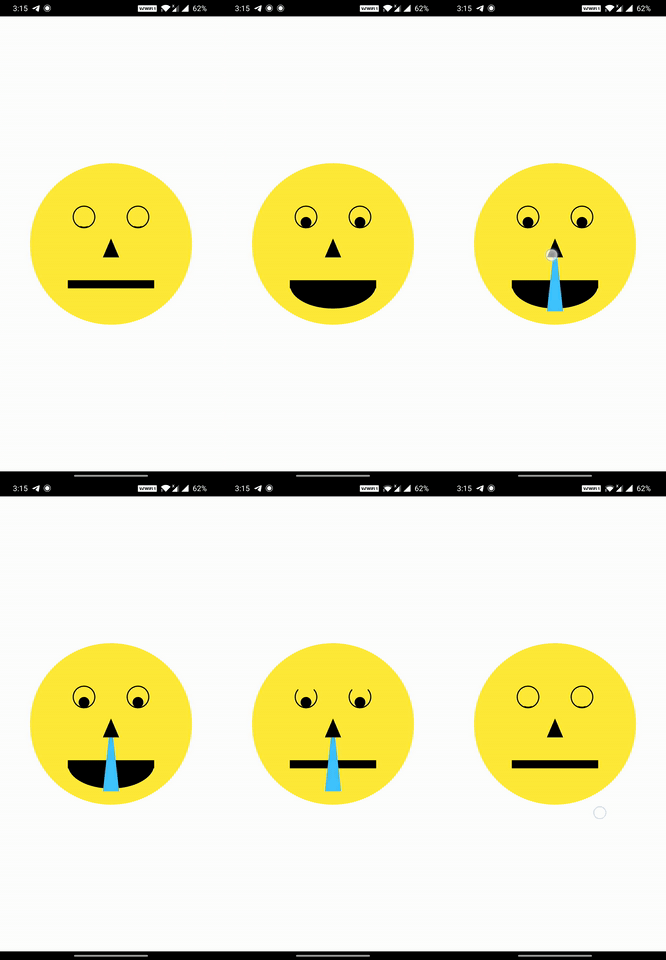
When you draw shapes on the canvas (TouchyCanvas) , it keeps track of the dimensions of each shape you draw and their painting style , stroke , order , clippings etc.

When user performs any gesture on the screen , based on the location of the gesture , the appropriate shape is selected from the lot taking clipping regions , paint , hitTest behaviour etc into account in an optimized way. Callbacks of the corresponding shapes (one or more depending on the hitTest behavior) are executed.

Road Map

  • [x] Basic Shape Detection
    • [x] Line
    • [x] Rectangle (Rect)
    • [x] Circle
    • [x] Oval or Ellipse
    • [x] Arc
      • [x] segment
      • [x] sector
    • [x] Rounded Rectangle (RRect)
    • [x] Custom Path [only supports opaque hittest]
    • [x] Points (PointMode.points , PointMode.lines , PointMode.polygon)
    • [ ] Vertices
      • [ ] Traingle
      • [ ] Traingle Strip
      • [ ] Traingle Fan
  • [x] Support for proper edge detection based on the Paint object properties :
    • [x] Paint style
    • [x] Stroke Width
    • [ ] Stroke Cap
      • [x] StrokeCap to draw Points
      • [ ] StrokeCap.round for lines with huge width.
  • [x] Support Clipping and clipping modes
    • [x] ClipRect
      • [x] intersect mode [Touch detection enabled only inside the clipped region]
      • [x] difference mode [Touch detection enabled only outside the clipped region]
    • [x] ClipRRect
    • [x] ClipPath
  • [x] Support for HitTestBehavior
  • [ ] Make the touch detection handling to run in a seperate isolate.
  • [ ] Support for translation , rotation , scaling and skewing transformations that needs some vector math

Links

所屬分類

原始碼儲存庫

使用此套件的專案

