搜尋套件、儲存庫與 APP 分類

套件詳情v1.1.2

virtual_keyboard_multi_language

一個簡單的套件,用於在自助服務機器和ATM等設備上顯示虛擬鍵盤。該程式庫以Dart撰寫,不依賴任何原生程式碼。

AndroidiOSWebmacOSWindowsLinux
近 30 天下載
3020
喜歡數
74
Pub 分數
145

安裝套件

flutter pub add virtual_keyboard_multi_language

套件介紹

根據套件公開資料產生的選型評估,僅供參考。

一個輕量級的跨平台 Dart 套件,用於在自助服務機器與 ATM 等裝置上顯示虛擬鍵盤。此套件無需原生程式碼依賴,支援多種語言,並可在 Android、iOS、Web、macOS、Windows 與 Linux 上順暢運作。非常適合需要可自訂輸入解決方案的觸控式介面。該套件提供簡單的 API,可輕鬆將虛擬鍵盤整合至 Flutter 應用程式,設定簡單。

適用情境

  • 自助服務終端
  • ATM 接口
  • 多語言資料輸入
  • 觸控螢幕銷售點系統
  • 自助報到站點
  • 互動式公共顯示屏

主要特色

  • 多語言支援
  • 無原生程式碼依賴
  • 跨平台相容性
  • 可自訂的鍵盤佈局
  • 輕量且易於整合
  • 支援所有主要的桌面與行動平台

適合對象

  • 開發面向公眾的觸控介面的開發者
  • 需要多語言輸入的應用程式
  • 部署在不同作業系統上的系統
  • 需要最少外部依賴的項目
  • 自助服務終端和ATM軟體開發

使用建議

  • 可能需要為非標準語言輸入設計自定義佈局
  • 僅限基本文字輸入功能
  • 效能可能在低階裝置上有所差異
  • 不包含預測文字或語音輸入等進階功能
  • 最適合使用者行為可預測的受控環境

原始 README

以下為關聯原始碼儲存庫的 README 原文快照,最新內容請造訪原始碼儲存庫。

virtual_keyboard_multi_language

About

A simple package for dispaying virtual keyboards on a devices like kiosks and ATMs. The library is written in Dart and has no native code dependancy.

This project has forked from virtual_keyboard project because the virtual_keyboard project built to only display a buttons on the screen with single language. However, this project will handel the events and aill supports multi-languages.

Feature and TODO List:

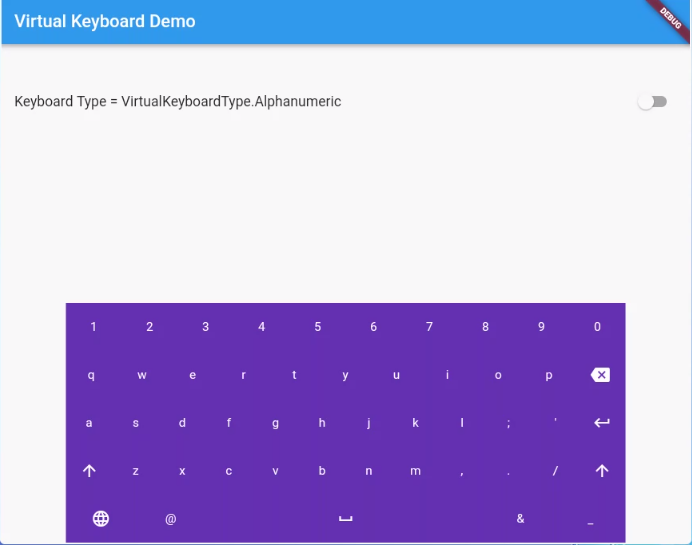
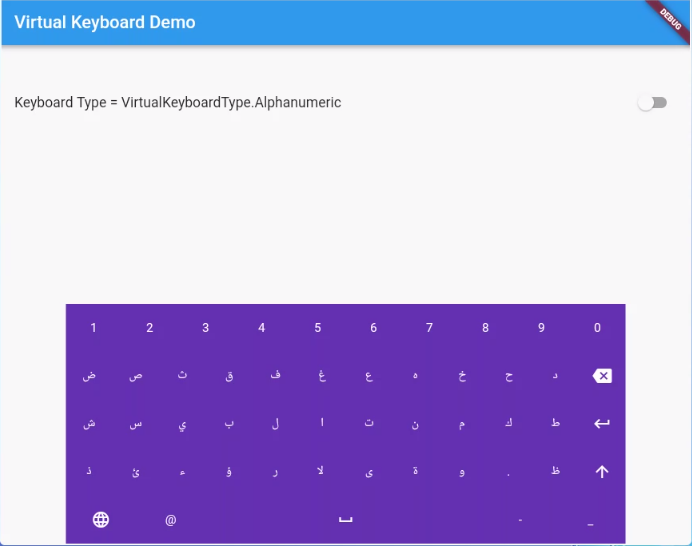
  • (Done) Multi-langugae support. (English-Arabic-Kurdish)
  • (Done) Customizable layout.
  • (ToDo) Option to make a popup floating keyboard/keyNum.
  • (ToDo) Adding input result viewer and handel the events.

FlutterBlue


FlutterBlue


FlutterBlue


Reference

VirtualKeyboard

Flutter widget to show virtual keyboards.

// Keyboard Type: Can be Numeric or Alphanumeric.
VirtualKeyboardType type
// Callback for Key press event. Called with pressed `Key` object.
// will fire before adding pressed key text to controller, if a controller exists
Function preKeyPress;
// Callback for Key press event. Called with pressed `Key` object.
// will fire after adding pressed key text to controller, if a controller exists
Function postKeyPress;
// Virtual keyboard height. Default is 300.
double height;
/// Virtual keyboard height. Default is full screen width
  double width;
// Color for key texts and icons.
Color textColor;
// Font size for keyboard keys.
double fontSize;;
// Only Caps letters enabled.
bool alwaysCaps;;
/// the custom layout for multi or single language
VirtualKeyboardLayoutKeys customLayoutKeys;
/// used for multi-languages with default layouts, the default is English only
/// will be ignored if customLayoutKeys is not null
List<VirtualKeyboardDefaultLayouts> defaultLayouts;
/// inverse the layout to fix the issues with right to left languages, default is false.
bool reverseLayout;
VirtualKeyboardType

enum of Available Virtual Keyboard Types.

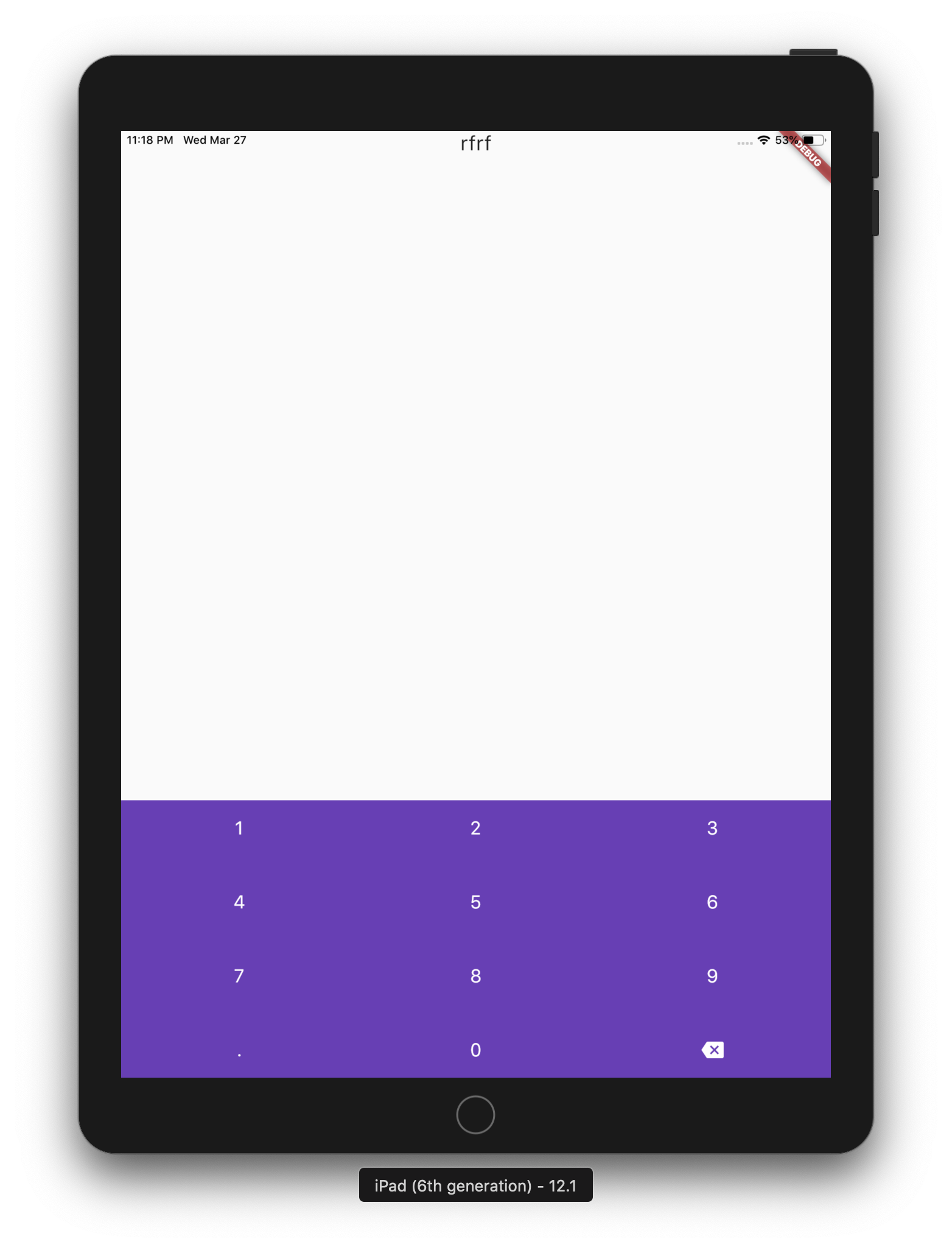
// Numeric only.
VirtualKeyboardType.Numeric
// Alphanumeric: letters`[A-Z]` + numbers`[0-9]` + `@` + `.`.
VirtualKeyboardType.Alphanumeric
VirtualKeyboardKey

Virtual Keyboard key.

// The text of the key. 
String text
// The capitalized text of the key. 
String capsText;
// Action or String
VirtualKeyboardKeyType keyType;
// Action of the key.
VirtualKeyboardKeyAction action;
VirtualKeyboardKeyType

Type for virtual keyboard key.

// Can be an action key - Return, Backspace, etc.
VirtualKeyboardKeyType.Action
// Keys that have text values - letters, numbers, comma ...
VirtualKeyboardKeyType.String
VirtualKeyboardKeyAction
/// Virtual keyboard actions.
enum VirtualKeyboardKeyAction { Backspace, Return, Shift, Space }

Usage

Show Alphanumeric keyboard with default view
// Wrap the keyboard with Container to set background color.
Container(
            // Keyboard is transparent
            color: Colors.deepPurple,
            child: VirtualKeyboard(
                // Default height is 300
                height: 350,
                // Default height is will screen width
                width: 600,
                // Default is black
                textColor: Colors.white,
                // Default 14
                fontSize: 20,
                // the layouts supported
                defaultLayouts = [VirtualKeyboardDefaultLayouts.English],
                // [A-Z, 0-9]
                type: VirtualKeyboardType.Alphanumeric,
                // Callback for key press event
                postKeyPress: _onKeyPress),
          )
Show Numeric keyboard with default view
Container(
            // Keyboard is transparent
            color: Colors.red,
            child: VirtualKeyboard(
                // [0-9] + .
                type: VirtualKeyboardType.Numeric,
                // Callback for key press event
                postKeyPress: (key) => print(key.text)),
          )
Show Alphanumeric keyboard with customized keys
 Container(
            color: Colors.deepPurple,
            child: VirtualKeyboard(
                height: keyboardHeight,
                textColor: Colors.white,
                fontSize: 20,
                builder: _builder,
                type: VirtualKeyboardType.Numeric,
                postKeyPress: _onKeyPress),
          )

  /// Builder for keyboard keys.
  Widget _builder(BuildContext context, VirtualKeyboardKey key) {
    Widget keyWidget;

    switch (key.keyType) {
      case VirtualKeyboardKeyType.String:
        // Draw String key.
        keyWidget = _keyboardDefaultKey(key);
        break;
      case VirtualKeyboardKeyType.Action:
        // Draw action key.
        keyWidget = _keyboardDefaultActionKey(key);
        break;
    }

    return keyWidget;
  }          
onKeyPressed event basic ussage example
// Just local variable. Use Text widget or similar to show in UI.
String text;

  /// Fired when the virtual keyboard key is pressed.
_onKeyPress(VirtualKeyboardKey key) {
if (key.keyType == VirtualKeyboardKeyType.String) {
    text = text + (shiftEnabled ? key.capsText : key.text);
} else if (key.keyType == VirtualKeyboardKeyType.Action) {
    switch (key.action) {
    case VirtualKeyboardKeyAction.Backspace:
        if (text.length == 0) return;
        text = text.substring(0, text.length - 1);
        break;
    case VirtualKeyboardKeyAction.Return:
        text = text + '\n';
        break;
    case VirtualKeyboardKeyAction.Space:
        text = text + key.text;
        break;
    case VirtualKeyboardKeyAction.Shift:
        shiftEnabled = !shiftEnabled;
        break;
    default:
    }
}
// Update the screen
setState(() {});
}

所屬分類

原始碼儲存庫

使用此套件的專案

暫無相關資料。