搜尋套件、儲存庫與 APP 分類

zoom_widget 封面
套件詳情v2.0.1

zoom_widget

可在可調整大小的畫布上縮放的組件,可容納子組件。

AndroidiOSWebmacOSWindowsLinux
近 30 天下載
8160
喜歡數
215
Pub 分數
125

安裝套件

flutter pub add zoom_widget

套件介紹

根據套件公開資料產生的選型評估,僅供參考。

zoom_widget 套件提供了一個可自訂的 Flutter 小工具,可在可調整大小的畫布上實現互動式縮放。它允許開發者將任何子小工具包裝在縮放和拖曳功能中,非常適合用於圖像、地圖或需要詳細探索的複雜 UI 元素。該小工具支援跨多個平台的觸控手勢和滑鼠互動,確保在 Android、iOS、Web、macOS、Windows 和 Linux 上行為一致。它輕量級且設計用於無縫整合到現有的 Flutter 應用程式中。

適用情境

  • 互動式圖像查看器
  • 數位白板
  • 地圖導航介面
  • 資料視覺化工具
  • 可擴展內容的教育類應用

主要特色

  • 支援捏合縮放與拖曳手勢
  • 可調整畫布大小
  • 跨平台相容性
  • 平滑的動畫過渡
  • 可自訂的縮放範圍
  • 與現有組件的輕鬆整合

適合對象

  • 開發互動式視覺化
  • 需要可擴展內容顯示的應用程式
  • 需要多點觸控支援的專案
  • 跨平台應用程式,帶有手勢控制
  • 涉及詳細圖形或圖表的使用者介面

使用建議

  • 在非常大的畫布上,效能可能會有所差異
  • 需要仔細處理子組件的大小
  • 可能需要額外的邏輯來處理溢出等邊緣情況
  • 未針對高頻率更新進行優化
  • 最適合靜態或更新頻率較低的內容

原始 README

以下為關聯原始碼儲存庫的 README 原文快照,最新內容請造訪原始碼儲存庫。

Flutter zoom widget

With this widget you can create a customizable canvas in which you can zoom in flutter.

It is possible to customize virtually all the canvases of the canvas such as color, background color, acitvate and deactivate scrolls, change the color of scrolls, modify the sensitivity of the zoom, the initial zoom enters other aspects found in the construction of the Zoom class.

Installation

Add to pubspec.yaml:

dependencies:
zoom_widget: ^2.0.0

How to use

You only need to create an instance of the Zoom class in the child of your Scaffold or within the widget of your choice, within the child attribute, put the widget that you want to zoom in and the width and height of the canvas where it will be made zoom.

Import
import 'package:zoom_widget/zoom_widget.dart';
Simple examples

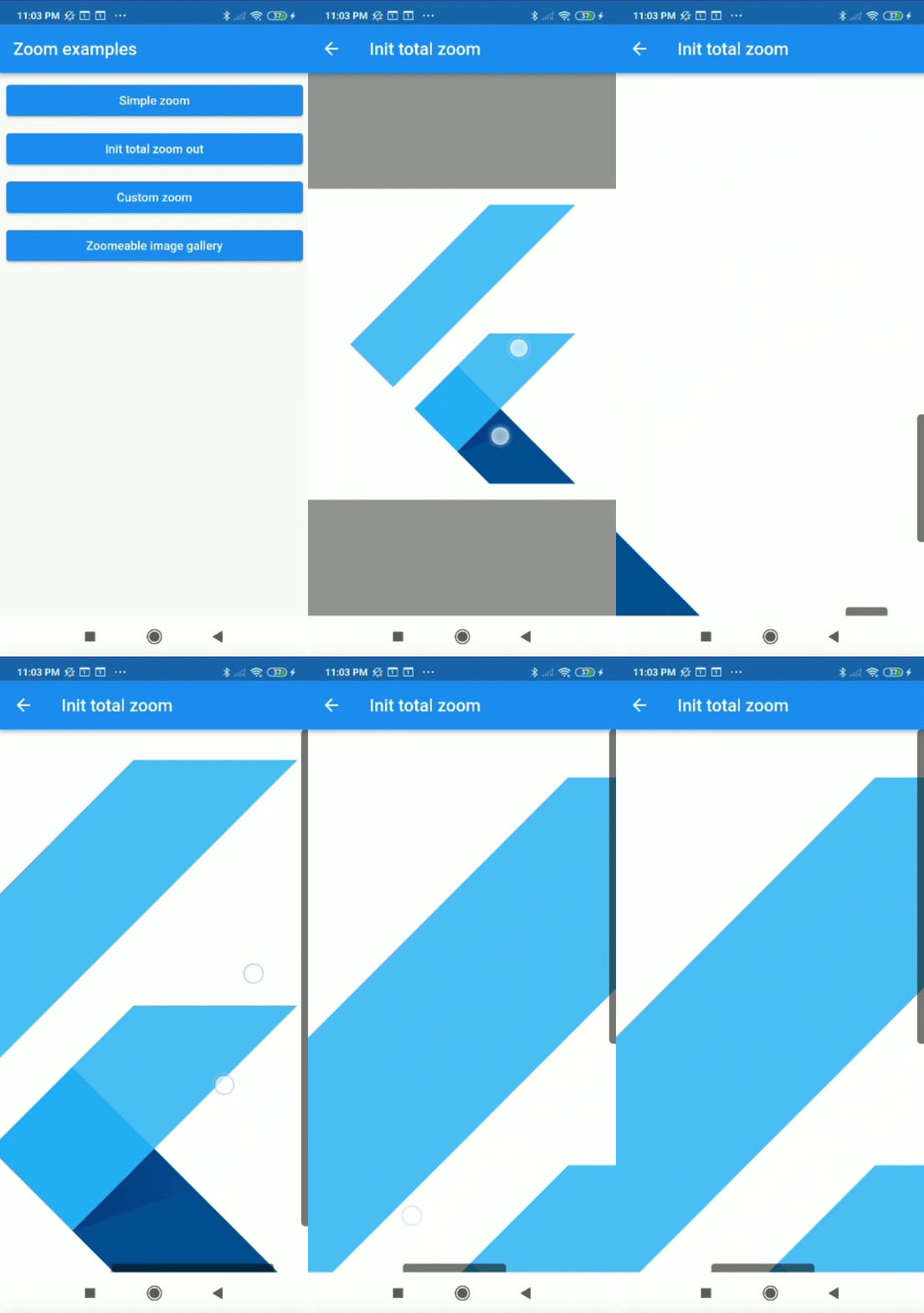
Center flutter logo using all space of view port:

 Zoom(
        initTotalZoomOut: true,
        child: Center(
          child: FlutterLogo(
            size: 1000,
          ),
        ),
      );

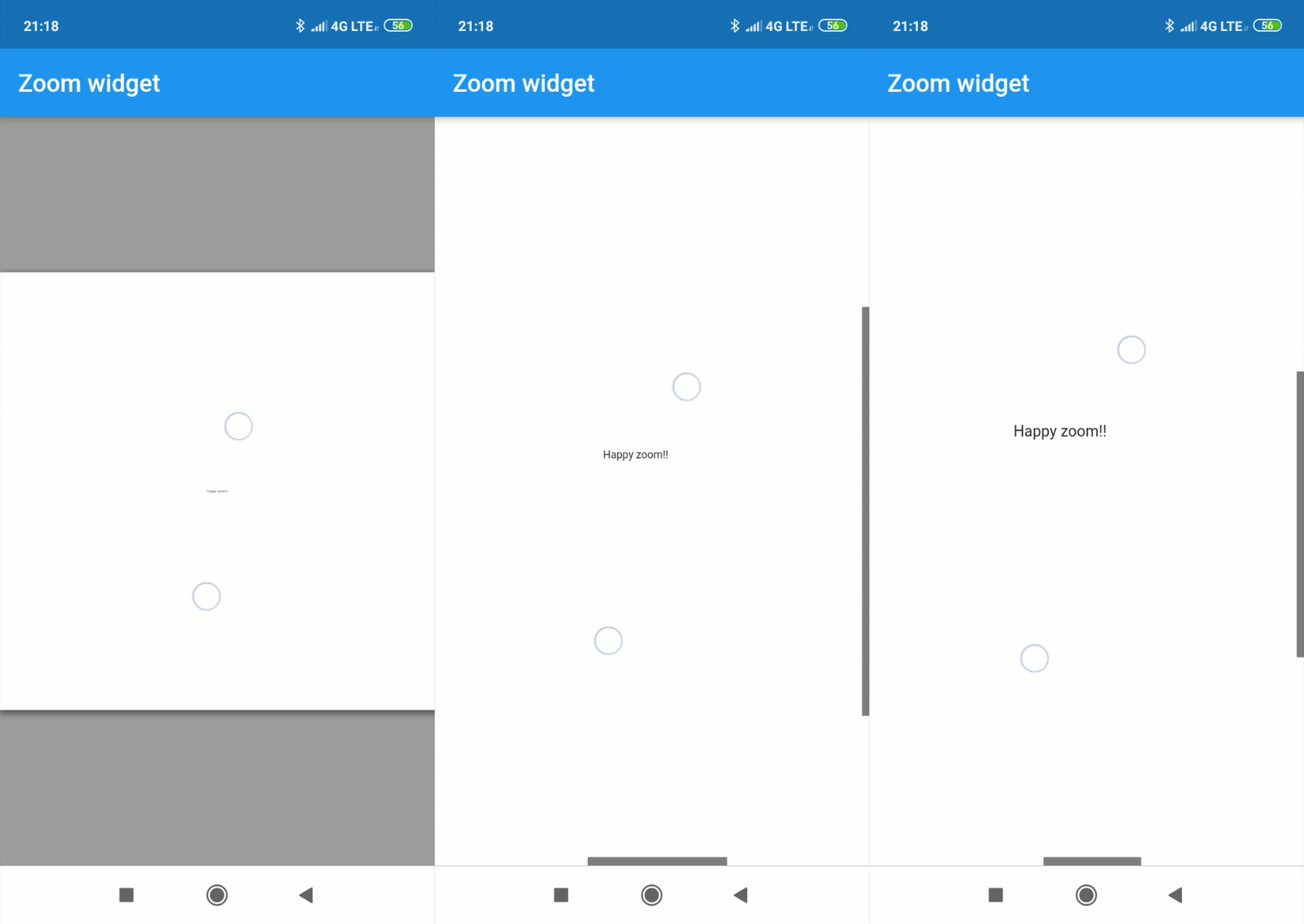
Center text with max width and max height:

Zoom(
    maxZoomWidth: 1800,
    maxZoomHeight: 1800,
    child: Center(
        child: Text("Happy zoom!!"),
    )
);
Callbacks

It is possible to obtain the x and y position of our canvas with respect to the scrolls and and the zoom and scale of our canvas using two simple callbacks in our Zoom instance.

Zoom(
    maxZoomWidth: 1800,
    maxZoomHeight: 1800,
    onTap: (){
        print("Widget clicked");
    },
    onPositionUpdate: (Offset position){
        print(position);
    },
    onScaleUpdate: (double scale,double zoom){
        print("$scale  $zoom");
    },
    child: Center(
        child: Text("Happy zoom!!"),
    )
);
Customize properties

Customizing the properties you can get amazing results.

  • width (Depreceted) double.
  • height (Depreceted) double.
  • maxZoomWidth double.
  • maxZoomHeight double.
  • backgroundColor Color.
  • canvasColor Color.
  • onPositionUpdate() Callaback.
  • onScaleUpdate() Callaback.
  • onTap() Callaback.
  • scrollWeight double.
  • opacityScrollBars double 0.0-1.0.
  • colorScrollBars Color.
  • centerOnScale bool.
  • initZoom (Depreceted) double.
  • initPosition Offset.
  • initScale double
  • enableScroll bool.
  • zoomSensibility double.
  • doubleTapZoom bool.
  • transformationController TransformationController.
  • radiusScrollBars double.
  • doubleTapScaleChange double.
  • doubleTapAnimDuration Duration.
  • initTotalZoomOut bool.
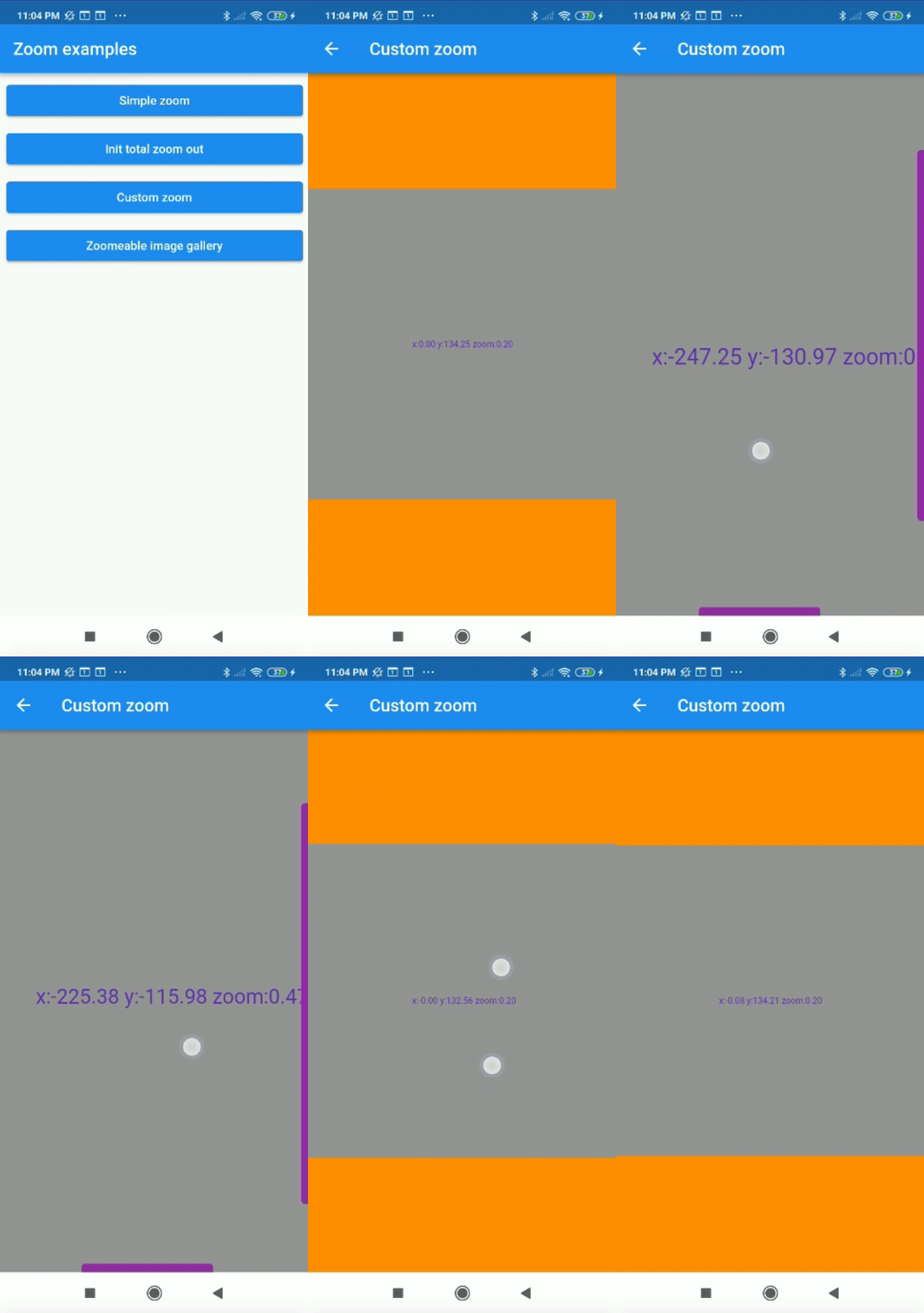
Customized properties example
Zoom(
    maxZoomWidth: 1800,
    maxZoomHeight: 1800,
    canvasColor: Colors.grey,
    backgroundColor: Colors.orange,
    colorScrollBars: Colors.purple,
    opacityScrollBars: 0.9,
    scrollWeight: 10.0,
    centerOnScale: true,
    enableScroll: true,
    doubleTapZoom: true,
    zoomSensibility: 0.05,
    onTap: (){ 
        print("Widget clicked");
    }
    onPositionUpdate: (position){
        setState(() {
            x=position.dx;
            y=position.dy;
        });
    },
    onScaleUpdate: (scale,zoom){
        setState(() {
            _zoom=zoom;
        });
    },
    child: Center(
        child: Text("x:${x.toStringAsFixed(2)} y:${y.toStringAsFixed(2)} zoom:${_zoom.toStringAsFixed(2)}",style: TextStyle(color: Colors.deepPurple,fontSize: 50),),
    ),
);
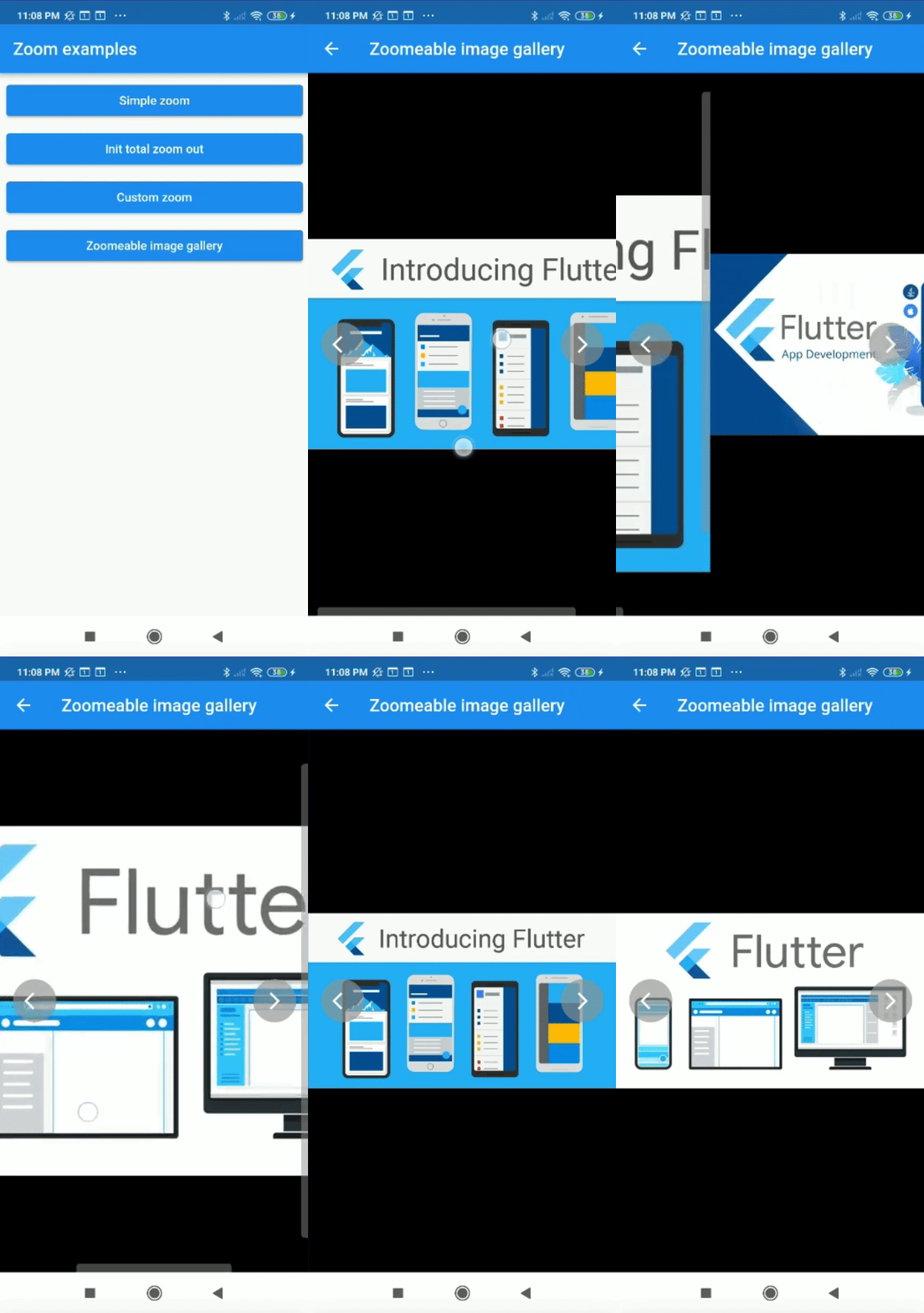
Complex example

It can be used for more complex things like an image gallery.

All examples of gifs are inside the example

所屬分類

依賴

依賴清單 1 項

原始碼儲存庫

使用此套件的專案