v9.2.1
bloc
A predictable state management library that helps implement the BLoC (Business Logic Component) design pattern.
3.2KLikes 2.5M30-day downloads160Pub points
AndroidiOSWebmacOSWindowsLinux
Cross platform network analysis and monitoring tool

English project snapshot. Visit GitHub for the latest content.
Vernet - Check Your Connection


Vernet helps you spot possible connection and security concerns. It does not replace a professional security audit, but it gives you useful findings to review, such as devices and services that are reachable on your network.
| Vernet | Home | Connected Devices | Security Findings |
|---|---|---|---|
 |
 |
 |
 |
| Ping | DNS | Speed test | Settings |
 |
 |
 |
 |
| Android | iOS | macOS | Linux | Windows |
|---|---|---|---|---|
  |
Works on emulator |  |
|
|
Note: macOS build hasn't been notarized yet.
net-tools package for arp command, otherwise app will not run.Write us at fs0c19ty@protonmail.com
You can follow this guide to publish your app to f-droid - https://op3nsoc13ty.blogspot.com/2021/06/publish-your-first-flutter-app-to-fdroid.html
Support this project by becoming stargazer of this project.
Rate our app on Playstore
Buy me a coffee.
| Librepay |
|---|
 |
Support me on Ko-Fi

A predictable state management library that helps implement the BLoC (Business Logic Component) design pattern.
Drift is a reactive library to store relational data in Dart and Flutter applications.
Dev-dependency for users of drift. Contains the generator and development tools.
Easily set up drift databases across platforms in Flutter apps.
Flutter's №1 non-commercially aimed map client: it's easy-to-use, versatile, vendor-free, fully cross-platform, and 100% pure-Flutter
Flutter plugin for discovering information (e.g. WiFi details) of the network.
The Flutter gauges library includes a linear gauge and radial gauge (a.k.a. circular gauge) to create modern, interactive, animated gauges and radial sliders.
Simple direct Service Locator that allows to decouple the interface from a concrete implementation and to access the concrete implementation from everywhere in your App"
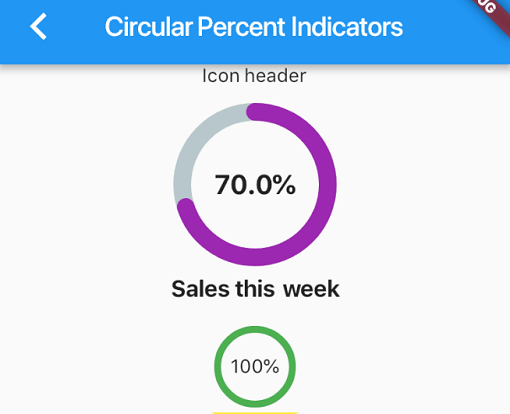
Library that allows you to display progress widgets based on percentage, can be Circular or Linear, you can also customize it to your needs.
A Dart mock library which simplifies mocking with null safety support and no manual mocks or code generation.
Injectable is a convenient code generator for get_it. Inspired by Angular DI, Guice DI and inject.dart.
Injectable is a convenient code generator for get_it. Inspired by Angular DI, Guice DI and inject.dart.
Dependency list 47 items
^3.0.0^9.2.1^1.0.9^9.0.1^2.34.3^0.3.1^4.0.4{"sdk":"flutter"}^9.1.1^22.3.0^8.3.1^1.4.2^2.4.8^4.0.1^5.1.0^3.1.0^9.2.1^1.6.0^2.0.12^3.0.0^4.1.0^4.12.0^0.9.1^8.2.1^3.0.4^10.2.1^1.9.1^2.1.6^4.2.5^13.0.1^6.1.5^0.26.0^2.5.5{"git":{"url":"https://github.com/git-elliot/speed_test_dart.git","ref":"master"}}^1.2.2^34.2.3^0.11.1^6.3.2^2.16.0^2.34.5{"sdk":"flutter"}^4.0.0-dev.3^3.1.1{"sdk":"flutter"}^6.13.1^2.8.0^1.0.5Start with your use case, compare repository activity, and check the original project before adopting it.
“A repository is the most basic element of GitHub.”
GitHub Docs — About repositories ↗