Search packages, repositories and app categories

GitHub repositorysteel97/veil_wallet

Veil Wallet

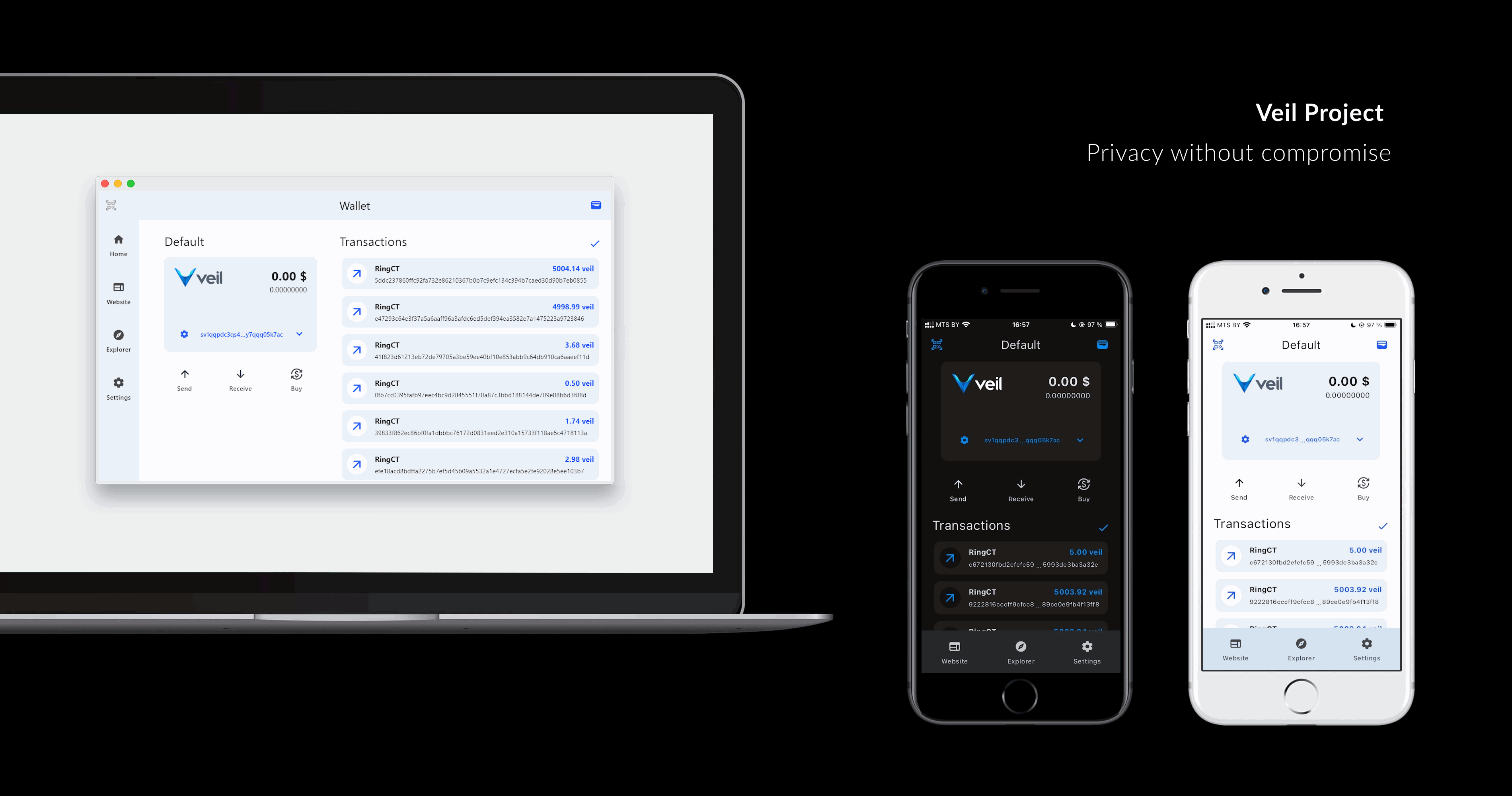
Veil mobile wallet

Veil Wallet project cover
Stars
13
Forks
7
Last push (UTC)
Nov 24, 2025
Project status
Active

Original README

English project snapshot. Visit GitHub for the latest content.

Veil light wallet Build

A crossplatform veil light wallet written with dart/flutter.
Image by aleksandr_samochernyi on Freepik

Getting Started

Get Veil Wallet on Google Play

Releases for other platforms can be found here

Development versions can be downloaded from github actions

* Private keys stored with flutter_secure_storage, next encryption methods used to secure data:

Development

Requirements:
Windows:
  • visual studio 2022 with c++ support
Linux:
  • required libs
sudo apt update
sudo apt install libsecret-1-dev clang pkg-config ninja-build libgtk-3-dev cmake
  • it's highly recommended to NOT install flutter via snap
MacOS and iOS:
  • zsh terminal recommended
  • homebrew
  • cocoapods (can be installed via homebrew)
brew install cocoapods
xcode-select --install
iOS:
  • iOS simulator for Xcode
Android:
IDE:

Project developed with VS Code

Building project:

Before building it's important to download submodules

git submodule update --init --recursive

Also see requirements for veil_light_plugin

You may find solutions for common problems here: flutter-notes.md

Windows:
# release
flutter build windows --release
MacOS:
# release
flutter build macos --release
# after that you may open project in Xcode (./macos/Runner.xcworkspace)
Linux:
# release
flutter build linux --release
iOS:
# release
flutter build ios --release --no-codesign
# after that you may open project in Xcode (./ios/Runner.xcworkspace)
Android:
# debug on device
flutter run -d <device_id>

# release build in aab format
flutter build appbundle --release

# release build in apk format
flutter build apk --release

# release build in apk format (split ABIs)
flutter build apk --release --split-per-abi

Developing

Updating veil_light_plugin dependency

git submodule update --remote --merge ./submodules/veil_light_plugin

Viewing logs:

flutter logs

Design notes

To generate icons for platforms use:

dart run flutter_launcher_icons

You may also look at generator config flutter_launcher_icons.yaml

Localization

App uses arb format for localization. User locale detected automatically on app start.

To add new locale you should create file:

./lib/l10n/app_<lang_code>.arb

You can use ./lib/l10n/app_en.arb or ./lib/l10n/app_ru.arb as a template

* app_en.arb contain some metadata which is not required for other languages, you may safely remove it (see app_ru.arb for example)

Donate

My veil address: sv1qqp3twtj249e226mvg55jm0ec36y99xsh5ytnm6hcgvetthuptj2kugpqwcnw6tpnvwrrvutsltnghkg46ayqpw40g6p3knppy3kwgvhr34mkqqqeedkfp

Ivan GitHub avatar
GitHub author

Ivan ↗

Minsk, Belarus
LanguagesDartC++CMakeRubySwiftHTMLCKotlinObjective-C

Flutter dependencies

Dependencies used

Dependency list 25 items

App categories

How do I choose a repository?

Start with your use case, compare repository activity, and check the original project before adopting it.

  1. Search by repository name, owner or description, then narrow the results by topic.
  2. Compare stars, forks and recent pushes. Stars show community interest, not a guarantee of quality.
  3. Read the README, license and issues on GitHub before using a project.

Sources and maintenance

“A repository is the most basic element of GitHub.”

GitHub Docs — About repositories ↗