Package selection guidance compiled from public package information, community data, and project usage.
A Flutter package that enables QR code scanning within mobile applications, leveraging native scanning libraries—ZXing for Android and MTBBarcodeScanner for iOS. It provides a simple, embeddable camera view for real-time QR code detection. The package is designed for seamless integration with minimal setup, making it ideal for apps requiring quick data retrieval via QR codes. It supports both front and back camera modes and offers customizable overlay indicators. The scanner works efficiently across various lighting conditions and device types.
Use cases
In-store product information lookup
Digital ticket or boarding pass validation
User authentication via QR codes
Contactless data sharing between devices
Inventory management in retail apps
Key features
Native scanning performance on Android and iOS
Easy integration with Flutter widgets
Support for multiple camera orientations
Customizable scan overlay and feedback
Real-time QR code detection
Lightweight and fast initialization
Suitable for
Mobile apps needing QR scanning functionality
Retail and event management apps
Authentication and login systems
Apps requiring contactless data exchange
Developers seeking cross-platform barcode support
Considerations
Requires camera permissions at runtime
Performance may vary on older devices
Limited to QR code scanning (not other barcodes)
May need additional styling for UI consistency
No built-in error handling for failed scans
Original README
Original README snapshot from the linked source repository. Visit the repository for the latest content.
Project in Maintenance Mode Only
Since the underlying frameworks of this package, zxing for android and MTBBarcodescanner for iOS are both not longer maintaned, this plugin is no longer up to date and in maintenance mode only. Only bug fixes and minor enhancements will be considered.
I am developing a new plugin mobile_scanner that uses the latest version of MLKit for detecting barcodes and QR codes. On Android it also uses the latest version of CameraX, and on iOS the native AVFoundation for best camera performance.
QR Code Scanner
A QR code scanner that works on both iOS and Android by natively embedding the platform view within Flutter. The integration with Flutter is seamless, much better than jumping into a native Activity or a ViewController to perform the scan.
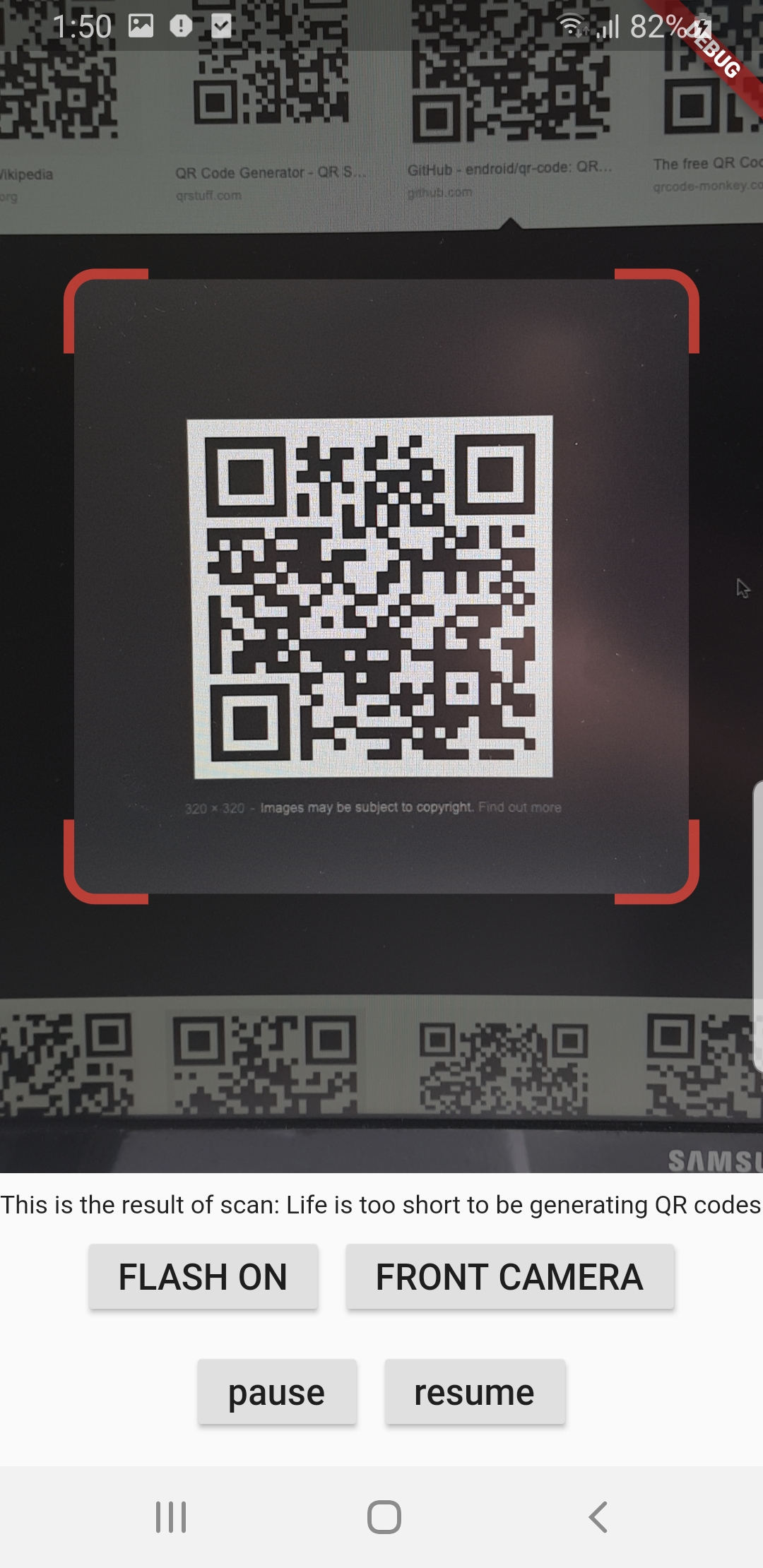
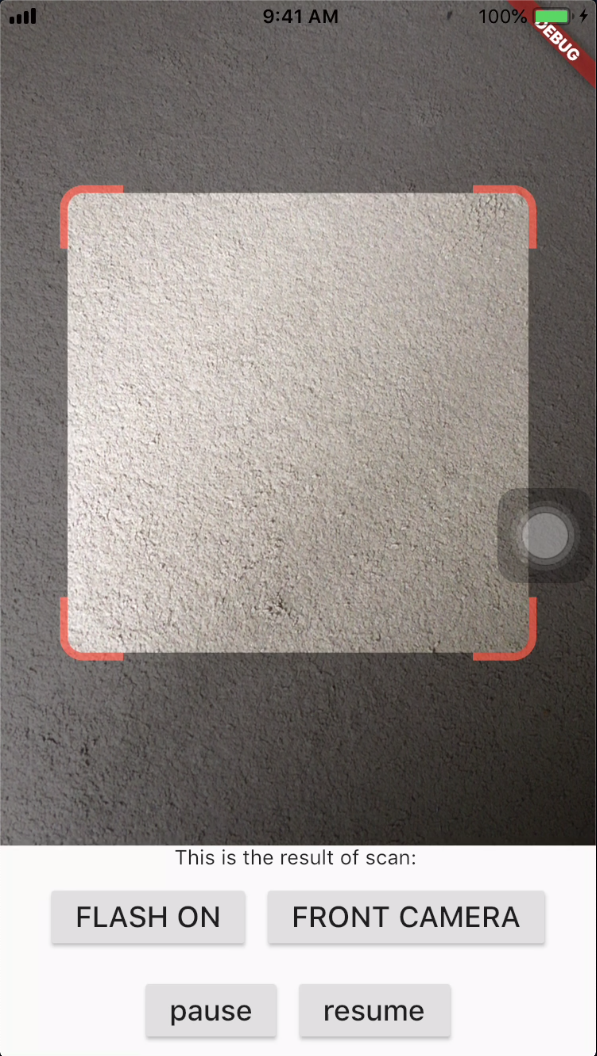
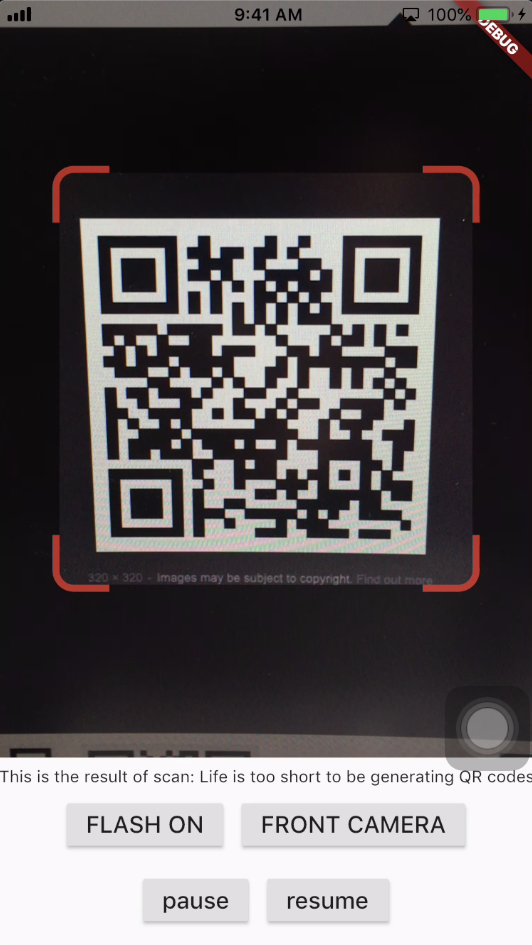
Screenshots
Android
iOS
Get Scanned QR Code
When a QR code is recognized, the text identified will be set in 'result' of type Barcode, which contains the output text as property 'code' of type String and scanned code type as property 'format' which is an enum BarcodeFormat, defined in the library.
class_QRViewExampleStateextendsState<QRViewExample> {
finalGlobalKey qrKey = GlobalKey(debugLabel: 'QR');
Barcode? result;
QRViewController? controller;
// In order to get hot reload to work we need to pause the camera if the platform// is android, or resume the camera if the platform is iOS.@overridevoidreassemble() {
super.reassemble();
if (Platform.isAndroid) {
controller!.pauseCamera();
} elseif (Platform.isIOS) {
controller!.resumeCamera();
}
}
@overrideWidgetbuild(BuildContext context) {
returnScaffold(
body: Column(
children: <Widget>[
Expanded(
flex: 5,
child: QRView(
key: qrKey,
onQRViewCreated: _onQRViewCreated,
),
),
Expanded(
flex: 1,
child: Center(
child: (result != null)
? Text(
'Barcode Type: ${describeEnum(result!.format)} Data: ${result!.code}')
: Text('Scan a code'),
),
)
],
),
);
}
void_onQRViewCreated(QRViewController controller) {
this.controller = controller;
controller.scannedDataStream.listen((scanData) {
setState(() {
result = scanData;
});
});
}
@overridevoiddispose() {
controller?.dispose();
super.dispose();
}
}
Android Integration
In order to use this plugin, please update the Gradle, Kotlin and Kotlin Gradle Plugin:
In android/build.gradle change ext.kotlin_version = '1.3.50' to ext.kotlin_version = '1.5.10'
In android/build.gradle change classpath 'com.android.tools.build:gradle:3.5.0' to classpath 'com.android.tools.build:gradle:4.2.0'
In android/gradle/wrapper/gradle-wrapper.properties change distributionUrl=https\://services.gradle.org/distributions/gradle-5.6.2-all.zip to distributionUrl=https\://services.gradle.org/distributions/gradle-6.9-all.zip
In android/app/build.gradle change
defaultConfig{...minSdkVersion 16} to
defaultConfig{...minSdkVersion 20}
Warning
If you are using Flutter Beta or Dev channel (1.25 or 1.26) you can get the following error:
Please note: on web, only QR codes are supported. Other barcodes and 2D codes cannot be scanned.
Web support is in very early stage. Features such as flash, pause or resume are not implemented. Moreover, the camera
preview does not respect the surrounding constraints. This is not at last due to Flutter's early state of platform views
on web.
Flip Camera (Back/Front)
The default camera is the back camera.
await controller.flipCamera();
Flash (Off/On)
By default, flash is OFF.
await controller.toggleFlash();
Resume/Pause
Pause camera stream and scanner.
await controller.pauseCamera();
Resume camera stream and scanner.
await controller.resumeCamera();
SDK
Requires at least SDK 20.
Requires at least iOS 8.
TODOs
iOS Native embedding is written to match what is supported in the framework as of the date of publication of this package. It needs to be improved as the framework support improves.
In future, options will be provided for default states.
Finally, I welcome PR's to make it better :), thanks