Search packages, repositories and app categories

Package detailsv1.0.1

html_editor

Flutter HTML Editor is a text editor for android and iOS to help write WYSIWYG HTML code based on the Summernote javascript wrapper

30-day downloads
57
Likes
118
Pub points
40

Install package

flutter pub add html_editor

Package Overview

Package selection guidance compiled from public package information, community data, and project usage.

Flutter HTML Editor is a WYSIWYG text editor for Android and iOS, enabling users to create and edit HTML content directly within Flutter apps. Built on the Summernote JavaScript library, it provides a familiar, rich-text editing experience with support for formatting, images, links, and more. The package integrates seamlessly into Flutter projects via a simple pub add command and offers a clean interface for developers aiming to include HTML input functionality in their applications. It's ideal for content creation tools, CMS integrations, or any app requiring rich text input with HTML output.

Use cases

  • Content creation in mobile apps
  • CMS or blog editors
  • Rich text input forms
  • HTML-based note-taking apps
  • User-generated content platforms

Key features

  • WYSIWYG HTML editing
  • Support for images and links
  • Integration with Summernote
  • Cross-platform (iOS & Android)
  • Simple Flutter integration via pub

Suitable for

  • Developers building rich text editors
  • Apps needing HTML input
  • Mobile content management systems
  • Educational or publishing apps
  • Form builders requiring rich text

Considerations

  • Limited customization without native code
  • Depends on webview rendering
  • May require additional styling for consistency
  • Not suitable for complex document processing
  • Performance may vary on older devices
Original README

Original README snapshot from the linked source repository. Visit the repository for the latest content.

Flutter Html Editor

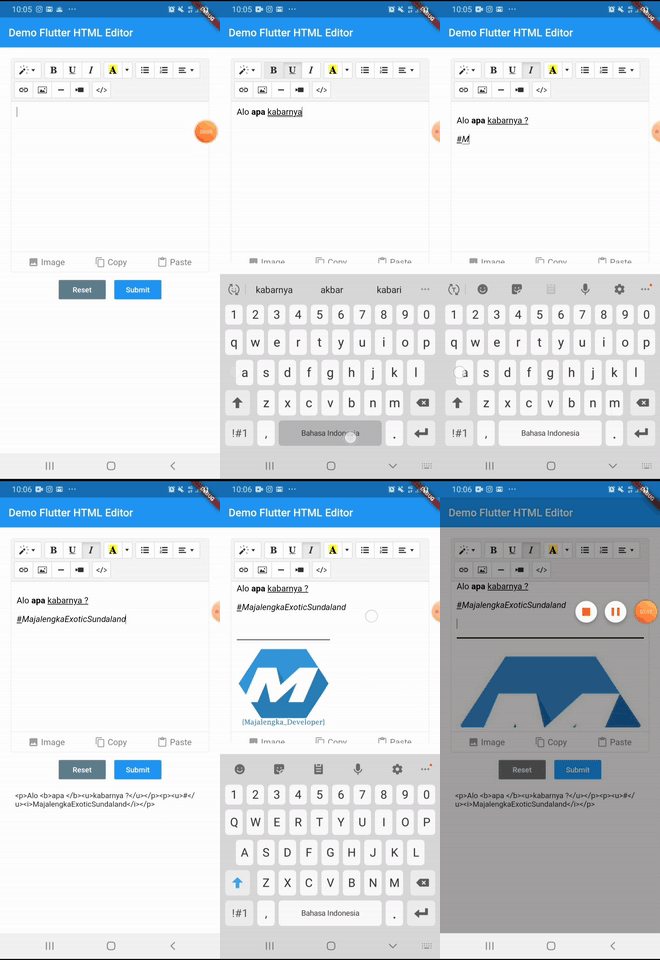
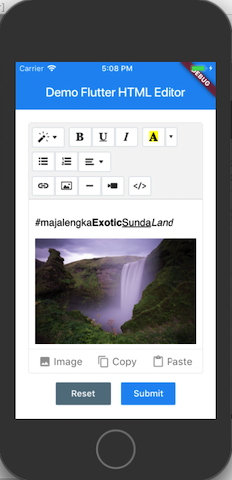
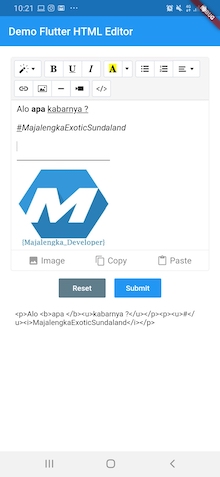
Flutter HTML Editor is a text editor for android and iOS to help write WYSIWYG HTML code based on the Summernote javascript wrapper. with this library you can insert images into the text editor

demo example demo android demo ios

Setup

add html_editor: ^1.0.1 as deppendecy to pubspec.yaml

iOS

Add the following keys to your Info.plist file, located in /ios/Runner/Info.plist:

    <key>io.flutter.embedded_views_preview</key>
    <true/>

    <key>NSCameraUsageDescription</key>
    <string>Used to demonstrate image picker plugin</string>
    <key>NSMicrophoneUsageDescription</key>
    <string>Used to capture audio for image picker plugin</string>
    <key>NSPhotoLibraryUsageDescription</key>
    <string>Used to demonstrate image picker plugin</string>

    <key>NSAppTransportSecurity</key>
    <dict>
        <key>NSAllowsArbitraryLoads</key>
         <true/>
    </dict>
Usage
  1. import flutter html editor
    import 'package:html_editor/html_editor.dart';
  1. Create Global key from HTML Editor State
    GlobalKey<HtmlEditorState> keyEditor = GlobalKey();
  1. Add HTML Editor to widget
    HtmlEditor(
        hint: "Your text here...",
        //value: "text content initial, if any",
        key: keyEditor,
        height: 400,
    ),
  1. Get text from Html Editor
    final txt = await keyEditor.currentState.getText();
Avalaible option parameters
Parameter Type Default Description
key GlobalKey required for get method & reset
value String empty iniate text content for text editor
height double 380 height of text editor
decoration BoxDecoration Decoration editor
useBottomSheet bool true if true Pickup image user bottomsheet or dialog if else
widthImage String 100% width of image picker
showBottomToolbar bool true show hide bottom toolbar
hint String empty Placeholder hint text

License

This project is licensed under the MIT License - see the LICENSE file for details.

#MajalengkaExoticSundaland

Categories

Dependencies

Dependency list 4 items

Source repository

Projects using this package

No data available yet.