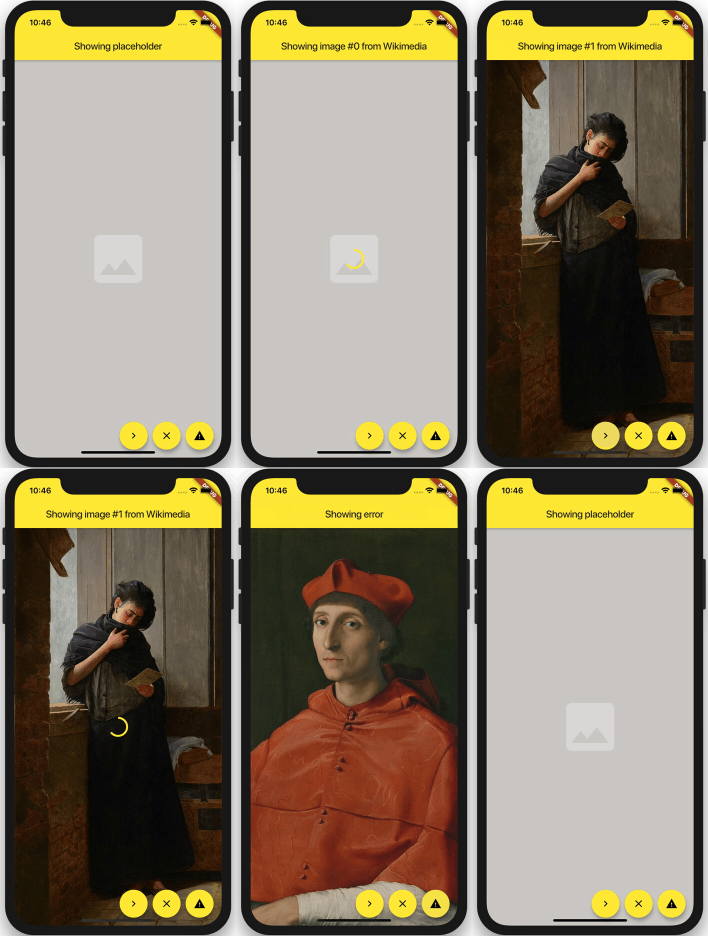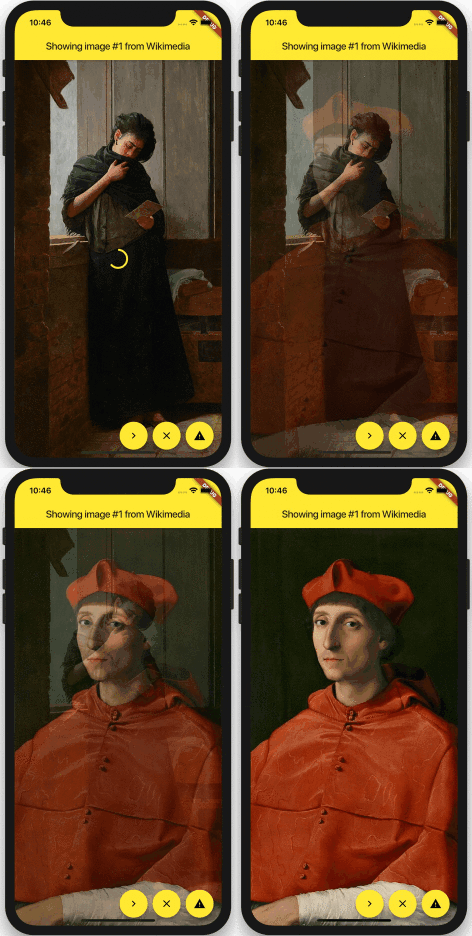
ImageFade is a Flutter widget that enhances image loading experiences by displaying a placeholder and optional progress indicator until the image is fully loaded. It then smoothly cross-fades into the final image, providing a polished visual transition. Built as an improvement over FadeInImage, it supports CachedNetworkImageProvider and works across all major platforms including Android, iOS, Web, macOS, Windows, and Linux. Ideal for applications where visual feedback during image loading is crucial.
Use cases
- Loading images with visual feedback
- Enhancing UI transitions during image rendering
- Displaying placeholders during network image loading
- Improving perceived performance in image-heavy apps
- Using with cached network images
- Creating smooth image fade effects
Key features
- Cross-fade animation on image load
- Support for placeholder widgets
- Optional progress indicator
- Compatibility with CachedNetworkImageProvider
- Smooth transitions across platforms
- Lightweight and easy to integrate
Suitable for
- Apps with frequent image loading
- Developers seeking better image loading UX
- Projects using CachedNetworkImage
- UI-focused Flutter applications
- Teams prioritizing visual polish
Considerations
- Requires additional setup for progress indicator
- May need custom styling for placeholders
- Not ideal for static or non-dynamic images
- Depends on external image caching solutions
- Limited customization beyond basic fade behavior