
v3.3.1
in_app_purchase
앱 내 구매를 위한 플러터 플러그인입니다. 앱 스토어 및 구글 플레이를 통해 앱 내 구매를 수행할 수 있는 API를 제공합니다.
2.5천좋아요 55.9만30일 다운로드160Pub 점수
AndroidiOSmacOS
OBS WebSocket 플러그인(https://github.com/obsproject/obs-websocket)을 사용하여 스트리밍을 제어하세요

앱 내 구매를 위한 플러터 플러그인입니다. 앱 스토어 및 구글 플레이를 통해 앱 내 구매를 수행할 수 있는 API를 제공합니다.
순수한 Dart로 작성된 가볍고 빠른 키-값 데이터베이스. AES-256를 사용하여 강력하게 암호화됨.
Hive용 확장입니다. Flutter 앱에서 Hive를 사용하는 것을 더 쉽게 만듭니다.
Hive용 확장입니다. 어떤 클래스도 저장하기 위해 TypeAdapters를 자동으로 생성합니다.
MobX용 플러터 통합입니다. 추적되는 관측 가능한 값이 변경될 때 자동으로 재구성되는 Observer 위젯 세트를 제공합니다.
MobX는 애플리케이션 상태를 반응적으로 관리하는 라이브러리입니다. 관찰 가능한 항목, 액션 및 반응의 힘을 활용하여 Dart 및 Flutter 앱을 강화하세요.
MobX용 코드 생성기로 @observable, @computed, @action를 사용하여 코드에 주석을 달고 Store 클래스를 생성하는 기능을 추가합니다.
 v3.0.0
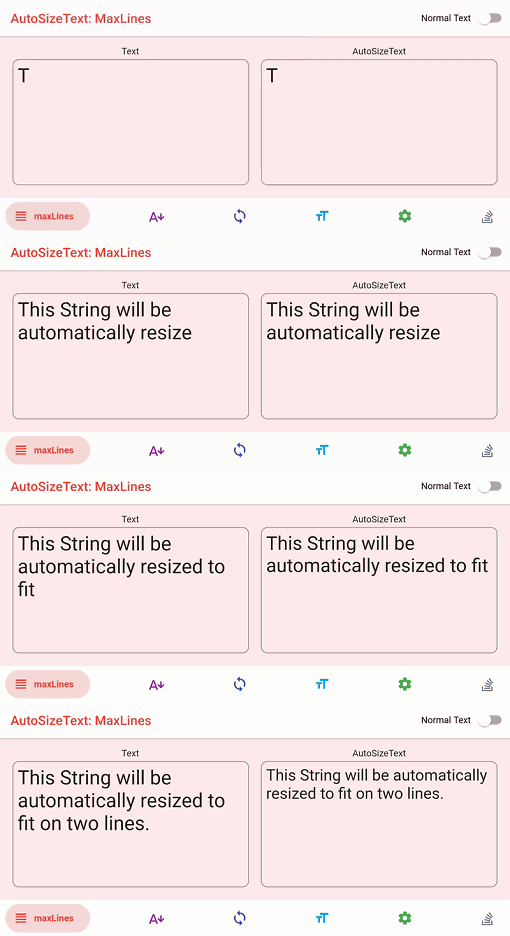
텍스트를 경계 내에 완벽하게 맞추기 위해 자동으로 크기를 조정하는 Flutter 위젯입니다.
 v3.0.0
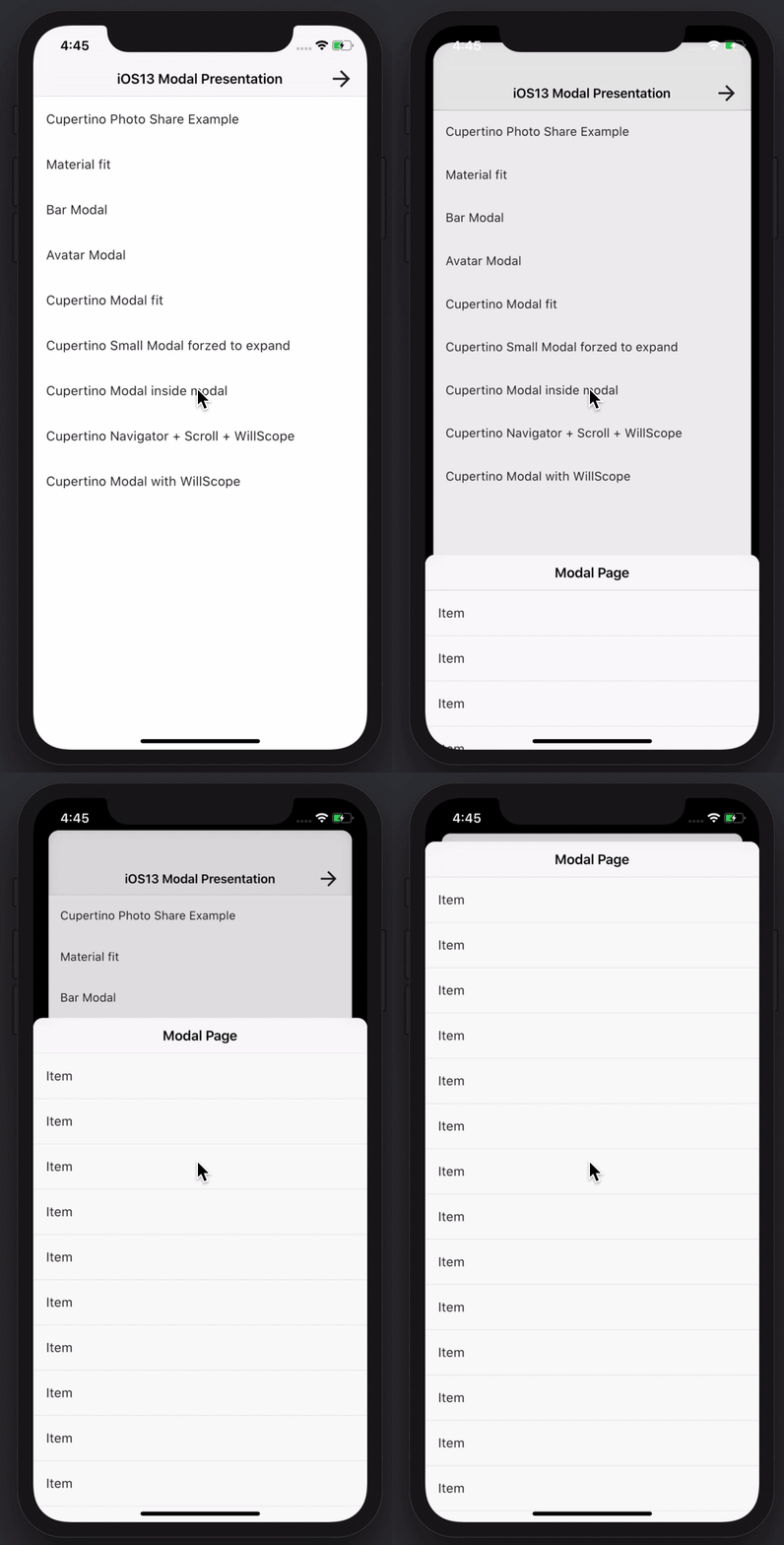
멋지고 강력한 모달 바텀 시트를 만들 수 있습니다. Material, Cupertino iOS 13 또는 자신만의 스타일을 만들 수 있습니다
네트워크 정보(예: Wi-Fi 세부 정보)를 탐색하기 위한 Flutter 플러그인입니다.
인터페이스와 구체적인 구현을 분리하고 앱 내 어디서든 구체적인 구현에 접근할 수 있도록 해주는 간단하고 직접적인 서비스 로케이터입니다.
 v3.0.0
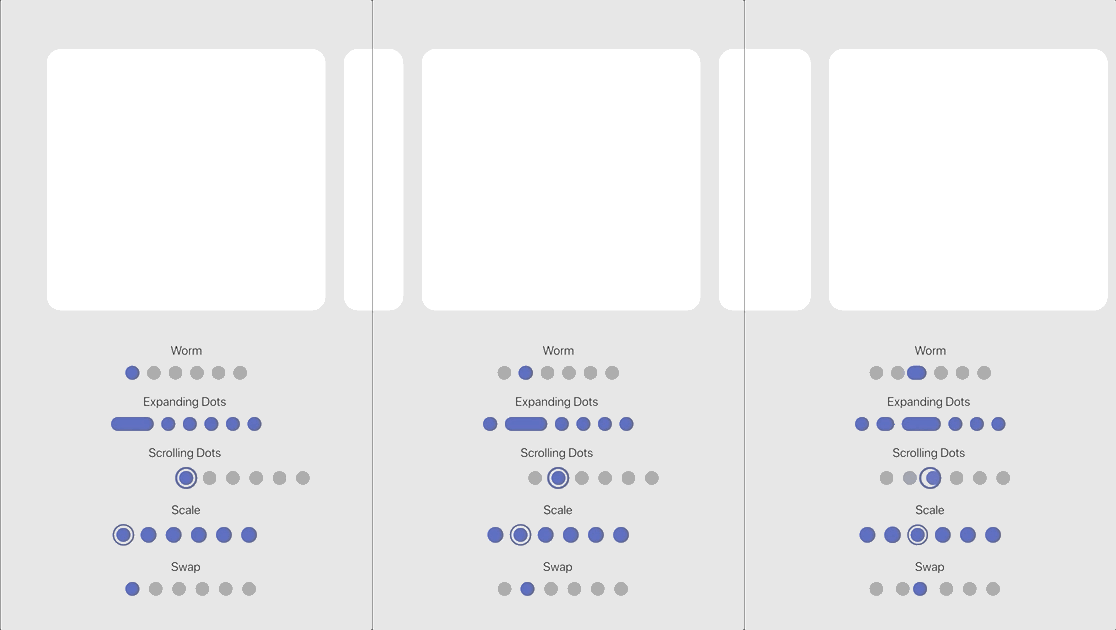
내장된 효과 세트를 갖춘 사용자 정의 가능한 애니메이션 페이지 인디케이터입니다.
{"sdk":"flutter"}^1.0.6^0.20.2^10.0.0^4.13.0^9.0.0^2.3.3^2.3.0^1.8.3^7.0.0^3.0.1^8.0.0^1.3.0^3.0.5^2.19.3^2.3.4^4.5.1^6.2.1^1.3.2^13.0.0^1.2.0^2.1.5^3.2.1^2.2.0^3.0.0^1.0.0^2.0.0^4.2.1^5.0.1^4.0.0^0.8.0^3.0.0^6.5.0^2.4.8^3.1.0^4.12.0^10.11.0{"sdk":"flutter"}{"sdk":"flutter"}^6.0.0^2.5.4^1.11.2^2.2.0^0.14.4^3.2.5^6.7.1아래는 영문 원문 스냅샷입니다. 최신 내용은 GitHub에서 확인하세요.
alt text
DISCLAIMER: This app is not in any way affiliated with OBS (Open Broadcaster Software).
Control and manage your stream and recording while using OBS by making use of the WebSocket Plugin for OBS. This project is build with the Flutter framework and could therefore be compiled and deployed for various platforms. This release is optimized for iOS and Android (Phone as well as Tablet).
Feel free to either create issues if something does not work or you want to add a feature request or pull this repo and make changes and build it on your own!
In order to be able to connect to OBS with OBS Blade, you need to have the OBS WebSocket plugin installed. Depending on the OBS Studio version you have installed, you either have to install it manually or can use it out of the box.
If your OBS Studio version is:
28.0 or higher: you are done 🎉🎉🎉 - since OBS Studio 28.0 the WebSocket plugin is part of OBS Studio out of the box and you can use the app immediately!
Lower than 28.0: you need to install the WebSocket manually (if possible, I recommend upgrading OBS Studio itself). Follow these steps to proceed manually:
The device running OBS Blade needs to be in the same network as the device running OBS itself and the autodiscover feature should find open OBS sessions on its own! You can also enter the local (internal) IP address of the device running OBS (How to find my local IP address) or even enter a domain name!
OBS Blade is designed to be your stream companion and help you to manage your live stream. While using OBS (Open Broadcaster Software) you can connect to the running instance and gain control over important parts of the software. This should help you to manage what your audience can see / hear without the need to switch to OBS on your machine and make such changes. You can keep doing what you do and easily use this app to control OBS!
Currently OBS Blade supports:
OBS Blade also saves statistics of your previous streams and recordings so you can track the overall performance and some nice to know facts!
This app is still in its early stages and will get updated with new features over time - for now the main features which I want to add are:
I hope you have a good time using this app. If you encounter any bugs, have feature requests or anything similar, feel free to get in touch with me!
contact@kounex.com
This App is available in the iOS App Store, Google Play Store, F-Droid and here on GitHub:
This app is build with the Flutter framework. To build it yourself, you need to setup Flutter in your environment: https://docs.flutter.dev/get-started/install. Make sure the platform you want to build for is listed and marked as ready (checkmark) when you run:
flutter doctor -v
If your platform is not listed or is not ready (exclamation mark or 'x'), check back with the install guide listed above and make sure you followed everthing correctly and / or check the output of flutter doctor -v what needs to be done.
Once this has been done, open the project with your preferred IDE (VSCode and Android Studio will get all dependencies automatically, if you are using another IDE or this does not happen automatically, run flutter pub get in the root directory of the project to get the dependencies of this project). After that you should not have any errors left and you can run the app with:
flutter run
How to select the device you want the app to build on and how to run this project with your IDE instead of the CLI, refer to the install guide at the beginning.
I love developing free, high quality applications accessible for everyone, no need for In-App purchases or Ads. No one wants that. It takes a lot of time creating and maintaining my work - if you like using them and want me to continue working on them please consider supporting me!