Buscar pacotes, repositórios e categorias de apps

Capa de animated_appbar
Detalhes do pacotev2.1.5

animated_appbar

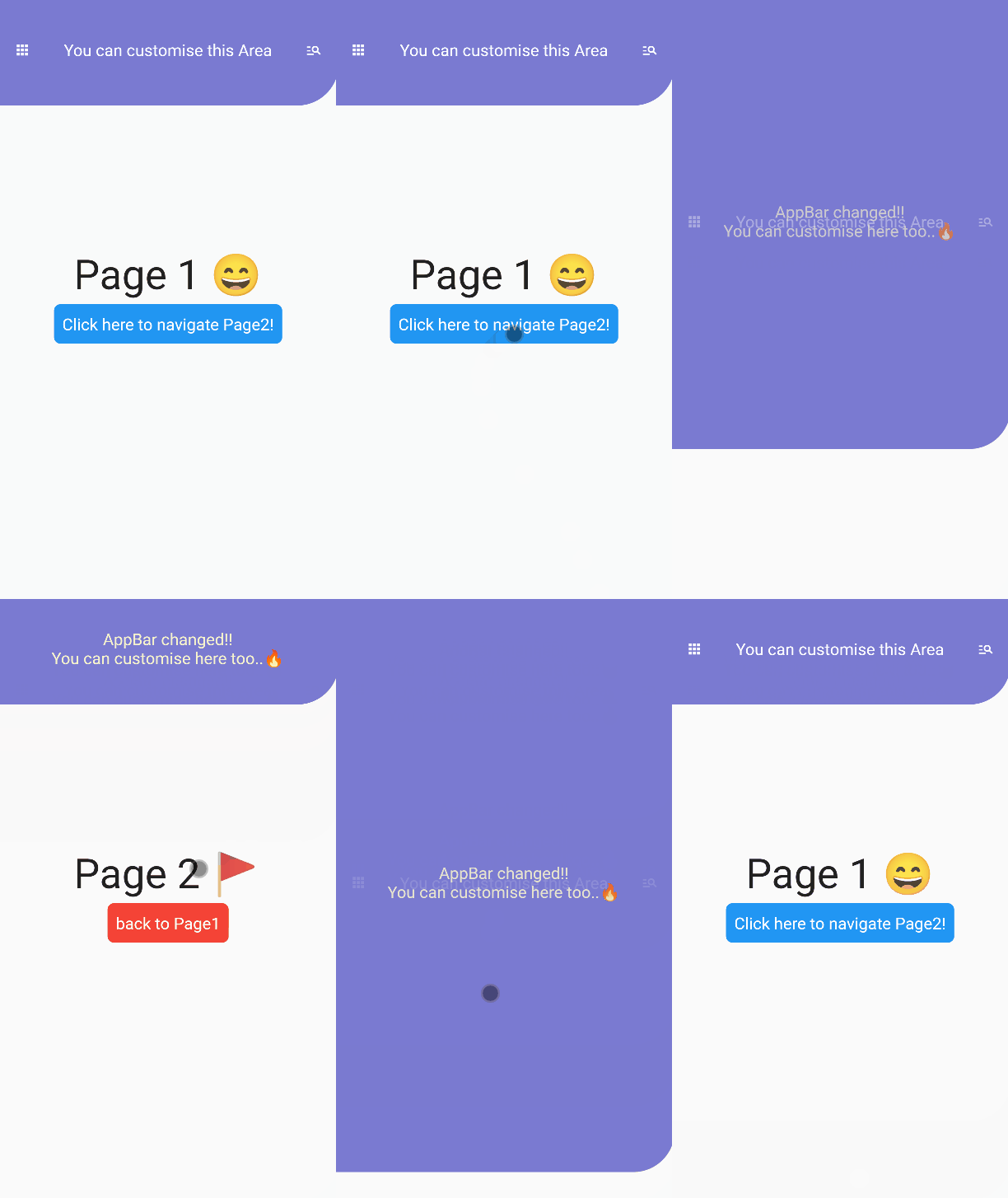
AppBar que pode mudar dinamicamente de altura com a navegação entre páginas.

AndroidiOSWebmacOSWindowsLinux
Downloads em 30 dias
150
Curtidas
29
Pontos Pub
160

Instalar pacote

flutter pub add animated_appbar

Visão geral do pacote

Orientação gerada a partir de informações públicas. Apenas para referência.

Um pacote Flutter que permite que uma AppBar ajuste dinamicamente sua altura durante a navegação entre páginas, proporcionando uma experiência do usuário suave e visualmente envolvente. Ele anima automaticamente o tamanho da barra de aplicativo com base em transições de rolagem ou rota, tornando-o ideal para aplicativos com fluxos de navegação complexos. O pacote é leve e se integra perfeitamente a projetos existentes no Flutter. Ele oferece suporte a todas as principais plataformas, incluindo Android, iOS, Web, macOS, Windows e Linux.

Casos de uso

  • Redimensionamento dinâmico do cabeçalho em páginas roláveis
  • Transições suaves entre telas com alterações na altura da barra de aplicativos
  • Criando interfaces imersivas com efeitos de paralaxe
  • Melhorando experiências de navegação em estruturas de aplicativos complexas
  • Implementando barras de aplicativos responsivas em aplicativos multi-páginas

Principais recursos

  • Ajusta automaticamente a altura da barra de aplicativo durante a navegação
  • Animações suaves para transições de altura
  • Compatibilidade multiplataforma
  • Integração fácil com MaterialApp e Navigator
  • Suporta curvas de altura personalizadas e easing

Indicado para

  • Desenvolvedores construindo interfaces de usuário interativas e animadas
  • Aplicativos que exigem cabeçalhos dinâmicos
  • Designers focados em experiências de navegação fluidas
  • Projetos com destino a múltiplas plataformas
  • Iniciantes do Flutter aprendendo sobre animações com estado

Considerações

  • Pode exigir manipulação cuidadosa de navegadores aninhados
  • Impacto no desempenho com animações pesadas em dispositivos antigos
  • Personalização limitada além das alterações de altura
  • Não adequado para designs de barra de aplicativo estática
  • Requer compreensão das interações entre ScrollController e PageView

README original

Snapshot do README original do repositório-fonte vinculado. Consulte o repositório para o conteúdo mais recente.

animated_appbar

pub package License: MIT

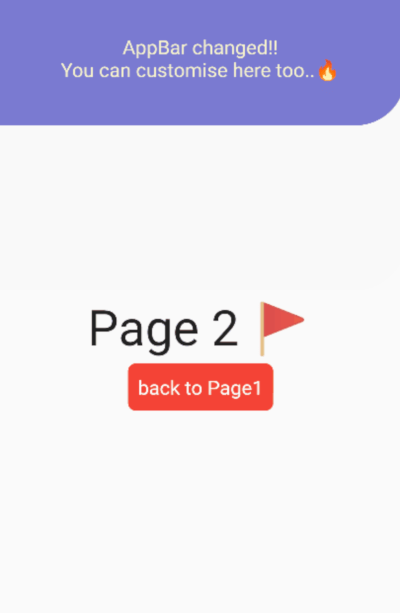
AppBar which can dynamically change height with page navigation. preview

Usage

This package is expected to be used with BaseLayout and AnimatedAppBar

// In this scenario
// we have to pages.
// In Page1, We will navigate to Page2 with dynamic animations.
// In Page2, We will back to Page1 with dynamic animations.
import 'package:flutter/material.dart';
import 'package:animated_appbar/animated_appbar.dart';

void main() {
  runApp(MyApp());
}

class MyApp extends StatefulWidget {
  @override
  _MyAppState createState() => _MyAppState();
}

class _MyAppState extends State<MyApp> with TickerProviderStateMixin{
  
  @override
  Widget build(BuildContext context) {
    
    return MaterialApp(
      debugShowCheckedModeBanner: false,
      // BaseLayout is declared in this package
      // If you wanna using AnimatedAppBar, You must use [BaseLayout]
      home: BaseLayout(
        // AnimatedAppBar is declared in this package
        appBar: AnimatedAppBar(
          initHeight: 135.0,
          backgroundColor: Color(0xff7a7ad1),
          child: Container(
            // If you want to change your appbar,
            // You must set key like this.
            // If you don't set this properties,
            // You couldn't see beautiful animation.
            key: UniqueKey(),
            child:Center(
              child: Row(
                mainAxisAlignment: MainAxisAlignment.spaceAround,
                crossAxisAlignment: CrossAxisAlignment.center,
                children: [
                  Icon(
                    Icons.apps,
                    color: Colors.white,
                    size: 20.0,
                  ),
                  Text(
                    "You can customise this Area",
                    style: TextStyle(
                      color: Colors.white,
                      fontSize: 20.0,
                    ),  
                  ),
                  Icon(
                    Icons.manage_search,
                    color: Colors.white,
                    size: 20.0,
                  ),
                ],
              ),
            ),
          ),
        ),
        // Setting initial Page in here!!!!!
        scaffold: Page1(),
      ),
    );
  }
}

// When routing page with this package,
// You must write [with RoutePage] like below.
// In this class, routing methods are defined.
class Page1 extends StatelessWidget with RoutePage{
  // This variable is Page2's new AppBar widget.
  // You have not using AnimatedAppBar
  // Just use any other Widget without AnimatedAppBar
  Widget newAppBar = Container(
    // You must set key like this.
    // If you don't set this properties,
    // You couldn't see beautiful animation.
    key:UniqueKey(),
    child:Column(
      mainAxisAlignment: MainAxisAlignment.center,
      children: [
        Text(
          "AppBar changed!!",
          style: TextStyle(
            color: Color(0xfff7f4cc),
            fontSize: 20,
          ),
        ),
        Text(
          "You can customise here too..🔥",
          style: TextStyle(
            color: Color(0xfff7f4cc),
            fontSize: 20,
          ),
        ),
      ],
    ),
  );
  @override
  Widget build(BuildContext context) {
    return Scaffold(
      body:  Center(
        child:Column(
          mainAxisAlignment:MainAxisAlignment.center,
          children: [
            Text(
              "Page 1 😄",
              style:TextStyle(
                fontSize: 50,
              ),
            ),
            SizedBox(height: 5),
            Container(
              decoration:BoxDecoration(
                color: Colors.blue,
                borderRadius: BorderRadius.all(
                  Radius.circular(8)
                ),
              ),
              padding: EdgeInsets.all(10.0),
              child: TextButton(
                  // If you wanna route page, Using routePage(Widget page)!
                  // Ig you wannt route page with new appbar, Using routePageWithNewAppBar(widget page, widget appBar)
                  onPressed: ()=> routePageWithNewAppBar(Page2(),newAppBar),
                  child: Text(
                    "Click here to navigate Page2!",
                    style: TextStyle(
                      fontSize: 20,
                      color: Colors.white
                    ),
                  ),
                ),
            ),
          ],
        ),
      ),
    );
  }
}

class Page2 extends StatelessWidget with RoutePage{
  
  @override
  Widget build(BuildContext context) {
    return Scaffold(
      body:  Center(
        child:Column(
          mainAxisAlignment:MainAxisAlignment.center,
          children: [
            Text(
              "Page 2 🚩",
              style:TextStyle(
                fontSize: 50,
              ),
            ),
            SizedBox(height: 5),
            Container(
              decoration:BoxDecoration(
                color: Colors.red,
                borderRadius: BorderRadius.all(
                  Radius.circular(8)
                ),
              ),
              padding: EdgeInsets.all(10.0),
              child: TextButton(
                // If you wanna back to previous page, Just using [previousPage()] method.  
                onPressed: () => previousPage(),
                child: Text(
                  "back to Page1",
                  style: TextStyle(
                    fontSize: 20,
                    color: Colors.white
                  ),
                ),
              ),
            ),
          ],
        ),
      ),
    );
  }
}

If you have any requests / contributes or questions, please feel free to visit github.

Categorias

Dependências

Lista de dependências 2 itens

Repositório-fonte

Projetos que usam este pacote

Ainda não há dados.