Buscar pacotes, repositórios e categorias de apps

Capa de app_runner
Detalhes do pacotev2.2.2

app_runner

Inicie seu aplicativo Flutter como um profissional! O AppRunner é um configurador para lançamento rápido e controlado do seu aplicativo.

AndroidiOSWebmacOSWindowsLinux
Downloads em 30 dias
165
Curtidas
61
Pontos Pub
160

Instalar pacote

flutter pub add app_runner

Visão geral do pacote

Orientação gerada a partir de informações públicas. Apenas para referência.

AppRunner é um pacote de utilitários do Flutter que permite aos desenvolvedores lançar seus aplicativos com configurações personalizáveis, garantindo inicialização controlada e eficiente. Simplifica o processo de gerenciar parâmetros de inicialização, configurações de ambiente e fluxos de inicialização em múltiplas plataformas. Ideal para ambientes de desenvolvimento, teste e estágio, o AppRunner melhora a consistência do fluxo de trabalho e reduz o tempo de configuração. Com suporte para Android, iOS, Web, macOS, Windows e Linux, oferece flexibilidade multiplataforma para projetos Flutter modernos.

Casos de uso

  • Inícios rápidos de aplicativos com configurações personalizadas
  • Configuração do ambiente de desenvolvimento e teste
  • Configuração do ambiente de staging
  • Inicialização de aplicativo multiplataforma
  • Fluxos de trabalho automatizados de build e execução

Principais recursos

  • Configurações de inicialização configuráveis
  • Suporte multiplataforma
  • Inicialização consciente do ambiente
  • Inicialização simplificada
  • Integração com pipelines de CI/CD

Indicado para

  • Desenvolvedores Flutter
  • Engenheiros de automação de testes
  • equipes de DevOps
  • Mantenedores de aplicativos multiplataforma
  • Prototipagem rápida

Considerações

  • Requer configuração manual para cada ambiente
  • Limitado à personalização no momento do lançamento
  • Nenhuma alteração de configuração em tempo de execução
  • Mais adequado para configuração pré-lançamento
  • Dependente da estrutura correta do projeto

README original

Snapshot do README original do repositório-fonte vinculado. Consulte o repositório para o conteúdo mais recente.

AppRunner

pub package License

Launch your Flutter app like a pro! AppRunner is a configurator for quick and controlled launch of your application, with features that runApp does not have.

We solve problems of brand presence on mobile devices, specializing in development of mobile applications and services in the b2c segment.

Subscribe for the latest updates:


Features

  • Get your application up and running quickly.
  • Allows you to run code without blocking your application from launching.
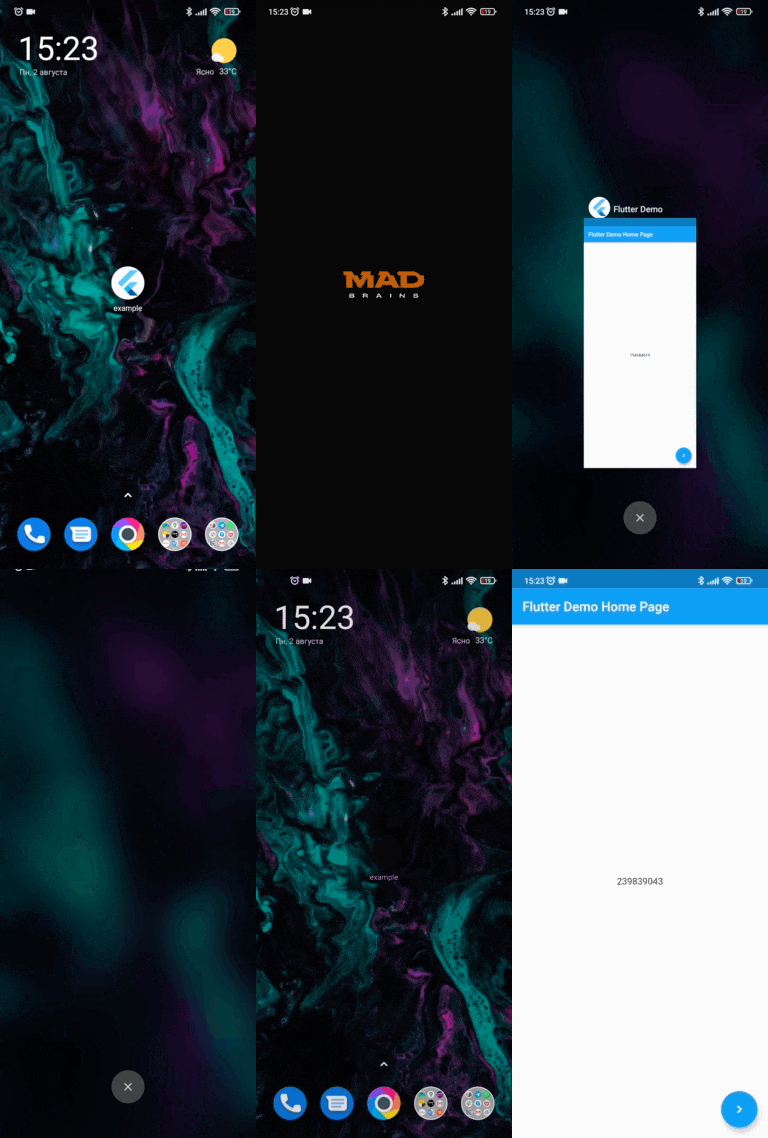
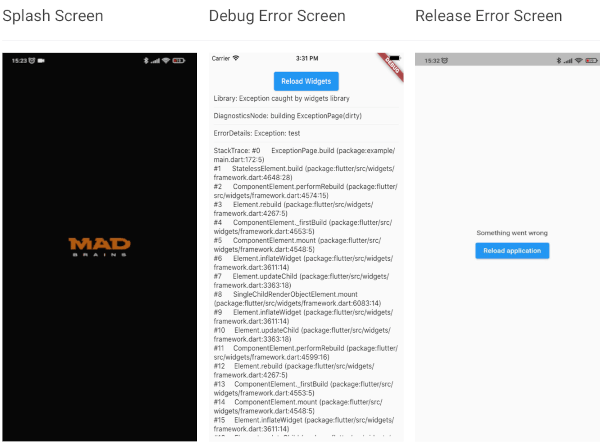
  • Show your independent splash screen while loading the app. AppRunner does not block the first call of the widget, do you practically won't see the native splash screen.
  • Allows you to reload the widget tree if you need it.
  • Your code will run in a safe environment for both Dart code and Flutter code. AppRunner catches and handles errors, preventing your application from breaking at runtime.
  • Configuring the zone of your application is much easier.
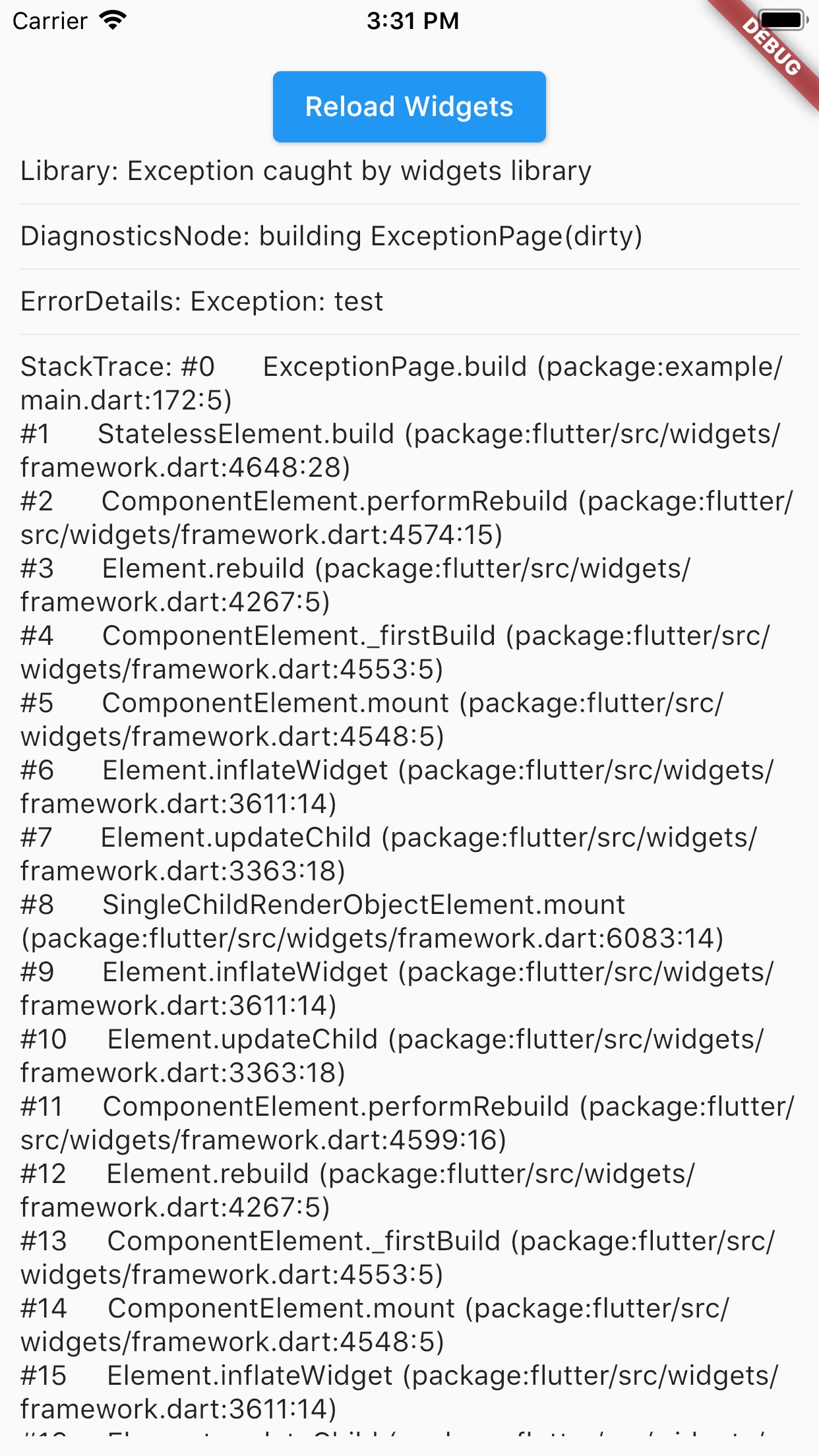
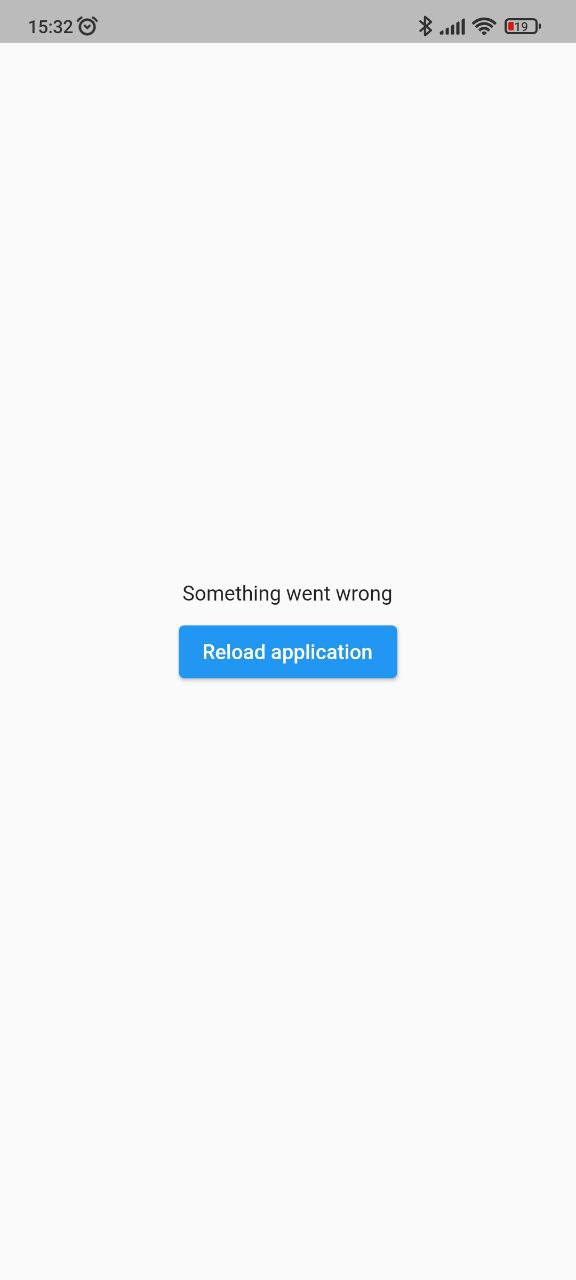
  • With AppRunner you can easily override ErrorWidget for debug and release mode.
  • Lets you just use your WidgetsBinding implementation.
  • And the very last and most important argument to use AppRunner in your application, it is very easy to integrate into your application, and its configuration does not take much time.
Splash Screen Debug Error Screen Release Error Screen
run debug-error release-error

Installing

BREAKING: Note, starting with version 2.2.0, Flutter 3.10.0+ is used by default. If you need to use a Flutter version lower than 3.10.0, then use package version 2.1.2 and below.

Add this to your package's pubspec.yaml file:

dependencies:
  app_runner: <last version>

Usage

This is how your application launch looked like before:

import 'package:flutter/material.dart';

void main() {
  runApp(MyApp());
}

It is simply by attaching your widget to the root. But in order to catch errors, it was necessary to use runZonedGuarded, then our code will become like this:

import 'dart:async';

import 'package:flutter/material.dart';

void main() {
  runZonedGuarded<void>(
    () {
      runApp(MyApp());
    },
    (Object error, StackTrace stackTrace) {...},
    zoneValues: ...,
    zoneSpecification: ...,
  );
}

But we also need to initialize some code to launch the application, for example Firebase:

import 'dart:async';

import 'package:flutter/material.dart';
void main() {
  runZonedGuarded<void>(
    () async {
      WidgetsFlutterBinding.ensureInitialized();

      await Firebase.initializeApp();

      HydratedBloc.storage = await HydratedStorage.build(
        storageDirectory: await getApplicationDocumentsDirectory(),
      );

      Bloc.observer = MyBlocObserver();

      runApp(MyApp());
    },
    (Object error, StackTrace stackTrace) {},
    zoneValues: ...,
    zoneSpecification: ...,
  );
}

And what do we have:

  • The launch of the widget is blocked by the third-party code.
  • The splash screen is implemented in MyApp, that is, it will be present in the tree when it is no longer needed.
  • Not the most beautiful and understandable code.

Let's fix this with AppRunner (all possible parameters are shown here, it is not necessary to use all of them):

import 'package:app_runner/app_runner.dart';
import 'package:flutter/material.dart';

void main() {
  final WidgetConfiguration widgetConfiguration = WidgetConfiguration(
    child: AppBuilder<String>(
      preInitialize: (WidgetsBinding binding) async {
        // Custom code initialization.
        // You don't need to call WidgetsFlutterBinding.ensureInitialized();
        // WidgetsBinding is also available here if you need it.

        await Firebase.initializeApp();

        HydratedBloc.storage = await HydratedStorage.build(
          storageDirectory: await getApplicationDocumentsDirectory(),
        );

        Bloc.observer = MyBlocObserver();
        
        return 'Mad Brains';
      },
      // Our application
      builder: (
        BuildContext context,
        AsyncSnapshot<String?> snapshot,
        Widget? child,
      ) {
        late final Widget _child;
        switch (snapshot.connectionState) {
          case ConnectionState.none:
          case ConnectionState.active:
          case ConnectionState.waiting:
            _child = const Splash(); // show Splash
            continue display;
          case ConnectionState.done:
            final String? data = snapshot.data; // data from preInitialize
            log(data);
            _child = const MyApp(); // show App
            continue display;
          display:
          default:
            return AnimatedSwitcher(
              duration: const Duration(milliseconds: 150),
              child: _child,
            );
        }
      },
    ),
    errorBuilder: (BuildContext context, FlutterErrorDetails errorDetails) => MyErrorScreen(errorDetails), // Our flutter error screen during debugging
    releaseErrorBuilder: (BuildContext context) => MyReleaseErrorScreen(), // Our flutter error screen during release
    onFlutterError: (FlutterErrorDetails errorDetails) {
      // Flutter error handling
      log(
        errorDetails.toStringShort(),
        name: 'onFlutterError',
        stackTrace: errorDetails.stack,
        error: errorDetails.exception,
      );
    },
    initializeBinding: () => CustomWidgetsFlutterBinding(), // Creating your WidgetsFlutterBinding
  );

  final ZoneConfiguration zoneConfiguration = ZoneConfiguration(
    onZoneError: (Object error, StackTrace stackTrace) {
      // Dart error handling
      log(
        error.runtimeType.toString(),
        name: 'onZoneError',
        stackTrace: stackTrace,
        error: error,
      );
    },
    zoneValues: ..., // Your zone parameters
    zoneSpecification: ..., // Your zone specifications
  );

  appRunner(
    kIsWeb
        ? RunnerConfiguration(
            widgetConfig: widgetConfiguration,
            // optional, isolate error handling
            onPlatformError: (Object exception, StackTrace stackTrace) {
              log(
                exception.runtimeType.toString(),
                name: 'onPlatformError',
                stackTrace: stackTrace,
                error: exception,
              );

              return false;
            },
          )
        : RunnerConfiguration.guarded(
            widgetConfig: widgetConfiguration,
            zoneConfig: zoneConfiguration,
          ),
  );
}

If you need to reload the widgets, you can do:

reloadWidget(context);

// or

context.reloadWidget();

Example

The Example is in the corresponding folder

Categorias

Repositório-fonte

Projetos que usam este pacote

Ainda não há dados.