Buscar pacotes, repositórios e categorias de apps

Detalhes do pacotev2.2.5

c_material

Um sistema de cores moderno para Flutter com cores pré-definidas, tokens semânticos e temas do Material 3 para criar designs de interface consistentes e escaláveis.

AndroidiOSWebmacOSWindowsLinux
Downloads em 30 dias
149
Curtidas
130
Pontos Pub
160

Instalar pacote

flutter pub add c_material

Visão geral do pacote

Orientação gerada a partir de informações públicas. Apenas para referência.

c_material é um sistema moderno de cores do Flutter que oferece cores pré-definidas, tokens semânticos e temas do Material 3. Permite que desenvolvedores criem interfaces de usuário consistentes, escaláveis e visualmente coesas em várias plataformas. Ao utilizar tokens de cor semântica, ele suporta temas dinâmicos e melhora a manutenibilidade do sistema de design. O pacote se integra perfeitamente com a ferramenta de interface do Flutter e está alinhado às diretrizes do Material Design 3 para uma experiência refinada e responsiva no Android, iOS, Web, macOS, Windows e Linux.

Casos de uso

  • Construindo interfaces de usuário consistentes em múltiplas plataformas
  • Implementando padrões de design do Material 3
  • Criando sistemas de design escaláveis
  • Habilitar alternância dinâmica de temas
  • Simplificando o gerenciamento de cores em grandes aplicativos
  • Apoio à acessibilidade por meio de cores semânticas

Principais recursos

  • Esquemas de cores Material 3 pré-definidos
  • Tokens de cor semântica para clareza
  • Compatibilidade multiplataforma
  • Integração fácil com o Flutter
  • Suporte para temas claro e escuro
  • Sistema de cores extensível

Indicado para

  • desenvolvedores de sistema de design
  • Equipes do Flutter usando o Material 3
  • Aplicativos que exigem temática consistente
  • Projetos focados na acessibilidade
  • Desenvolvedores procurando lógica de cor reutilizável
  • Equipes construindo aplicativos multiplataforma

Considerações

  • Requer conhecimento dos princípios de design do Material 3
  • Pode ser necessário personalização para designs não-Material
  • Depende do sistema de temas do Flutter
  • Limitado à funcionalidade focada em cor
  • Não adequado para bibliotecas de componentes de interface complexas
  • Melhor utilizado em fluxos de trabalho de design estruturados

README original

Snapshot do README original do repositório-fonte vinculado. Consulte o repositório para o conteúdo mais recente.

c_material_colors_flutter

Awesome Flutter

Pub Version Swift C++ Java Dart

C_Material Header
A new package for choosing colors. It is very powerful and supports all operating systems, including iPhone, Android, the web, and many platforms. It helps in direct access to colors.

_ Simple package helps you to use all colors to direct code and flexible and eazy use when use class it found over 100 colors

Support = [**[ Android , IOS and WEB(soon) ] **];
  • Support All Platform in flutter
  • Ease of use and flexibility in accessing colors directly
  • It has a strong advantage, which is that it contains almost all colors
  • It is also easy to use in any mobile project and supports all platforms

Features

It is a very powerful package that includes around 140 colors and more. Its features include being filled with a wide variety of colors, being easy to use, and allowing developers to access the desired color through the MaterialColors class. It is also distinguished by its attractiveness across all colors.

Setup
iOS

Opt-in to the embedded views preview by adding a boolean property to the app's Info.plist file with the key io.flutter.embedded_views_preview and the value YES.

iOS (only support> 11.0) you need to add this line in your ios/Podfile

platform :ios, '11.0'

Getting Started

To use C_Material_Colors in your project, add the c_material package to pubspec.yaml:

dart pub add c_material or flutter pub add flex_color_scheme

import it

Import the package to use it:

import 'package:c_material/c_material.dart';

Usage :

Explaining of how to use this package

    /// You Can use Any Widgets in flutter like this :
    /// Container(
     color: MaterialColors.blue;
   /// )

   /// But Note Very Important :
   /// you can use class MaterialColors just type proberity class Color
   /// Not use MaterialAllProberity ....
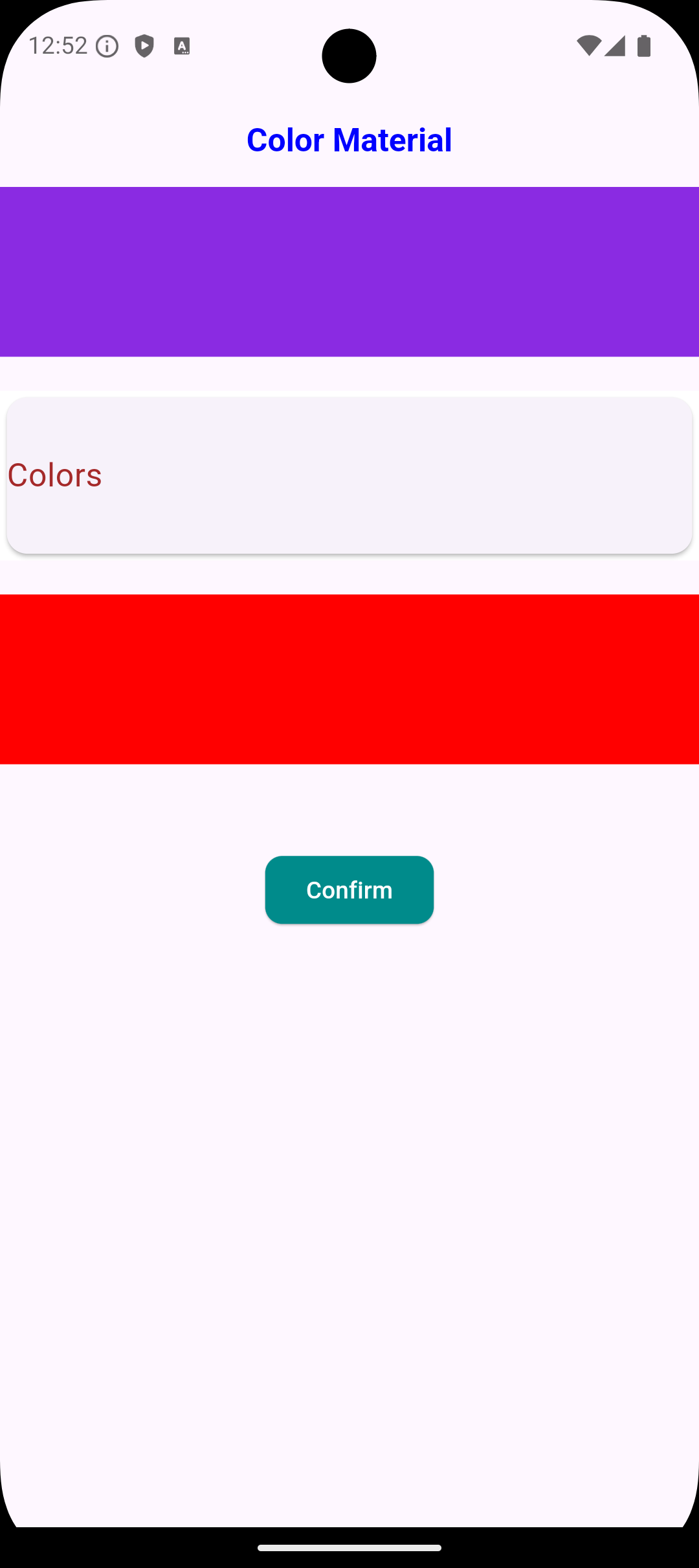
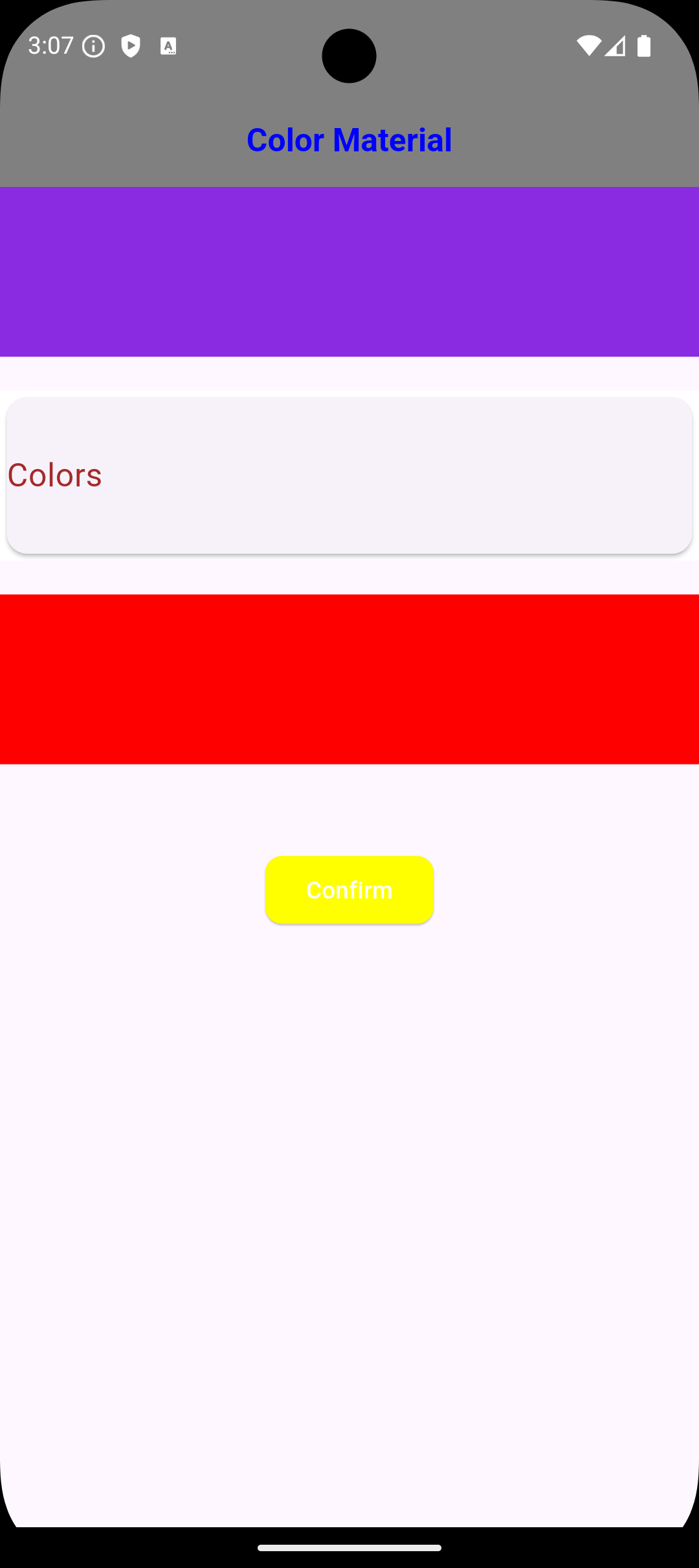
عرض الصور
Image 1 Image 2

Usage Just Class Color Type Not Type Class WidgetStateProperty<Colors?>

    /// You Can use Any Widgets in flutter like this :
    /// Container(
     color: MaterialColors.blue;
   /// ),

   /// Container(
     color: MaterialColors.offWhite;
   /// )

   /// AppBar(
    backgroundColor: MaterialColors.green
   /// )

   /// But Note Very Important :
   /// you can use class MaterialColors just type proberity class Color
   /// Not use MaterialAllProberity ....

Using Widgets in Flutter

/// Example :
/// Scaffold Widget => Scaffold(
  backgroundColor: MaterialColors.red,
) ,

/// Card Widget => Card(
  color: MaterialColors.blue ,
),

Notes :
/// The most important thing about the package is that it does not accept a class of type WidgetStateProperty because it has a different type; it only accepts the type Color. ///

Global access to [Colors] from any Project :

    ///If you need any thing from [Color Blue]
    ///you can use it MaterialColors class to access Many Colors :
    MaterialColors.aliceBlue;

    ///If you need any thing from [Color Red]
    ///you can use it MaterialColors class to access Many Colors :
    MaterialColors.red;

    ///If you need any thing from [Color Yellow]
    ///you can use it MaterialColors class to access Many Colors :
    MaterialColors.yellow;

    ///If you need use color black [Color Black]
    ///you can use it MaterialColors class to access Many Colors :
    MaterialColors.black;

    ///If you need use color sandyBrown [Color Brown]
    ///you can use it MaterialColors class to access Many Colors :
    MaterialColors.sandyBrown;

Global access to [All Colors ] using class [MaterialColors Class]

     ///If you need any thing from [Color blanchedAlmond]
    ///you can use it MaterialColors class to access Many Colors :
    MaterialColors.blanchedAlmond,

    ///If you need any thing from [Color blueViolet]
    ///you can use it MaterialColors class to access Many Colors :
    MaterialColors.blueViolet,

    ///If you need any thing from [Color cornflowerBlue]
    ///you can use it MaterialColors class to access Many Colors :
    MaterialColors.cornflowerBlue,

    ///If you need any thing from [Color chocolate]
    ///you can use it MaterialColors class to access Many Colors :
    MaterialColors.chocolate,

    ///If you need any thing from [Color saddleBrown]
    ///you can use it MaterialColors class to access Many Colors :
    MaterialColors.saddleBrown,

    ///If you need any thing from [Color fireBrick]
    ///you can use it MaterialColors class to access Many Colors :
    MaterialColors.fireBrick,

    ///If you need any thing from [Color wheat]
    ///you can use it MaterialColors class to access Many Colors :
    MaterialColors.wheat,

    ///If you need any thing from [Color darkGoldenrod]
    ///you can use it MaterialColors class to access Many Colors :
    MaterialColors.darkGoldenrod,

    ///If you need any thing from [Color lightBlue]
    ///you can use it MaterialColors class to access Many Colors :
    MaterialColors.lightBlue,

    ///If you need any thing from [Color darkRed]
    ///you can use it MaterialColors class to access Many Colors :
    MaterialColors.darkRed,

Dependencies

Flutter

flutter_c_material

Additional information Developer :

I hope this package helped you very well. If you need to contact with me:

[ammarmatarieh2@gmail.com]

LinkedIn Profile

[GitHub Profile](https://github.com Ammar2000-Matarieh)

Do not hesitate to contact me if you faced any problem.

Developer: Ammar Matarieh.

Categorias

Repositório-fonte

Projetos que usam este pacote

Ainda não há dados.