Orientação gerada a partir de informações públicas. Apenas para referência.
O pacote chip_list simplifica a criação de listas personalizáveis de widgets ChoiceChip no Flutter. Ele fornece uma API intuitiva para construir grupos interativos e selecionáveis de chips com pouca quantidade de código boilerplate. Os desenvolvedores podem facilmente estilizar e gerenciar o comportamento dos chips, tornando-o ideal para interfaces de filtragem, marcação ou seleção. O pacote suporta todas as principais plataformas, incluindo Android, iOS, Web, macOS, Windows e Linux, garantindo experiências consistentes em múltiplas plataformas. Com foco em flexibilidade e facilidade de uso, chip_list melhora o desenvolvimento de UI sem sacrificar opções de personalização.
Casos de uso
Opções de filtragem em formulários
Sistemas de marcação
Seleção de preferência do usuário
Navegação interativa por categoria
entradas de escolha dinâmicas
Interfaces de seleção múltipla
Principais recursos
Integração fácil com ChoiceChip
Aparência altamente personalizável
Suporte multiplataforma
Configuração mínima necessária
Gerenciamento de seleção embutido
Compatibilidade com design responsivo
Indicado para
Desenvolvedores Flutter construindo interfaces de formulário
Aplicativos que exigem seleções baseadas em chips dinâmicos
Designers procurando componentes de chip reutilizáveis
Projetos que precisam de capacidades de seleção múltipla
Equipes que priorizam o desenvolvimento rápido de UI
Considerações
Requer conhecimento sobre o widget ChoiceChip
Pode ser necessário estilização adicional para layouts complexos
Limitado a interações baseadas em chip
Não adequado para conteúdo não interativo
Melhor usado em contêineres roláveis para listas longas
README original
Snapshot do README original do repositório-fonte vinculado. Consulte o repositório para o conteúdo mais recente.
Features
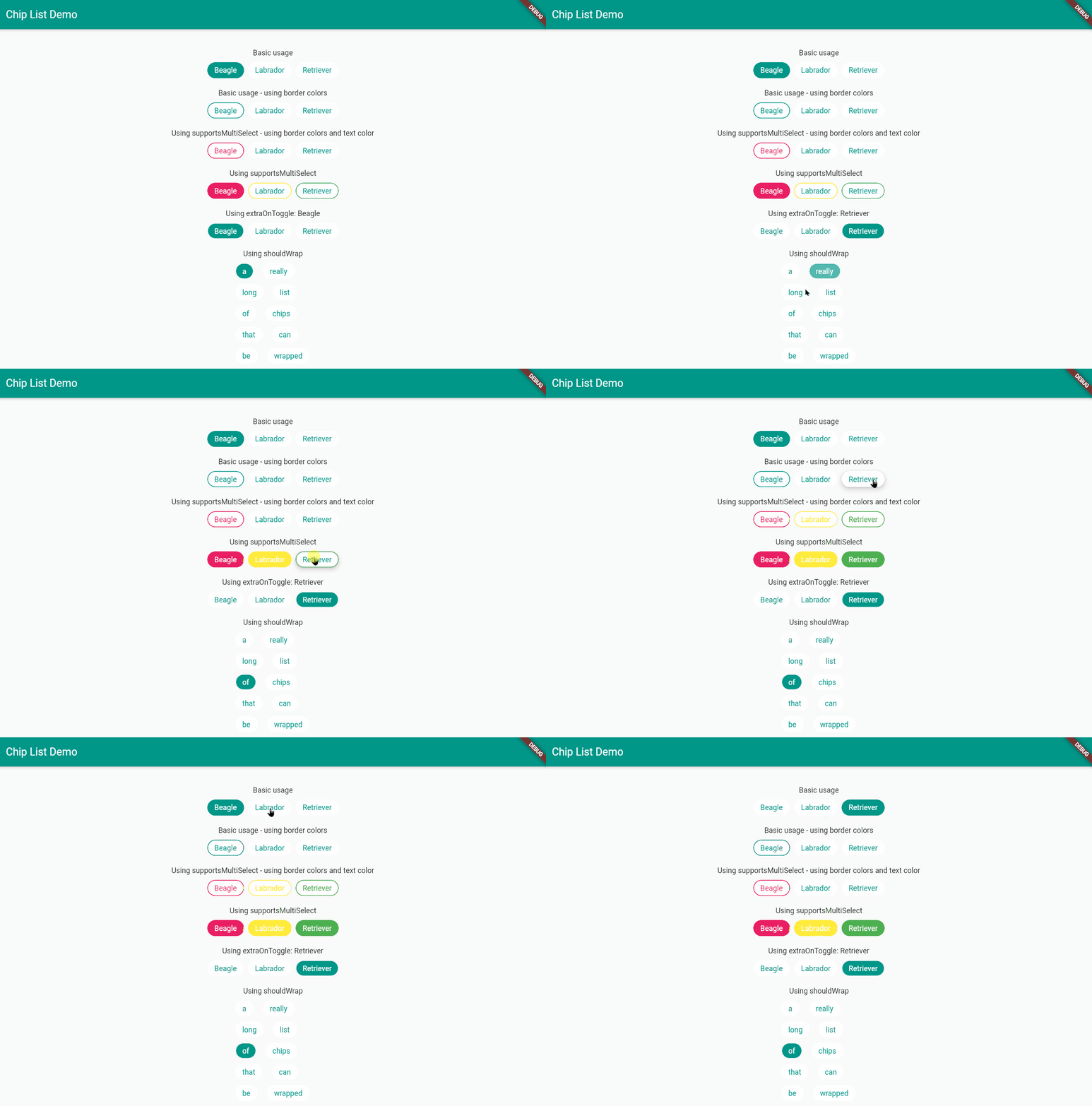
Creates a list of ChoiceChips. Also allows for selecting multiple chips at once and allows use in sync with other widgets. This package is intended to solve all your woes with regards to Chips.
Well, maybe not all, but if you would like to request a feature, fire away !
See /example/main.dart for an example on how to use the state of the list for updating the state of other widgets, and other fancy properties.
If you want to wrap the ChipList, then set shouldWrap to true.
You can then use all the properties of a typical Wrap widget to further customize appearance.
Setting individual colors for active/inactive background and border color and text color
If you want to have full control of the parameters specified above over each and every single chip, you can do so by setting the color within the activeBgColorList, inactiveBgColorList,
activeTextColorList and inactiveTextColorList respectively, wherever appropriate.
Use a single color if you want it to be used for all chips. Otherwise, the length of the list must be equal to the length of listOfChipNames.
Note that if you don't, then the package has defaults as specified in the documentation. (You can hover over the property in your IDE to see more 🙂).
Spacing in between each Chip
Whether you choose to let the axis to Axis.vertical or Axis.horizontal, you can set the spacing by tweaking widgetSpacing.
New attributes added to improve customisation if you set useMaterial3 = true
showCheckmark lets you enable or disable checkmarks in chips
checkmarkColor lets you set the color of the checkmark if it's enabled
⚠ Warning !!!!!!!!!
The flutter_lints package might suggest that you make listOfChipIndicesCurrentlySeclected a constant.
PLEASE DO NOT DO SO.
The widget will not respond to user interaction, seemingly without any reason.
The whole point of the API being designed like this is so that you have direct access to the currently selected indices, without the need for any state management and such.
That list will be updated as the user interacts with the widget. It is intended to be used in case you would like to incorporate the contents for any logic.
For an example, look at the section title "using extraOnToggle" in the provided example. The index is used to display the currently selected indice's label elsewhere in the UI.